yes, I'm a new user.
blocking works for this file.
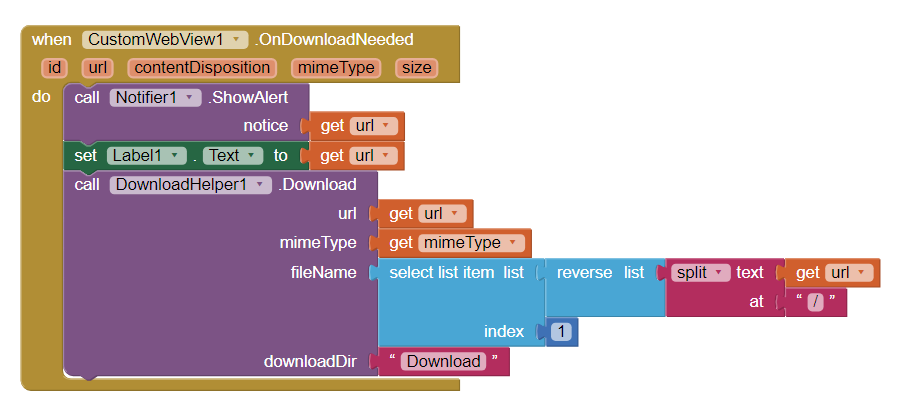
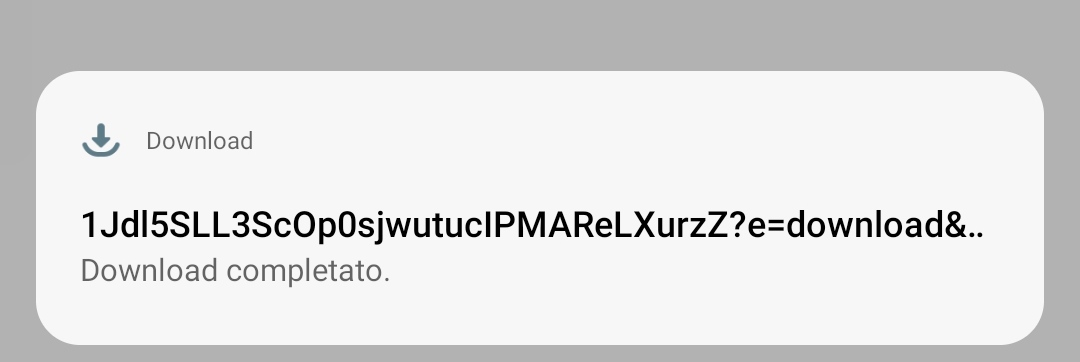
But what should I do if I wanted to download multiple files, showing only the name of the file and not a string as in the blocks previous to today?
yes, I'm a new user.
blocking works for this file.
But what should I do if I wanted to download multiple files, showing only the name of the file and not a string as in the blocks previous to today?
Create a logic yourself.
It has been explained how downloading works , now modify it according to your requirement.
yes, I know how to replace the apk name. But if I wanted to install two different apks or an apk and a pdf, what should I do? Would all downloads be called "mycardiofitv_1.apk? How do I get the system to recognize the name and type of the file to download if there is more than one?
or just create a block similar to this for each file?
Split download url at / and then select last item of this list.
Or just use GuessFileName block from DownloadHelper and forget about file name completely.
"split download url at / and then select last item of this list. "
Uhm... ok, i don't understand, how you do it?
Thanks you, sorry for the inconveniente.
I am afraid that I can't provide further assistance as your issue is not related to CustomWebView.
Open a new topic instead about how to get file name from url.
ok thank you
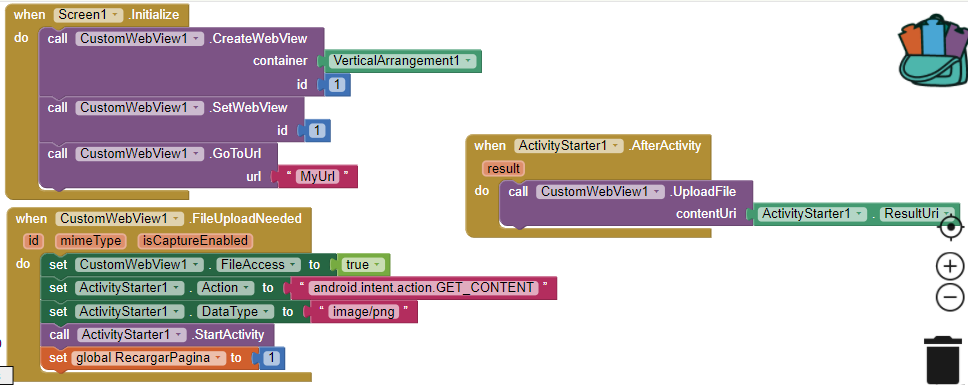
on upload, when user cancelled file selection, the selection and activity starter never works again, unless the page refreshed.
ActivityStarter component has ActivityCancelled event?
Thanks for your reply.
What should I do in ActivityCancelled event?
I tried to set action and activity package to "", but still not working.
the only way i found is to refresh page, and it's not a good solution for me.
Pass an empty text to upload block. It will cancel upload request and resume webview.
In Android 9 (or others) the down buttons of android(return home and windows) can't be accessed when you are on full screen mode
Is that a bug? Probably no.
What behaviour you see in full screen mode in browsers?
hey,the video shows too small i tried initialscale it doesnt work i need the video to fill the empty space in the vertical aragment.
Normal, but in my cellphone, for example start a web game in full screen after drag the bottom part up to activate one-touch navigation or the action buttons it flashes I need to be very quick to be able to use them
Sorry for my bad English!
Video:
Also try LoadInOverviewMode property.
Have a look here. It may help.
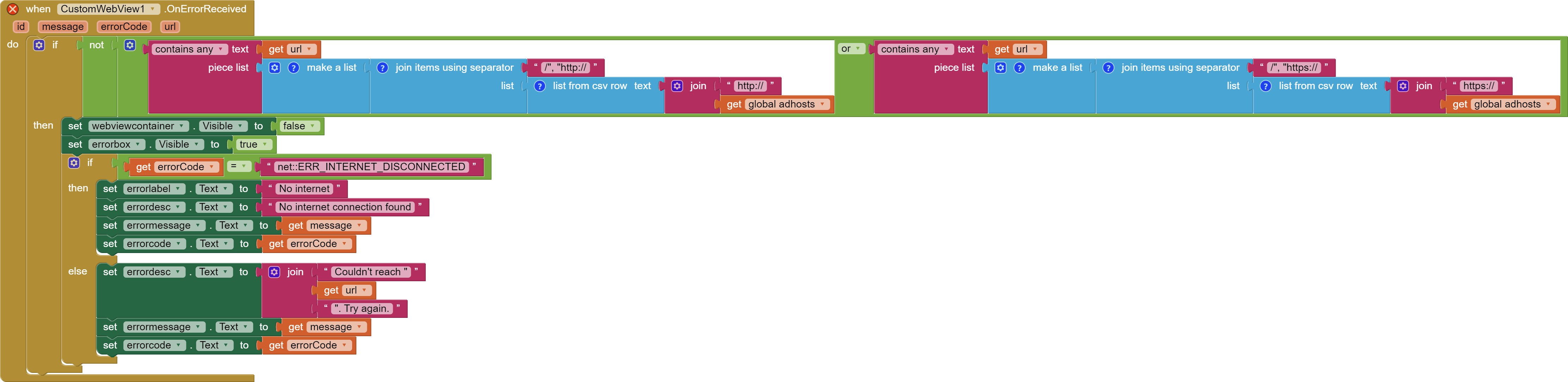
Hey, I'm making a browser with CustomWebView. I also implemented a custom error screen when it fails to reach a website. I turned on AdBlock and pasted a premade ad host list. But there seems to be a problem. When I go to a website with ads, the error screen I made comes up when the website is successfully reached, but instead of the website address showing on the error screen, the ad address shows instead, so it means the error screen is picking up the http errors from the adblock. Does anyone have a solution for this? I tried it with the blocks below, but it didn't work (don't mind the error symbol on the block, I created a duplicate one to change some text values which were in my main language)
I guess you are not setting hosts with AdHosts property.