CSV problem with commas

Hey there,

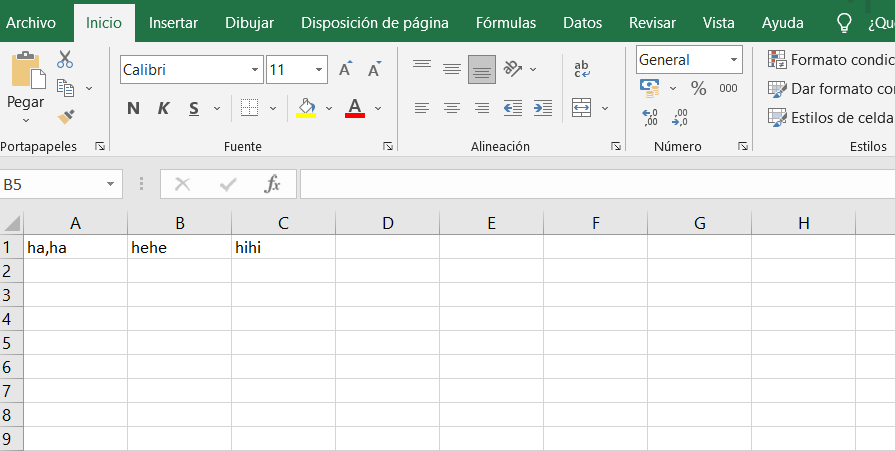
I've been searching for a solution to my problem: is that I have three values ("ha,ha", "hehe", "hihi") stored in a csv file i then store into a list. I want to pick the entire "ha,ha", including the comma, but the code doesn't allow it and only picks "ha", making the other part another value of the list. Does anyone know if it can be resolved?
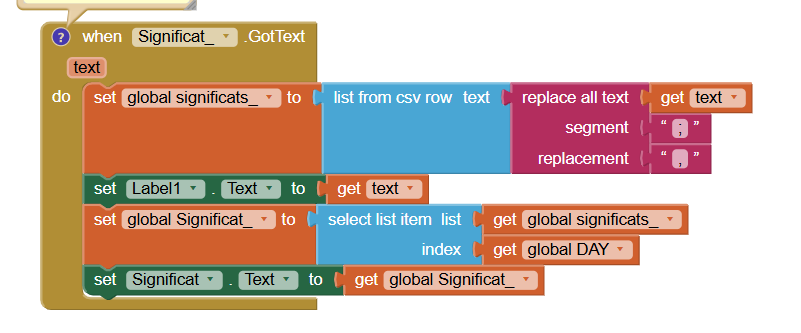
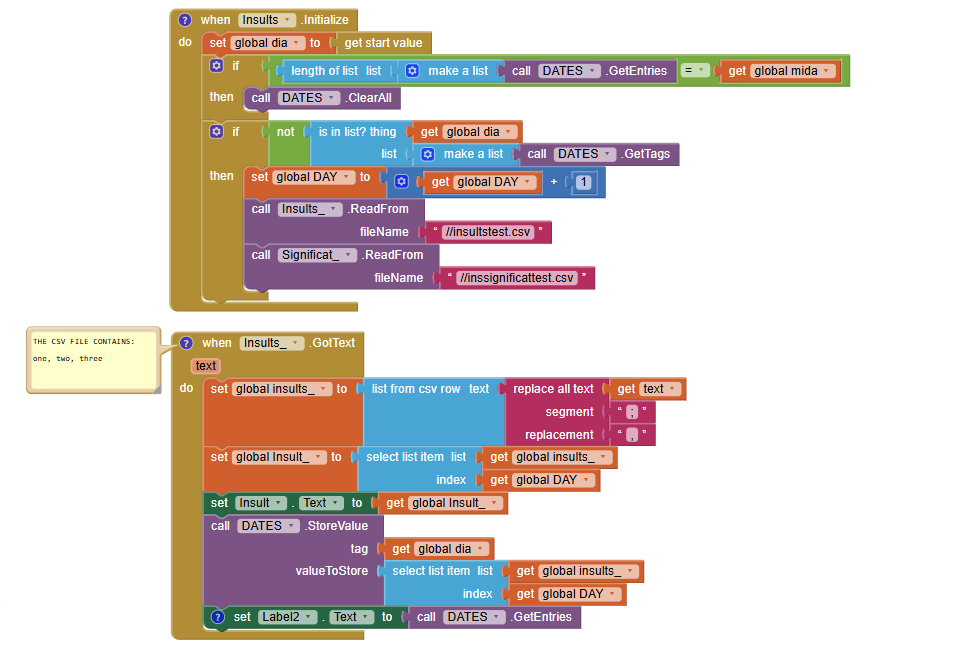
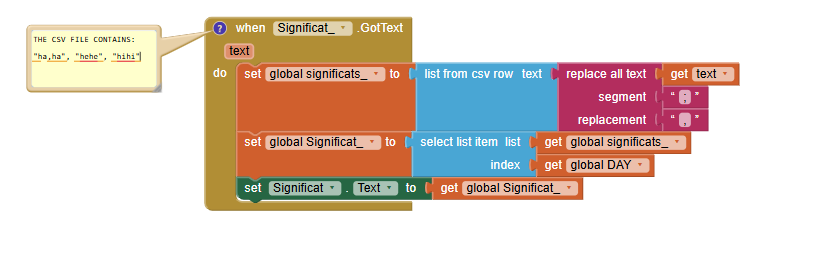
Here I leave you some pictures of the code.

Here's some functional code (I don't think it needs to be changed):

Here's the important part, where I need to change the code:

If you wonder, global dia = 0, and global mida = 3.
Also, label1 and label2 will be deleted, it's just for me to see the results.

Thanks,
If you need I can share with you a copy of the project.

By the way, I've just seen that I have to finish the initial code, if global dia is in the list of tags of DATES.

Upload that.

Show exactly what you have here:

image

I am guessing: "ha,ha";"hehe";"hihi", and explain where it comes from in that format and why...

This is not valid csv formatting

So there is not any way I can do it?? Is there any format I can use instead? I really need to write commas in the "Significat_" variable.
I used csv format because it is the only one I've learnt. I could have used any other format but I honestly don't know...

You did not show the value of "text" as requested

Setting the locale of your spreadsheet to "en" may help.

Okay... I now set Label 1 to text.

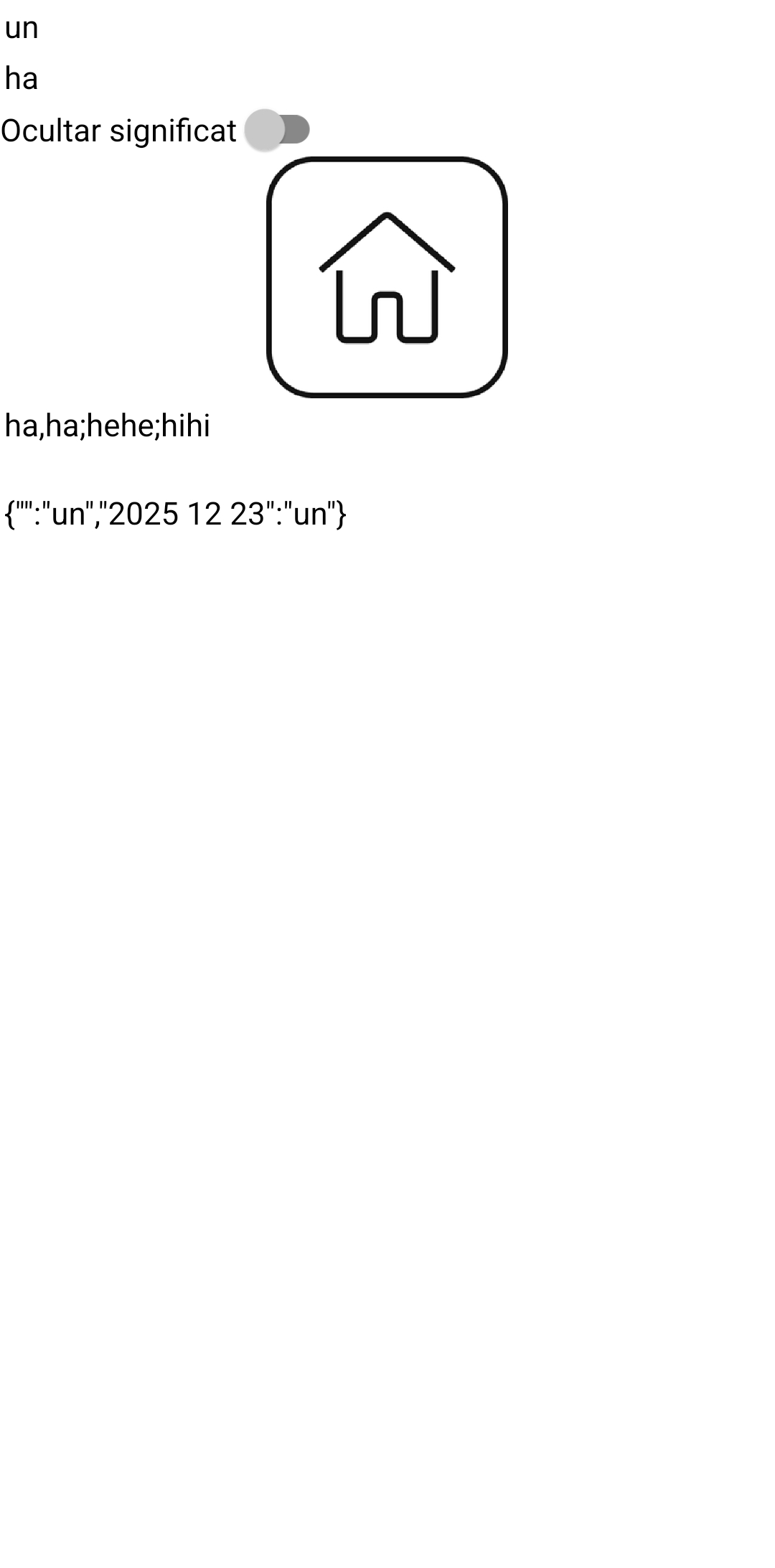
This is what I get ("un" means "one", the first item in the insults_ list):


Text is ha,ha;hehe;hihi. I want to keep ha,ha as one item, not two. And I'm not sure if it is possible. As you can see, under "un" there appears ha, not ha,ha.
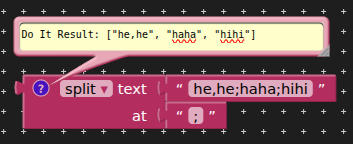
Use the text split block and split at ; to create your list.

image

please send me

Yeah! It worked. Thank you so much.

This topic was automatically closed 7 days after the last reply. New replies are no longer allowed.