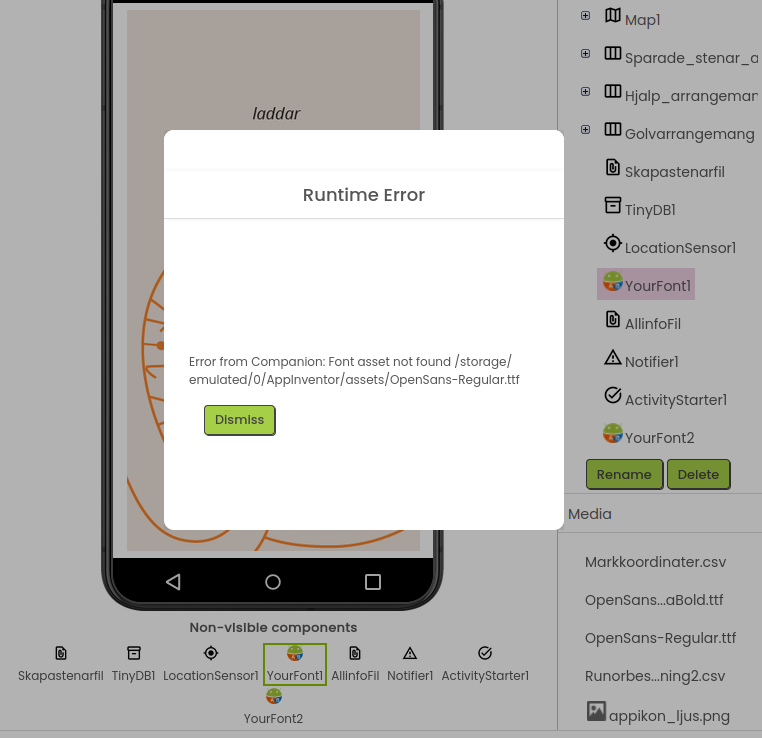
Hello, I was returning to App Inventor for the first time in years to try to fix a bug in my old app. But now I can´t even connect to the companion. A font asset can’t be found for some reason, and the app never starts.
The font that’s supposedly missing is part of the extension Your font, if this might be important.
I downloaded the latest version of the mobile companion.
Note that I haven’t changed anything at all, this is the project that I compiled for the official app that’s out on Google Play.