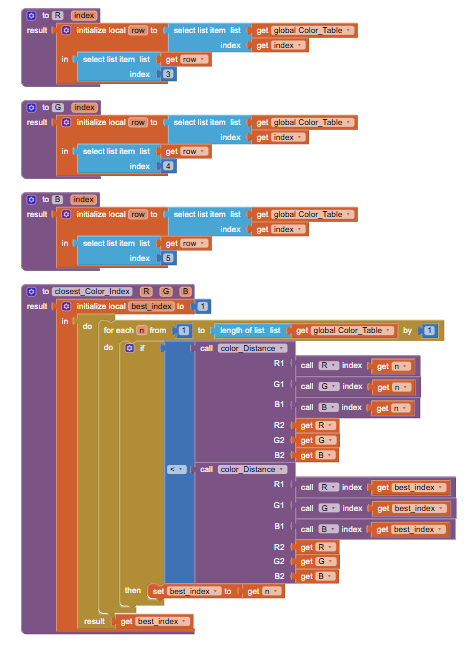
Yes, the color file in the Media folder has the names and the RGB values, and I included procedures to hunt through the associated table for the best match against whatever RGB value you get off the Canvas showing your picture.
Maybe you are loading them wrong?
You download the aia file, then use the AI2
Project->Import Project from aia File option to load it.
Oh! Sorry about that.
which color file?
Look in the Media folder after you import the matching game aia I just built.
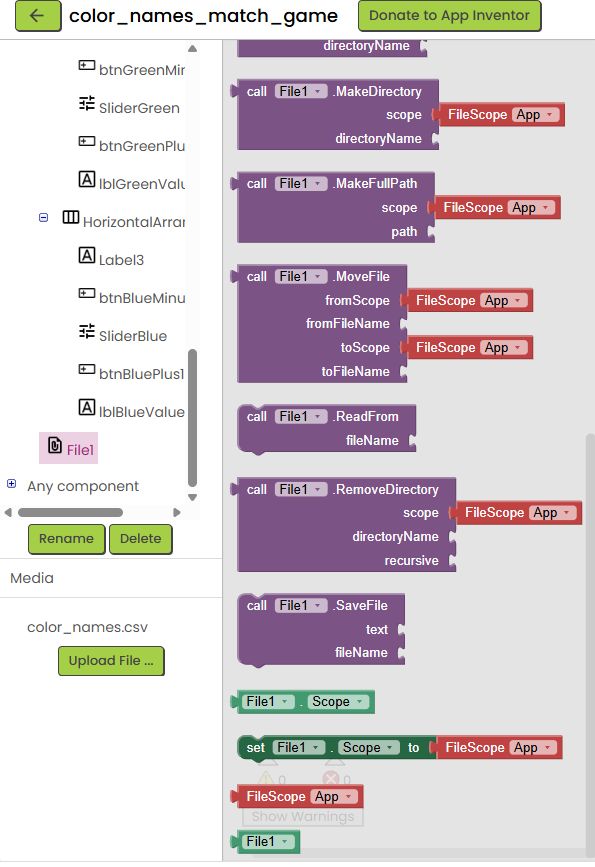
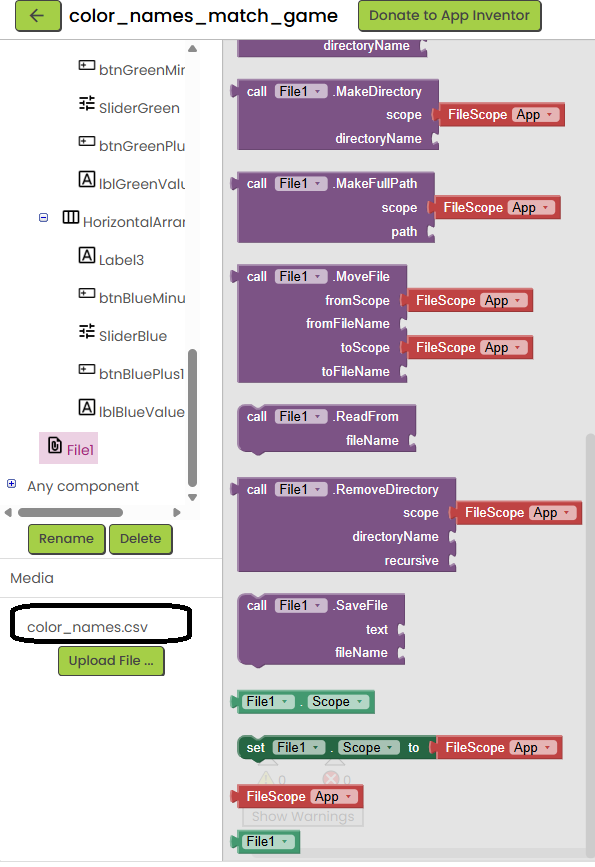
Look in the lower left.
The File component is just the software component that has the blocks to manipulate files in general.
The actual data is in the circled file name, riding along in the Project.
Have you seen
?
The online free book has chapters on all this stuff.
Never saw the book before.
oh okay.
I still don't understand 
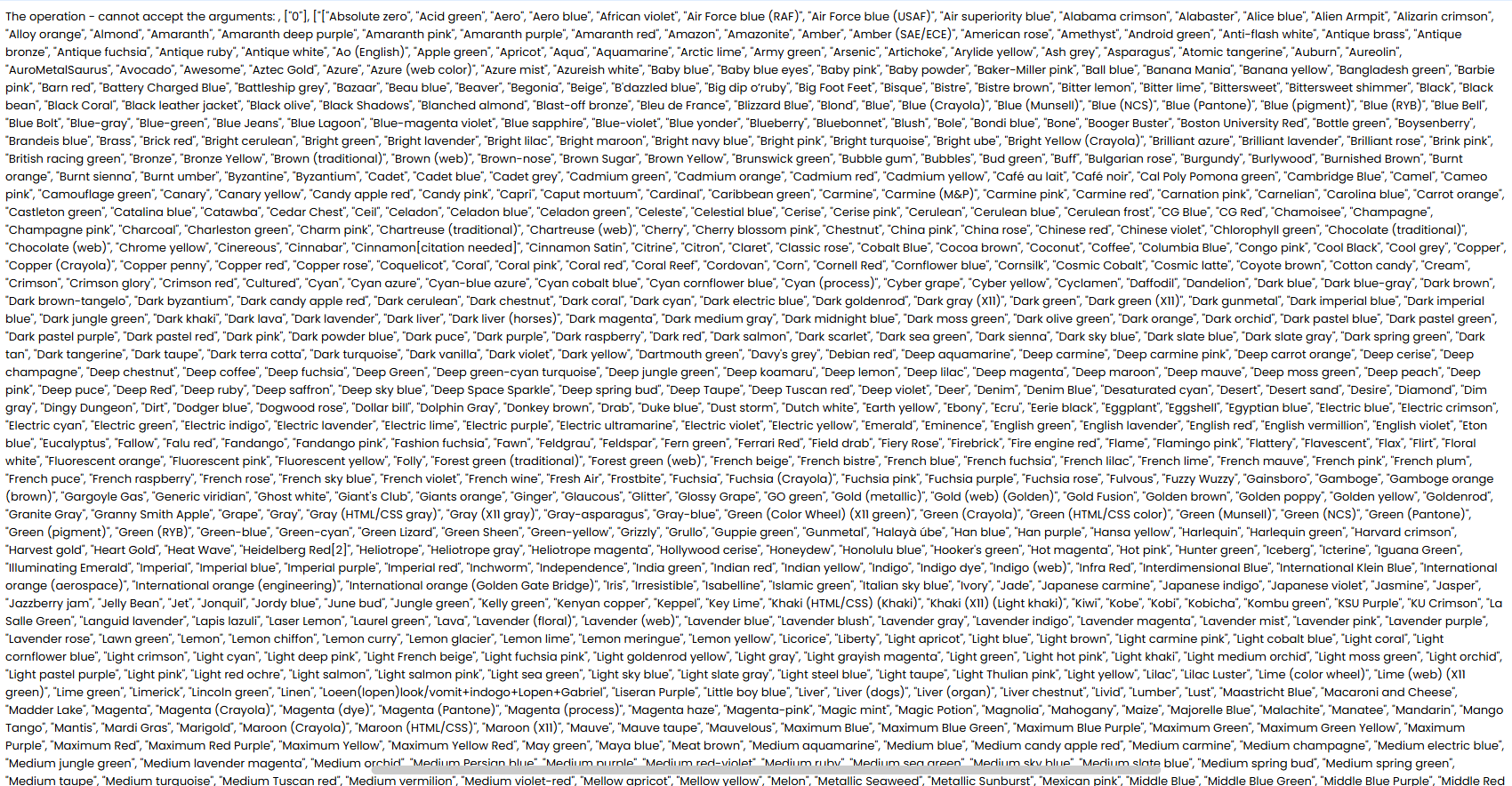
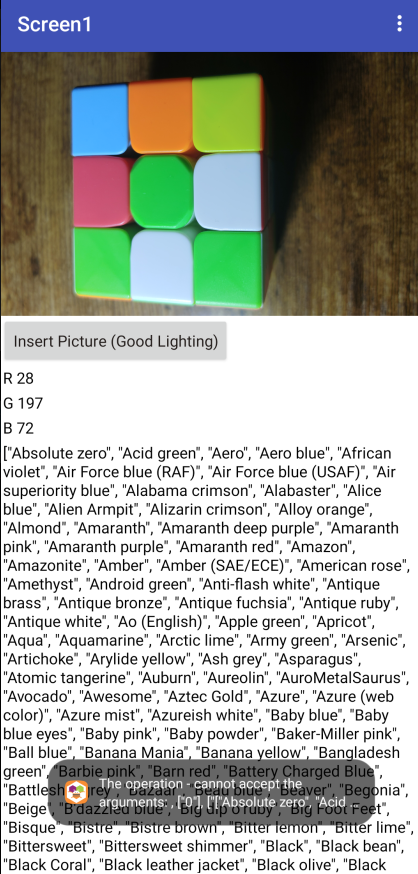
I tried modifying it into my code & removing the things involving the sliders but it just gave me all the colors.
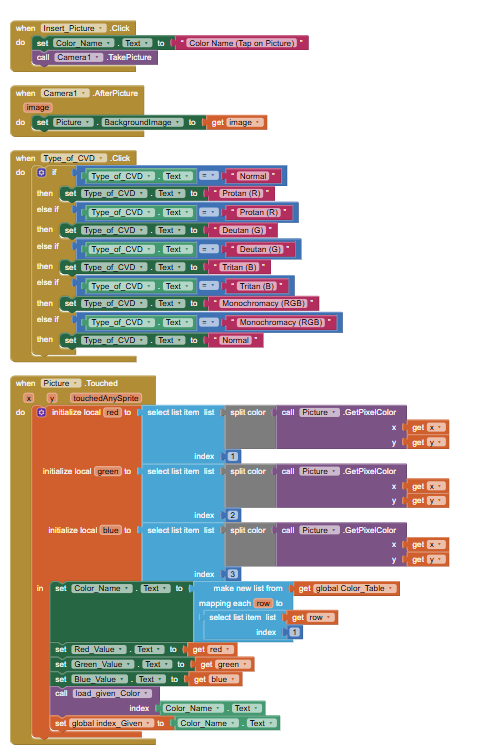
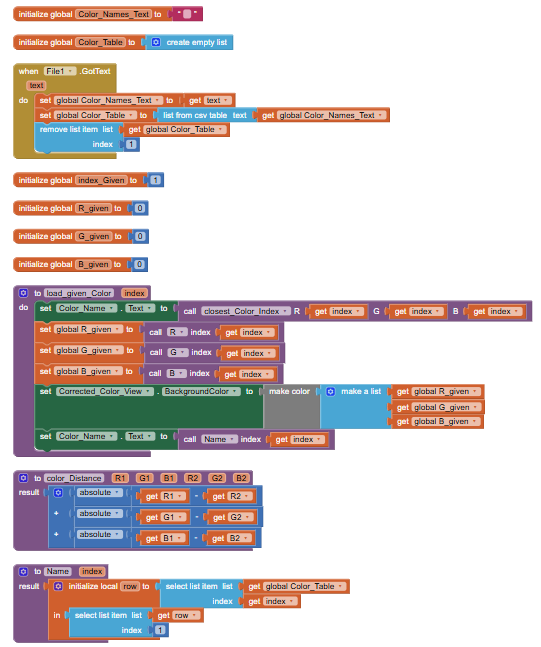
Export the aia of your project and upload it here.
Color_Identification_Aid.aia (32.9 KB)
Here's a simpler project that uses the sliders to reduce a single touched pixel's RGB parts in the background of a Label.
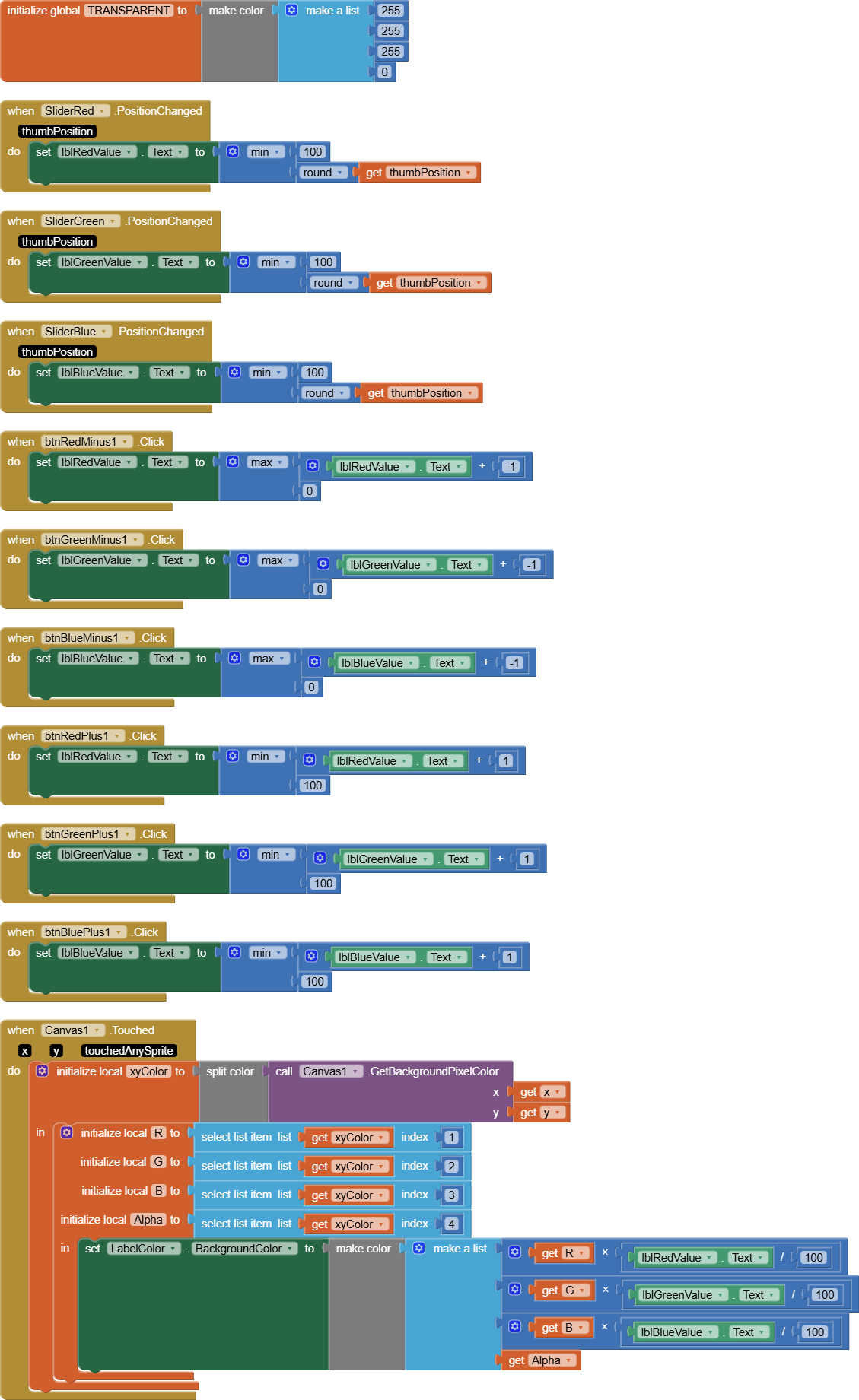
Canvas_color_masking.aia (169.5 KB)
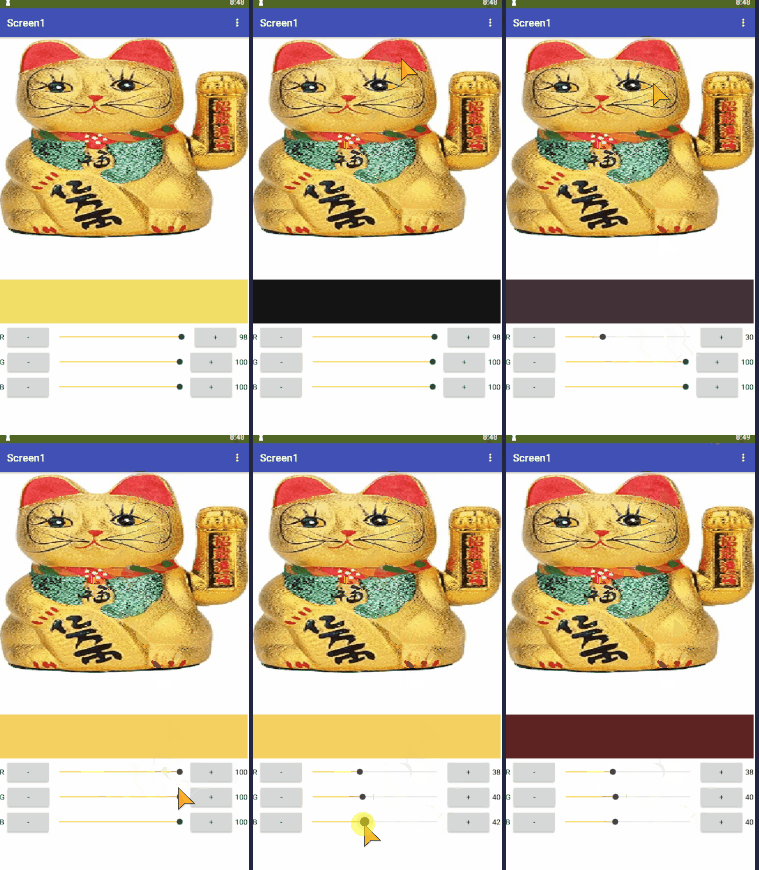
The three sliders range from 0 to 100, with 100 = full color vision.
Applying that transformation to a full image would take a while.
I got the coloring part already, but the code for the name of the color is still glitchy. are you able to also have that text-to-speech method also if possible? thank you! It just uploads all the colors instead
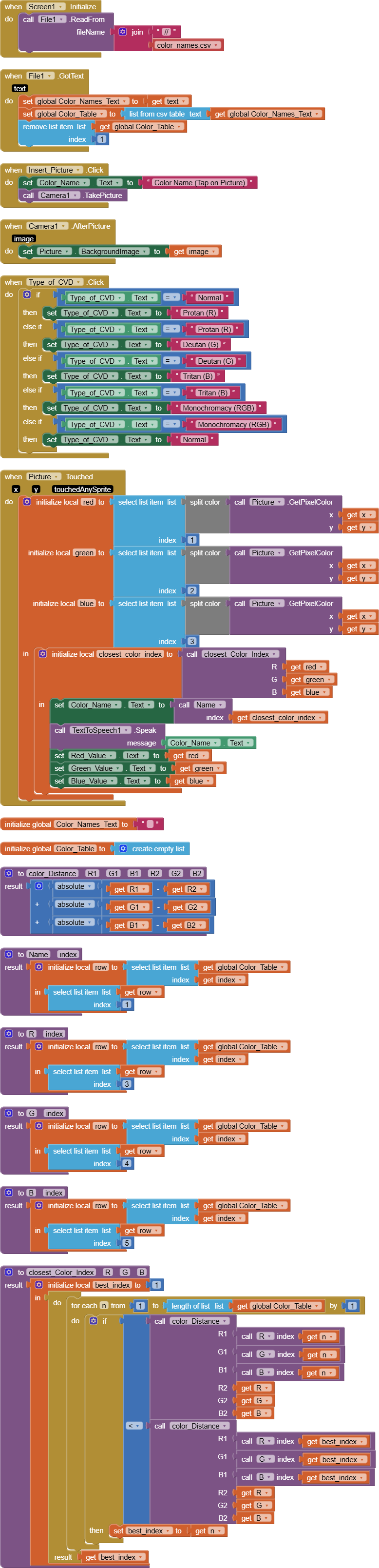
Color_Identification_Aid (1).aia (32.1 KB)
This should work.
I removed all the extraneous parts and broken code.
Do not confuse index with color.
The index variables refer to row numbers in the color table, which looks like
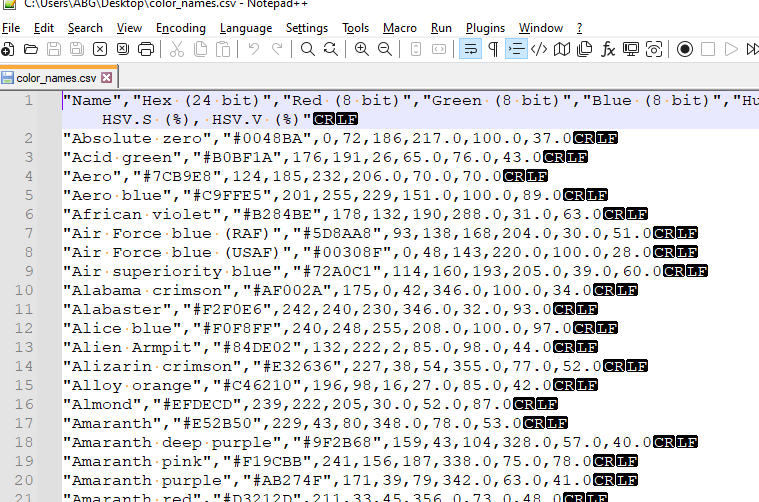
(after csv conversion and removal of the header.)
I did not test on my phone.
Aside from the camer image appearing rotated 90 degrees, color detection worked, and speech output also worked.
Thank you so much! I always though index was an index of the colors. the image being 90 degrees is not a problem for me. Is it possible for the color/image to change based on colorblindess for perspective & as a tool for people with it. If image is not possible, color is perfectly fine. That's what I used the switch, button, and sliders for.
Color_Identification_Aid.aia (32.9 KB)
What, you want before and after images looking normal vs looking like a color blind person would see them?
You would have to sweep over every pixel of the image in a Canvas, recalculate its new color based on the sliders, and paint that pixel with the new color onto another Canvas.
That's slow, and would have to be broken up into slices in a Clock Timer to let the user see the progress of the transformation.
Feel free to experiment.
I gave you earlier a sample that does the transformation for a single RGB value based on 3 sliders.
Before-and-after images will help raise awareness about color blindness in my project. I was wondering, is there a block/code that adds/subtracts color? And not just color, maybe high contrast? But I'll go experiment, thank you for all your help!
Merry Christmas if you celebrate.
1 Like
Here's a present for you.
Full image transformation based on the sliders, using a Clock Timer and two Canvases.
Study the blocks.
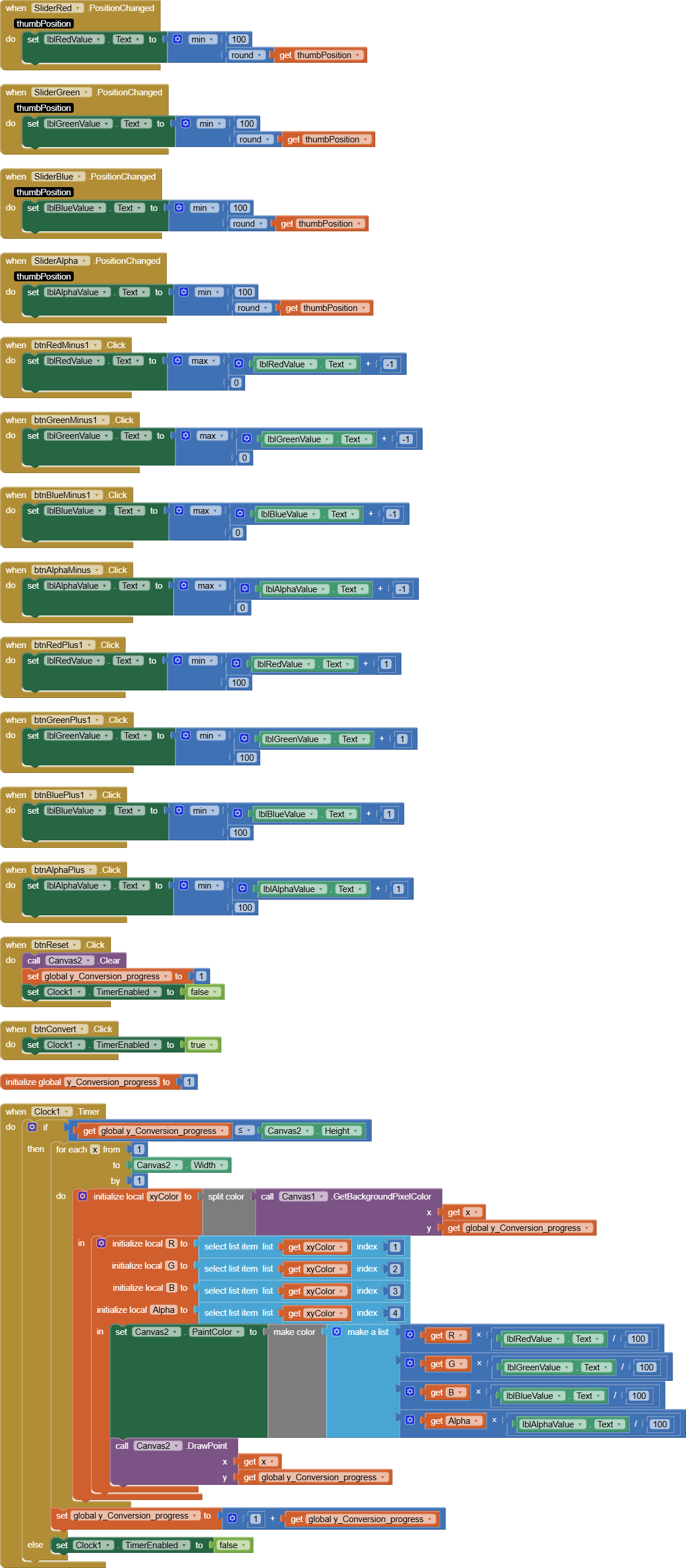
Canvas_color_masking_full.aia (171.0 KB)
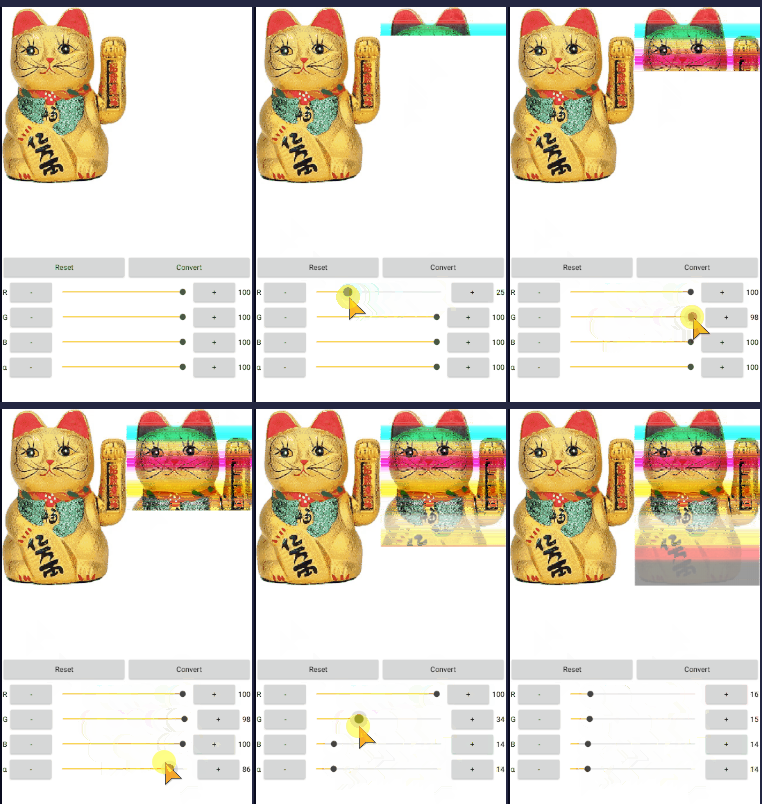
You should be able to set the slider values in the Labels to match disease choice, to simulate the disease.
I don't know color theory well enough to know what slider settings would compensate for the various diseases.
I leave that to you.
1 Like