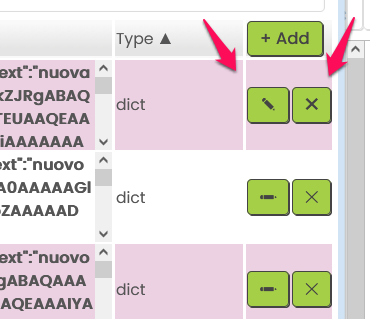
Not sure if folks are aware, but there is a very cool new feature added to the CloudDB component in App Inventor. CloudDB is App Inventor’s own cloud database, so it is a way for users to store data in the cloud without having to use external services like Firebase and Google Sheets, which require a little more setup and potential for changes in terms of service,etc.
One thing that is difficult about CloudDB, until now, is the fact that you had no way to viewing the contents of the database, other than writing code to display it. Now there is a visualizer built into the Designer that lets you easily view, add, edit, and delete items in CloudDB.
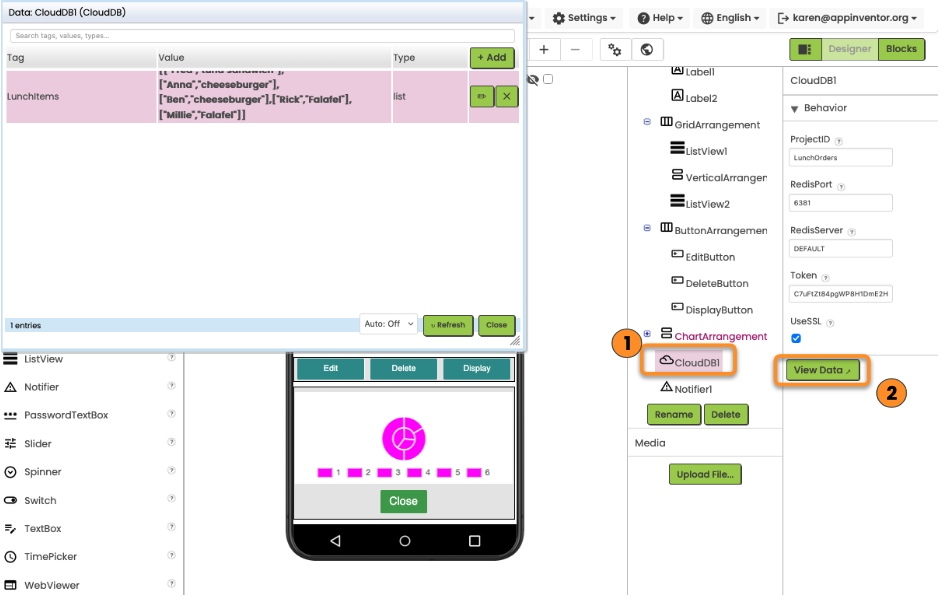
You just click on the CloudDB component in the component list, then click the View Data button in the Properties panel. The visualizer window pops up on the left.
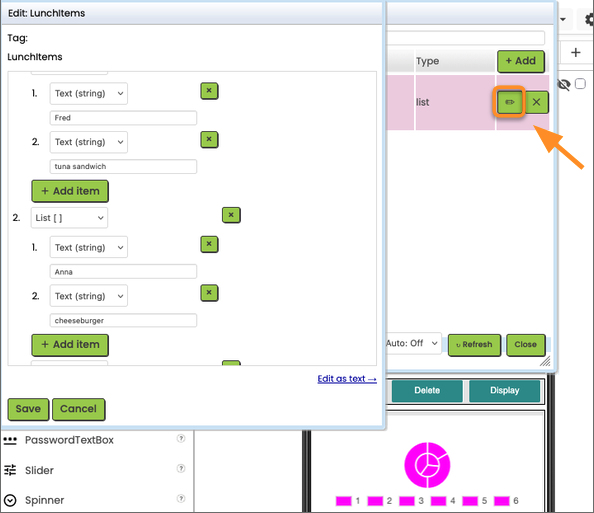
Add and delete are intuitive. The Edit button is to the left of delete (X), but it’s got a nice interface, especially if your value is a list, or a list of lists. It allows you to edit elements within the list easily.
To me, this really helps make the CloudDB component more user friendly for implementing a cloud feature in an app. If students are able to see the contents, I think it becomes clearer to them how it works.
Check it out, and let us know what you think!
 Heavy multiplication X