Clock component: MakeInstantFromParts method works with local timezone instead of UTC

Hello dear community,
I have observe what appears to me an unexpected behaviour with the Clock component, specifically with the MakeInstantFromParts method.

I need to convert a given UTC date/time string (YYYYMMDDhhmmss) to a Clock instant or, if that doesn't work, a Unix epoch.
The data I'm working with originates from an embedded device with limited resources so I cannot convert it there.
By using a UTC timestamp, I had hoped that I wouldn't need to deal with time zones and DST.
So, I chose the MakeInstantFromParts method because it seemed to fit my intention - its description says "Returns an instant in time specified [...] in UTC".
However, I observed that in my case, it interprets the given information with my local time zone and DST. I suspect that this behaviour fits most users' needs.
Is there a way to circumvent this issue without having to deal with my local time zone? Or is there a possibility that a new method "MakeInstantFromPartsUTC" could be implemented?

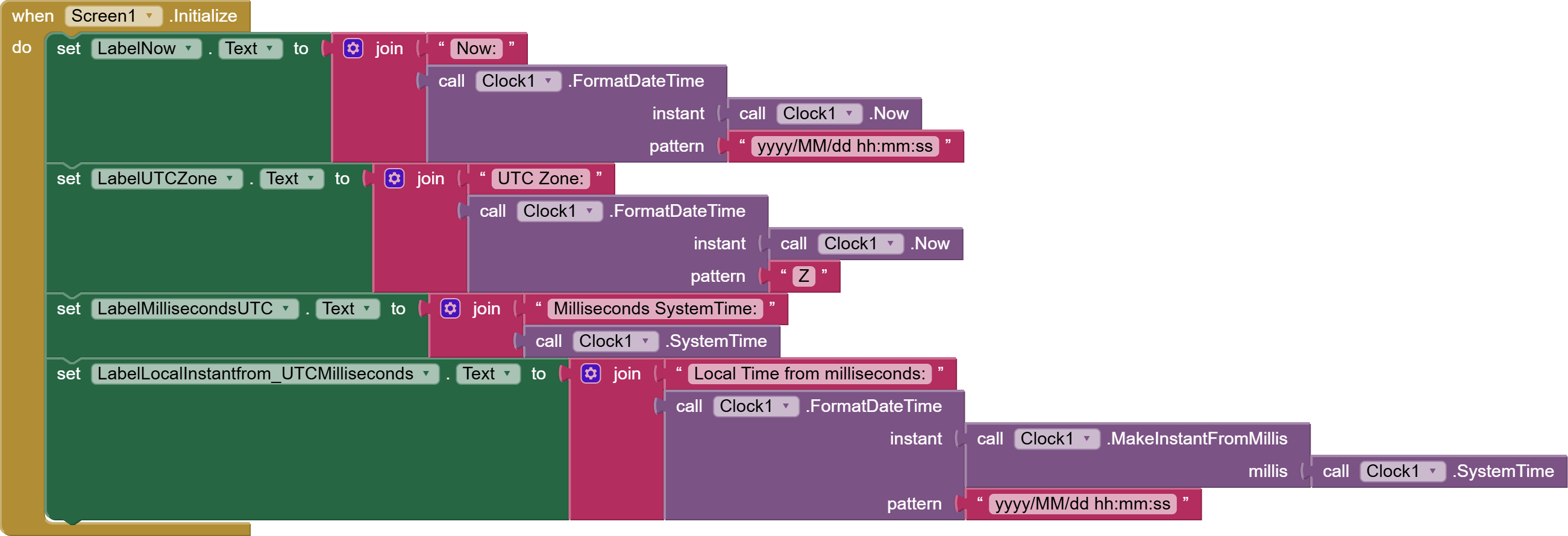
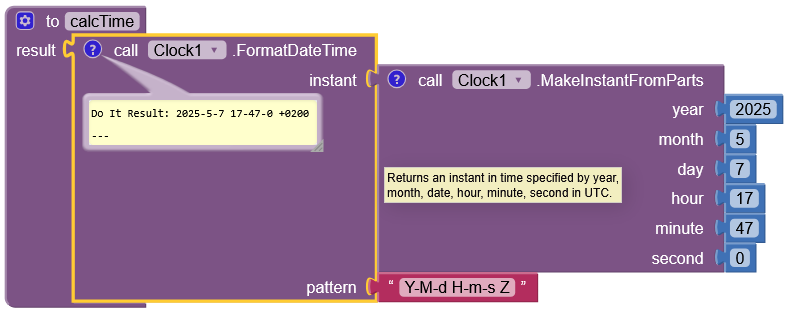
In order to visualize this for you, I created the following blocks:

When I enter the resulting Unix timestamp into an online converter tool, I see that it corresponds to the original time, but in my local timezone (UTC+2).

Any help would be appreciated.
Thanks!
Start from

There are several discussions there about UTC.

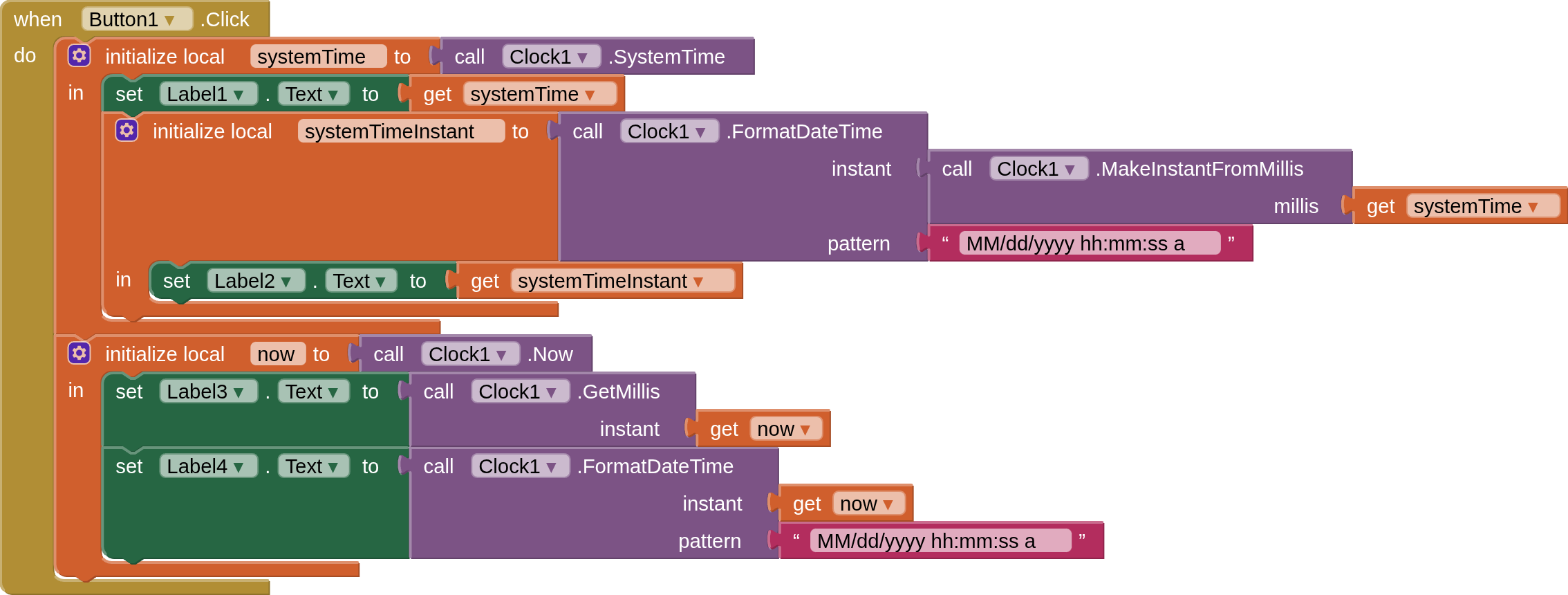
Thank you for the link. Using one of the articles referenced there, I was able to obtain a different representation of the same problem that helps my point:


This way, you can see that MakeInstantFromParts returns the requested time, but referenced to the local time zone and not to UTC, as indicated by the block's description.

Would you agree that this is a wrong, or at best misleading description of what the MakeInstantFromParts module is doing?

And regarding my use case: I have looked around and couldn't find a way to do this conversion from UTC straightforward without having my local timezone get in my way... Is there a way to do this properly without a nasty workaround?

Get the timezone/DST adjustment from the instant, and adjust the milliseconds output accordingly...?

That depends on your definition of nasty.

Does it include taking the local Z format value, breaking out its hh and mm parts, and adding (subtracting?) them to the current Instant Hours and Minutes?

The nastiness could be hidden in a value procedure

Yes, I agree.

I did a search in the community for you and found

Taifun

@ABG , @TIMAI2 , @Taifun :
thank you for your valuable suggestions. I had hoped that I wouldn't need to care about my local timezone, but the workaround isn't that nasty after all...
Best
eutill

Hi everyone. I have a doubt.

Referring to clock.now

In mit app documentation I read

“Returns the current instant in time read from phone’s clock.” and “Instants are assumed to be in the device’s local time zone.”

BUT

“milliseconds for a given Instance are calculated from January 1, 1970 in UTC”

SO

Should clock.now be the same, in the same time , in different time zone? I proved that get mills instant call clock.now in Italy is the same as values in unix epoch website…

Why in documentation I read that it is in local timezone?

Thank you @ABG

Have you a simple answer to my question?

How about

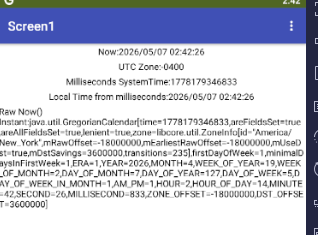
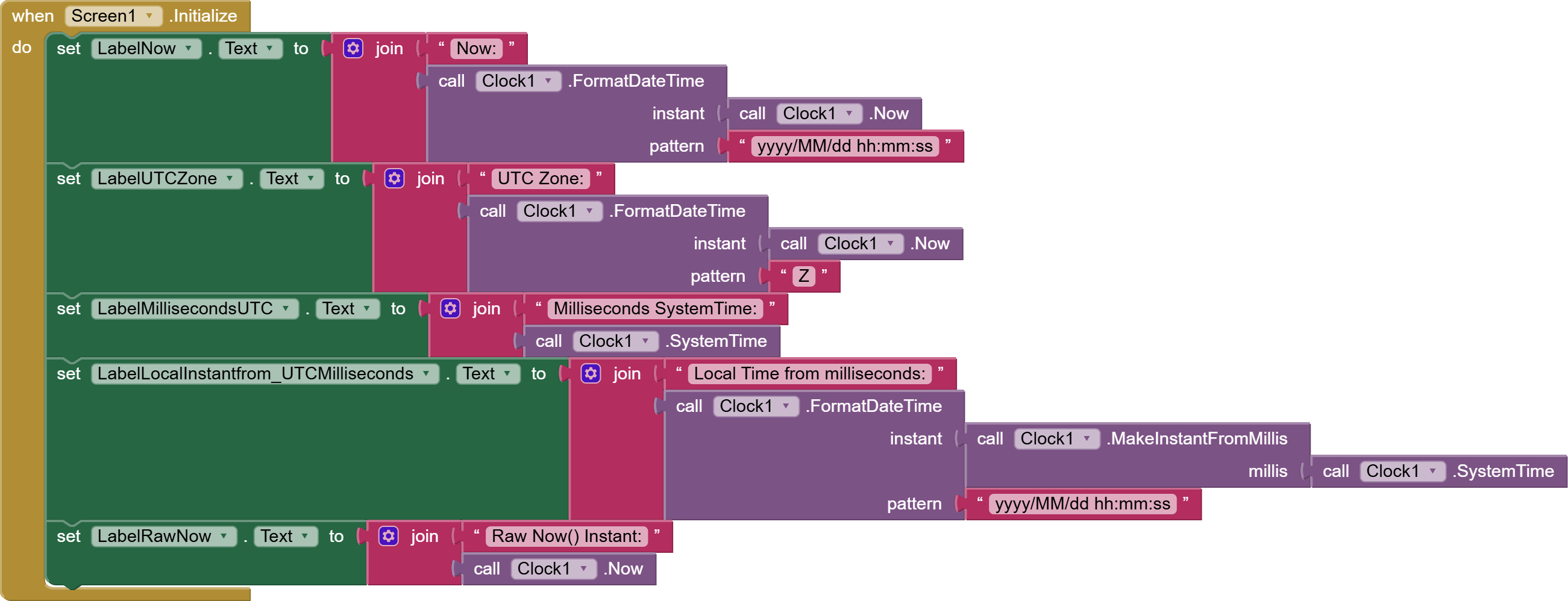
Sample app run:


(draggable)
Now.aia (2.3 KB)

The Unix epoch is equal to the Clock1.SystemTime.
Instants are based on local time set in the device, so they can introduce local effects like Daylight Savings Time.

If you copy an Instant into a Label.Text you will see lots of details.

The Instants are in the local time zone.

My example run uses my BlueStacks emulator, which was left at UTC+4 (not local to me, I am sitting in UTC-5.)

Now:

Do It Result: "Raw Now() Instant:java.util.GregorianCalendar[time=1778179611310,areFieldsSet=true,areAllFieldsSet=true,lenient=true,zone=libcore.util.ZoneInfo[id="America/New_York",mRawOffset=-18000000,mEarliestRawOffset=-18000000,mUseDst=true,mDstSavings=3600000,transitions=235],firstDayOfWeek=1,minimalDaysInFirstWeek=1,ERA=1,YEAR=2026,MONTH=4,WEEK_OF_YEAR=19,WEEK_OF_MONTH=2,DAY_OF_MONTH=7,DAY_OF_YEAR=127,DAY_OF_WEEK=5,DAY_OF_WEEK_IN_MONTH=1,AM_PM=1,HOUR=2,HOUR_OF_DAY=14,MINUTE=46,SECOND=51,MILLISECOND=310,ZONE_OFFSET=-18000000,DST_OFFSET=3600000]"

The doc:

Instants are assumed to be in the device’s local time zone. When they are converted to or from milliseconds, the milliseconds for a given Instance are calculated from January 1, 1970 in UTC (Greenwich Mean Time).

Methods to convert an Instant to text are also available. Acceptable patterns are empty string, MM/dd/YYYY HH:mm:ss a, or MMM d, yyyy HH:mm. The empty string will provide the default format, which is "MMM d, yyyy HH:mm:ss a" for FormatDateTime, "MMM d, yyyy" for FormatDate. To see all possible formats, please see here.

A note on combining date and time: In order to combine the date from one Instant and the time from another, for example from a DatePicker and TimePicker, extract the parts as text and use the text to create a new Instant. For example:

Example code blocks to combine date and time picker data

Honestly,
No.

Ok, probably I understand…but I think there's a lot of confusion in “Now” block documentation because it refers to “instant” , but it is not a “Instants” .

Now gives an absolute milliseconds number.

Only when I convert it to “Instants”, the timezone is considered (and the result is local).

“getMillis - Now” gives the same as SystemTime.

This long number is equal in all the world (no local dependance) at the same time and is unixEpoch…correct?

That's how I understand it.

Instant is an AI2 compound data type, and is the output of Clock1.Now()

Not as I understand it.

SystemTime and Now both return the time on the device (local time).

If you want UTC then you need to use an online time server.

If you create an instant from parts, then you get the time you input!

Dear @D_M

in addition to all that @TIMAI2, @Taifun, and @ABG have already said and suggested, there is a powerful extension by @Juan_Antonio that gives you back the data from the GPS of your device (provided that the geolocalizationis is active).

This extension is called Kio4_NmeaMessage1(retrievable on this forum) from which you can retrieve the GPS time as follows:

image

The timestamp is compatible with the “instant” blocks:

image

that means that you can derive all the other operations that the AI2 clock blocks are featuring.

I don’t know if it might help you, but its ease of use is worth a sight.

All the best.

@TIMAI2

Milliseconds from “now” is equal to unixepoch (I checked it)

From Google AI

“Is unixepoch equivalent to utc?”

“Because it's based on UTC, Unix time is the same worldwide. No matter where you are, the Unix timestamp is identical, avoiding complications related to time zones or daylight saving time.”

@uskiara thank you