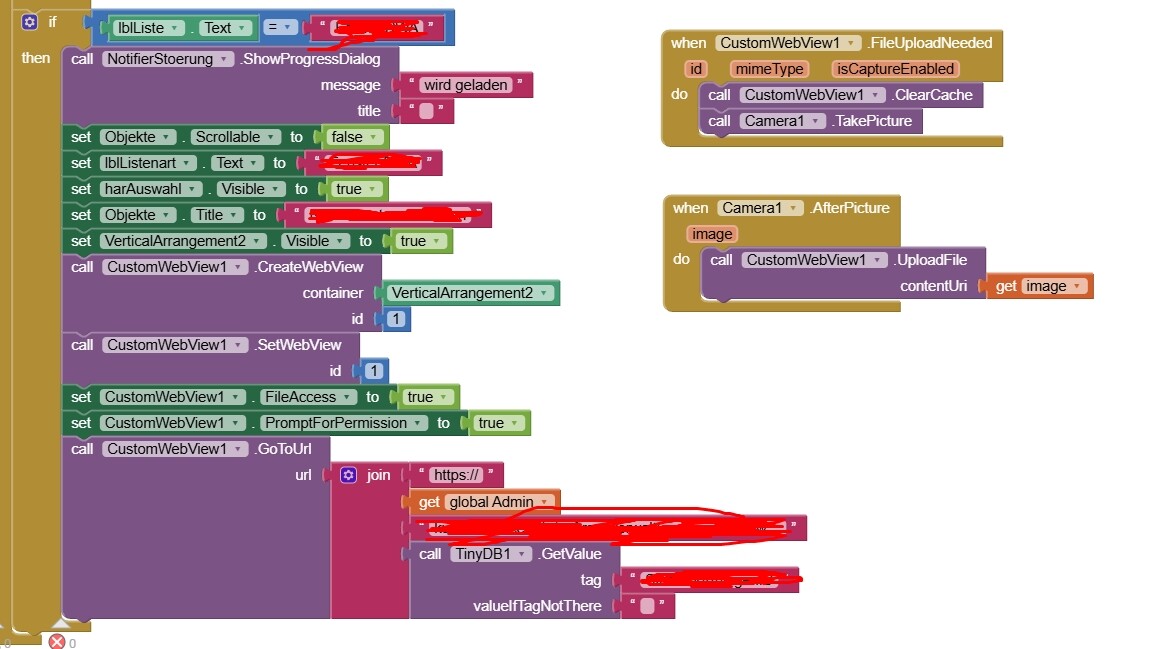
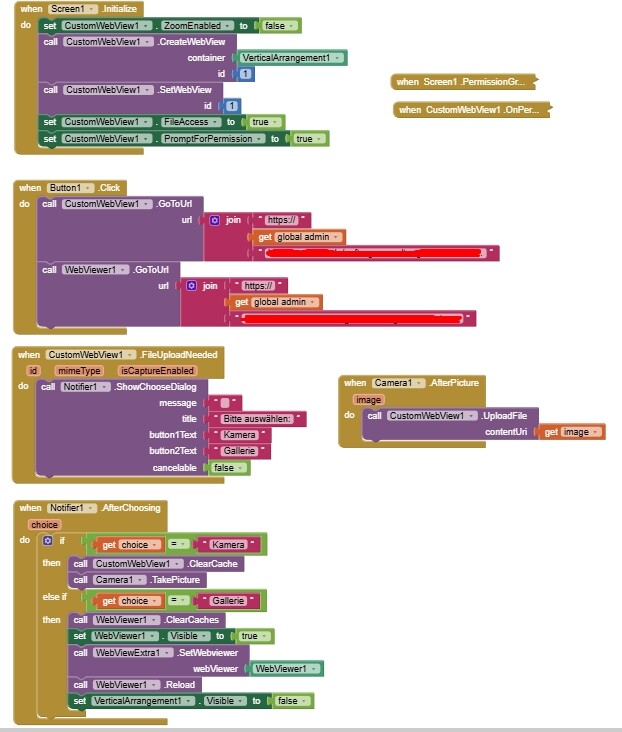
You need the webviewextra extension to provide upload/download functionality in your webviewer
Test if your site works to take a picture using the device's default browser
It might be that the webviewer needs more to do this:
I asked Brave:
##########################
Open Camera in WebView
To open the camera from an Android WebView to take a picture, you need to implement a custom WebChromeClient and handle the file upload request properly.
Key Steps:
Set a WebChromeClient with onShowFileChooser() overridden to handle the camera and gallery options.
Request permissions for CAMERA and WRITE_EXTERNAL_STORAGE in AndroidManifest.xml.
Use Intent.ACTION_IMAGE_CAPTURE to launch the camera, specifying a file path via MediaStore.EXTRA_OUTPUT.
In onActivityResult(), retrieve the captured image and pass it back to the WebView using the ValueCallback.
Example Implementation:
webView.setWebChromeClient(new WebChromeClient() {
    private ValueCallback<Uri> mUploadMessage;
    private final static int FILECHOOSER_RESULTCODE = 1;

    @Override
    public boolean onShowFileChooser(WebView webView, ValueCallback<Uri[]> filePathCallback, FileChooserParams fileChooserParams) {
        if (mUploadMessage != null) {
            mUploadMessage.onReceiveValue(null);
        }
        mUploadMessage = filePathCallback;

        Intent takePictureIntent = new Intent(MediaStore.ACTION_IMAGE_CAPTURE);
        if (takePictureIntent.resolveActivity(getPackageManager()) != null) {
            File photoFile = createImageFile();
            if (photoFile != null) {
                Uri photoURI = FileProvider.getUriForFile(this, "com.example.fileprovider", photoFile);
                takePictureIntent.putExtra(MediaStore.EXTRA_OUTPUT, photoURI);
                startActivityForResult(takePictureIntent, FILECHOOSER_RESULTCODE);
            }
        }
        return true;
    }
});
Handle result in onActivityResult() to send the captured image back to the WebView.
This approach enables users to take a photo directly from the WebView using the device camera.
############################
The workaround, whilst not ideal, is to take a picture with the device, then request the image upload through the website. The filepicker generated will open up your storage so you can browse to the file (/DCIM/Camera)