There have been a few posts about issues with resizing images using Canvas saveAs. I had a look back in this community and the previous community, and couldn't find anything that explored the highs and lows of this topic, so after some investigation and testing, I hope to bring some clarity to the subject. I have used my Pixel 8a as a test device, and assume/hope that the same will apply for other devices.
The specification for my phone is that it has a resolution of 2400x1080 - wow - that is bigger than my 27" desktop screen! But things are not always what they seem to be. Here is a screenshot of this community if viewed in a fullscreen browser at the resolution stated for the phone:
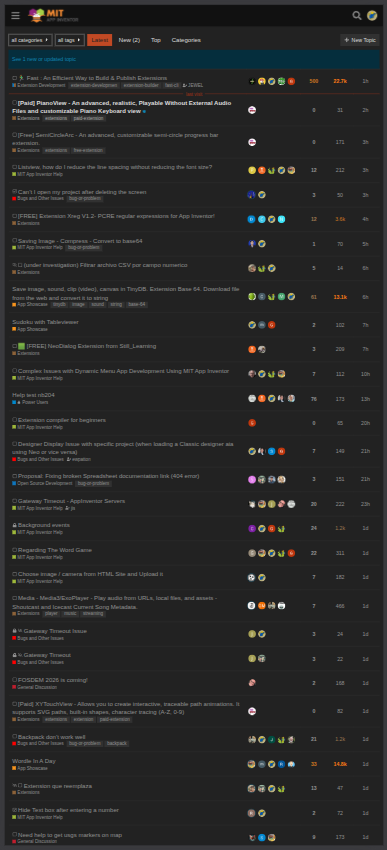
Oh, that is not great is it, practicably illegible, lots of screen real estate but not very usable. Here now is a screenshot of what I would actually see on my phone:
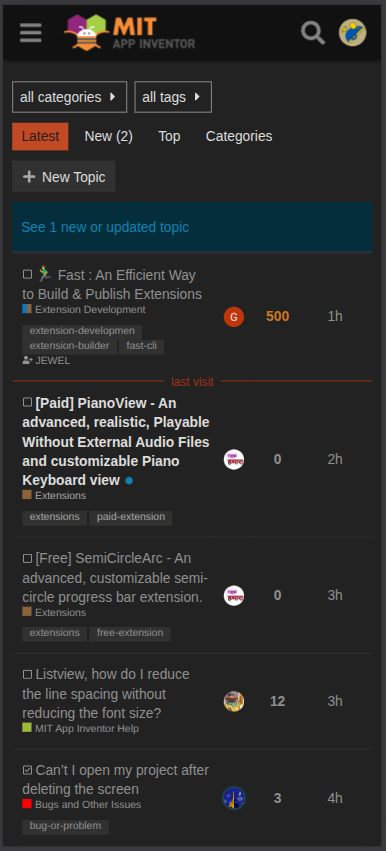
Ah, that is better. What is going on ? Well the device is "scaling" the display by a scale factor I will call "density" to make the apps we view, actually viewable. Different devices will use different densities!
How do I know what my device's density is? Well we can work it out using AppInventor, by getting the screen width and height from the blocks. In my case screenWidth = 411 (pixels) and screenHeight = 820 (pixels), but one does need to take into account the two height values of the status bar (48 pixels) and navigation bar (46 pixels). I can work out the height of the status bar by unchecking it in the designer and then calling screen height again. I can work out the height of the navigation bar by finding out what the actual full scaled height should be: 2400 / (1080/411) = 914 (pixels). In fact 1080/411 should be giving me my density - although it is not quite accurate, as the screenWidth returned by AppInventor has to be an integer/number of pixels.
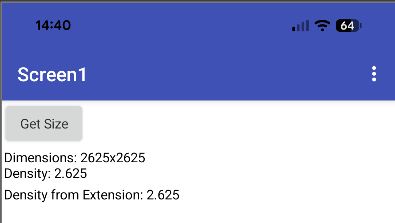
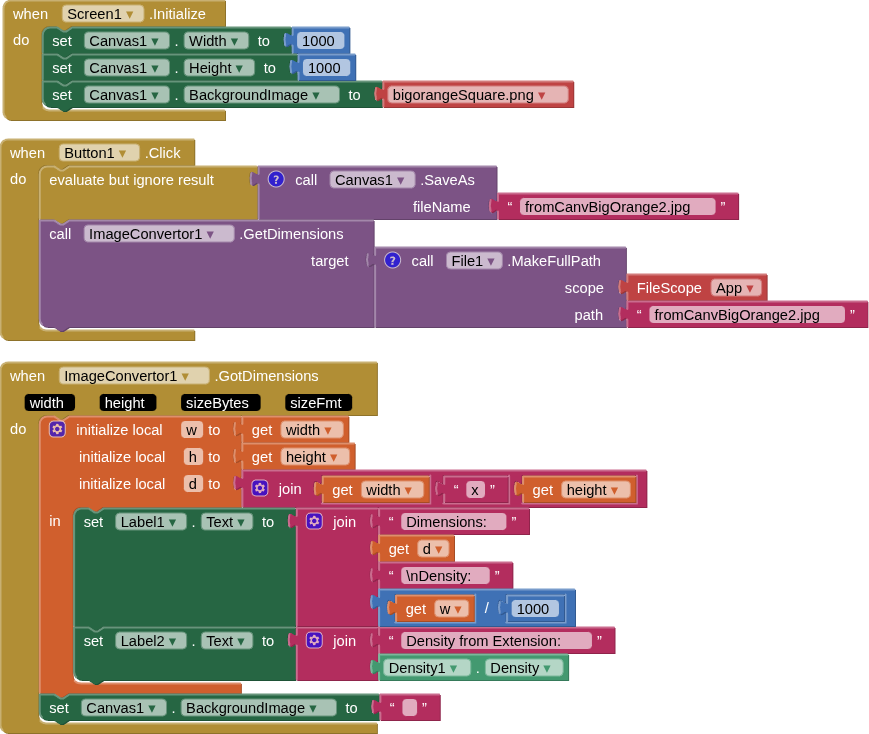
Another approach is to actually use an image of known dimensions, a canvas and an extension, I used my Image Convertor - to return the width and height of the canvas saveas image. My image has dimensions of 1000x1000 pixels to help avoid any pixel rounding. I set the canvas dimensions to 1000x1000 (automatic/fillparent will distort the image). Saving the canvas to an image with the image loaded generates a new image with dimensions of 2625x2625pixels, and increases the image size from 6.4kb to 94.6kb. If we divide 2625 by 1000 we get our density: 2.625. I checked this with two density returning extensions that use androids display metrics library.
Here is the aia project:
imgSizingTests.aia (30.4 KB)
Screenshot of the output:
Blocks
Hopefully, from all of this, you can see that the canvas will save out an image to the device resolution, not the scaled resolution e.g. 2625x2625 instead of 1000x1000. What to do ?
1000 (image width/height) / 2.625 (density) = 381 (pixels)
If we set the canvas size to width = 381 pixels and height = 381 pixels, and run the app again, we will find the canvas saves an image with dimensions 1000x1000 pixels !
What if we want to resize our original image to 250x250 pixels? We can probably get close enough with this:
1000 / (2.625 * 4) = 95 pixels
What if my image is not square? No issues, you just use the density on each of the width/height values.
In essence then, if we understand that the canvas will save an image to the device resolution instead of the display resolution, we know that we need to get the density of the device and use some maths, to "get back" to the display "pixels" size and/or resize up / down as required.
This probably raises more questions than answers, and I will no doubt get mobbed by those who understand more about the technical background, but I hope it helps someone.
ADDENDUM
I forgot to add this link of a guide i did a while ago, which uses some javascript to set the canvas to the size of the image (of use for those who cannot/will not use extensions):