hello
thanks
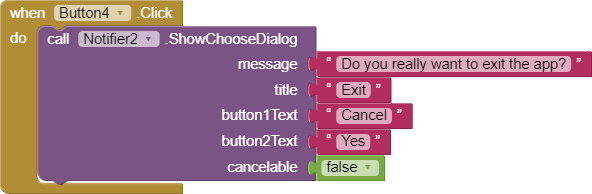
No. Developers can change the colors of alerts but not dialogs . You hope to change the colors in a dialog.
See the documentation http://ai2.appinventor.mit.edu/reference/components/userinterface.html
Properties
BackgroundColor Specifies the background color for alerts (not dialogs ).
NotifierLength Specifies the length of time that the alert is shown – either “short” or “long”.
TextColor Specifies the text color for alerts (not dialogs ).
Regards,
1 Like
thank you @SteveJG i will surely see to it
Conor
July 14, 2020, 6:53pm
4
Shobha_Singhal:
options is pink
You can change this by setting the Accent Color property on Screen1.
Taifun
July 14, 2020, 7:43pm
5
there are some extensions available... search for Notifier or Dialog ...App Inventor Extensions | Pura Vida Apps
Taifun
Trying to push the limits! Snippets Tutorials Extensions Pura Vida Apps by
Taifun.
thank you @Conor and @Taifun i will surely try to do it with what u told
thank you @Conor
1 Like
system
July 22, 2020, 9:28am
8
This topic was automatically closed 7 days after the last reply. New replies are no longer allowed.