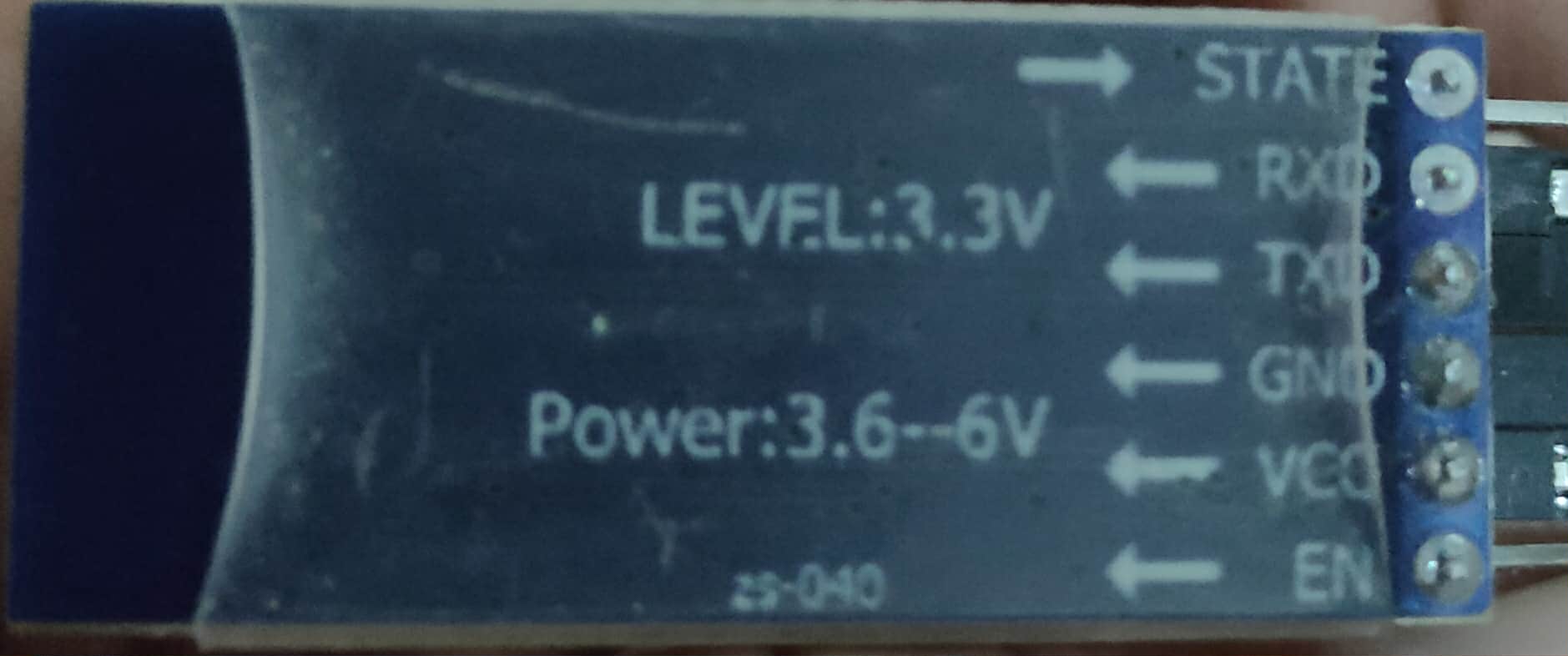
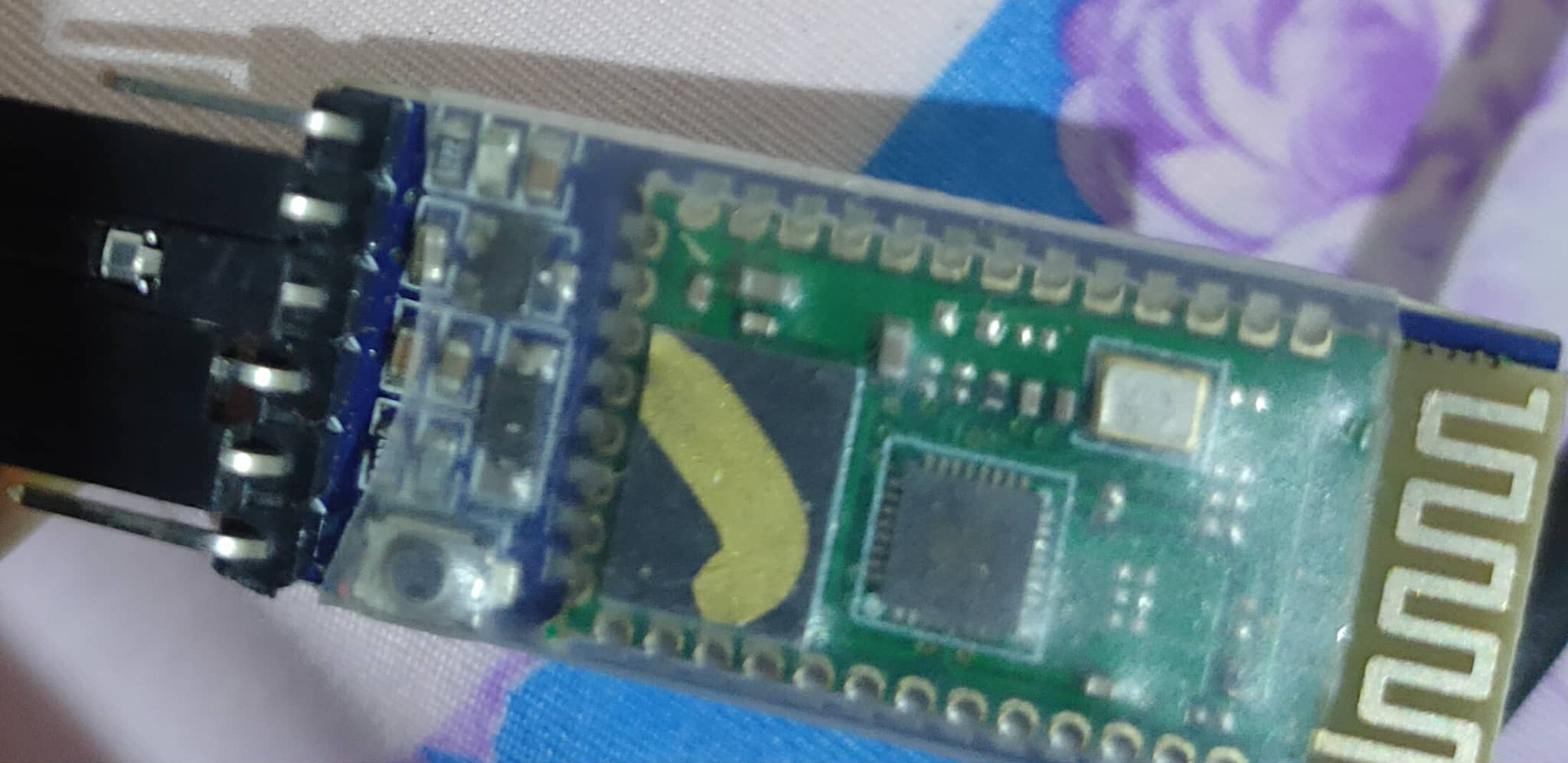
Are you sure, you are using (connecting to) a HC-05?
Please answer my question:
I'm pretty sure, you don't.
yeah. I'm edit the name of HC-05. RON
As I said before, the HC-05 is not a BLE device.
So we need to see the exact information of your BT device.
okay sorry
my device bluetooth version Bluetooth: 5.0, A2DP, LE
Pay attention that Google says that A2DP is a protocol used to trasfer high quality music and both devices (Tx and Rx) must have the same capability, to work together. Moreover the 5.0 LE is a BT shield, "capable" of both Classic and BLE transmission,:but BLE is completely different, and much more complicated, with respect to the Classic BT (and in such case your app needs a specific extension).
There are also other fake HC05 that, though they have the same pins of an HC05, they are fitted with a chip called AT-09 (BLE) that are still another story.
Summarizing: as @Anke has already said, please use the ready made app Serial Bluetooth Terminal (SBT) free from playstore, so to discover whether your Android device is capable to connect (and not only to link) your system with the HC05. With such app (SBT) you can discover if Classic or truly BLE. Once you're done with that, you can dig the forum to find (there are really many !) an example of a complete code for both Arduino+BLE device and the AI2 app.
As far as the permissions are concerned, to be sure that your Android device can connect your system with HC05 (whatever it is), at Android level you shall give both permissions: BT and geolocalization.
Best wishes.
The photo of the circuit board looks like it was wrapped with plastic.
Show how you power it.
when I connect to sbt. it can connect only on BLE
yeah can I try already made SBT thank you
OK, then your app needs the BLE extension to work with it.
The extensions' web repository is here:
Moreover you can find a lot of examples in other Power Users web sites, like
@ChrisWard (professorcad); @TIMAI2 (metricrat); @Juan_Antonio (kio4) and the FAQ managed and supported by @ABG
Best wishes
thanks its already connected the problem now is no uiid  I think ill buy another hc-05. I cant send text to arduino.
Dear @Christiamee_Gavilan, pay attention that the UUID is not Hardware but Software dependent.
Before buying another HC05 verify that your .ino is correctly configuring the UUID of Service and Characteristic.
As an additional, but effective test, try to send and receive one character between the Android device running the SBT and the system with HC05 where you run the Arduino Monitor, so to see on the PC screen the character sent by the SBT. If it works, you don't need to buy another HC ! 

wait I have something can you give me example when I send value 1 it can print start. I have uiid. ill try. thank you
im done try of this. it can send to my hc-05 using BLE connection
Sorry...what this means ? I'm a bit lost....

I mean block. I don't know how to make block when I click button it can send value 1 and print start on label or on arduino ide. using BLE block. I edit it to put my uiid. thank you
or when send data A or text A
Dear @Christiamee_Gavilan, by reading your last posts, I'm afraid we are still a bit far from the solution. Some time ago I've posted the below linked showcase to show how to connect an AI2 app toward an ESP32 (Arduino family) board on both Classic and BLE Bluetooth. You'll find there both the AI2 code (blocks) and the Arduino ones (.ino for ESP32). Since you don't use the Classic BT, you can forget the AI2 code related to the Classic, and focus your attention to the BLE section only (the app works also if only the BLE is used, you don't have to cancel the Classic part, until you'll be ready to do that).
I know you don't have an ESP 32, but an HC05 (connected to which Arduino board: UNO, Mega, Nano, else ?) but I don't have a specific example for the HC05. Anyway I guess it could help you in understanding the very basics for a BLE comm's between an AI2 app and an Arduino system.
And also don't forget to have a look to the web sites I've already suggested you:
"@ChrisWard (professorcad); @TIMAI2 (metricrat); @Juan_Antonio (kio4) and the FAQ managed and supported by @ABG"
Here's the link:
PS what is your native language ? 