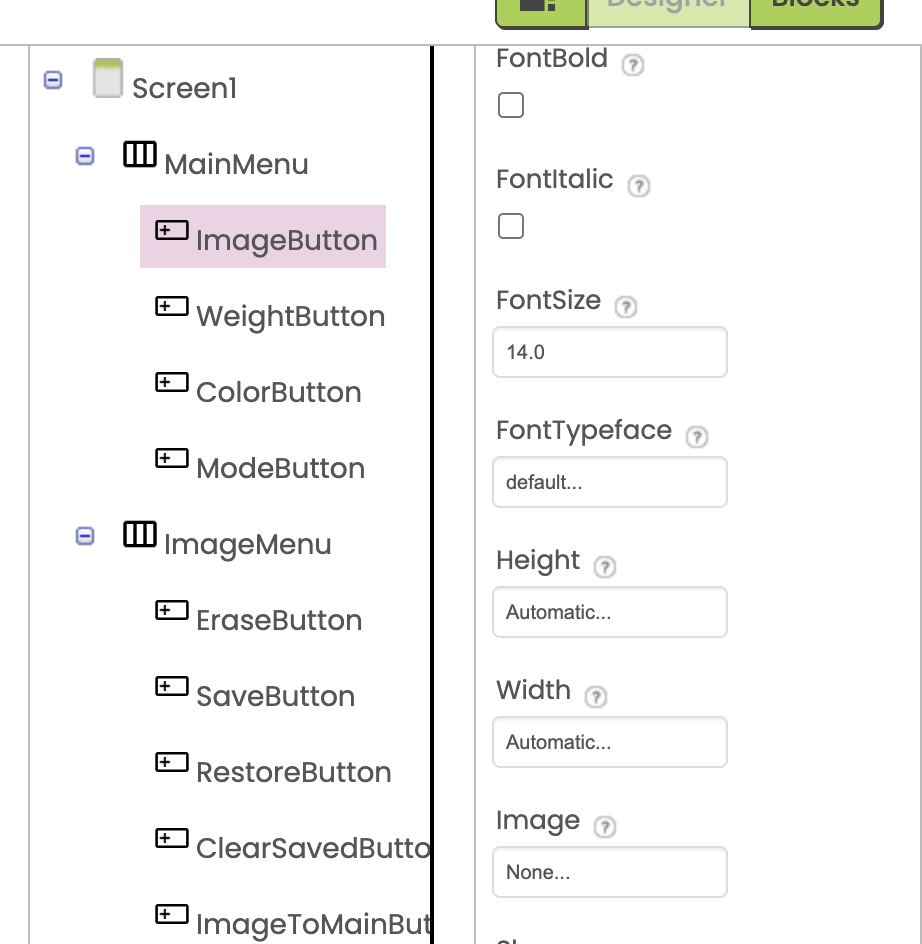
On Android, the width of buttons within a HorizontalArrangement is no longer adjusting automatically.
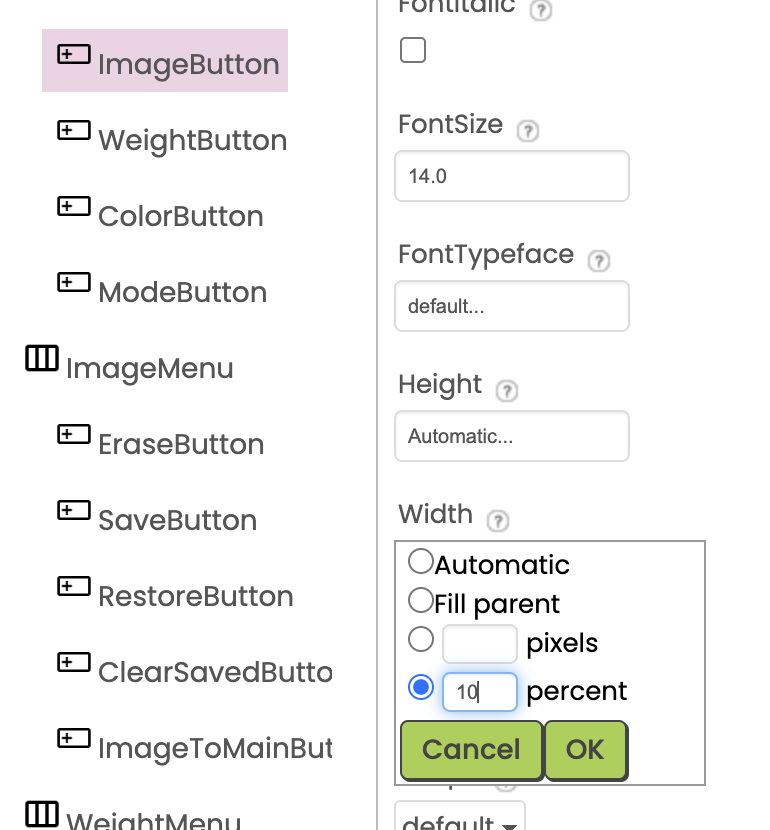
As a workaround, we are manually adjusting the width.
This worked correctly in the MIT AI2 Companion app on Android versions prior to iOS.
On Android, the width of buttons within a HorizontalArrangement is no longer adjusting automatically.
As a workaround, we are manually adjusting the width.
This worked correctly in the MIT AI2 Companion app on Android versions prior to iOS.
Check you have all buttons set to fill parent, both ways.

"As a workaround, we are manually adjusting the width."
How?
Dear @TIMAI2 , all buttons’s width set to “Automatic…”.
Dear @Anke , On Android, configure the settings as shown in the attached image.
Then try them set to "FillParent"
You should also have Sizing set to Responsive in your Project Properties.
Dear @TIMAI2 , I just checked, and this bug has been fixed.
Thank you for your interest in this post and for your suggestion.
What did you do to fix it?
Dear @TIMAI2 , It wasn't me who fixed it; it seems the bug in the app was fixed.
There were no app bugfixes or updates to do this.
Dear @TIMAI2 ,
That's strange. I actually saw it working properly again on Android.