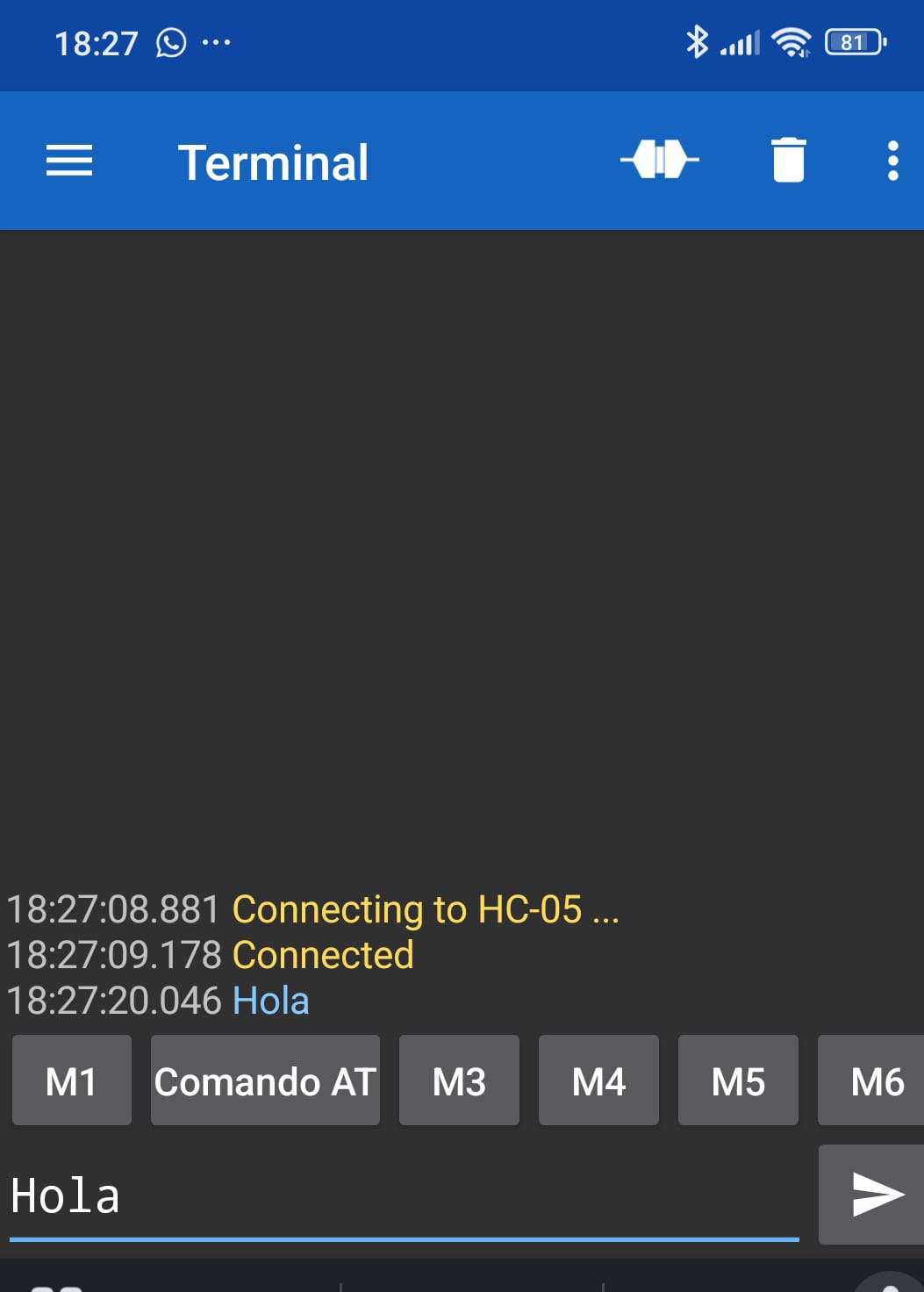
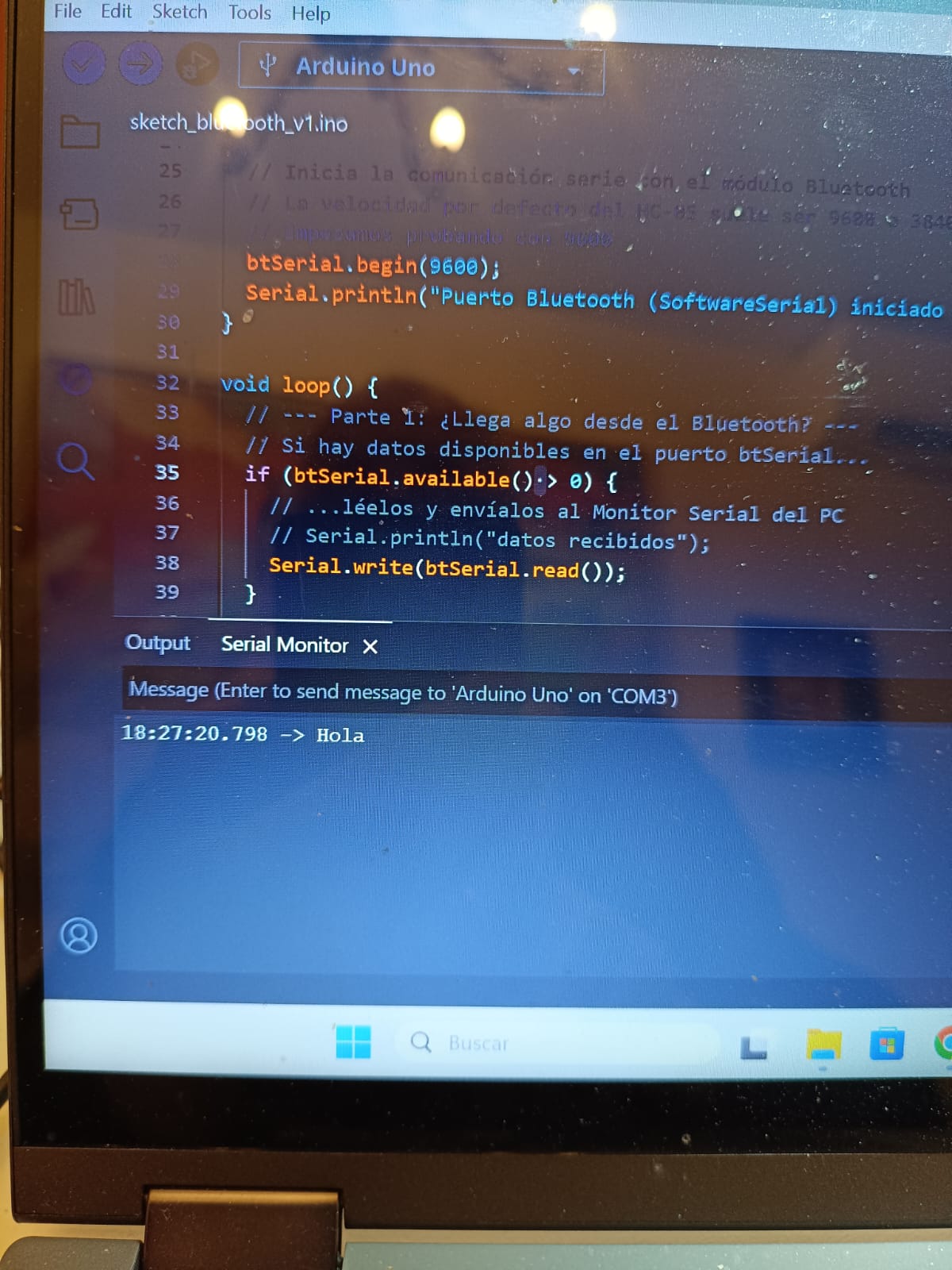
The most important fact is this: If I use the "Serial Bluetooth Terminal" app (from the Play Store), it works perfectly (both sending and receiving). This 100% confirms that my Arduino sketch, my hardware, my wiring, and the module's firmware are all correct and functional.
The problem is entirely within my App Inventor blocks.
The Paradox: My App Fails, but Another App Works
The most important fact is this: If I use the "Serial Bluetooth Terminal" app (from the Play Store), it works perfectly (both sending and receiving). This 100% confirms that my Arduino sketch, my hardware, my wiring, and the module's firmware are all correct and functional. The problem is entirely within my App Inventor blocks.
What Fails (Sending):
This is the only part that doesn't work. When I click BtnEnviar I have an if (btSerial.available()) check in my Arduino sketch, and it never becomes true. The data never arrives.
And the version of the BluetoothLE extension I'm using is the 20240822
Any help would be appreciated, this is a very confusing problem.
That proves your setup works for Serial Bluetooth, but that's largely BT Classic, not the strict use of BLE supported by the App Inventor extension.
We can't help you without knowing the exact hardware (all including the smartphone and hardware add-ons) you have set up nor without seeing the Sketch.
Edumarca, your Sketch is using classic Serial BT, not BLE. If you search this forum, you will find a number of BLE examples - but are you 100% sure your HC05 look-a-like is not an HC05? For your App, you could use Classic BT instead, no extension required.
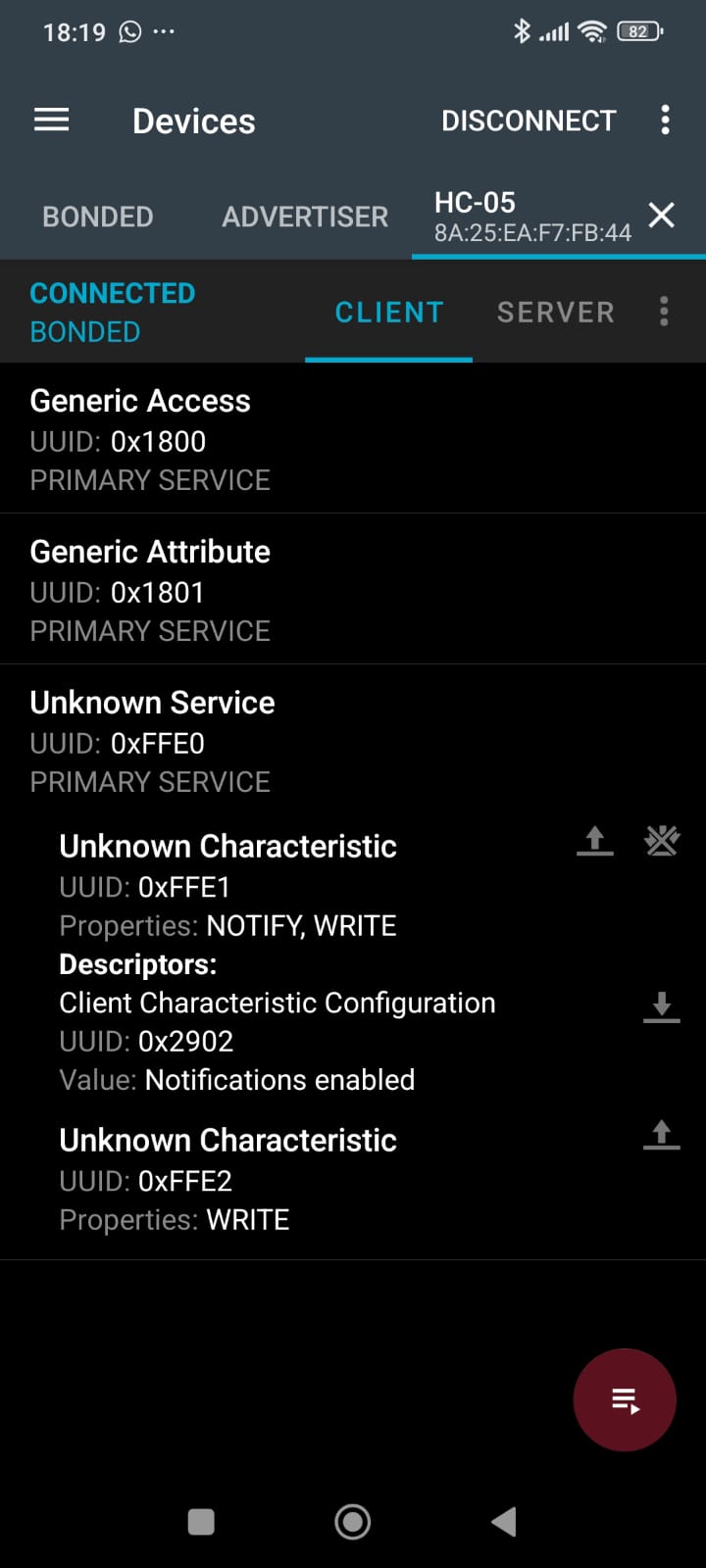
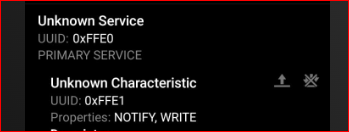
The nRF Connect app (only for BLE devices) finds the device, connects to it, and discovers the FFE0 service and the FFE1 / FFE2characteristics (see image 2).
This proves my hardware and sketch are 100% functional.
I can use the BluetoothLE Extension to scan, connect, and receive messages written at the Arduino Serial Monitor. My App Inventor program works fine in all these cases.
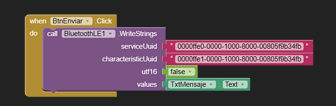
The only part that fails is sending data. It is just the WriteStrings function that does not work. Nothing is received by the Arduino (despite the fact that I can send BLE messages from the Serial Bluetooth Terminal app, as proven in point 3).
I've tried to test this in several ways, for instance, by adding a sketch command to turn on the Arduino LED on data reception. This test works perfectly with the Serial Bluetooth Terminal app, but fails with my App Inventor app.
Reviewing the examples available online following your recommendation, I cannot see any fault in my program's logic.
So, I'm very confident that my device is really a BLE device and that my hardware setup is correct. I'm very inclined to suspect a fault or a subtle implementation detail in the WriteStrings function of the BluetoothLE extension.
I'd be very grateful if you could review the App Inventor blocks in my first post and see if you can find any error. I cannot see what I'm doing wrong!
Nothing so far has been BLE, it's all Serial. If you just take the time to look at one of the many BLE Sketches to be found on the forum you will see how different BLE is. Your App is sending via BLE but your Sketch is expecting data via Serial and it sends via Serial too. It should be using Characteristics and UUIDs instead.
Assuming that your "fake" HC05 is truly a BLE, I guess that there are some tricks in the UUID for Service and Characteristics to be followed. The data sheet of the AT-09 says that the FFE0 is the central UUID while FFE1 is the peripheral UUID (not the "characteristic" code).
Therefore, please try to swap the two or, at least to use the FFE1 for the UUID and see what happens.
Moreover you can have a look here:
probably you can find something that helps. In some cases the AT-09 shall be configured with "AT" commands before it works as expected.
Best wishes.
Thank you for your time. I must admit I'm feeling quite stuck, because your reply does not seem to address the evidence I provided in my last post.
I believe there is a fundamental misunderstanding about my hardware.
You are 100% correct that my Arduino sketch uses SoftwareSerial. You are also 100% correct that my App is using the BLE Extension.
The reason for this—and the key to my whole problem—is that my module is a BLE-to-Serial Bridge (like an AT-09, just sold as a fake HC-05).
The SoftwareSerial is just the wired connection between the Arduino and the bridge module. The wireless connection to the phone is 100% BLE.
I am certain this is a BLE setup, and my hardware/sketch is correct, for three reasons that were in my previous post:
nRF Connect (BLE-only app): Sees the module and lists its BLE Services/Characteristics (ffe0, ffe1).
My App (BLE Extension): Successfully connects and RECEIVES data from the Arduino. This proves the RegisterForStrings (receive) block is working.
Serial Bluetooth Terminal (BLE app): Successfully SENDS data to the Arduino (it makes my pin 13 LED blink, as per my test sketch).
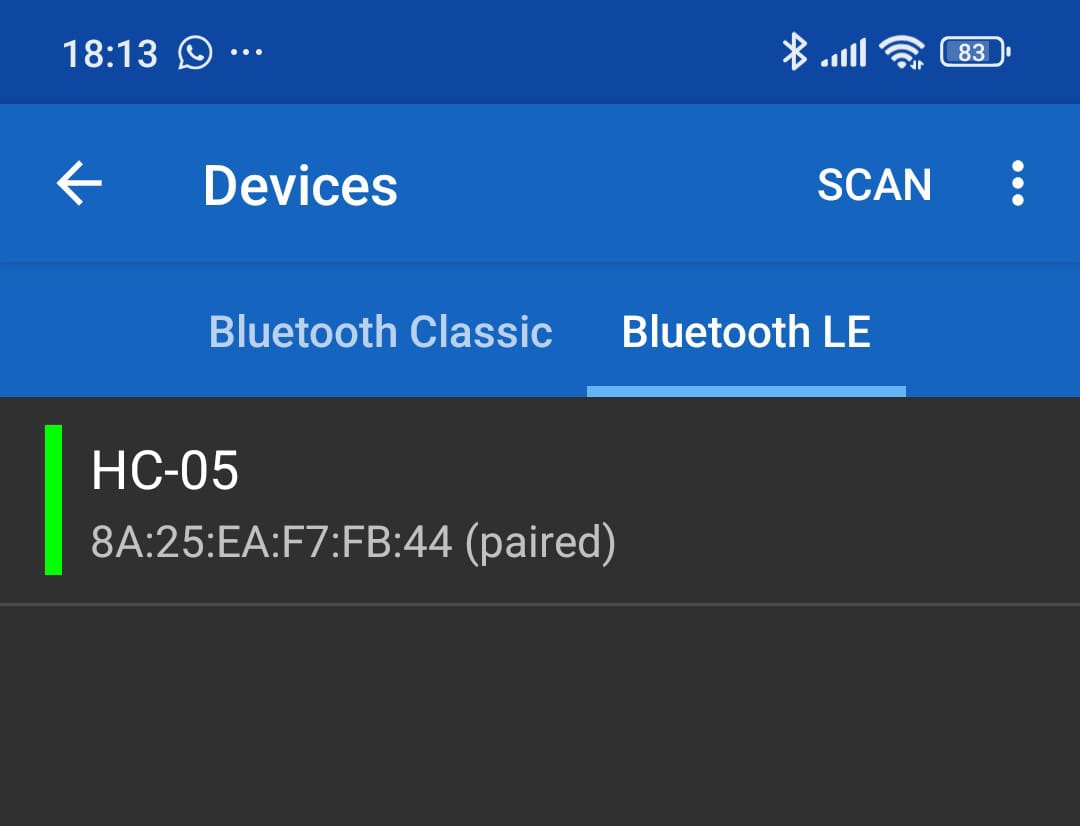
Your advice to "Try using Classic BT" will not work, because the module is not Classic (the Classic scanner cannot find it).
My problem is only with the App Inventor SEND function.
The Serial Bluetooth Terminal app can send data. My app cannot.
The problem is not that I am mixing "Serial" and "BLE". The problem is that the BLE Extension's WriteStrings block is failing to send data to a module that is proven to be working.
Could you please look at this again from the perspective that it is a BLE-to-Serial bridge? I am stuck on why the WriteStrings block is failing when all other evidence shows it should work.
Hello, uskiara,
Thank you for your suggestions. I've done the UUID swaps that you recommended, but unfortunately, it didn't work. I have attached the runtime errors displayed when the app tries to register to these UUIDs.
I'm sorry but while you are convinced everything is correct, it is not. the nRF App is a utility App designed for system investigation and breaks Bluetooth rules, conventions and protocols to get there. It is possible for BLE to pickup certain things defined for BT Classic, this you could regard as necessary as there are still a lot of pre BLE devices out in the wild and things like BLE smart phones want to connect with them - but very often this does not work, especially now that we have such high security measures on Android.
If you want to have a BLE system, use BLE as it is intended. This is what the BLE extension is doing. I fear we cannot help you because you are not willing to listen. I am very busy with my work currently, so I cannot keep repeating myself. However, I think the information from my colleague should help you a lot.
WriteStrings has always been the most reliable and popular BLE function.
Although not everyone is using Bluetooth, there are a lot of people using App Inventor, yet you are the only one that suspects a fault in this function.
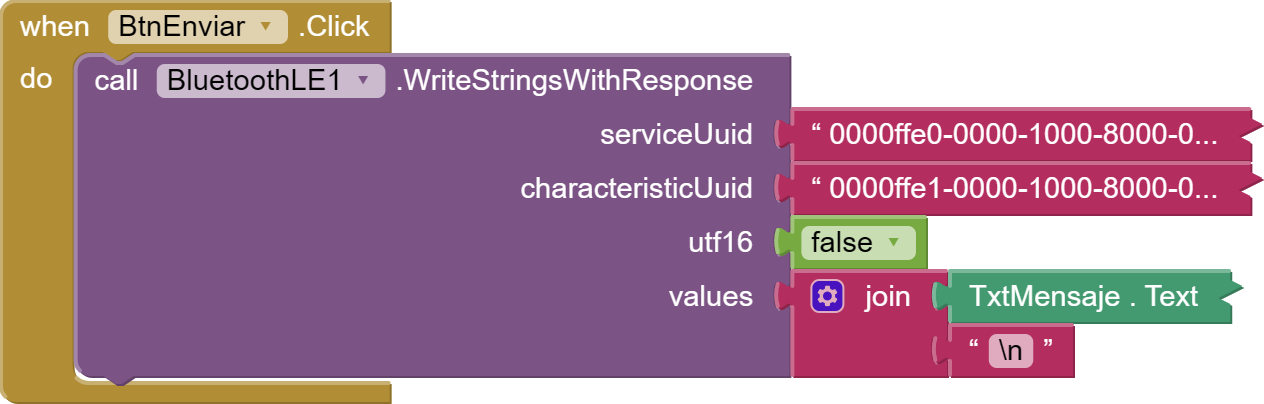
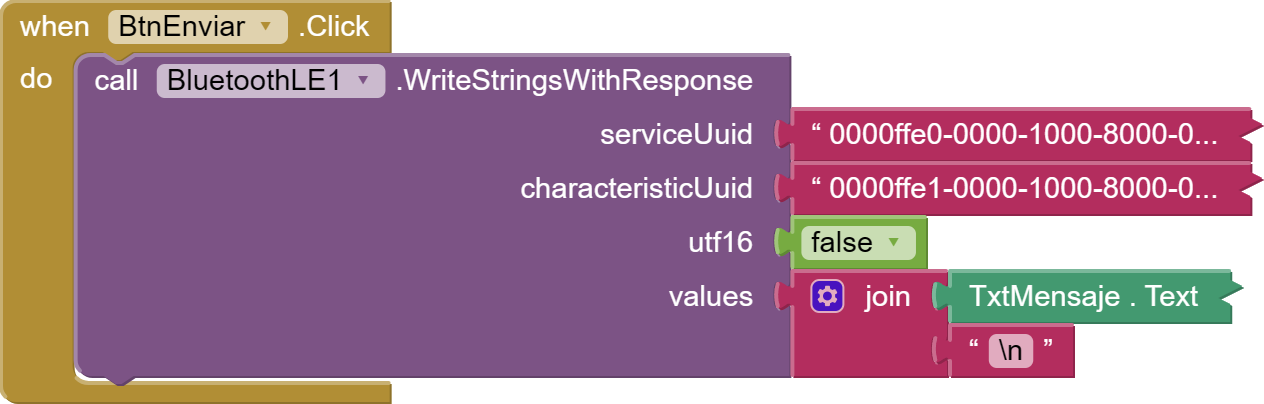
I finally fixed the problem. The solution was to send the text with WriteStringsWithResponse instead of using WriteStrings. Now, the text sent from the phone appears in the Arduino Serial Monitor as expected.
For some reason, it appears that the firmware of this "fake HC-05" ignores messages sent without confirmation.
The nRF Connect app labels these characteristics as "unknown" simply because they represent "custom" implementations, rather than standard profiles, that is, those published by the Bluetooth SIG,
Oh, yes, indeed.
I tried the "\n" terminator before with no success. I only included it in the final solution to separate different messages on the Arduino serial monitor. It is not strictly necessary.