Big Five Personality Test

it's the last month of the year and the next month will start calling for New Year resolutions! before you get there, perhaps you might be interested in a little introspection with my Big Five Personality Test. it only takes 5 minutes to finish the small inventory (20 items), and about double that for the medium (50 items).
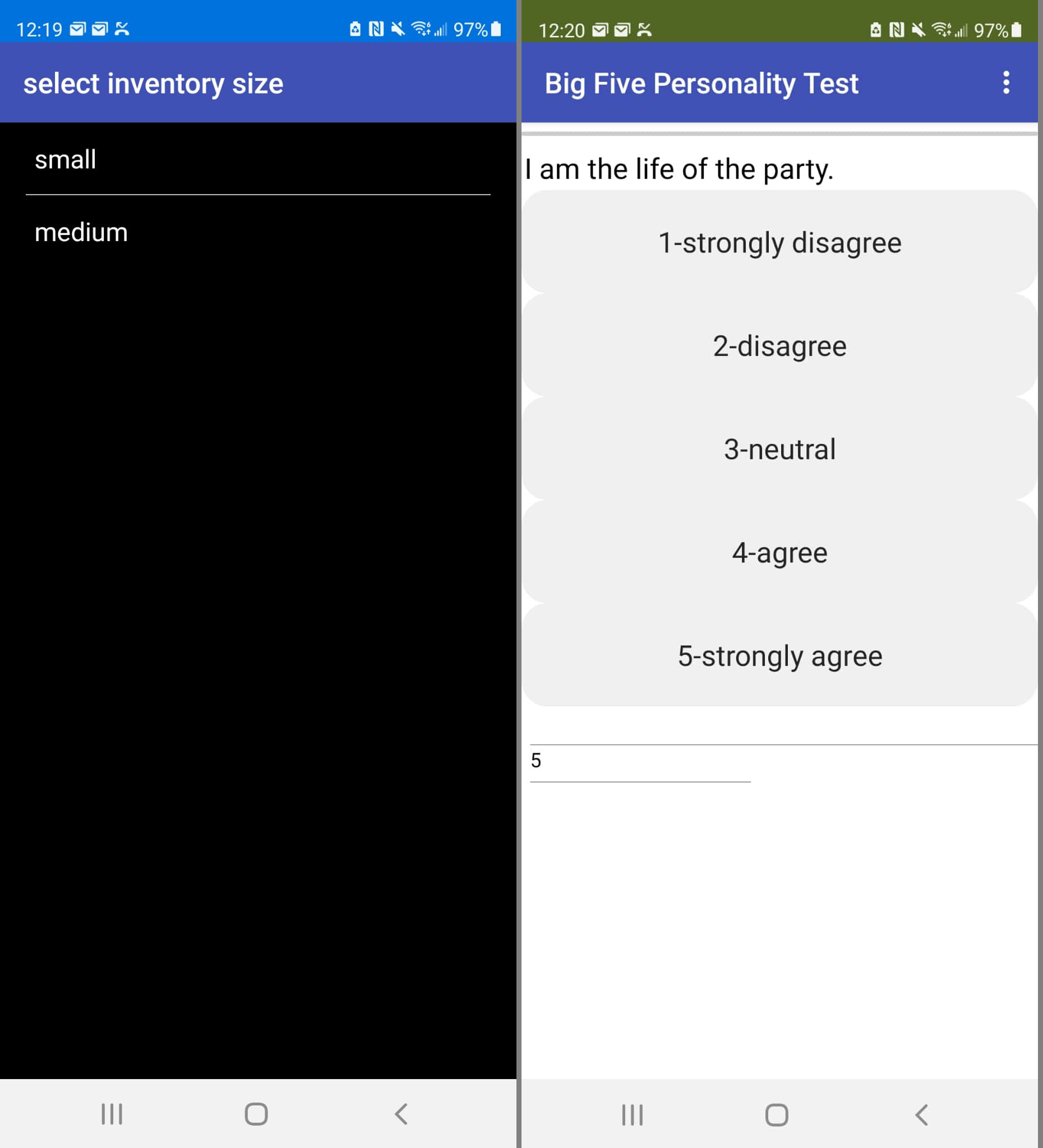

as soon as you start, you are given a choice of which inventory size do you want to play with. after that, you are presented with the first question - statement actually. you reply by pressing the button that best represents your personal feeling about the statement. on a scale of 1 to 5. then it continues with the rest of the statements until they are exhausted.
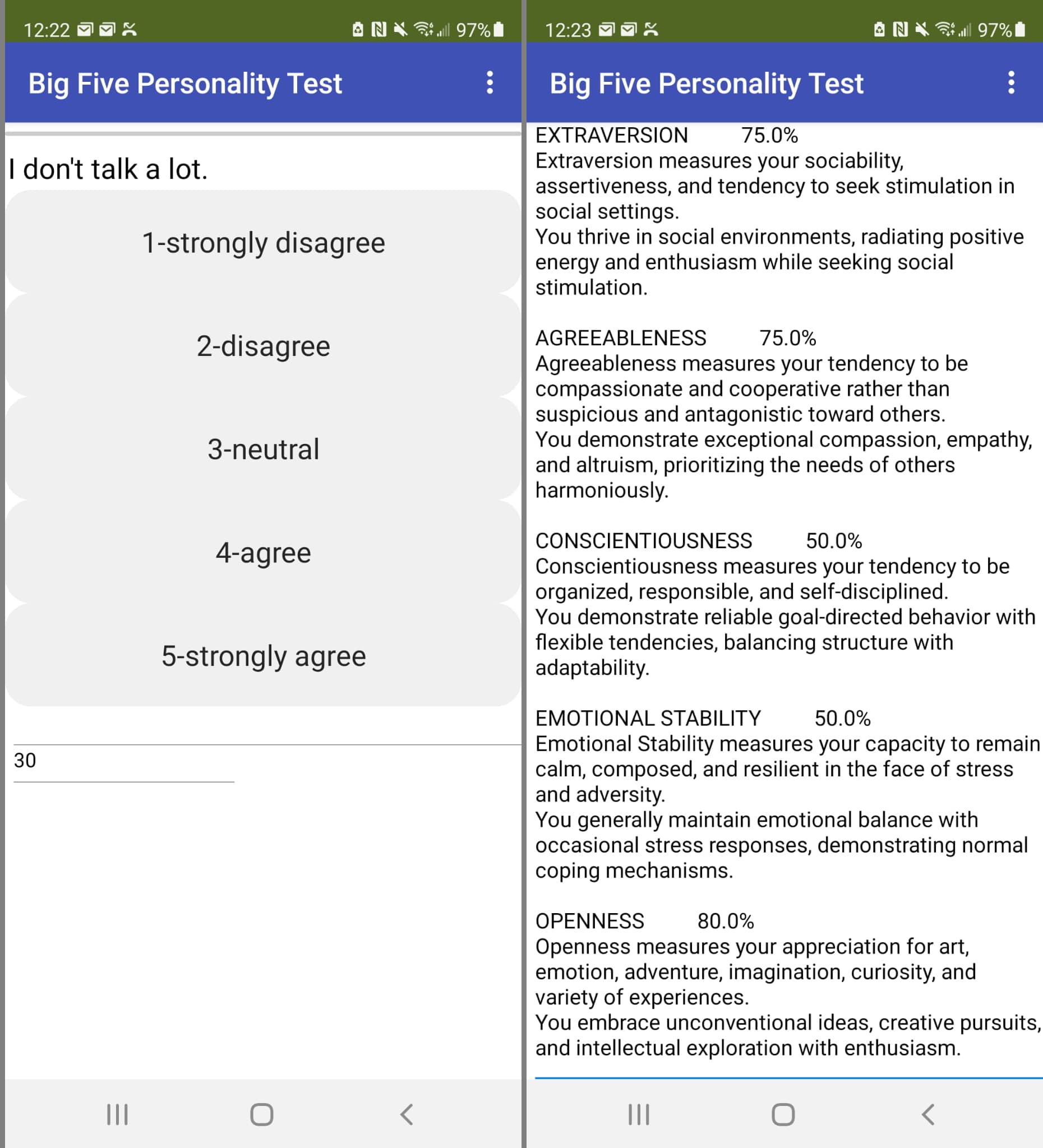
notice that some questions are expressed in the negative form - like the one above. if you respond 'strongly disagree' to this one, in actuality, you are really expressing 'strongly agree' to the positive version of the statement. this is detected and adjusted automatically by the program during scoring.

finally you get a narrative of your score interpretation.

(note: the number on the lower corner represents how much percentage of the total items has already been displayed - i tried to use a linear progress bar but i couldn't get it to work. if you can fix it, be my guest.).

the details of the processing are embedded in elements of the json structure read during initialization. the first part of the json describes the questions/statements as shown by the sample snapshot below
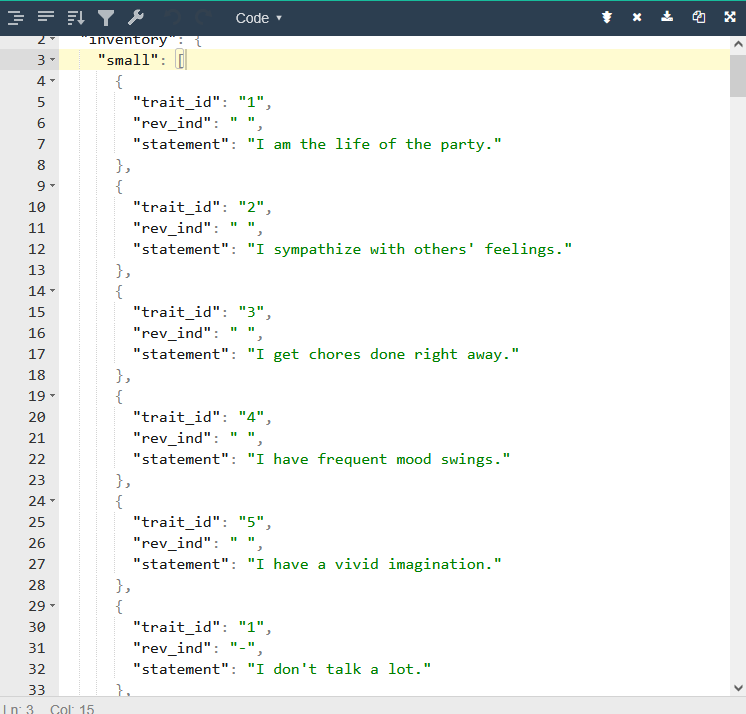

the trait_id identifies what trait is being measured by the statement according to this list of traits:

  1. Extraversion
  2. Agreeableness
  3. Conscientiousness
  4. Emotional Stability (aka low Neuroticism)
  5. Intellect (aka Openness to Experience)

the rev_ind indicates that the question is stated in the reverse mode and therefore its score needs to be adjusted accordingly (by subtracing the entered score from 6).

each trait is scored as percentage of points applied over maximum points for that trait, then translated to level of low, average, high which is then used to obtain the interpretation from the legend defined in the bottom part of the json
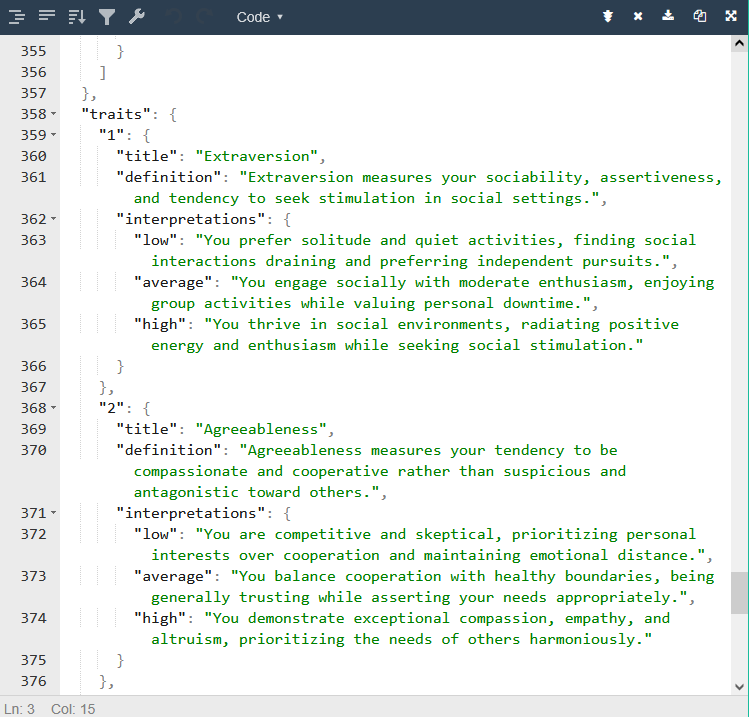
here are the blocks i used
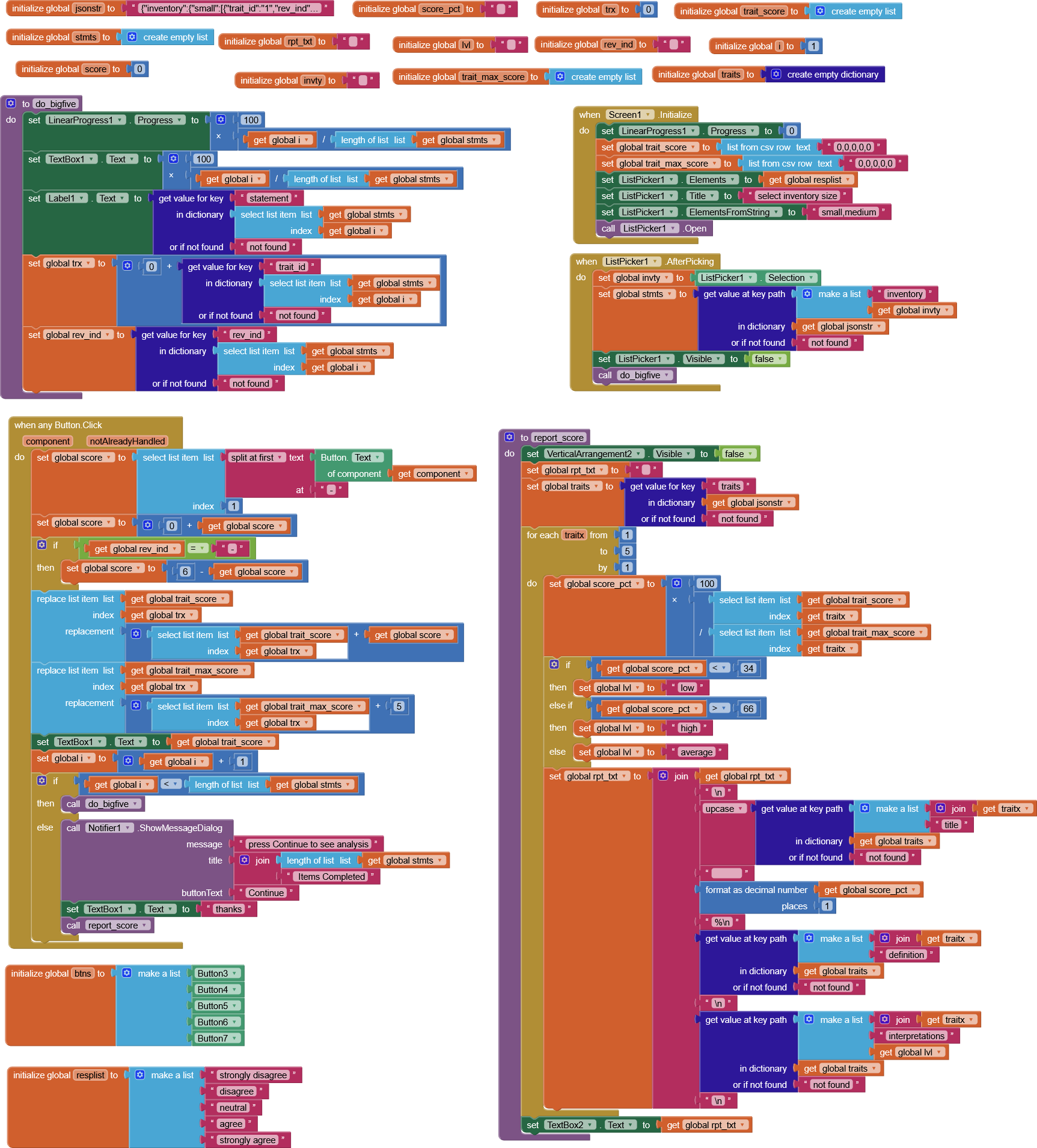
and here is the .aia for remixing
bigfive.aia (10.5 KB)

feedback is welcome.

2 Likes

Hello and thank you for sharing. I intend to draw on your work to help me succeed in my own project, which I am trying to complete with my high school students... This project requires computer skills, which is difficult for me as I specialize in mechanics and CAD!
This is the first time I have seen “json” content.
If I understand correctly, the Big Five application uses this file to deliver the texts of the questions and comments at the end of the test. But how do I create this file and where is it located so that App Inventor can find it?
Thank you in advance.
Bertrand
France

You can create a JSON file with a text editor, or an online JSON editor, or a spreadsheet with a JSON output option.

You can load text JSON files from the Media folder (assets) at app startup time using the File component, and parse them using Web component JSOn Decode blocks.

Thank you very much for your prompt reply. That makes it clearer for me.

I would like to create a small application with App Inventor that asks students the following questions:

  1. What impresses me most about Leonardo da Vinci is...
    a) His inventions, his futuristic machines
    b) His paintings, his drawings
    c) His anatomical studies, his observation notebooks

  2. If I had to carry out a personal project, it would be...
    a) Building a piece of furniture, a robot, a program
    b) Creating a painting, a novel, a piece of music
    c) Studying a natural phenomenon

...

For each question, the answer chosen from the options is worth 1 point.

Count the number of a), b), and c) answers obtained in the end to display a message A if the majority of answers are a), B if the majority are b), or C if the majority are c).
In the event of a tie, a message D is displayed.
Your application inspires me but seems more complex. If you know of any work on the forum that is more similar, I would be very interested in examining it. Thank you for sharing in any case.

You could do this as a table based app too.

Use a spreadsheet like free Google Sheets to build a table of questions and responses, in 4 columns:

  • Question
  • A answer
  • B Answer
  • C Answer

You could export that as a csv table for loading from the Media folder at app startup.

As the student takes the test, his answers are totalled in a 3 item list, initially all zeroes.

If he selects answer n (1,2,3), the app replaces item n with (1 + select item n from the totals list.)

After all questions are answered, you will have a list of weights that would be a nice feed for an AI2 bar graph, with 3 bars, labelled accordingly.

The tallest bar determines the career path.

This is less fiddly than expanding the response totals list into a two column table

  • career path
  • total points for that path
    and sorting the table into descending order by points.

(Unless you would also like to teach table sorting, which AI2 can handle nicely with its advanced list blocks.)

1 Like

Thank you very much, ABG, for your advice. I will start this work using your method, which I understand.
No problem creating the list of questions and answers. I will simply test that first: see if this list is displayed on my tablet.
I'll figure out how to increment each of the three totals and then retrieve the number of answers per column at the end of the test later on. With a little research, it should be fine.
Finally, I'll need to compare these three totals to determine the highest one.
That's very kind of you. Thank you again for taking the time to respond!

Translated with DeepL.com (free version)