Please may add, start on boot and click on "Background task", in notification panel run programm.
Yeah sure. I have alredy started working on the new version of the extension. The newer version of the extension may take a week or more and I think releasing these many versions too quickly is not good. I have also final exams going on so it will be bit more late.
2 Likes
Hello,
Sorry but I do not succeed to make the extension work on Kodular.
The companion do not support background tasks and the .apk doesn't work.
I tried on NotificationRepeat and BackgroundPlayer
Can you please explain me ?
[mod edit link removed]
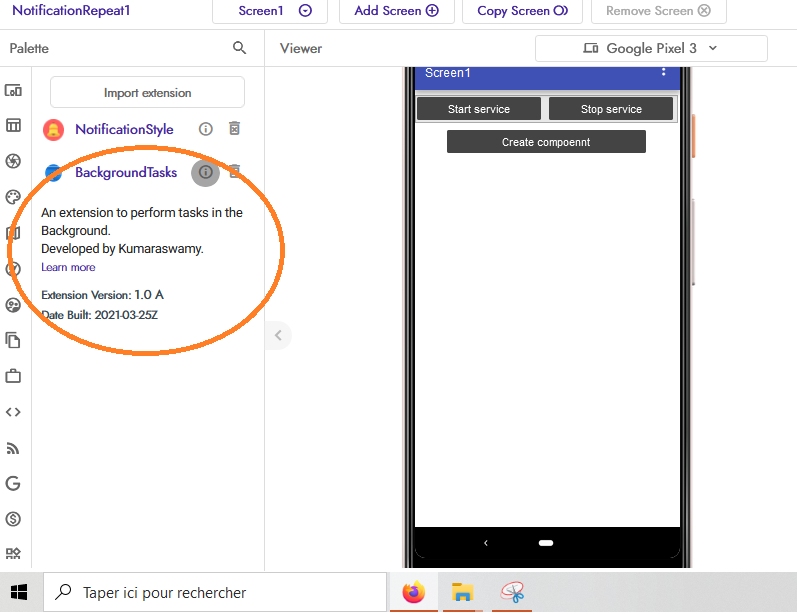
I used the NotificationRepeat and the backgroundPlayer and I update the extension.
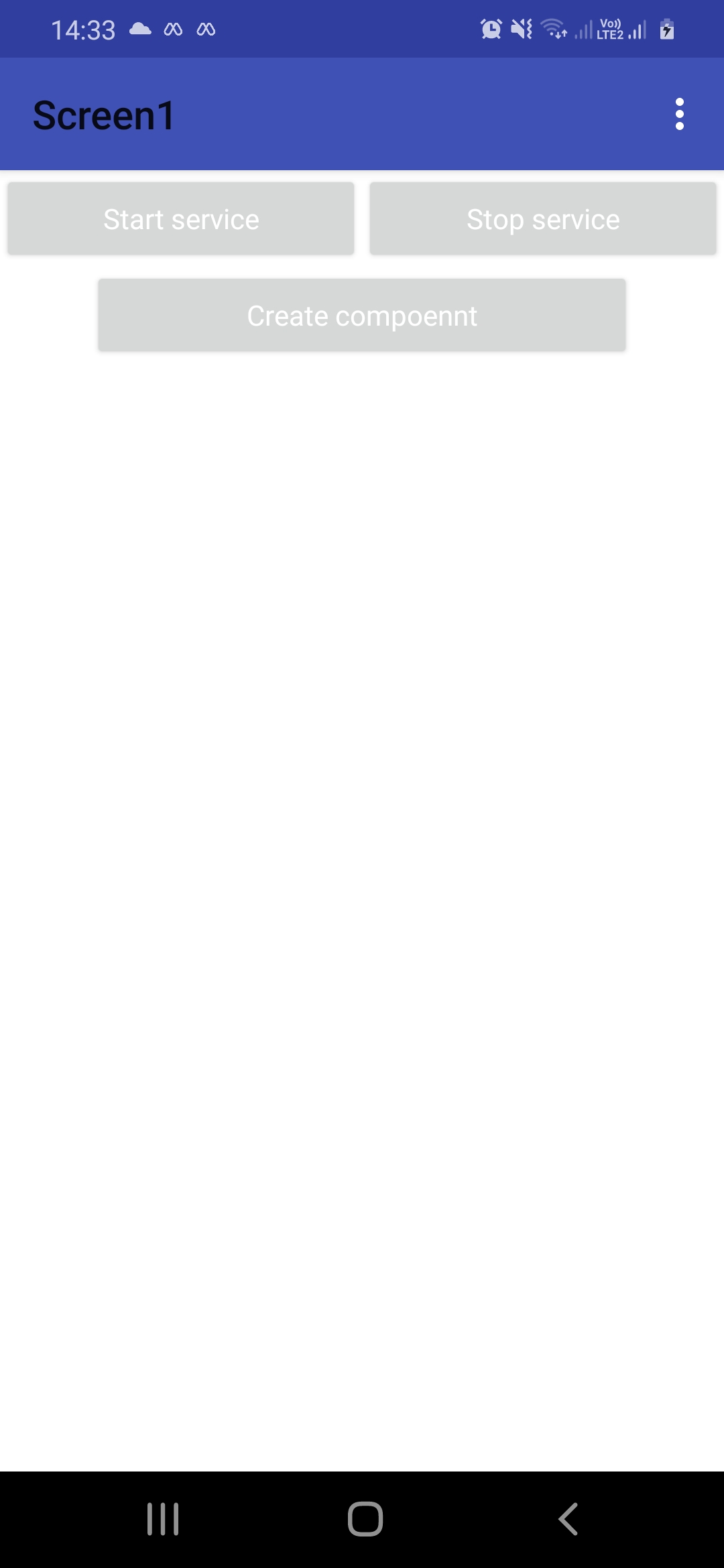
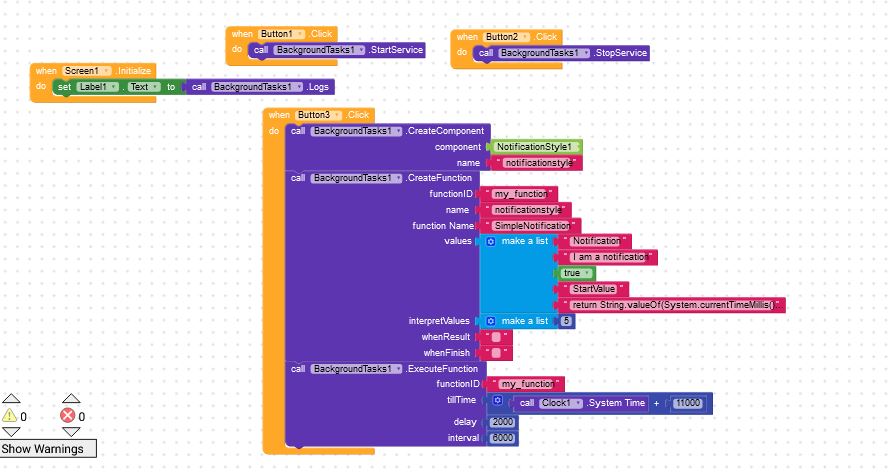
Ahh, I think you're using the AIA file which was for app inventor and not Kodular. Updating extension dosent do anything as the both of the extensions (Kodular supportive and AppInventor) are different. You should try to use the demo blocks and logics shown in the above blocks.
1 Like
here this is my program, it works very well, but it only works with the app running, I would like it to work in the background as well. how should i do?
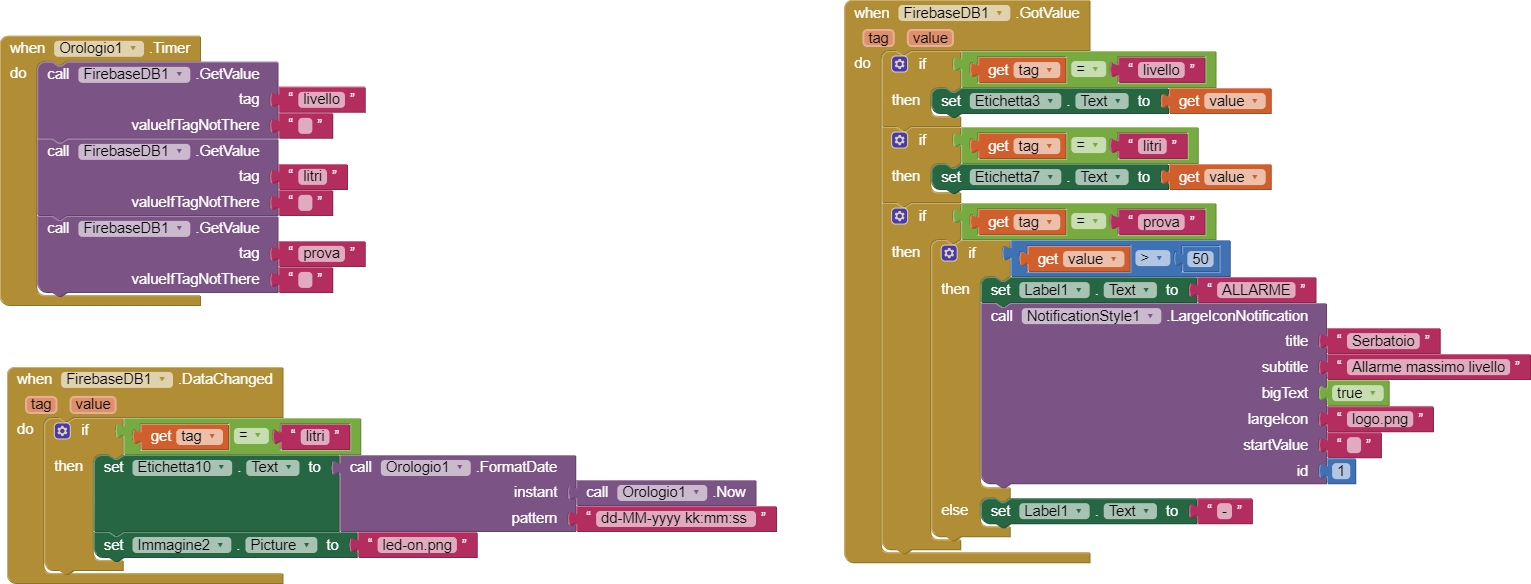
Gentle advisory:
The App Inventor community is a support forum for App Inventor. Other distributions, e.g. Kodular, have their own support communities. To avoid confusion, please provide support for other distributions on their respective forums, especially as you appear to have different extensions for each.
Thank you
4 Likes
I am currently working on other things and will post the blocks when get time. Thank you.
According to the new version of the extension which was released in the version name '1.0.1 A2' for AppInventor and'1.0 A' for kodular, the Logs block was removed as mentioned here:
You are working with the old and unsupported version. Can you create a new project and try it out? The Logs block was deprected and should not be visible.
I cannot access it for some reason ever. I understand this would create confusions and mess, but I dont have any option rather than making a separe topic for Kodular which is not allowed here.  So I dont have any options
1 Like
Yes, there are many features that will added in the future but it may take some time. To re-create all the same functions for the extension may take time to develop and testing.
Thanks
2 Likes
Thanks !!!
1 Like
Hello,
Thank you very much for the explanations. I solved my problem and the app NotificationRepeat worked well.
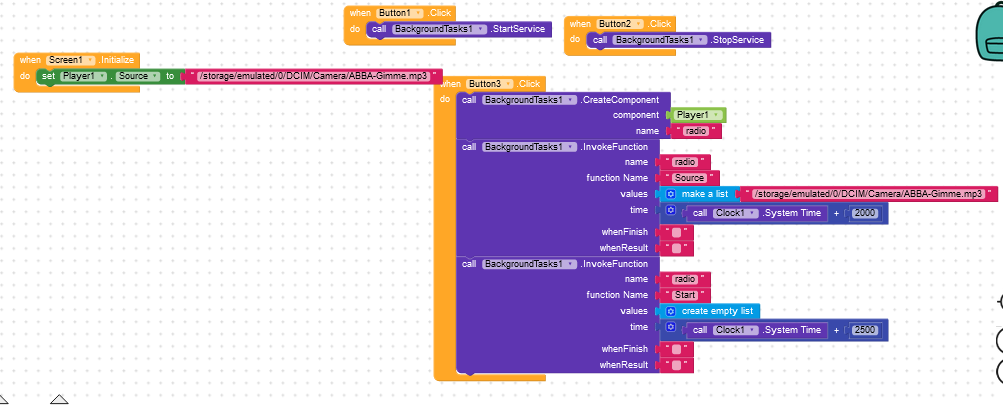
I continue to do some exercices on the application BackgroundPlayer. I started it from scratch. But it does not work.
Can you say why ?
FYI : there is a notification saying that the app is working background
Hello, if you have doubt regarding Kodular then PM me instead of posting here.
Thanks
1 Like
can you help me with the blocks of my application today?
1 Like
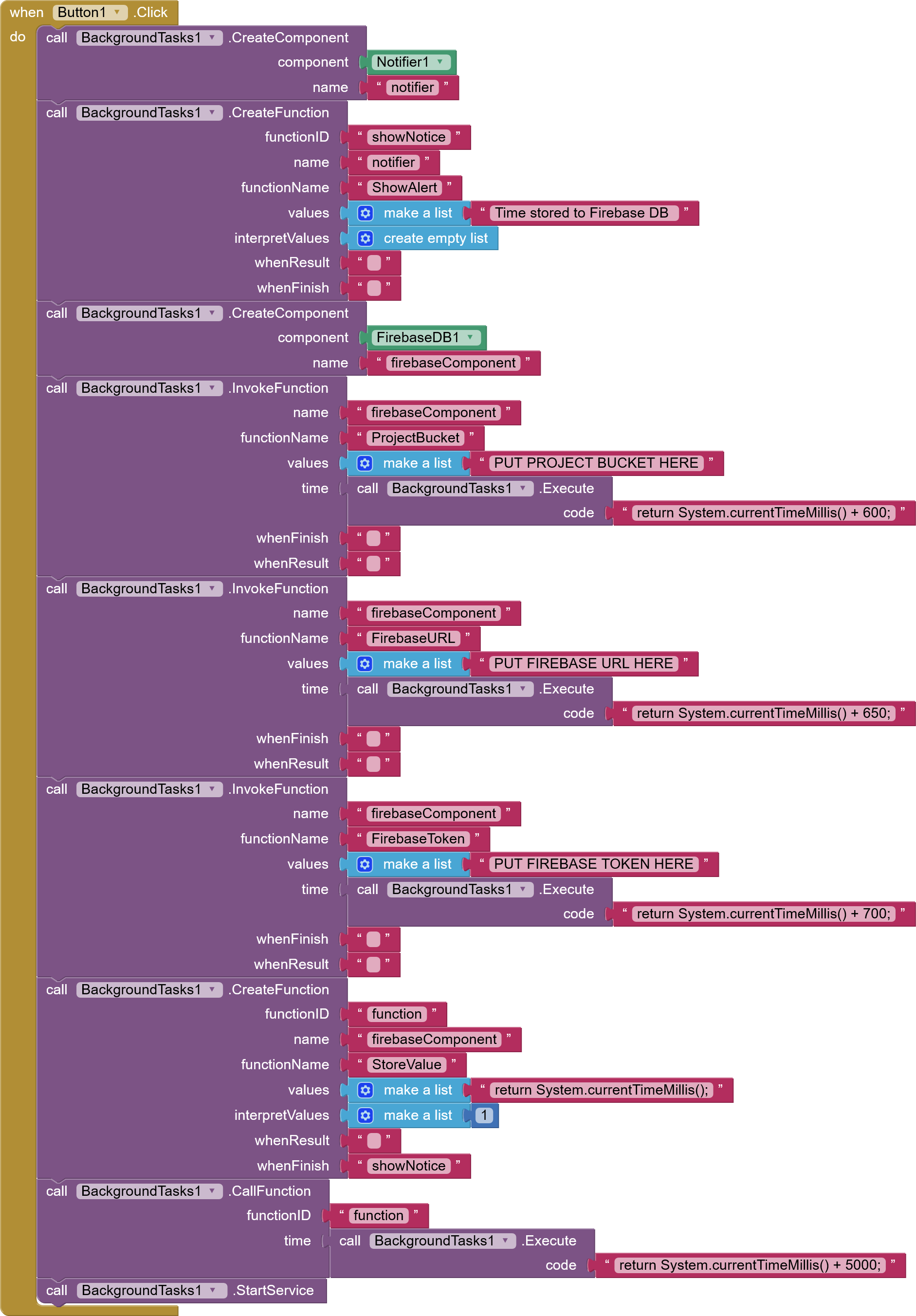
You should expect these blocks to work. I made a demo project which stores the current time (in ms) to the Firebase DB. The data will be stores after 5 seconds after the task is scheduled. At last, you should see a notifier saying that 'Time stored to Firebase DB'.
Make sure that you've entered the Firebase credentials in the blocks. I am posting the project file (.aia) file which you can import it the builder.
TestApp.aia (384.6 KB)
3 Likes
Hello everyone. Please help with the solution of one problem. Sending notifications remotely over the Internet. I tried One signal but it doesn't work in background. It also fails to run this extension. Everything works in your test projects. In mine, when the button is pressed, the service does not start. I would also like to know how you made the in title menu. For the project I use the MIT App invertor. Thanks.
1 Like
I am sure that they cannot run in the Background and should be started when app is alive.
The title can be simple enabled by setting the app theme to device default.