This time, I'm trying to close an activity scheduled over two or more months.
Let's say an activity is scheduled with:
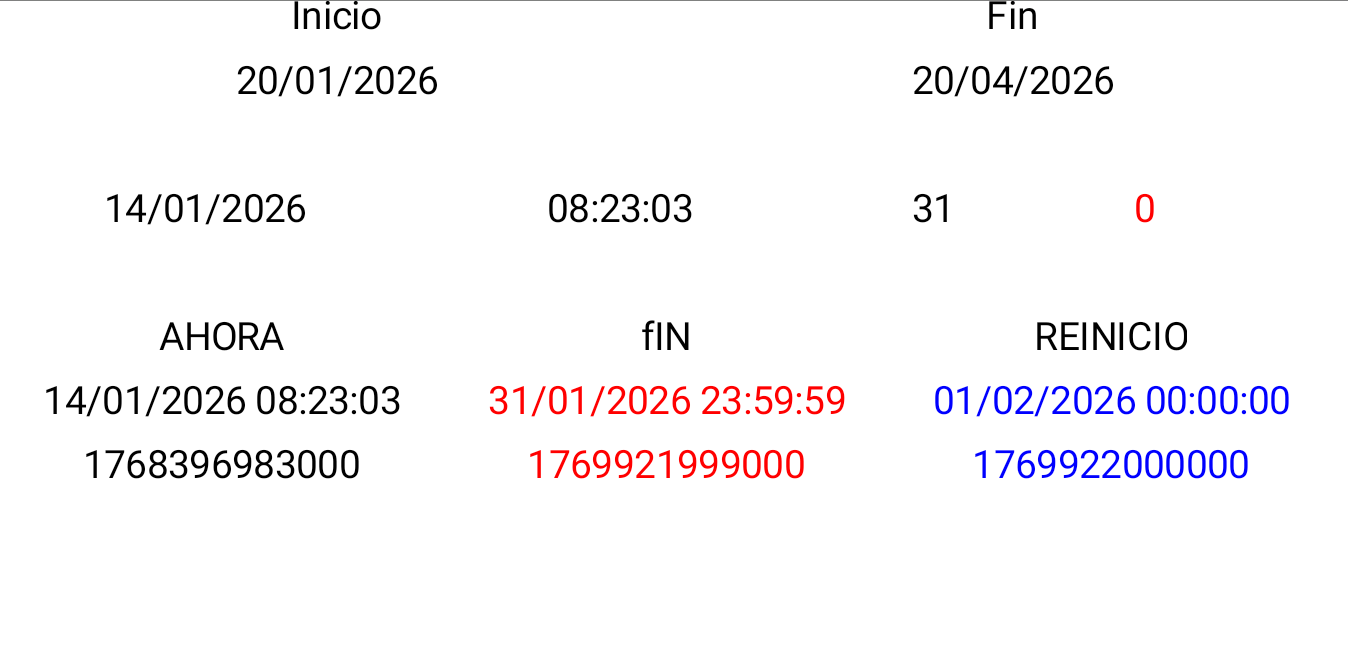
Start: 01/20/2026
End: 04/20/2026
What I want is to: as the days go by, at the end of each month, "save this data so I can continue"
• Close the activity on 01/31/2026 at 11:59:59 PM and restart it on 02/01/2026 at 12:00:00 AM
• Close the activity on 02/28/2026 at 11:59:59 PM and restart it on 03/01/2026 at 12:00:00 AM
• Close the activity on 03/31/2026 at 11:59:59 PM and restart it on 04/01/2026 at 12:00:00 AM
This is to quantify the progress per month.
The details are I need it to act automatically while the mobile device is on or off
"This automatic record should only run once a month at the end of the month."
During the workday, the employee starts and closes their activities, and the format for starting and closing activities is: dd/MM/yyyy HH:mm:ss
As I mentioned, this action is only to count the actions taken during the month.
Once the closing and restarting process is executed at the end of the month, the employee can continue working since the process was closed and restarted without needing to save this data.
Data to be saved while time elapses
• 31/01/2026 23:59:59, 01/02/2026 00:00:00
• 28/02/2026 23:59:59, 01/03/2026 00:00:00
• 31/03/2026 23:59:59, 01/04/2026 00:00:00
This process not necessarily has to run exactly in the last second of each month
What about detecting at each start of the app, if an end of month processing needs to be executed and in case of yes, do the processing?
Just store the month of the last end of month processing in TinyDB and at each start of the app compare the current month with the stored month. If it is different, start the end of month processing
It would really help if you provided a screenshot of your relevant blocks, so we can see what you are trying to do, and where the problem may be.
To get an image of your blocks, right click in the Blocks Editor and select "Download Blocks as Image". You might want to use an image editor to crop etc. if required. Then post it here in the community.
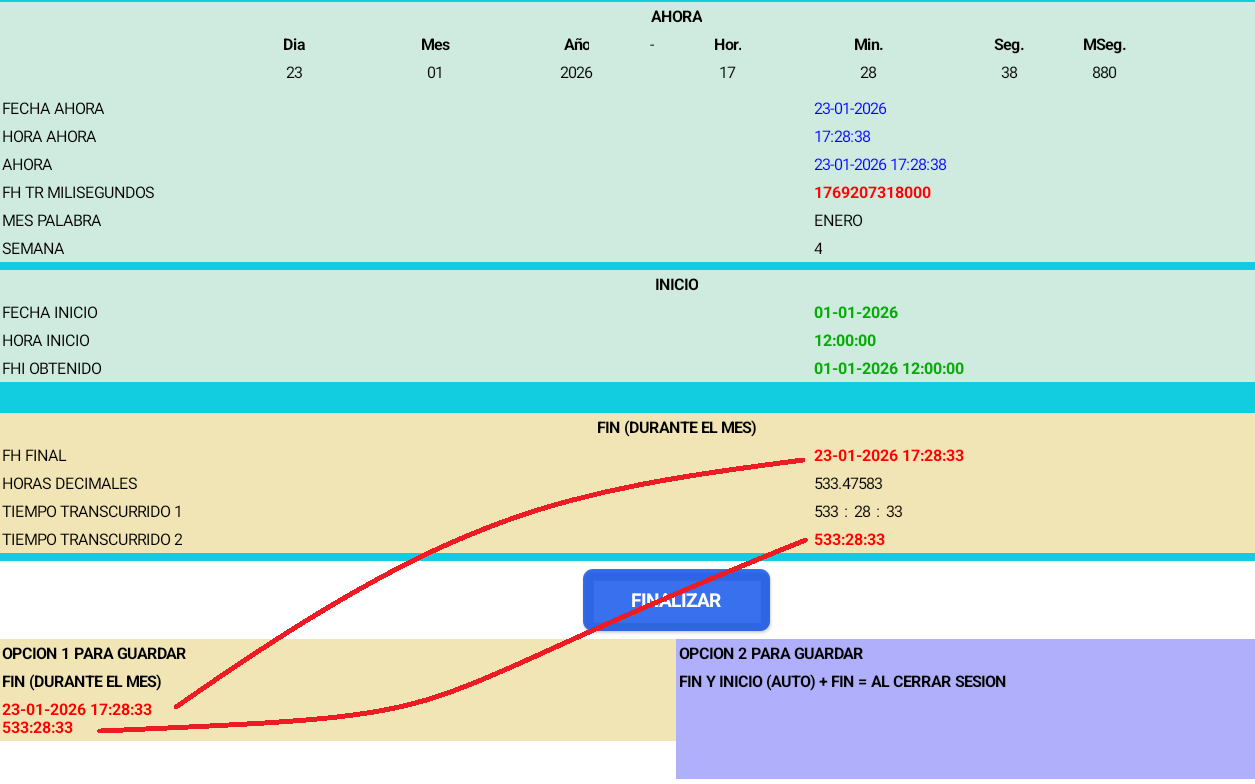
*First option: When I'm within the start month, I save one end value.
For example: Subtracting the start date from the current time should give me one hour:
23-01-2026 17:28:33
533:28:33
This is how I end the process.
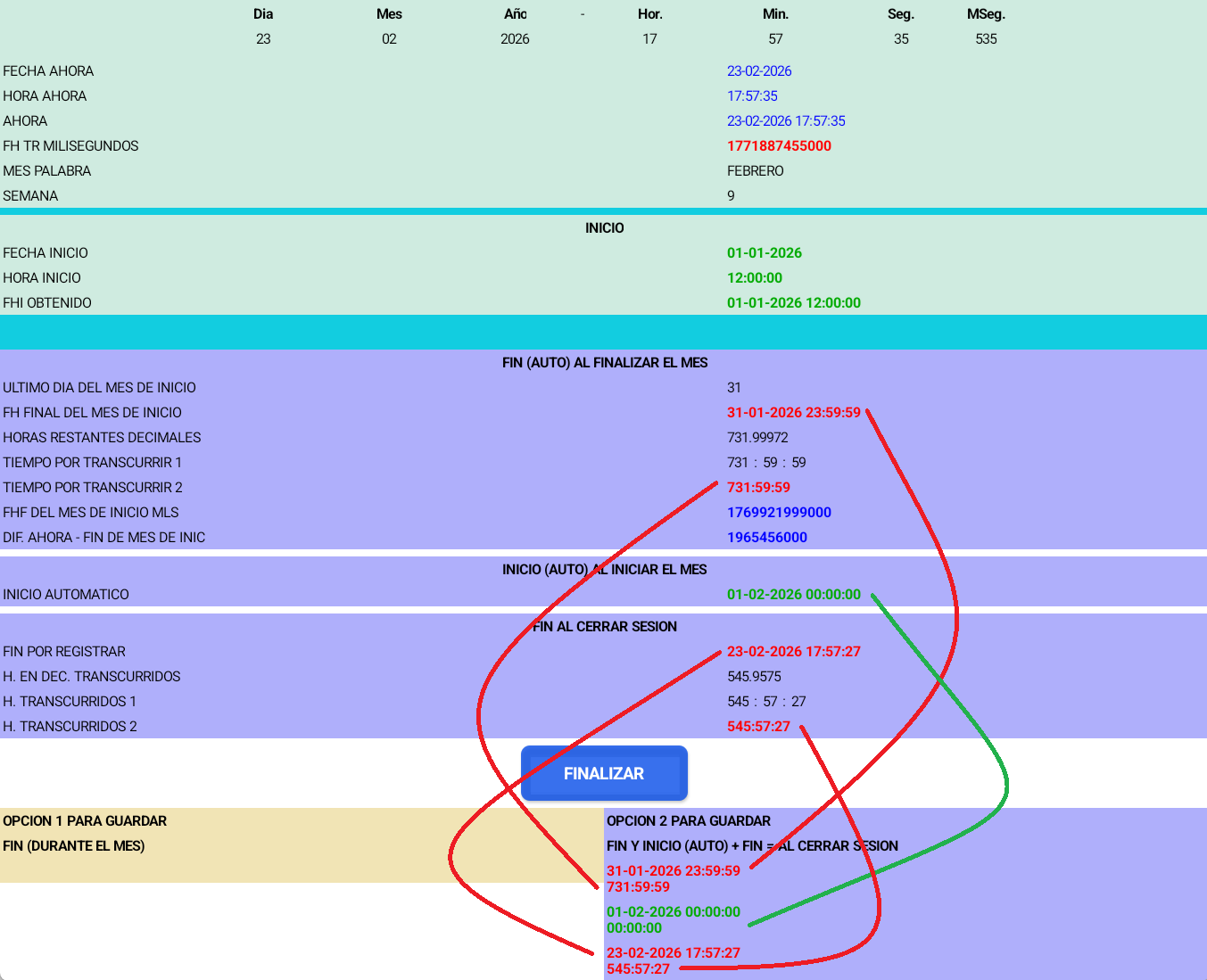
*Second option when I'm outside the start month: I save 3 values
Automatic End
I subtract the end of the month from the start of activities; it should give me one hour.
31-01-2026 23:59:59
731:59:59
This way I end in that month.
Automatic Start
01-02-2026 00:00:00
00:00:00
End
I subtract the current time from the automatic start time.
23-02-2026 17:57:27
545:57:27
Reg_auto.aia (25.3 KB)
I'd like to shorten it; it seems too long.
Another detail is that it only closes activities in the following month; for example, if it goes straight through until April without making any entries, it would be missing.
28-02-2026 23:59:59
01-03-2026 00:00:00
31-03-2026 23:59:59
01-04-2026 00:00:00
 Taifun.