Hi guys, I'm having a problem that I don't understand and I was wondering if anyone could help me out.
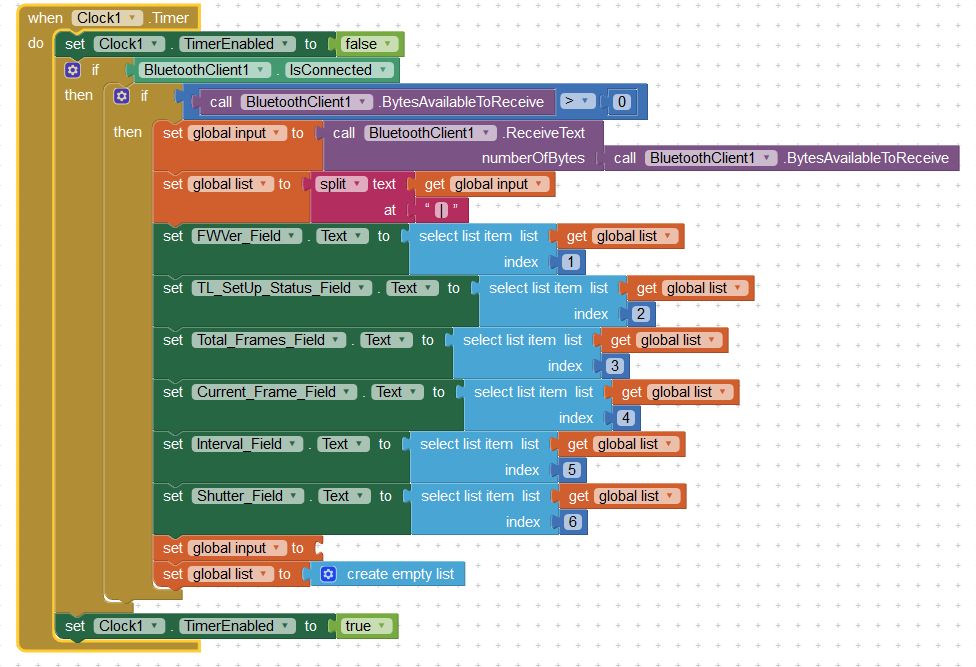
I have an Arduino sending a string of text once per second to the app. The string contains various 'values' separated by a "|" symbol. I then have a timer in the app that takes the string, splits it up according the the "|" symbol, and populates a number of text labels with the values.
edit: I forgot to mention that the app uses a timer that fires every 500ms.
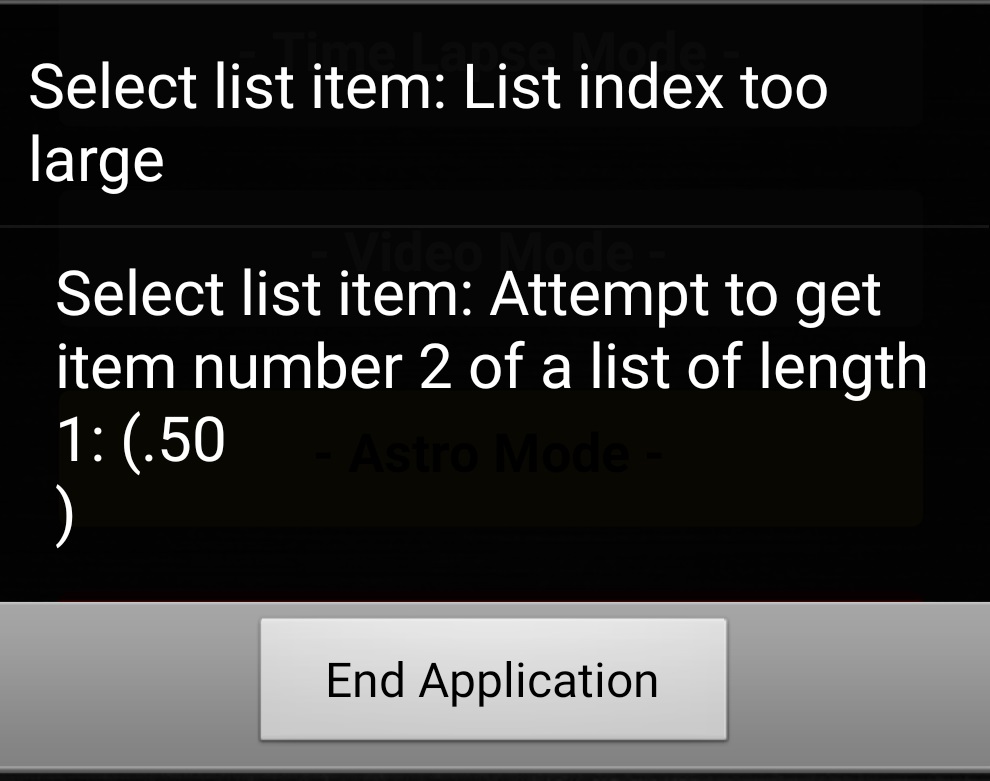
Now this all works fine but after running for a few seconds, the app crashes saying that "the list index is too large". I'm attaching a picture of the block that does this and as you can see there is a "Set 'global list' to 'create empty list' which I thought would clear the list every time! but it I guess that's not working?
Any help would be greatly appreciated!
Tom