I have spent hours poking about in youtube looking for the above mentioned subject video. There are literally thousands covering TinyDB but I have yet to find a decent video covering the use of the FILE data storage system.
Hi TimAI2
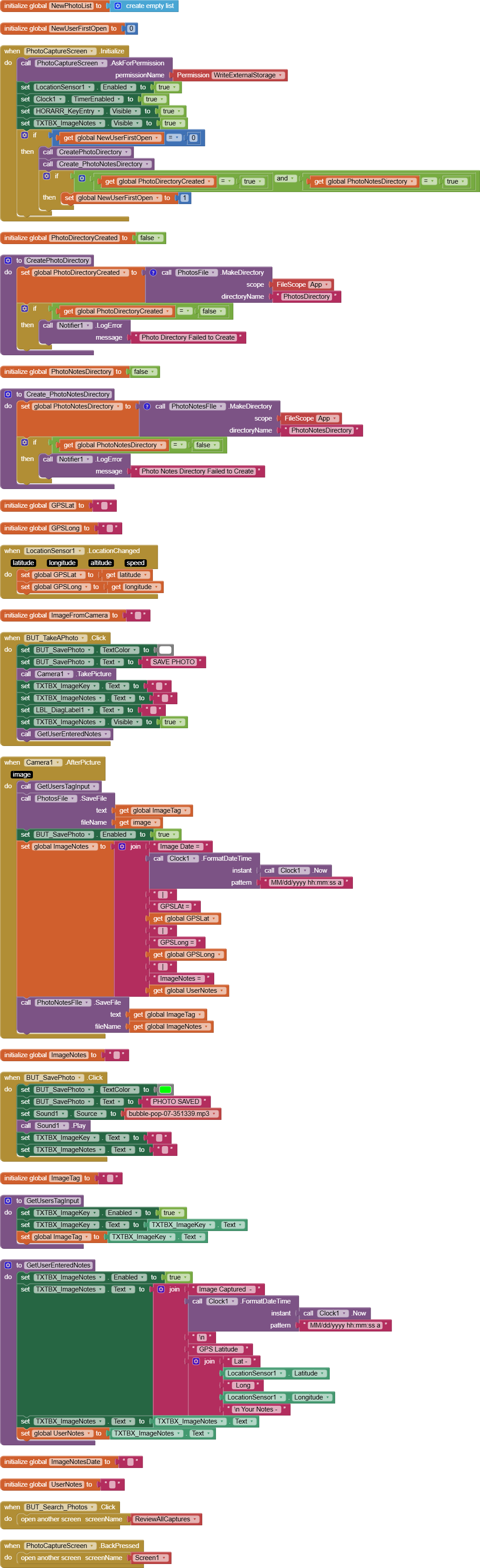
Thanks for responding! I am working on an app that allows user to take a photo of whatever and store it using the FILE blocks. Stored image will have a secondary file containing, App supplied Date& Time, GPS Coordinates and user entered notes. I am able to take and store image and notes without any indicated errors using the following blocks.
Once stored User moves to Review Images and enters image key to search for an image or "???" to display all images. I am currently using blocks on that screen as seen below.
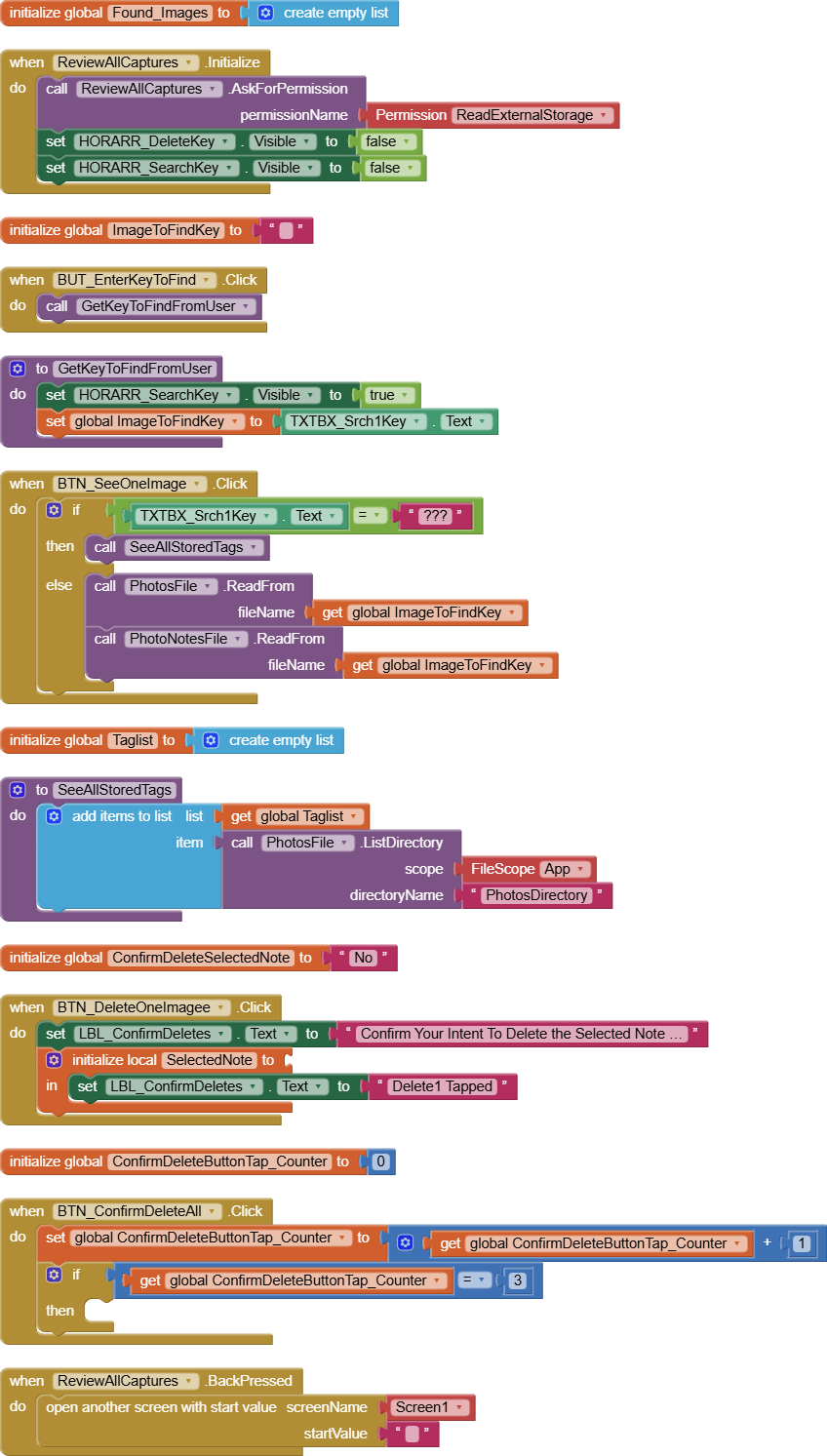
When I take a photo and give it a key "doors" then enter "doors " as the search key system returns File not found?
I suspect I am missing some basic steps here but have not been able to suss out what said steps are.
Is there a reason (not given so far) for needing to create a text file with the additional data (coupled with the need to make a copy of the image file with a new name) ? From what I see, this app is for the user of the app, only.
You could just leave the image as it is, where the camera component saves it, and store all the data against a tag in your tinydb ?
On a side note: switch screens correctly...
Taifun
TimAI2 - You are correct in your Understanding that images are for user use only. User will have the ability to share data via email at his or her discretion.
The only reason I have two files, image and data is that in my thrashing about trying to get the app working I came to the conclusion that was the only way I could accomplish what I am aiming to do. If I do not need to work with two files I would be much happier as it eliminates code, memory consumption and complication, also the possibility of having the two file system getting out of sync.
As for letting the camera save images to it's native storage. Would that allow for the user to recall the image and its related notes either individually or as a "see all Images list" which user could then pick selected images with image specific notes to display and/or export.
Allowing the user to rename the image is a key component of the App. The original inspiration for the App was guys (Like me) that see examples of derelict vehicles in barns, fields or forests and can never remember where they saw "That one". Over time they build up a library of (for example) 1957 Chevy's so being able to type "1957 Chev" in the search key and having the App list matching records for review is a core function of the APP. Once the read function is in place and working the app will have a "Where Is This" Button displayed in called up images that uses GPS Lat and Long to place a pin on a map.
There are probably dozens of different methods to achieve your intentions, which makes it difficult to know where to start. Your app sounds very similar to many birdwatching apps we have seen pass through the community over the years. Most of these use an online database of some form, so that all users of the app have access to what was spotted. Your app is more inline with a database approach, as opposed to what you have done so far.
Yes, shouldn't matter what the image is called, you would record everything needed in the "notes"
If intending the share images you might need to consider image size. My Pixel 8a will take an image of anywhere between 2mb and 8mb. Resizing/rotating may need to be considered, also considering the screen size of the devices viewing the images.
If you are rigorous about search terms (you could even maintain a list of unique search terms in your app), search and return should not be an issue.
Give some more thought to how you want your app to work (no blocks, just description), then come back we can see what needs to be done
I made a start, decided to use the sqlite database and my simplesqlite extension to store the data (quick and easy). These blocks should save a new record.

1 Like
Hi Tim
Thanks for the response. I would like to take you up on your offer to describe my App in what was, in one of my previous lives as a Cobol programmer, referred to as Pseudo-Code. Can I send that to you via your personal email so as not to "Bare my Sole" publicly?
Send a private message here.
I have nearly finished my mockup of an app for you, need to test it out, perhaps hang on until then ?
Hi Tim
Is this the "Private message area?? See attached.
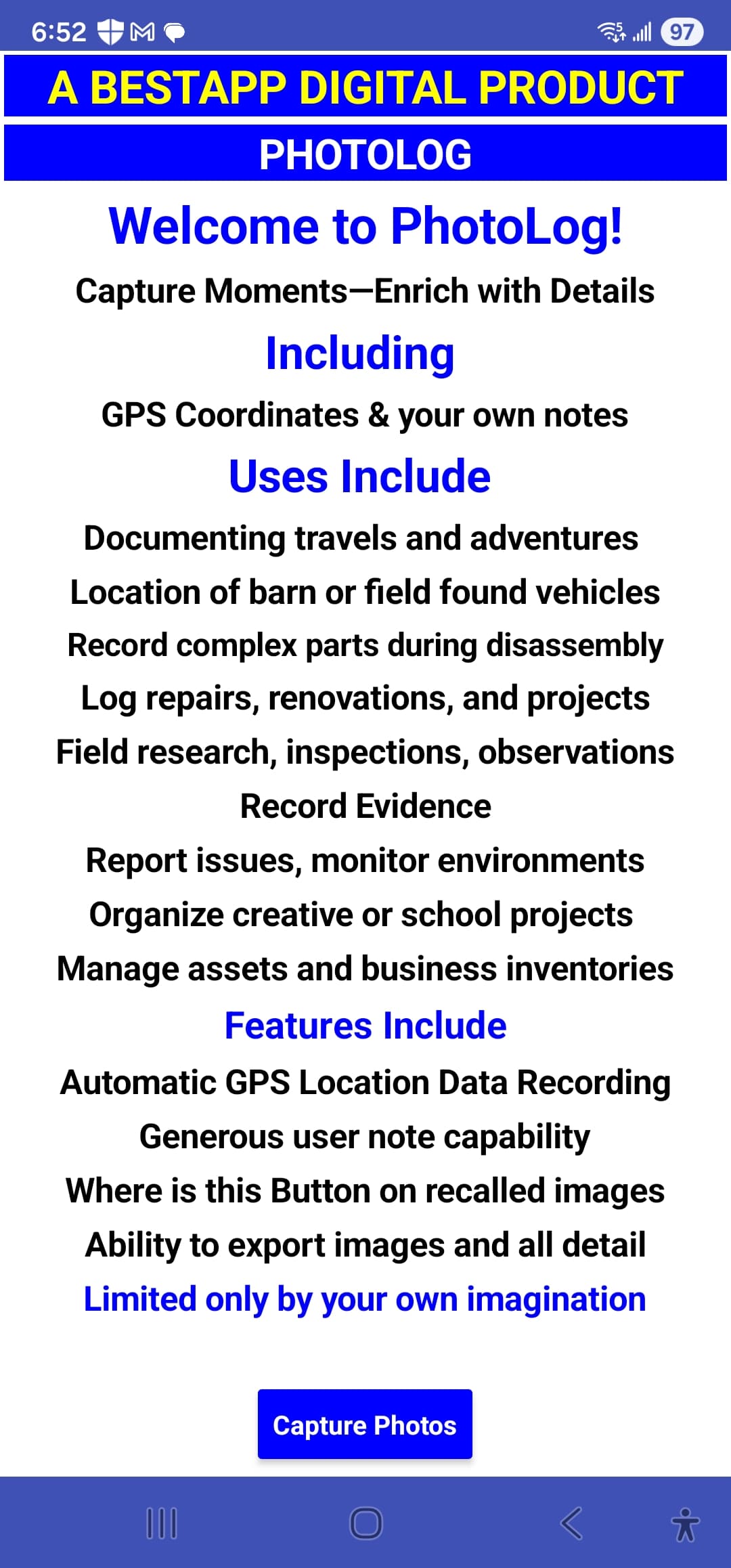
Just to give you an idea of the scope of uses I see for this concept.
AL
Hi Tim
Implementing your suggested blocks for writing a record. In the Save Button Blocks If statement you are showing a "And" Logic Block, but I cannot locate that block. Additionally I do not understand what the And is comparing to??
UPDATE - In looking further I now understand the and is referring the the "fields" below it, but still do not see where you found the "AND" Block.
UPDATE 2 - Figured it out used the And Logic block and modified it to take the required tests.
AL
Sorry, real world demands getting the way of Appinventor work. Will update once I get the chance.
1 Like
Not had a chance to do any testing with companion app or compiled app, but you might like to have a play with it / get some ideas.
LostTreasures (1).aia (32.3 KB)
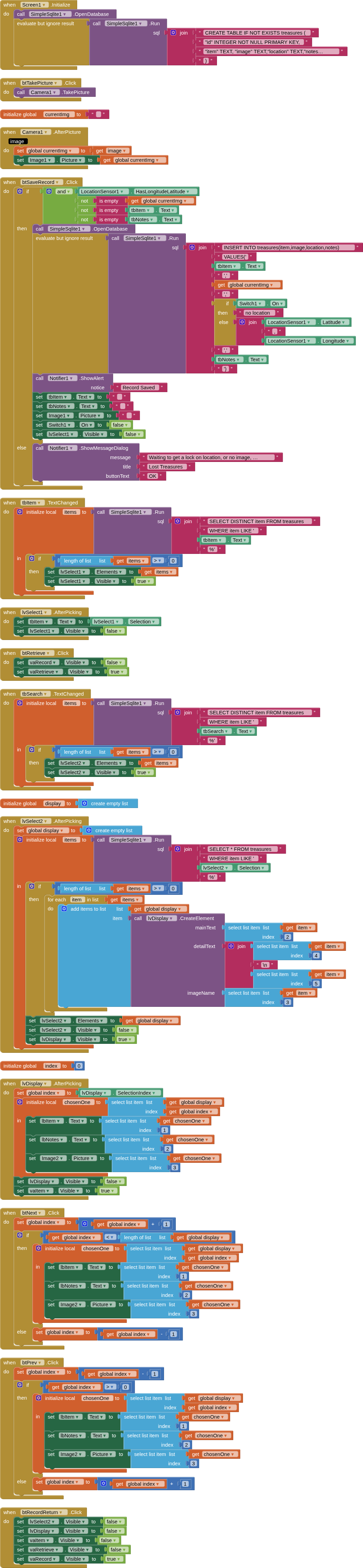
Awesome, I have it working to write records and was just starting on the retreive records portion when your note came in. Have reviewed and like some of your concepts which I am now incorporating into my code (ie the warning msg about no GPS lock etc. )
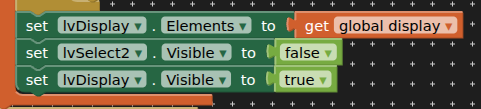
Hi TimAI2
OK, So have been working on the retrieve portion of my APP using your Lost Items as a template. When I try to run Lost Items and do a retrieve records tyour APP does nothing other than to blink the search button. No Crash, just no response. In looking at the blocks I see in lvSelect2 that the last block is set.lvDisplay - Visible =True. For the life of me I cannot see where lvDisplay is created but you were obviously able to compile the APP with no errors. ?? Your Thoughts??