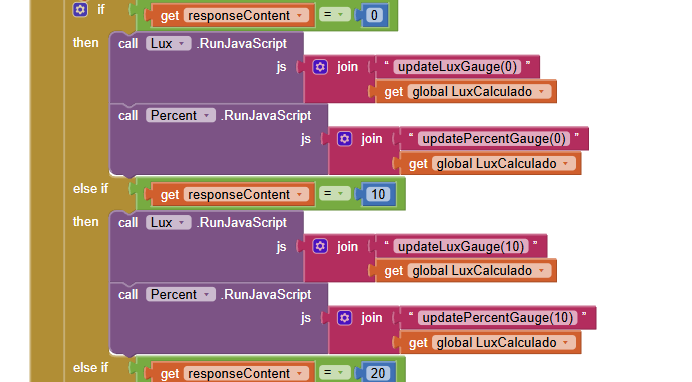
os valores tem de ser actuais ou seja progressivos de acordo com o valor do ldr, em tempo real basicamente
outra questao como e que funcionaria usar o https no mit?
Taifun

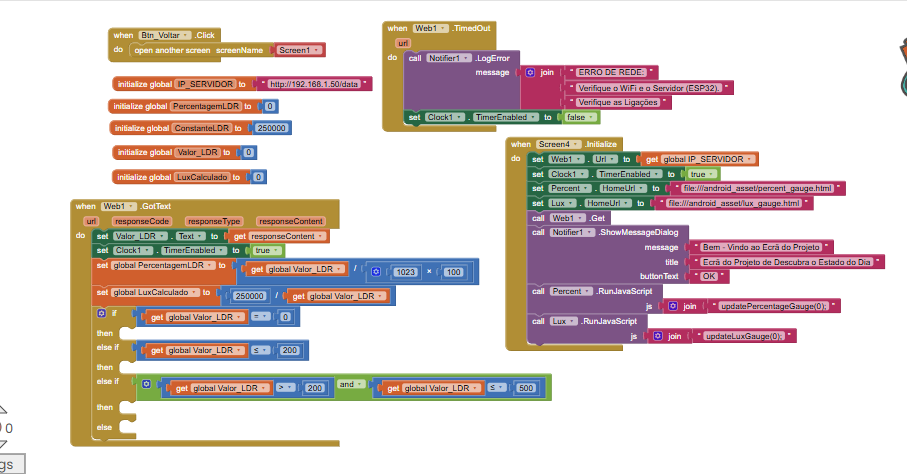
nao sei como vou por isso a funcionar e que supostamente seria assim mas no telemovel nao inicia
I don't know how to get this to work; it's supposed to work like this, but it won't start on my phone.
mas atencao supomos o ldr le de 0 a 1023, se o ldr ler 100 a percentagem sera x, mas o gauge tera de mudar automaticamente de acordo com o ldr.
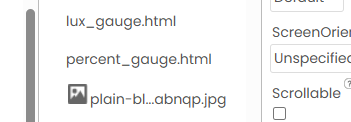
eu ja consegui criar a pagina html e por nos assets, mas conitnua sem aparecer nada
To access a html page in the assets use the following path to be able to test with the companion app
http://localhost/percent_gauge.html
Use the companion app and Do it to debug your blocks, see also tip 4 here App Inventor: How to Learn | Pura Vida Apps
see also Live Development, Testing, and Debugging Tools
Taifun
Trying to push the limits! Snippets, Tutorials and Extensions from Pura Vida Apps by  Taifun.
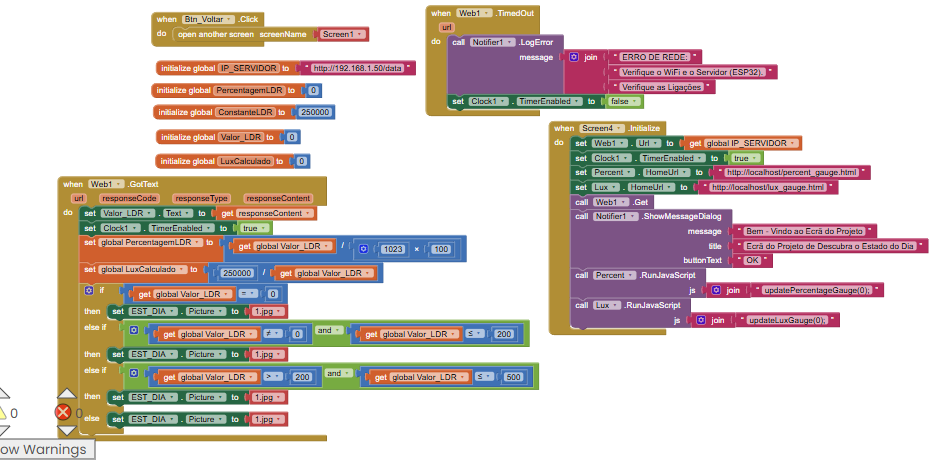

faltara mais blocos no gotext eu sei ja tinha feito isso so que n estava a funcinoar o wevier ent desidi remover para testar e n deu em nada a mesma
era isto mas automatico de acordo com o valor do ldr
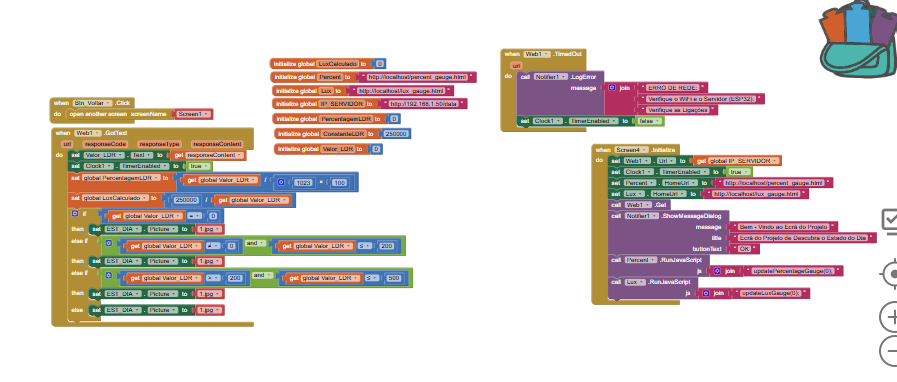
It looks like you got something running. .
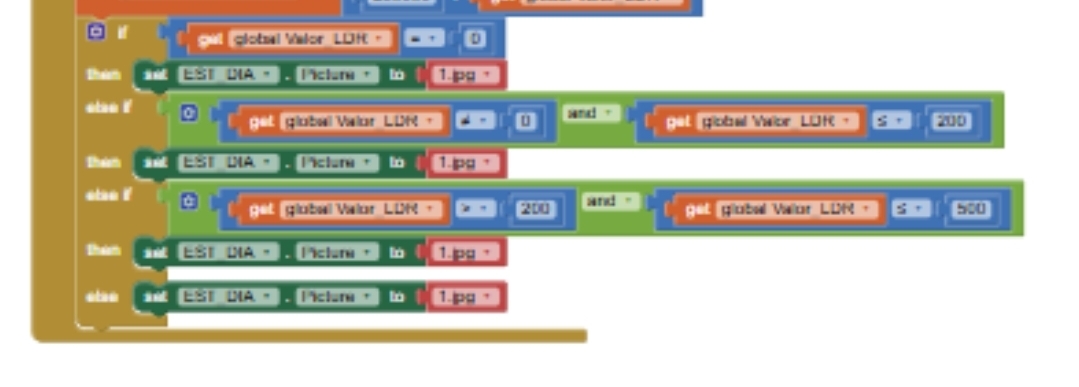
So no matter of the value of your global variable, you always set the image to 1.jpg? Does this make sense?
Taifun
Nao!, eu vou por outra imagem mas a minha questao era da progress bar aquilo do html que lhe falei, pq isso ja tinha visto consigo e estava a dar!!, so quero que me diga os blocos que serao necessarios para isto tudo funcionar obrigado
Sorry, I'm not here to write the app for you
You are welcome to try something and if you got stuck, then to provide a screenshot of your blocks to get help from the community
Taifun
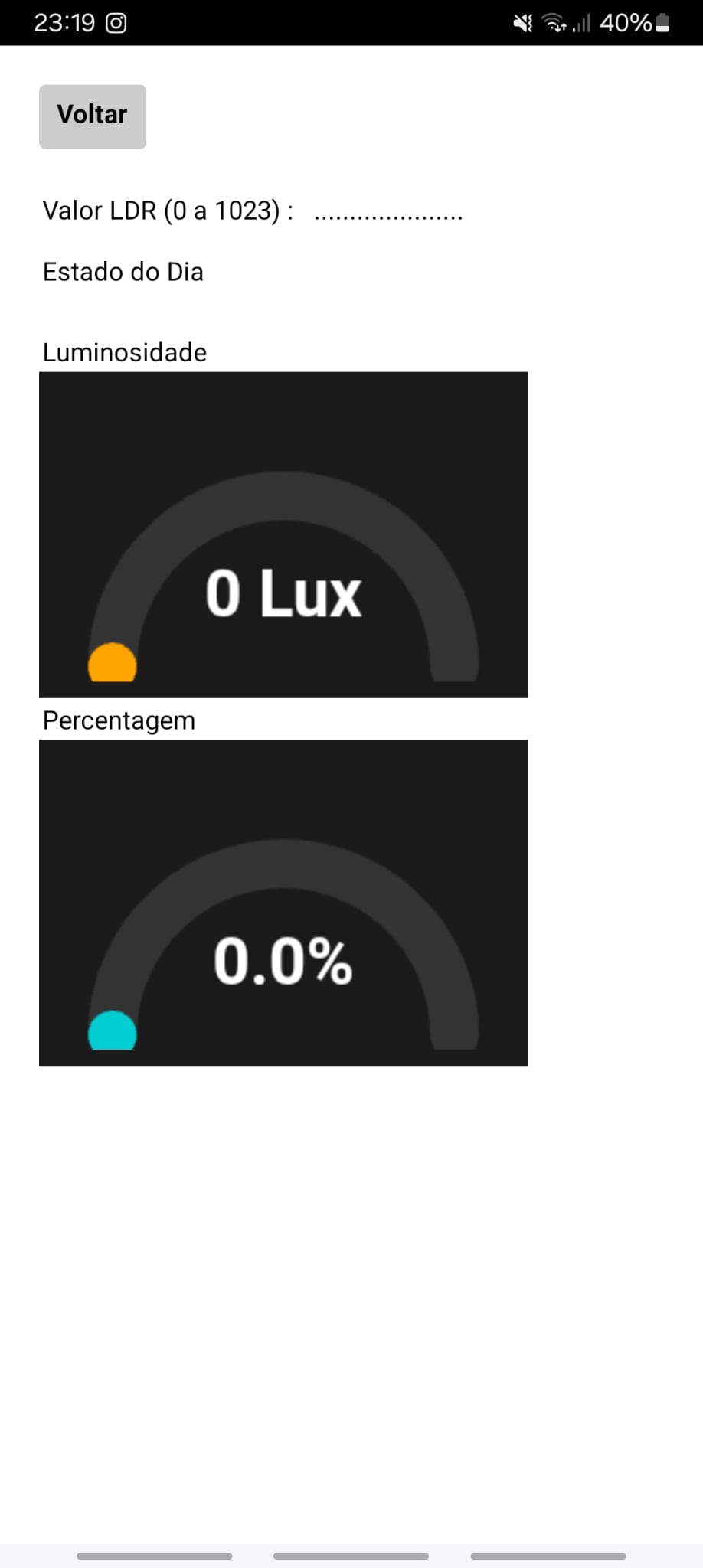
ja consegui ! agr o problema e que o ldr ou seja da um valor e nos lux e na % nao muda o valor nem a % sera erro do html?
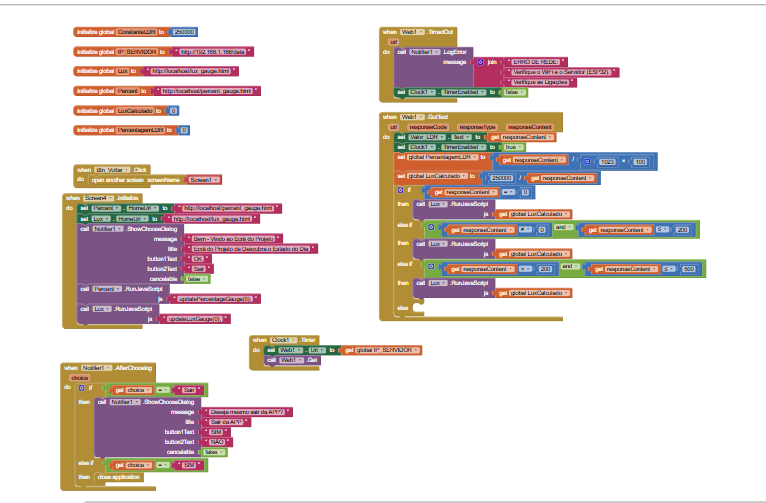
You forgot to let us know, which error you get?
Also your screenshot is of bad quality, almost unreadable...
My guess is you have to call the javascript method with the value of your gauge?
updateLuzGauge(42)
Which means only calling the value does not help very much, does it?

To get an image of your blocks, right click in the Blocks Editor and select "Download Blocks as Image". You might want to use an image editor to crop etc. if required. Then post it here in the community.
Taifun
Trying to push the limits! Snippets, Tutorials and Extensions from Pura Vida Apps by Taifun.
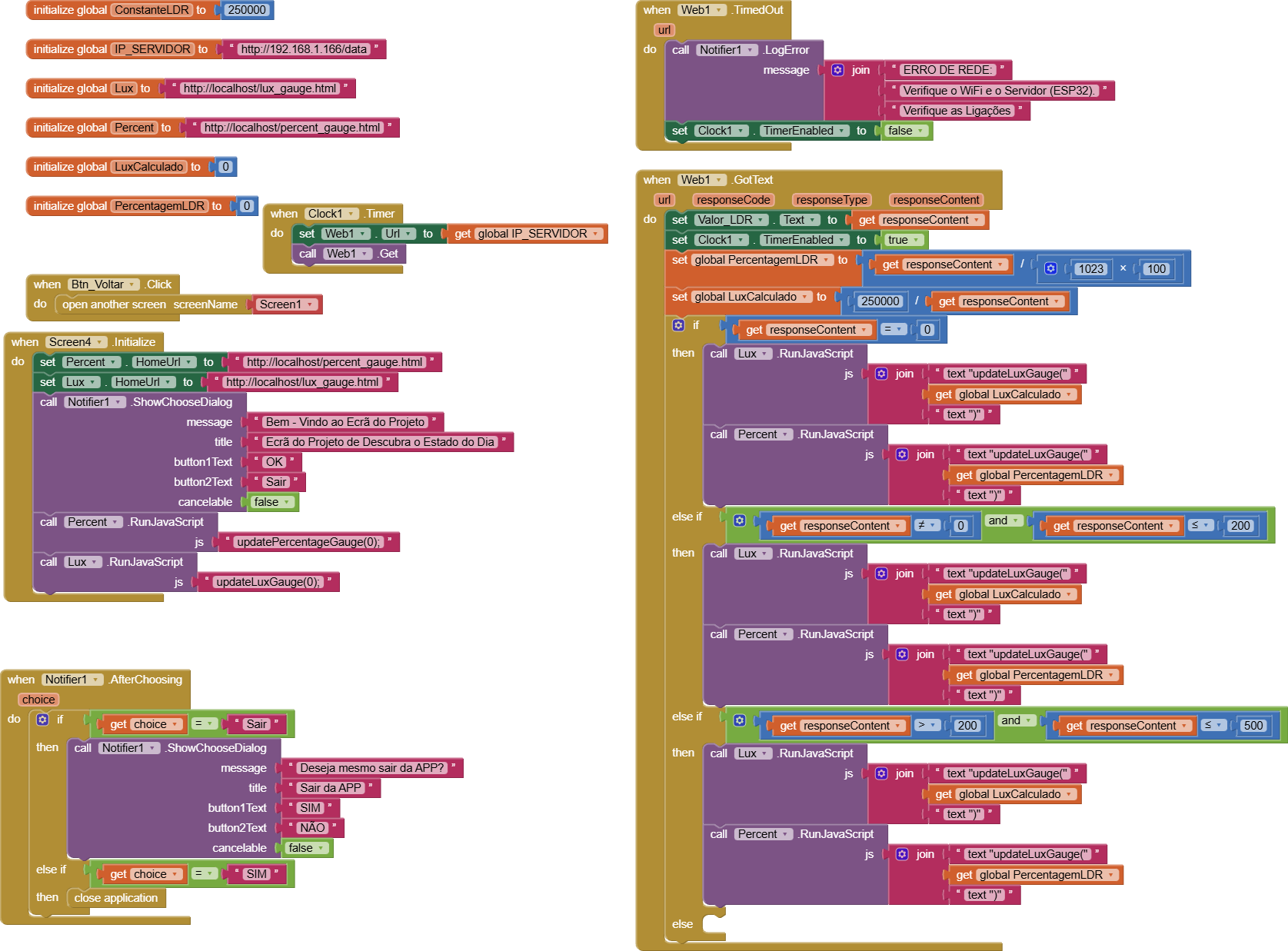
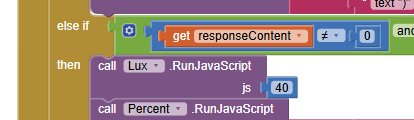
ou deve ser assim (algo assim)
this is correct, assuming your javascript method is called updateLuxGauge

and this is nonsense
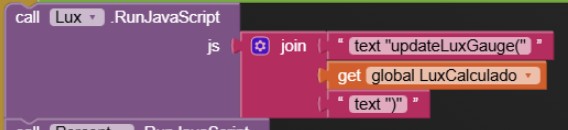
correct would be to join
updateLuxGauge(
get global LuxCalculado
);
Taifun