I was working on an app when the app decided to not show anymore the components inside the absolute arrengements.
The old ones render properly but the new ones don't show anything inside.
(Canned Reply: ABG- Export & Upload .aia)
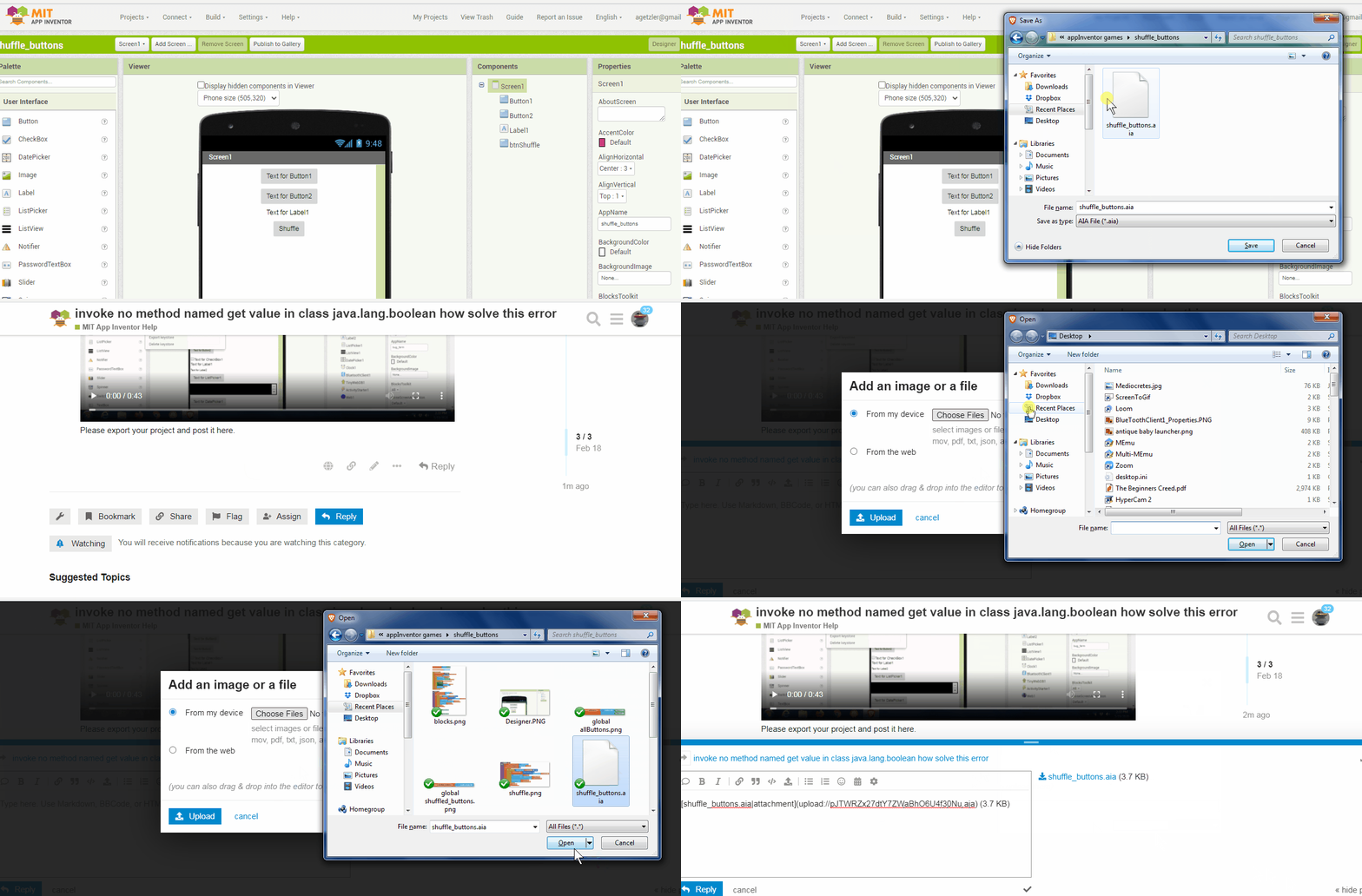
Export your .aia file and upload it here.
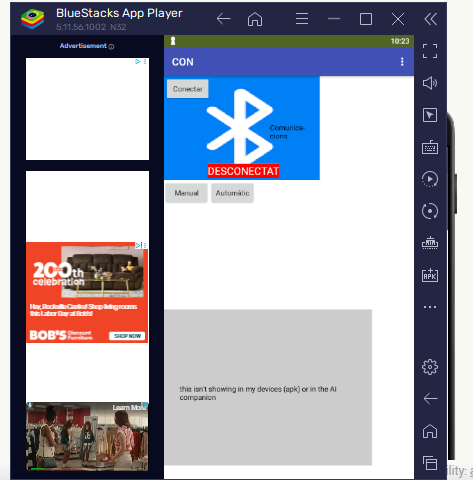
I updated my BlueStacks emulator to Companion version 2.76u and I see the Label on the Absolute Arrangement.
What version Companion are you using?
I notice you have in Project Properties the choice of Responsive Design, which gives you Screen sizes based on the number of pixels available on whatever device you use. But you specify fixed numbers of pixels for size, which goes against that architecture. Responsive sizing should be based on per centage of parent arrangements, based on Screen Width and Height captured at run time.
Why did you choose Absolute Arrangements instead of nested Horizontal and Vertical Arrangements? They are self aligning, if you do them right.
I also object to Table Arrangements. You can't match component row and column against the component tree in the Designer.
the same thing is happening to me. I'm trying to create my own version of cookie clicker for a class project and I needed an absolute arrangement so I could make the prestige map but nothing is rendering on it and I'm using the latest version of MIT AI2
What's a prestige map?
Is it like a Top Ten Score list?
I call it a prestige map, but I'm talking about where you purchase the Heavenly Upgrades using heavenly chips. I'm trying to use buttons since I see them as easier to work with but when I look at it through AI2 the buttons don't render but the arrangement does
Consider using a ListView as your shop's list of offerings.