He descompilado el apk y he notado que en el manifiesto no existen permisos de lectura y escritura pero en mit no sé dónde ubicarlos
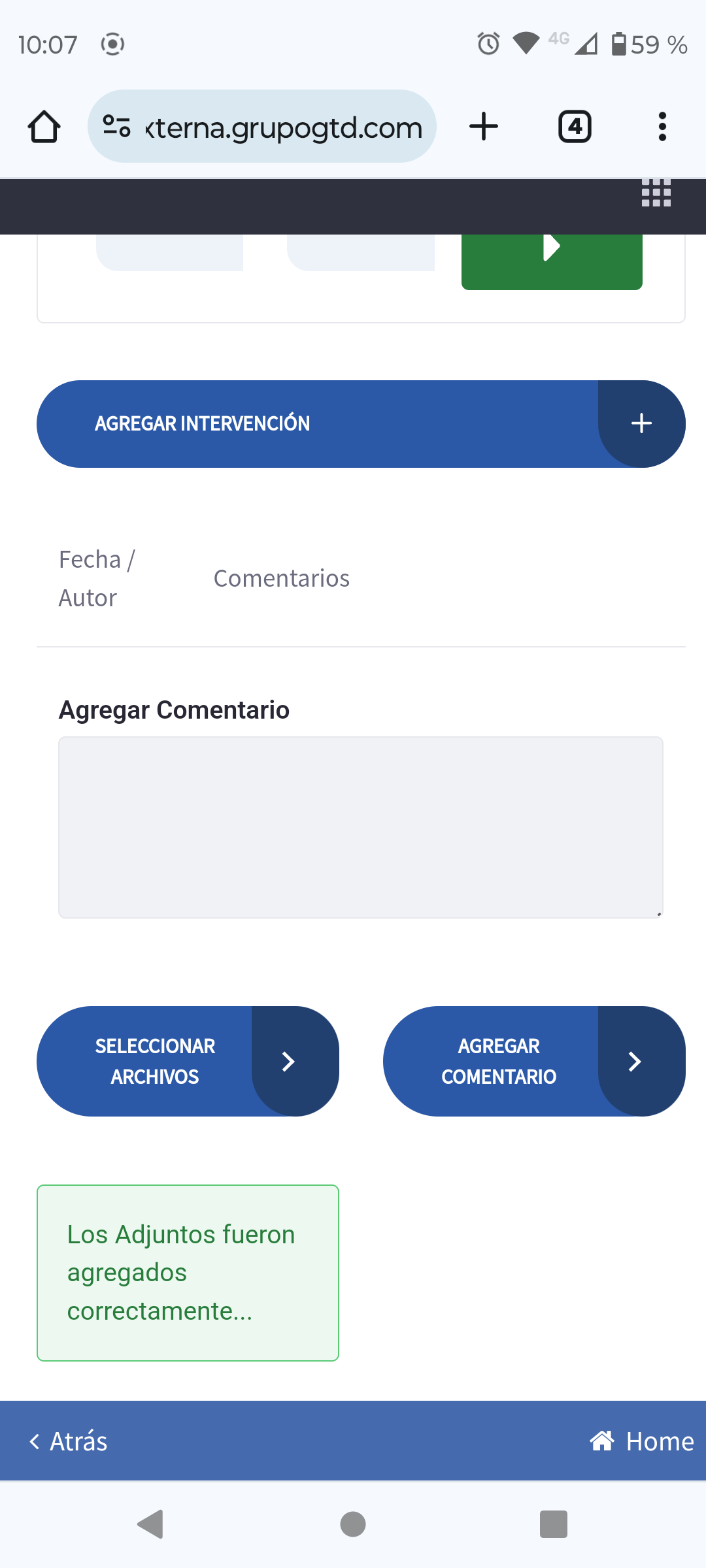
Show your image upload process on your web page...
can we this work with a ftp server to download files from the ftp server?
Webviewers work with http not ftp.
You want something like this:
or
or, you could try an online ftp web client:
1 Like
Update 1.7. release
With the release of version 1.6 I introduced a new block which allows developers to download files to the ASD of the app.
With this new release, version 1.7, it is now also possible to upload files from the ASD! A File component is required for this to work. The extension makes use of the listpicker class (without having to load the actual component) in order to display and allow selection of files from the ASD.
This video demonstrates this new feature on an installed app on Android 13. The Project Filescope is set to App. I have used a file upload web page from a different project to help demonstrate.
Developers will also need to use the provided helper blocks. It is important to ensure that the extension is provided with valid file paths from which an uploading web page can select. Failure to do so will crash the extension/app.
-
Two list variables, one for directories and one for files
-
These blocks for the Screen Initialise event. This sets up the extension, and sets ASD as the upload directory. It also calls the procedure that lists the files in the ASD. You can put all these blocks into a procedure so that you can update the file listing when it changes.
-
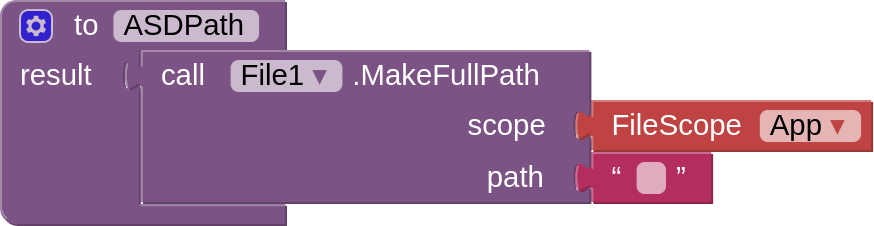
A short procedure to setup the ASD file path
-
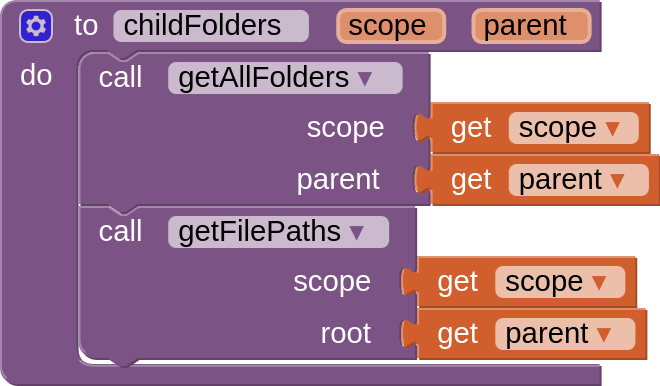
A procedure block (called from Screen Initialise) that calls two further procedures, to get all the folders and subfolders in the ASD, the one to get all the files in folders and subfolders in the ASD. Files from nested folders include their relative file paths.
-
The getAllFolders procedure
-
The getFilePaths procedure. Note the setting of the ASD Files and Path using the extension block as the last part of this procedure


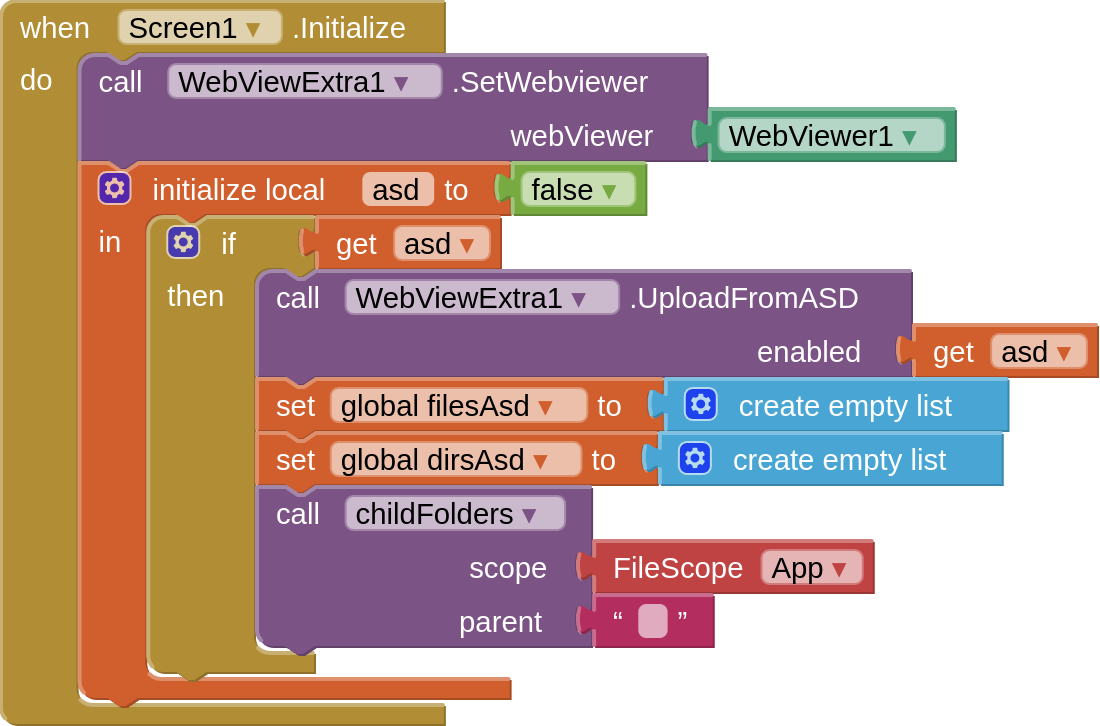
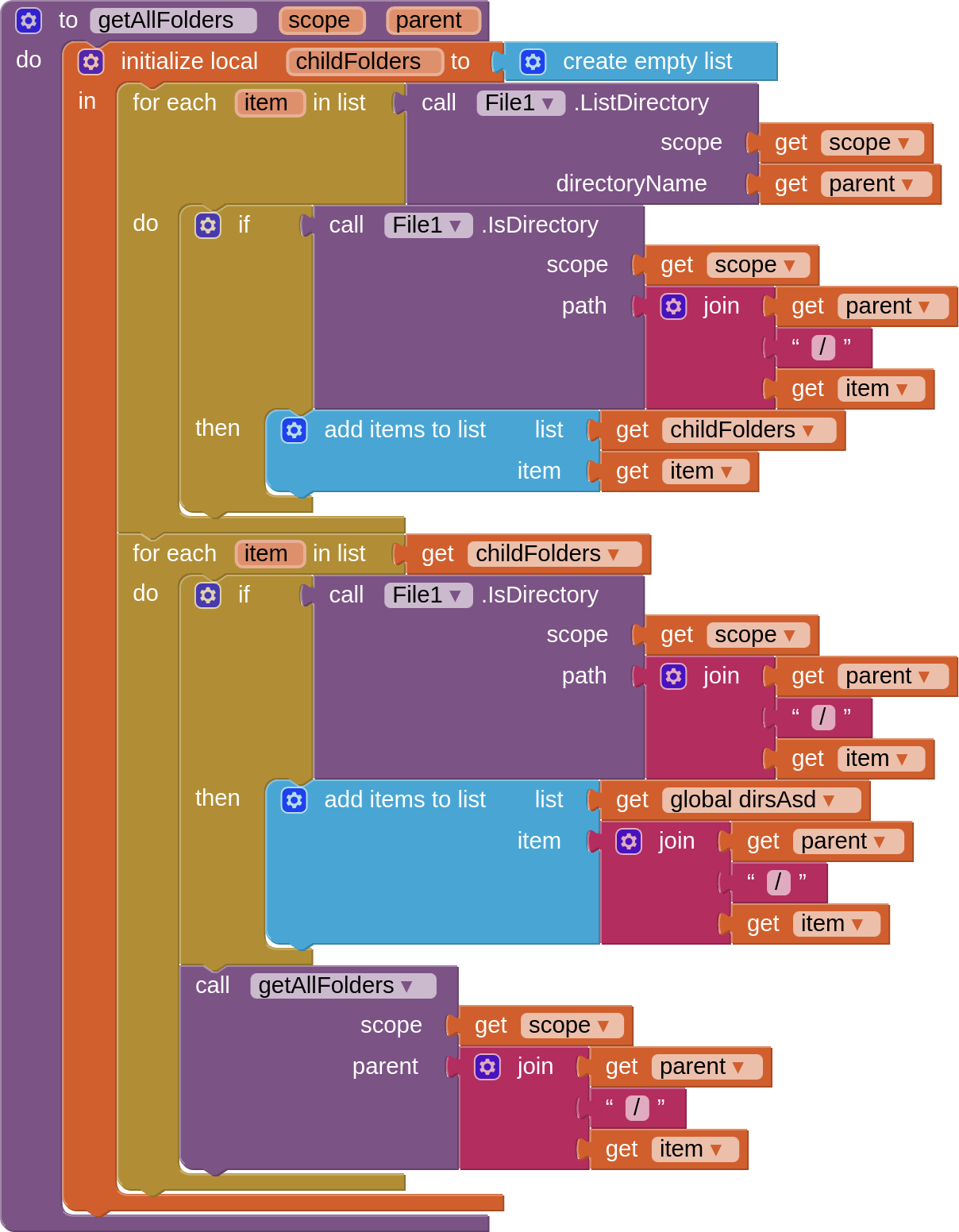
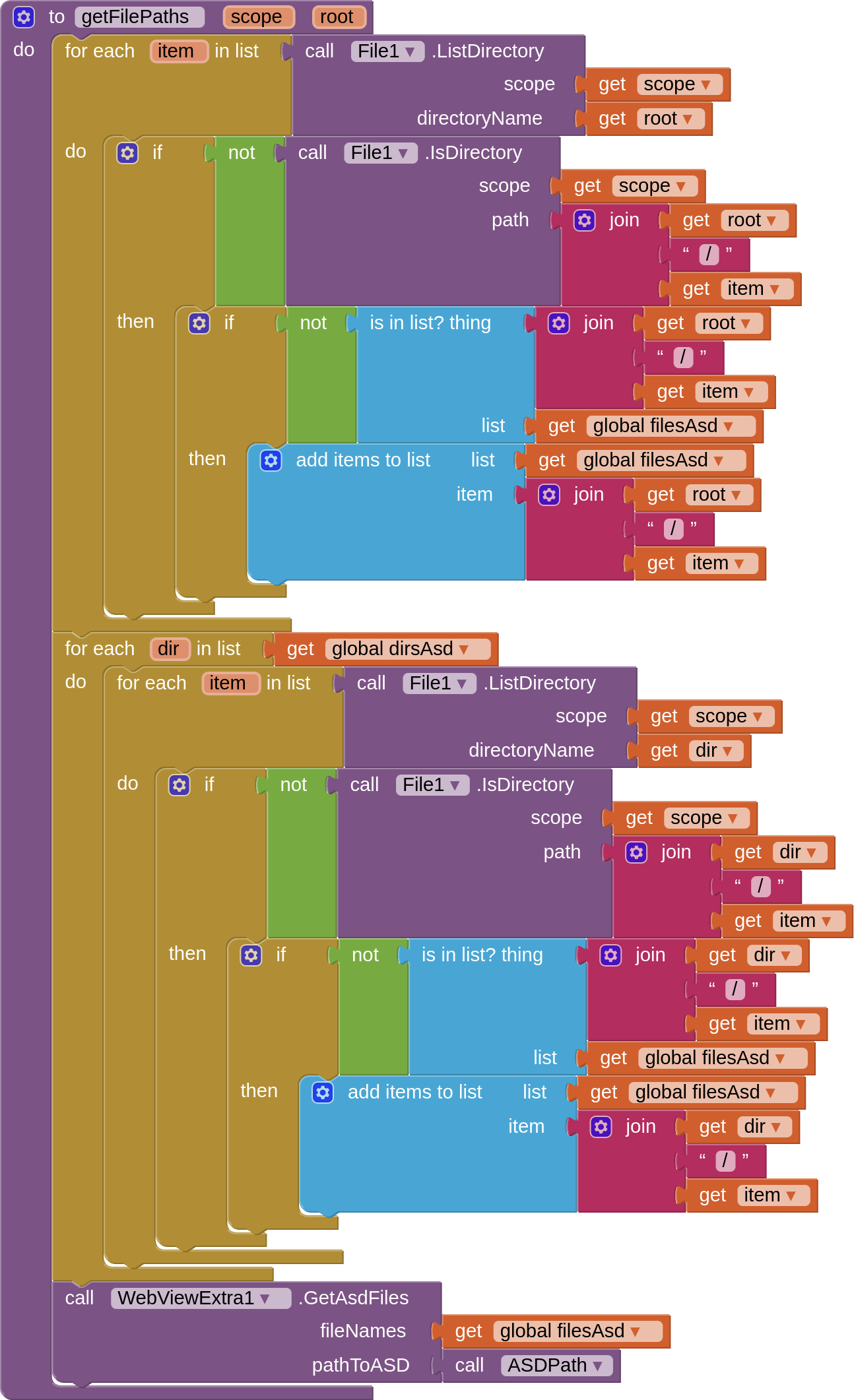
Note (advanced): it is possible to change the root/parent location to other directories, e.g. Shared if you want to use this method on other locations.
3 Likes
TIMAI2 Necesito tu ayuda creo que debo explicarte mejor el tema, te cuento quiero empaquetar una pagina web con el componente web view, custom web view o cualquier otro.
La pagina en si es una aplicacion mobile de ticketing
la pagina tiene el mecanismo de subir archivos a los tickets de forma embebida por ello no tiene sentido agregar botones a mi apk.
la aplicacion web desde el navegador pide al usuario del telefono movil que otorgue permisos de ubicacion ya que los tickets deben cargar la ubicacion desde donde se crean los tickets es decir de donde el usuario se encuentra en ese momento.
en mi caso lo hice y funciona todo el sistema de tickets pero no puedo ni cargar archivos ni la ubicacion.
espero puedas ayudarme
PD: Nose mucho de programacion no me dedico a esto.
Would need to see more as to how the ticketing app works and the functionality in the JavaScript/ PHP code for uploading files and data.
Como puedo enviarte las credenciales de forma privada ? Para no dejarlas por acá ya que cualquiera las podría usar y el aplicativo ya está en modo productivo
Use a PM (private message) - I have sent you one to reply to.
Does this extension support the clear cache feature?
Not that I am aware of
Ok, thank you for your answer.
The webviewer itself has a clearCaches method...

2 Likes
Can I use your extension and the standard webviewer together? Because I need to clear cache when opening the webviewer every time.
My extension requires the native webviewer, it enhances the webviewer's functionality.
2 Likes
Ok, thank you for your response
Update 1.71.release
Added a fix which hopefully resolves the Broadcast Receiver export issue with API 34 / Android 14.
Can be downloaded from the link in the first post of the topic.
Update 1.8.release
webviewextra should now allow you to download files from blob urls. You will not get a notification like you do with ordinary downloads, and because blob urls generally do not have a filename, a filename is created using the format file_currentMilliseconds.ext.
This functionality has taken over two years to apply, much digging and searching on the internet finally resolved with this post in July 2024
Download the file with blob URL in Android WebView - Tech Blogs
I asked Brave for a howto to create a blob and download it using javascript. it came up with this:
JavaScript Blob Download
To generate a Blob URL and trigger a download in JavaScript, follow these steps:
Create a Blob
Use the Blob constructor to create a binary object from your data, specifying a MIME type:
const data = "Hello, world!";
const blob = new Blob([data], { type: "text/plain" });
Generate a Blob URL
Use URL.createObjectURL() to create a temporary URL referencing the Blob:
const blobUrl = URL.createObjectURL(blob);
Trigger the Download
Create a temporary <a> element, set its href to the Blob URL and download attribute to the desired filename, then simulate a click:
const link = document.createElement("a");
link.href = blobUrl;
link.download = "downloaded-file.txt";
document.body.appendChild(link);
link.click();
document.body.removeChild(link);
Revoke the URL
Free memory by revoking the URL after the download:
URL.revokeObjectURL(blobUrl);
This method works across modern browsers and supports various file types (text, JSON, images, etc.). For large or frequently generated files, always revoke URLs to prevent memory leaks.
See here for a working example:
1 Like