That must have something to do with what you are doing after setting global MyDict with the data.
1 Like
Where can one find the 'Is Dictionary empty' block?
As I said above, there isn't one. The isListEmpty block (in Lists blocks) should do it OK
1 Like
After setting up the global MyDict, I only use the MyDict data (regardless of whether it's the first or second run of my application - i.e. the code is the same every time I run my application) to display the text of the UI elements in the appropriate language.
So, if the code doesn't change on any run of my application, i.e. it works the same, then I don't understand why it doesn't work on the first run of my application (when the text elements from my MyDict dictionary need to appear on the elements), and why it works on the second, third, etc. run of my application (when the text elements from my MyDict dictionary also need to appear on the elements)?
Since the code is the same, I thought that this error (that the texts do not appear on the first run, but only on the second run) might be due to a timing problem. No?
Did you move the code after the MyDict load into the new Initialization phase 2 procedure I mentioned earlier?
You will still have two places in the startup code where that would be called
- In Screen Initialize after seeing MyDict is ready
- In File 1.GotText after making MyDict ready
This can't work without the procedure and the two calls.
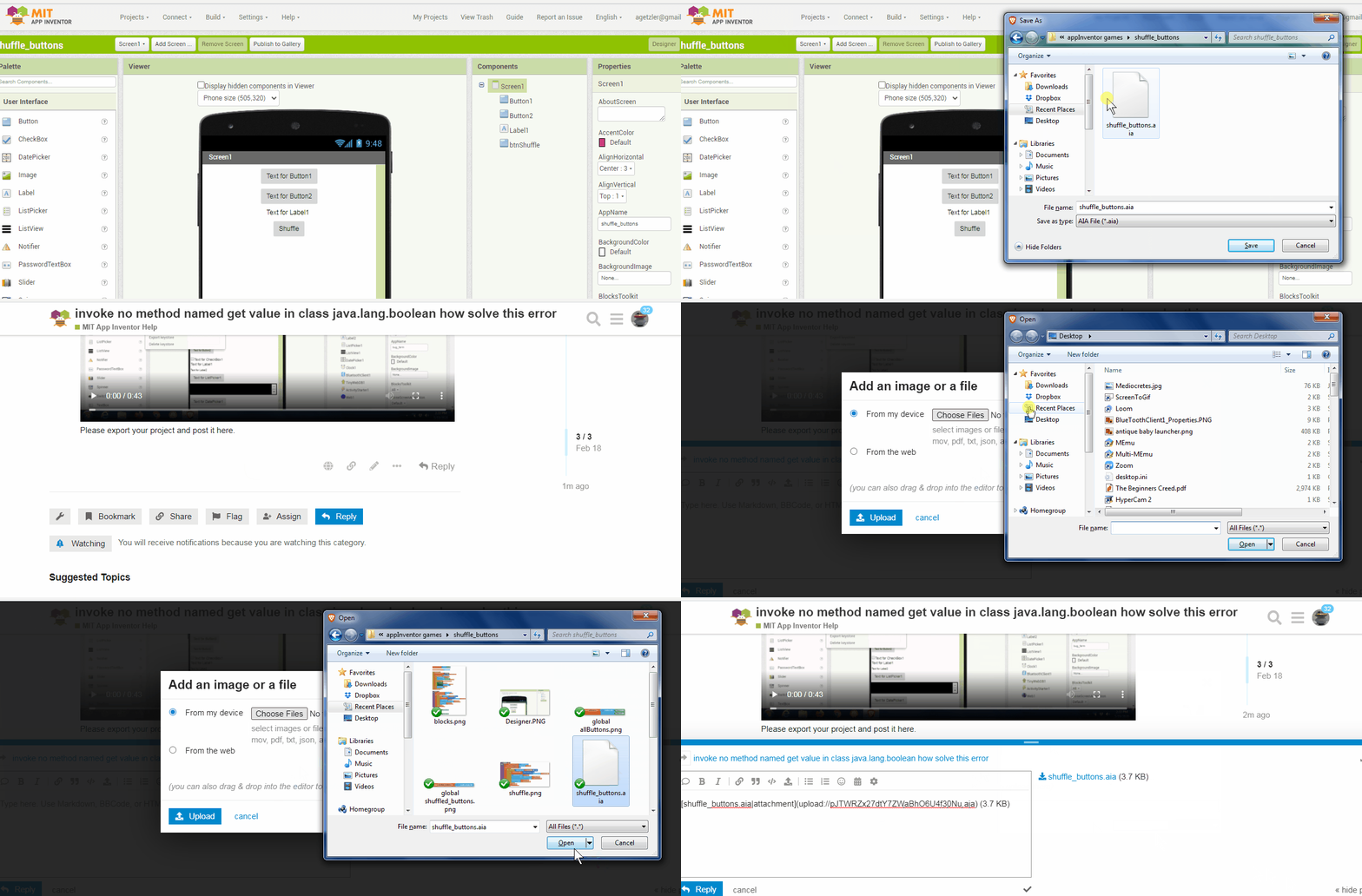
(Canned Reply: ABG- Export & Upload .aia)
Export your .aia file and upload it here.
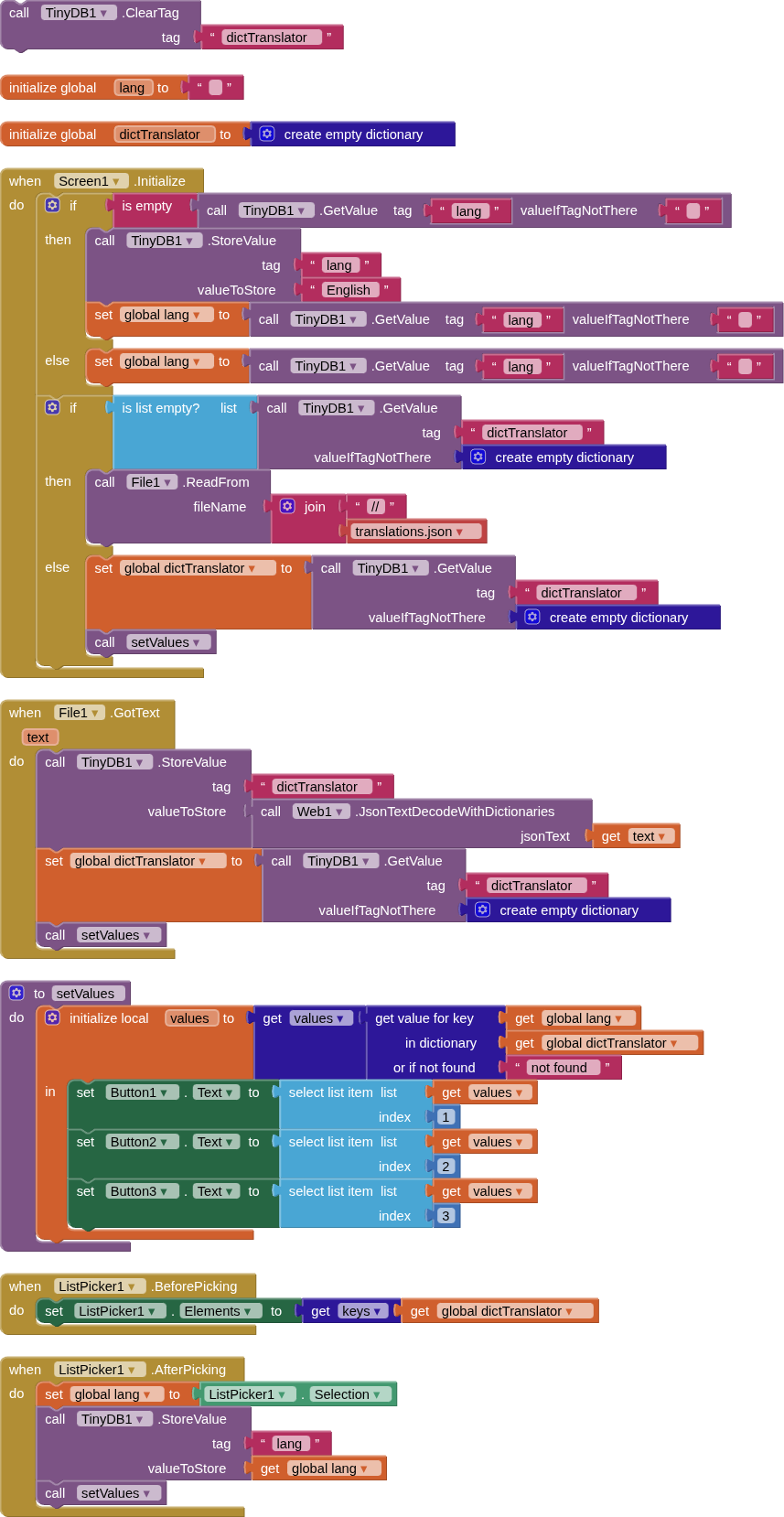
Thank you all very much for your help!
I don't understand why the call_TinyDB1_ClearTag_tag_dictTranslator block is there?

For testing only, so you do not have restart the companion when testing a "first run"
1 Like
I usually wrap loose blocks like that in procedure definitions to avoid a yellow error.
Then I apply a Do It to the block inside to run it.
1 Like
When I try to do it in the 'set values do' block on the 'select list item list' block, I get the following error message:
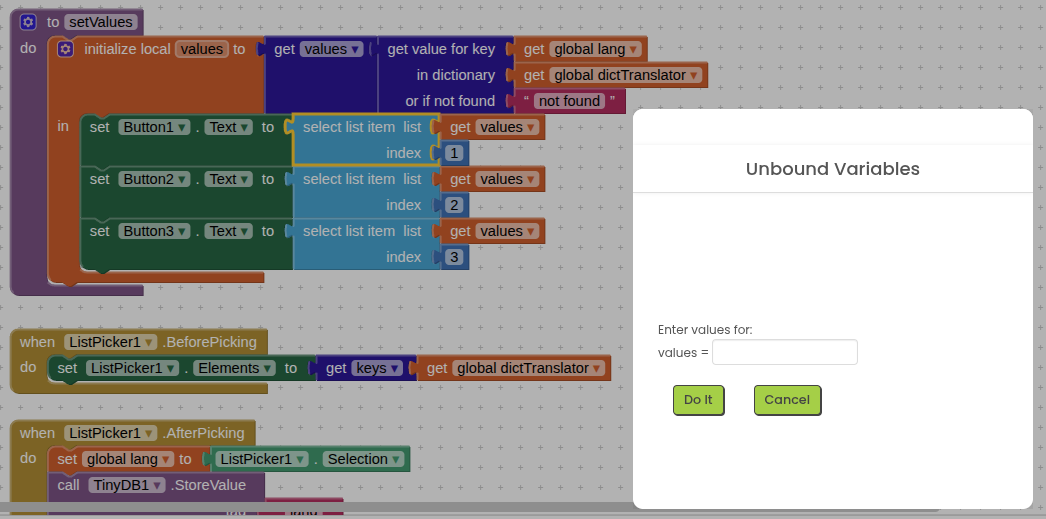
What am I doing wrong?
You are trying to run a Do It on blocks that refer to local variables.
The local variables are long gone by the time you get to apply the Do It.
To debug code like this, you can add extra global variables with names like debug_values, and inside the local init, set global debug_values to local values, then have the other blocks in that scope refer to global debug_values.
This makes the guts of the procedure testable with Do It, at the expense of having extra wires and tubes hanging out of it. After you are finished with your Do It testing, you can close it up by reversing the global hookups and removing the global variable.
1 Like
I noticed that after reading the Szotaram.json file, 'call Web1.JsonTextDecodeWithDictionaries_jsonText' transforms the original JSON dictionary file in such a way that the elements in the new dictionary (which my application uses to display the texts of the user interfaces) are placed in ABC order!
This changes the index number of the elements in the applications internal MyDict dictionary, and I have to look up the index numbers of the corresponding texts in the new dictionary so that the user interface can be displayed in the selected language. This display is performed by my 'UI_Displayed_in_the_Selected_Language' block.
I attach the original and the new JSON dictionaries obtained by the application below.
MyDict.json (52.8 KB)
Szotaram.json (52.8 KB)

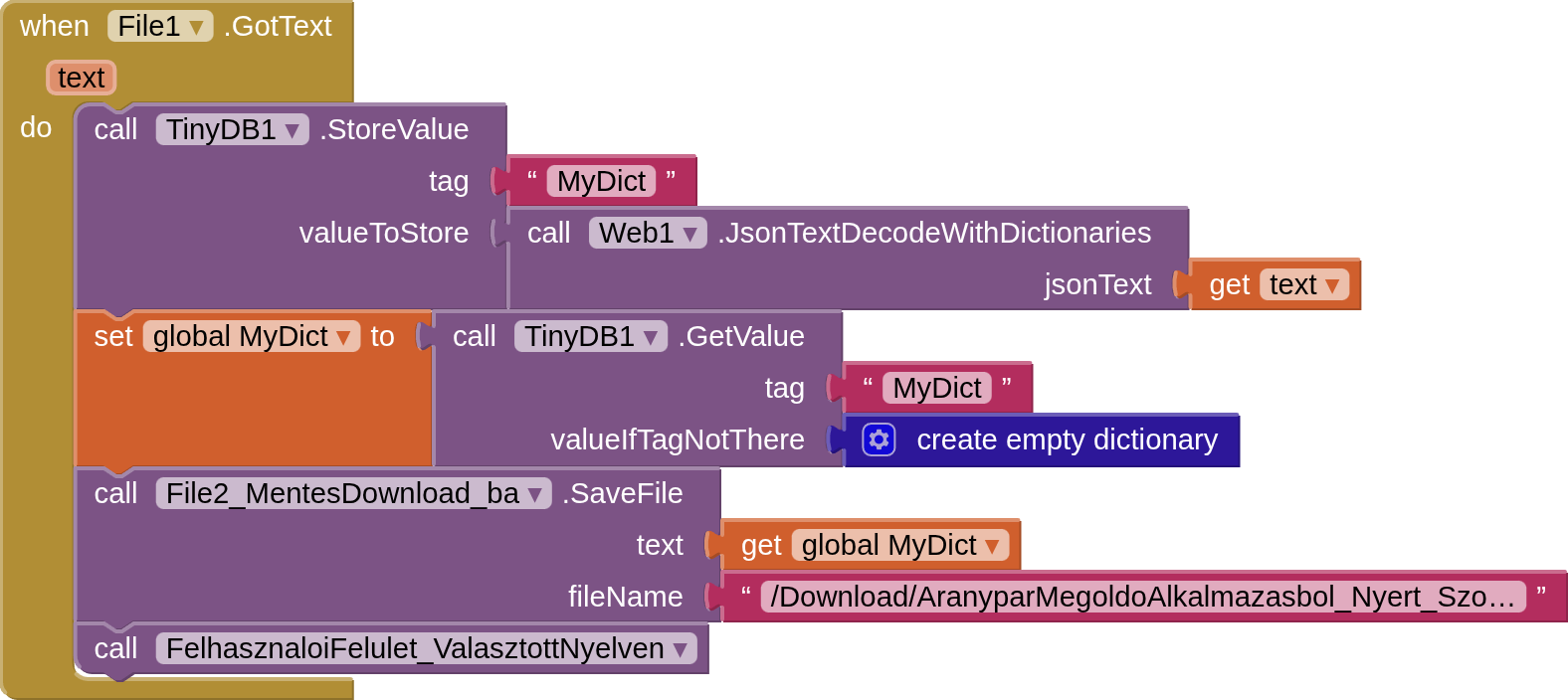
What would be the solution in such a case?
Is it possible to avoid the 'Web1.JsonTextDecodeWithDictionaries' block from sorting the elements of the original JSON file in ABC order?
Any advice would be appreciated!
Well, with the help of Duck.ai I managed to sort the elements of the embedded dictionary in the Emacs editor in ABC order.
So, if I upload a JSON dictionary that is already sorted in ABC order to my MIT AI2 project, this original dictionary will already be in ABC order.
So the 'Web1.JsonTextDecodeWithDictionaries' block can sort the JSON dictionary, because the elements of the new, internal dictionary will be the same as the original JSON dictionary uploaded to the project. I'm not sure yet, but I'll try it and post the result here.
The whole point of json is that you select items by key, sort order then becomes irrelevant.
If you want a more stable sort order, then use a list.
2 Likes
This topic was automatically closed 7 days after the last reply. New replies are no longer allowed.