1 Like
Can I also extract the text from an html string with JavaScript?
Or is there an API necessary?
The HTML file is from one of my online account.
where, what, why ?
I want to read text by id from Web Page and display it at AI2 similar to this post
Well I show how to do it in that link.
window.AppInventor.setWebViewString(document.getElementById("idValue").innerHTML)
You should set the webviewstring to a blank text before running the javascript, and use the webviewstringChanged block to capture the value into the app.
You should also wait until the web page has loaded, so that any scripts running on the page have completed, and all rendered text is available.
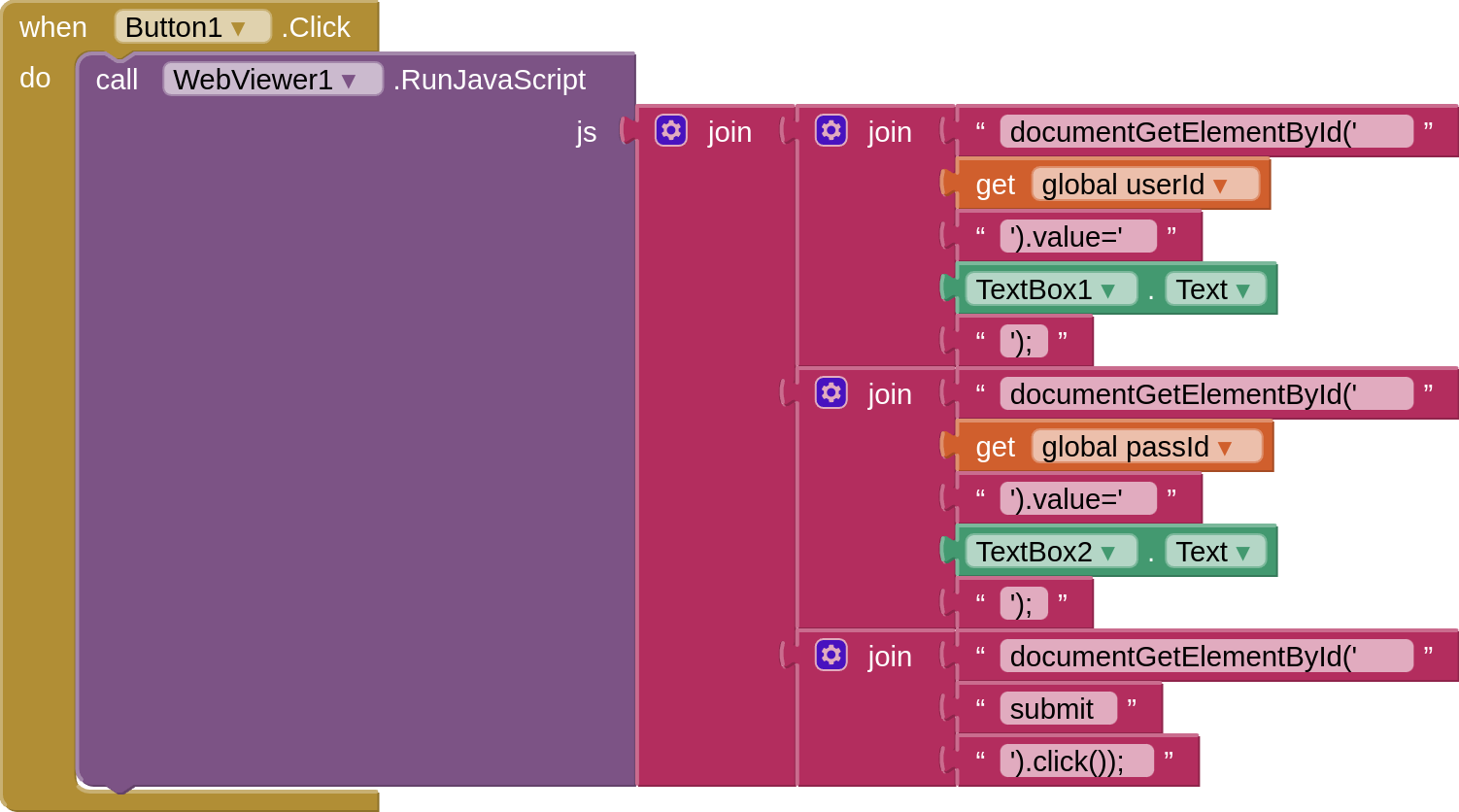
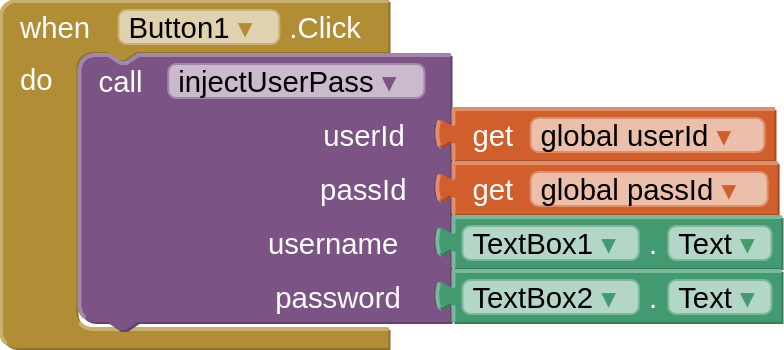
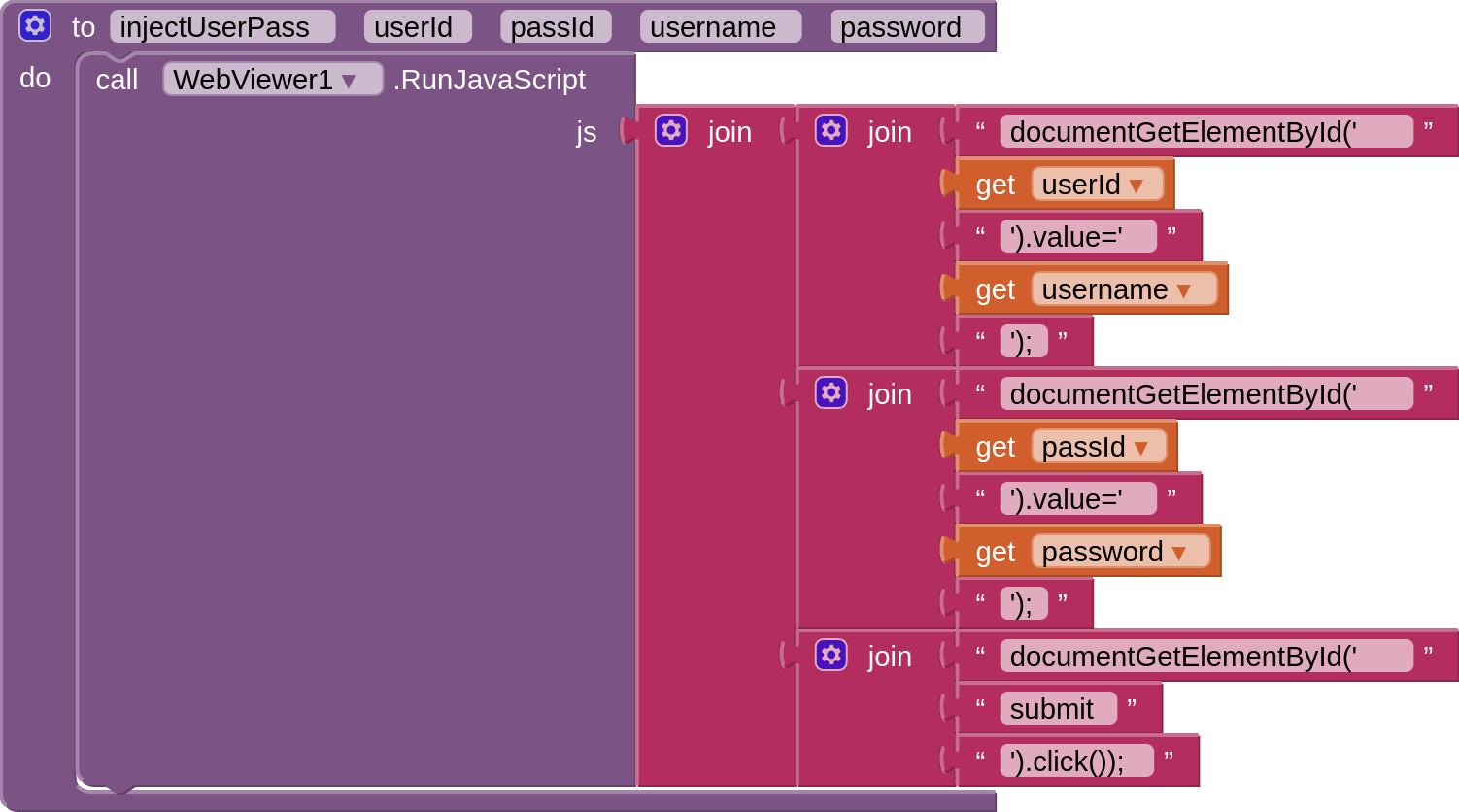
Not tested but something like this (very similar to what Taifun has done)
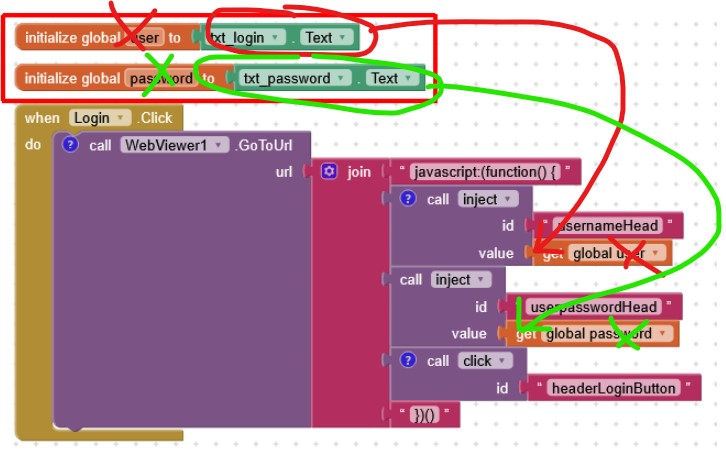
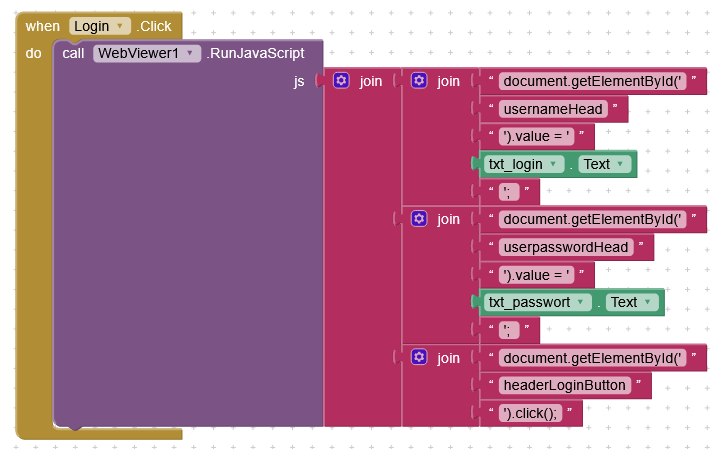
After slightly modifying your blocks the login is working fine now with Javascript:
1 Like
The Webviewer PageLoaded event is firing several times, the hmtl page is loading and loading again. How can i run the block only one time?
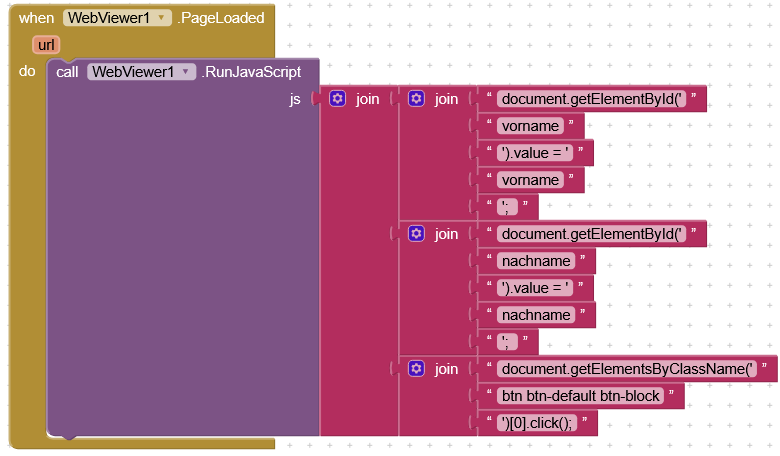
Do i need the WebViewer1.StopLoading block?
Is the url different after you have signed in ?
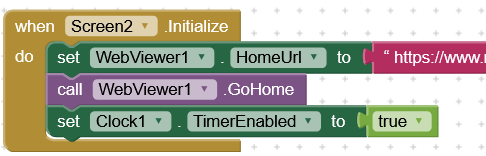
Yes, it is different, i used new url with GoToURL instead of HomeURL for sign in.
Then test for the specific "login" url in the PageLoaded event, and only run the login javascript if that url is loaded.
You mean use the HomeURL as specific login in the PageLoaded event?
Probably...
Is the WebViewStringChange the only way to copy the result from js to a variable and use it in other screen as start value?
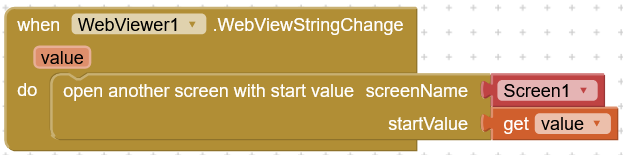
Yes, it is.
(although you could write a complicated javascript to upload the value to an online resource, then download it to the app...but there is not much point given we have the webviewstring method already)
Are you having an issue ?
No, it is working with the WebViewStringChange, i only wondered why i cannot use a variable
Now i want to make two different delays without the webviewer PageLoaded event.
Can i do two different delays using two procedures?
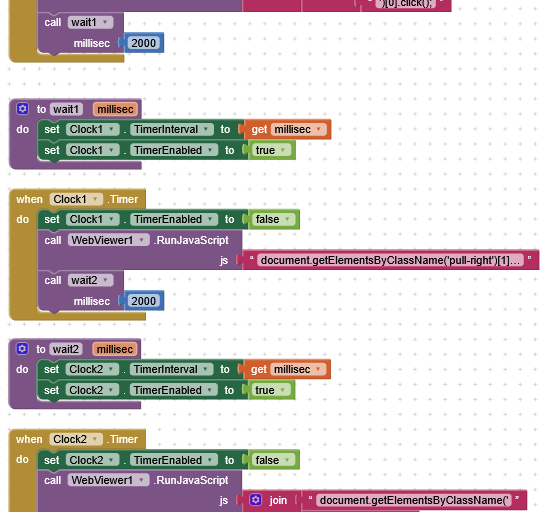
Because when the javascript in the html sets the webviewstring, the value is returned in the webviewstringChange event.
Why? How will you know that the page has rendered and all values are set on the page ?
The 2nd delay is not working, the values are not set on the html page.
Only working if i press the button with js code twice, so i should be able to perform a 2nd button click event by AI, but i guess it is not possible. Or only by WebViewStringChange event?