Variable Random Using TinyDB

Hey there, I'm quite new with app inventor and I want to make an app used to reveal a new word or phrase every day. Somehow, the app lags and does not work properly. In my mobile the screen freezes when I enter the screen. Here are the blocks I touched before it happened.

This one is in the main screen:
screen1

And this is what makes the screen "Insults" freeze (I think):


At first, I had this blocks. But I wanted it to be more complex and able to store the variable "Random", as I tried to do in the screen "Insults". I don't think it works as intended, because it is very simple.

Can someone please help me? I literally don't know why my phone screen freezes. If you need more blocks that I used I'll provide you.

Canned Reply: ABG- Export & Upload .aia)
Export your .aia file and upload it here.

export_and_upload_aia

.

..

Here you have
Aixo_Rai2.aia (204.5 KB)

Here's the project before I made the changes
Aixo_Rai1.aia (203.4 KB)

I went looking for files or a web component where you could get your daily message.

I only found


floating freely outside any event.

This is better managed as a text file in the Media folder, in two column Comma Separated Values (CSV) tag,value format, loaded in Screen Initialize events.

You have two categories of messages, so you could keep two files.

This avoids overloading the Blocks Editor and makes it easier to maintain your messages.

I also notice you have two TinyDB instances in just one Screen, but they both share the same NameSpace (TinyDB1). So they are the same TinyDB instance, under two different names.

I also find this code suspicious:
image

Enabling and then disabling a Clock Timer in the same event is tricky.
Did you expect the Clock Timer to find the new value in global dia when it fires?

P.S. There wasn't a Timer event. So why enable or disable it?
The Clock .Now block would still work either way, as would the FormatDate block.

Alright... But if I save the text in two folders, then how do I save the information in the dictionary? I get what you mean but not how to make it.
I kept those blocks apart because I only wanted to test the project with 3 examples, once I get all the code done I will put them into the "When "Insults" .Initialize" block.
And what I am trying to make daily are this entries I am putting into a dictionary, yes. (There are 3 examples inside the .Initialize block.

I have two TinyDB to share different information, one for the days and another for the random numbers used. I am doing it this way because I don't know how to only get entries of one tag (in the case I only used one with two tags). Am I explaining well?

About the clock, I saw that it created lag if it wasn't stopped. Don't I need to stop it or it is okay to leave it running?
The aim of the clock is only to get the day (in format day, month, year) when the user gets to open the app or open Screen1.
What do you recommend me to do?

Finally, what is the thing that is freezing the screen? The amount of information that I am putting into the dictionary?

This is confusing.

How do you know the start value will be within range of the number of keys of global Dicc ?

This is very early in the startup of the screen.

Also, let's trace the extraction of data from the global dictionary Dicc:
You extract a list containing single pair from it (if you are lucky enough to land in range).
image

You then extract the last (and only) pair from that and put it in global llista (a warning to me that you don't know lists enough to give them purposeful names).
image

You then extract global clau and valor respectively as the key and value from a single random pair fron dictionary Dicc.

It makes me suspect you never learned the "select item from List" block.

If you want a random key/value from a dictionary, just use the select random item from list block against the keys of the dictionary, and use that key to lookup the value in the dictionary.

(Likewise for TinyDB.)

Oh yeah I know how to use get item in index "x" from a list. But somehow, I always kept getting "error". I don't know why but it didn't work.
By the way, this is the code I used at first, it is quite limited. Hence, I created the code in "Insults" page. I changed what you found confusing (that code made me able to remove the strings "" from the text, I didn't know any other way). I changed it into if not global dia in list global dies_guardats.
About the slicing I know it's really confusing. I tried using to get item x of index x in a list, but I couldn't. But it works! (It's not by luck, at least I hope).

I forgot about this code and changed it into the one in Insults page, the one that I think that is correct but I'm not sure if it works because the screen of my phone unexpectedly freezes with no reason...

I am looking at comments in your blocks in the first project, and using the Google Translate browser addon to help read them
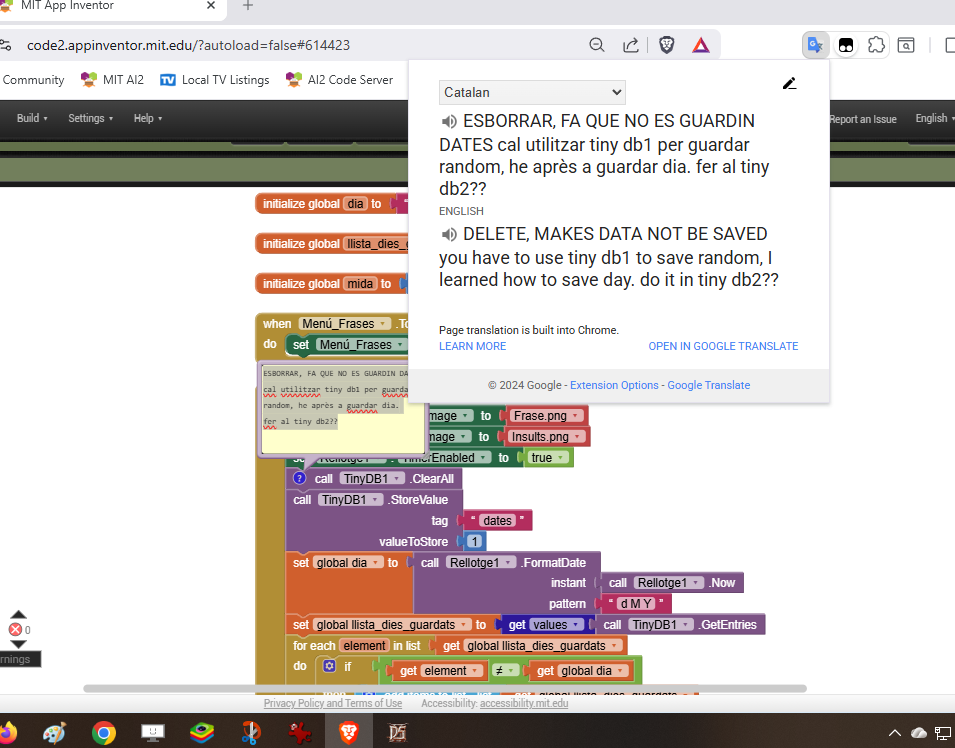
This board has a translator for text, easier to use.

I an guessing that you want to track the random comments by date, storing the date and comment into a TinyDB Namespace the first time it is used on that particular date.

To do that, add a third TinyDB devoted to keeping words (keys to your other text dictionaries) as values under date tags, using your dat format (I like 20251222 as a date tag because it sorts numerically like it sorts chronologically.) Use a different Namespace fot that tinyDB, like datedChoices.

When asked for a message of the day, first check that TinyDB for today's choice. If none found, pick a random message and store it under today's tag.
Otherwise, use the stored value to look up the message.

I use a similar technique in

Some of the introductory list tutorials are on this board, available for translation.

Thanks! I'll check it out