13.- df ::: du
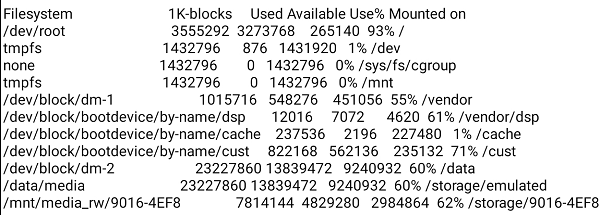
df , information of device name, total blocks, total disk space, used disk space, available disk space and mount points on a file system.
df -h
du , check the information, size of files and directories .
du --help
14.- echo
We can use it to write text to a file.
echo “Scooby Doo, Where Are You!” > /mnt/sdcard/my_dog.txt>> /mnt/sdcard/my_dog.txt
15.- egrep ::: env ::: expand ::: expr ::: ext_logger ::: fallocate ::: false ::: fgrep ::: file ::
egrep, as grep -e (search expression).
16.- find
Search files and directories.list where is apk files )
17.- free
Display the total, free and used amount of physical memory and swap space.
free -h
18.- getprop
Gets an Android system property, or lists them all.
1 Like
Taifun
April 7, 2020, 1:27am
27
thank you, this is powerful...
Taifun
Trying to push the limits! Snippets Tutorials Extensions Pura Vida Apps by
Taifun.
3 Likes
Peter
April 7, 2020, 6:48am
28
Great work @Juan_Antonio . Like @Taifun said. Really powerful.
1 Like
It is the same extension. This topic is only about its use.@TIMAI2 proposed in a previous message.
1 Like
19.- grep
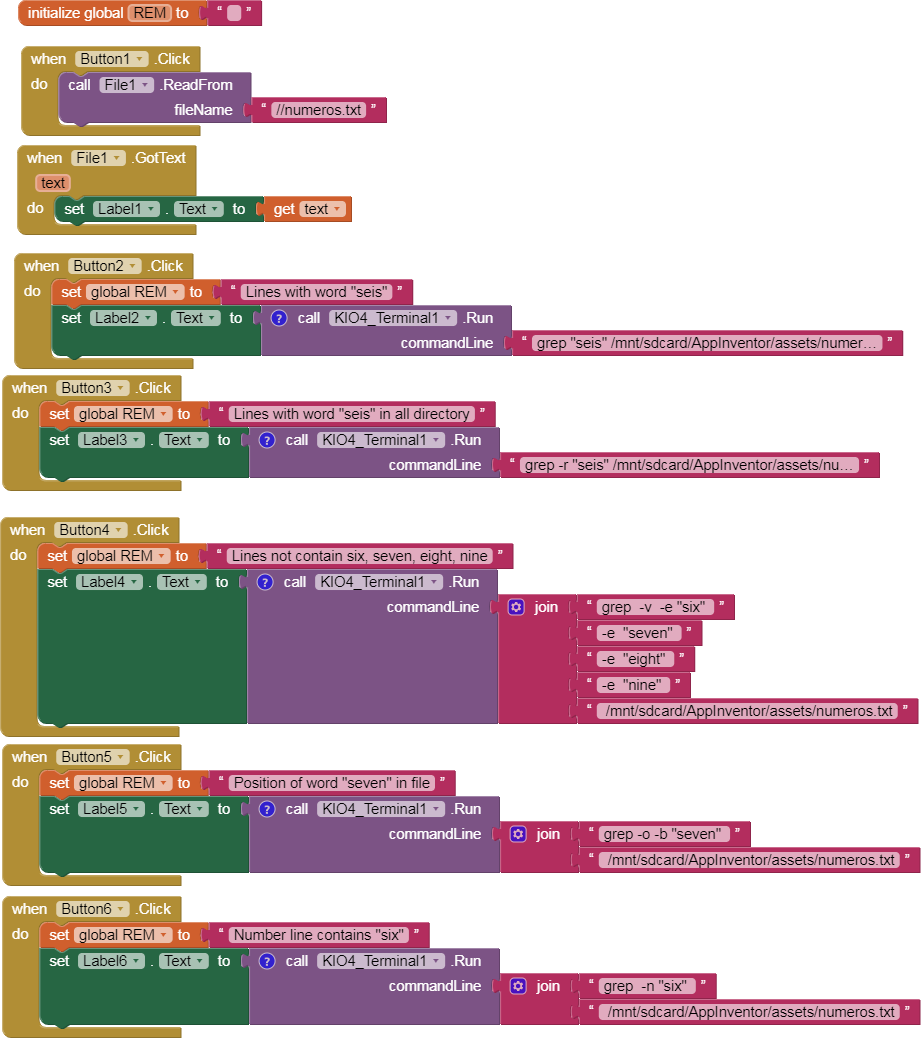
The grep is a filter that is used to search for lines matching a specified pattern and print the matching lines.
grep "seis" /mnt/sdcard/AppInventor/assets/numeros.txt
shell_grep.aia (11.5 KB)
2 Likes
20.- gunzip ::: gzip
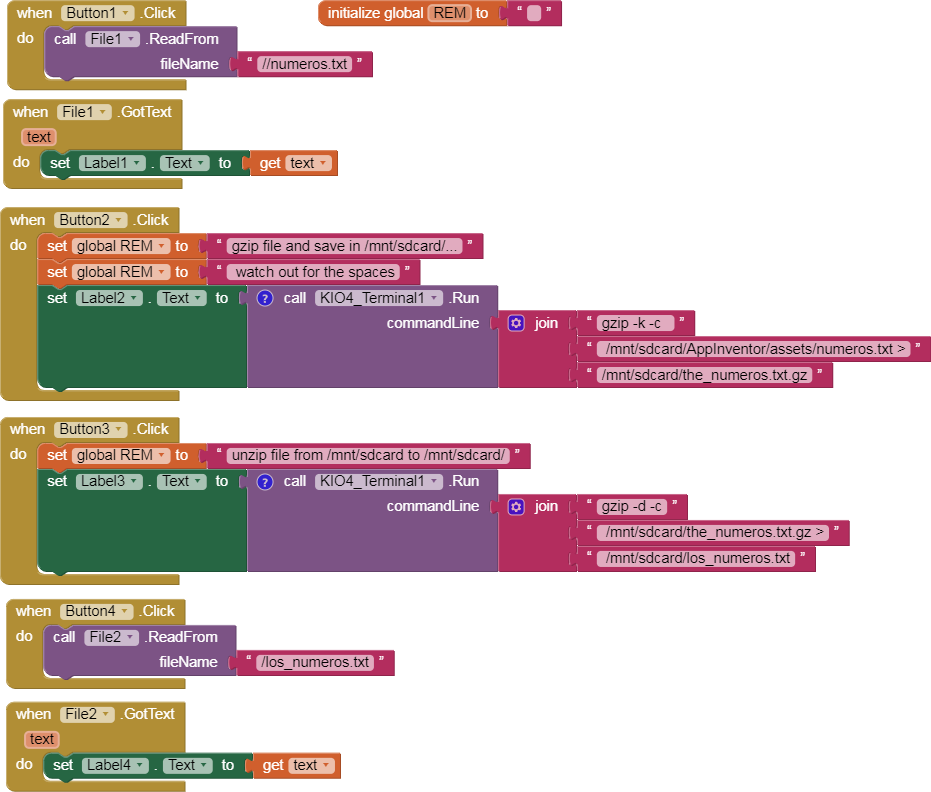
gzip: zip and unzip
gzip --help
gzip -d -c /mnt/sdcard/the_numeros.txt.gz > /mnt/sdcard/los_numeros.txt
shell_gzip.aia (11.0 KB)
3 Likes
21.- head ::: tail
head -n 3 /mnt/sdcard/numeros.txt (shows the first three lines of the file)
1 Like
22.- ifconfig ::: ip ::: iw
ifconfig is used in LINUX to show/change network configuration,
https://www.computerhope.com/unix/uifconfi.htm
ifconfig wlan0 (shows IP)
ip net-tools which is used for performing several network administration tasks.https://www.cyberciti.biz/faq/linux-ip-command-examples-usage-syntax/
ipMAC address of the devices connected to your system.)
iw (similar to ip)
1 Like
23.- kill ::: killall
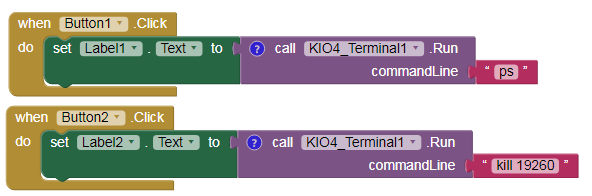
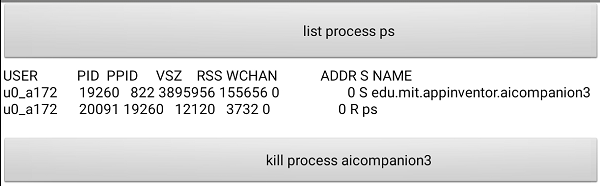
kill command sends a signal to a process, if signal is 9 (default) kill a procces.https://www.computerhope.com/unix/ukill.htm
ps (get PID of process)
killall edu.mit.appinventor.aicompanion3 (kill process by name )
3 Likes
24.- ln ::: logcat ::: logname
ln creates hard links by default, or symbolic links with -s ( --symbolic ), it is a very important command in LINUX, but I cannot use it with AI2.https://www.computerhope.com/unix/uln.htm
logcat -t 300 ( is a command -line tool that dumps a log of system messages)
logname ("name" user, example: u0_a173)
1 Like
25.- ls
list of files and directories.https://www.thegeekdiary.com/basic-ls-command-examples-in-linux/
ls -ali /mnt/sdcard/
-a (all, hidden .files)
ls -ali /mnt/sdcard/ | grep 4096 (filter with grep lines with number 4096 (size))
1 Like
26.- md5sum
Similar to cksum
md5sum --help
27.- mkdir
Create directory.
mkdir /mnt/sdcard/my_new_directory
1 Like
28.- mount
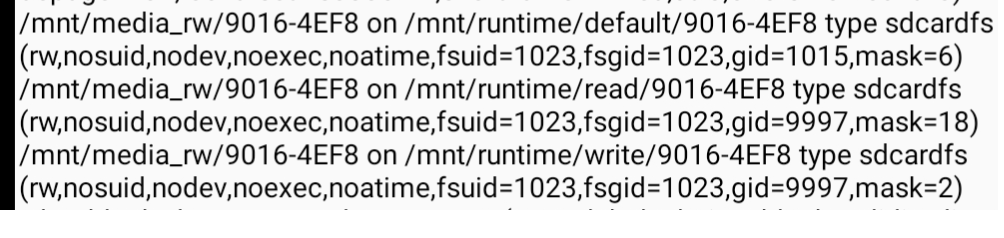
mount , shows where the devices are mounted.
To mount devices you need to be root #https://linuxize.com/post/how-to-mount-and-unmount-file-systems-in-linux/
29.- mv
mv, move a file or directory, also used to rename a file or directory.
mv /mnt/sdcard/numeros.txt /mnt/sdcard/new_numeros.txt
1 Like