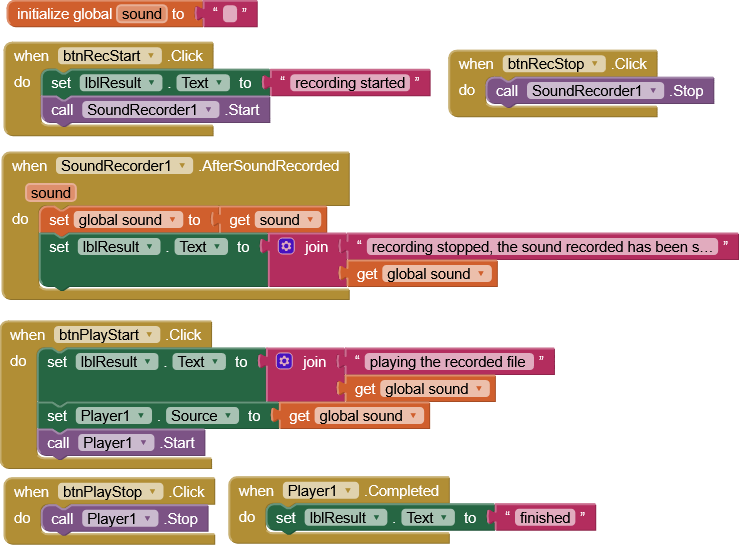
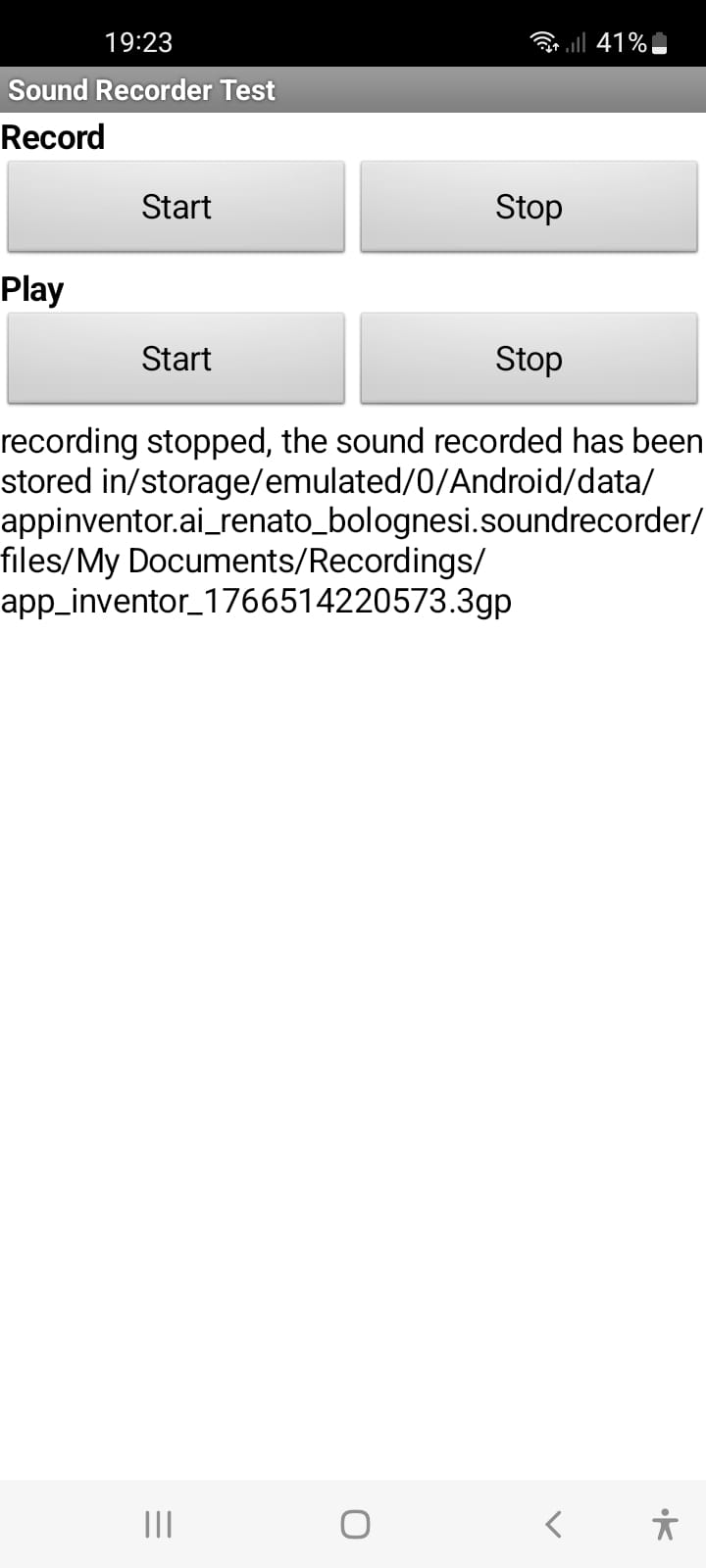
I downloaded this .aia from the Community. It works well, but I have two questions.
- How can I delete the files created in the path shown by the app?
- Is it possible to download the recording to a file on my phone?
Thanks
I downloaded this .aia from the Community. It works well, but I have two questions.
Use the Delete method from the file component
The file was stored inside your app in ASD - application specific storage
See also Some basics on Android storage system
To copy it to shared storage use the Copy method from the file component
Taifun
There may be issues accessing the file due to the long lived bug of saving to the "My Documents" folder (it has a space in it which AI2 does not like)
OK, I see that the sound recording file is located at /My Documents/Recordings/name.3gp on my phone (with apk) and I can use it as needed to delete, copy, and so on. It's also possible to use the player with the same path. I don't need high-fidelity sound, so both SoundRecorder and Player work fine for me.
Thanks and Happy Holidays to the Community.