hi all,
i'm trying following a tutorial to launch a python script from mit inventor and it works.
I would like add input parameters (arguments) to python scripts. for example python script must read a file. I need that the file to be open is passed to python script externally as a string.
it is possible?
Post a link for the tutorial?
yes if you have a tutorial where a pythoin code is called with arguments input you can help me a lot.
my starting tutorial is
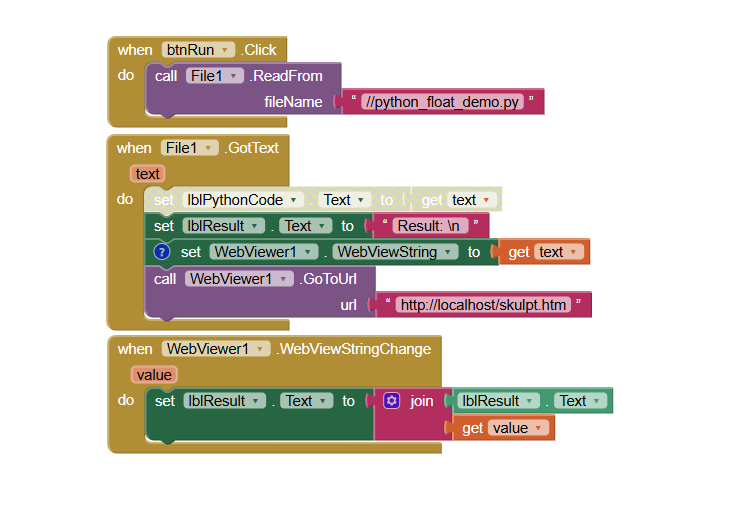
Taifun
1 Like
hi all,
I'm trying running python code from mit inventor as shown in some tutorial online. Unfortunately when I run code the following error appears:
no module name datetime
where datetime is a library that I import at the beginning of python script
can someone help me to solve that?
thank you
Does @Juan_Antonio 's example Testing Python in App Inventor with Skulpt work for you?
He is importing the math library
Taifun
thank you for your reply. yes import math works
but for datetime or panda library it not works
now i'm trying using time library and not datetime.
my problem is that some functions are not available for example time.strptime
it is possible to define a time varible setting the year, month, day, hour, minute,second and the subtract two time variable in order to calculate the time differences?
thank you
Concerning Python, sorry, I do not know, you might find answers in another community, for example at https://stackoverflow.com
But probably you could do what you want in App Inventor? Use the ckock to work with date and time, see also
Taifun