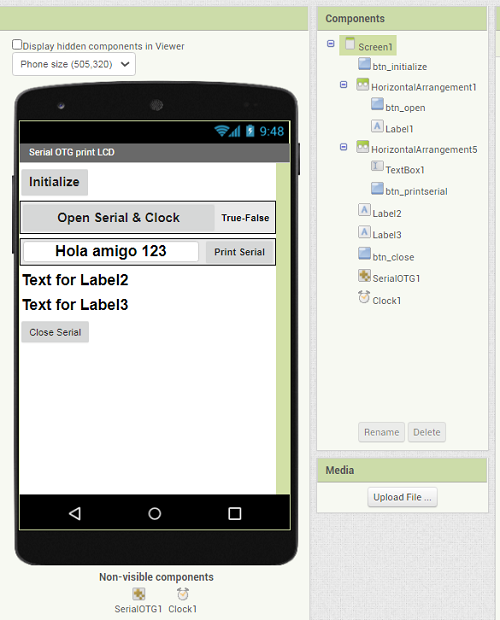
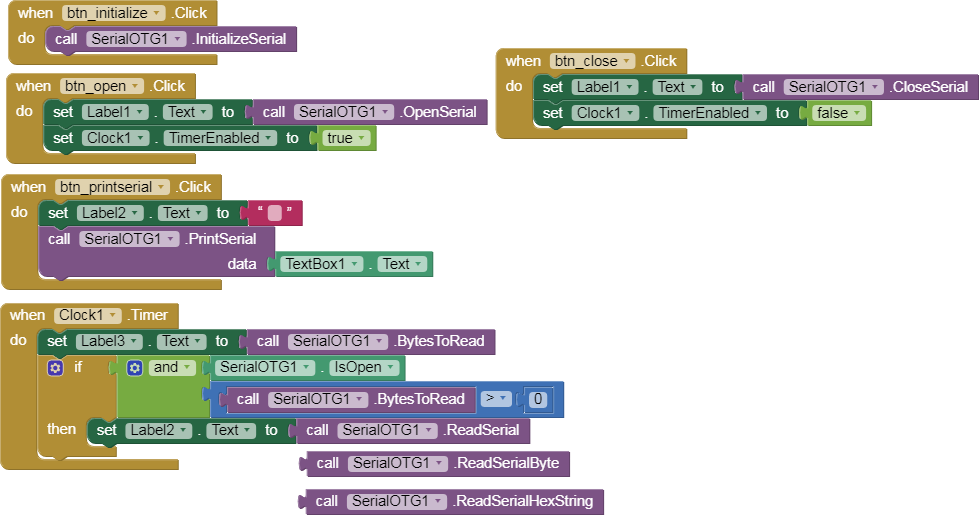
1.- PrintSerial block. App sends a text to the Arduino via OTG cable, Arduino returns the same text and displays it on the LCD Screen.
p10A_OTG_print_LCD.aia (186.7 KB)
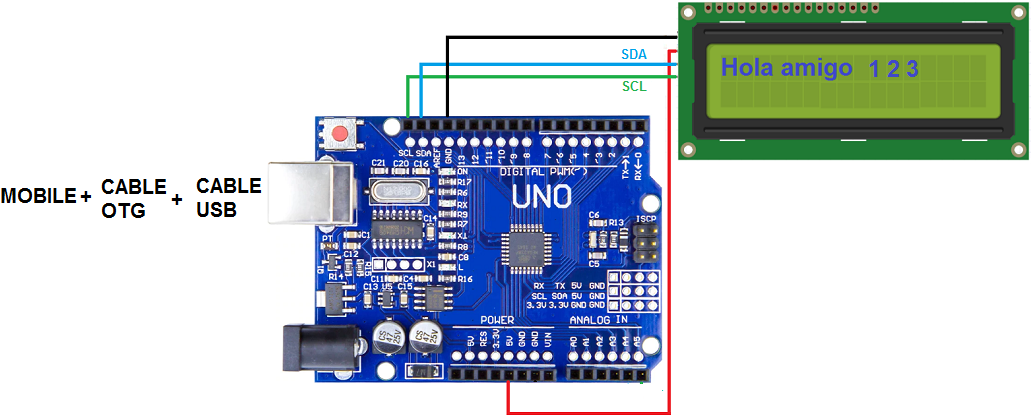
-
The LCD-I2C is not necessary, you can observe the return of the information in app.
-
The print block sends an end of line (code 10) each time the message ends.
// Juan A. Villalpando
// kio4.com

#include <Wire.h>
// Pantalla LCD
#include <LiquidCrystal_I2C.h>
LiquidCrystal_I2C lcd(0x27, 2, 1, 0, 4, 5, 6, 7, 3, POSITIVE);
// LiquidCrystal_I2C lcd(0x3F, 2, 1, 0, 4, 5, 6, 7, 3, POSITIVE);

char caracter;
String palabra;

 void setup(){
  Serial.begin(9600);
  lcd.begin(16,2);// Columnas y filas de LCD.
  lcd.clear();
 }

 void loop() {
 if(Serial.available()) {
  caracter = Serial.read();
  Serial.print(caracter);
  palabra = palabra + caracter;
    if(caracter == 10) {
      palabra = palabra.substring(0, palabra.length() - 1); // Delete last char
      lcd.clear();
      lcd.setCursor(0,0);
      lcd.print(palabra);
      palabra="";
    }
    delay(10);
  }
}