3.- Change the tone of a color in the whole image.
p169Y_javascript_colores.aia (136.2 KB)
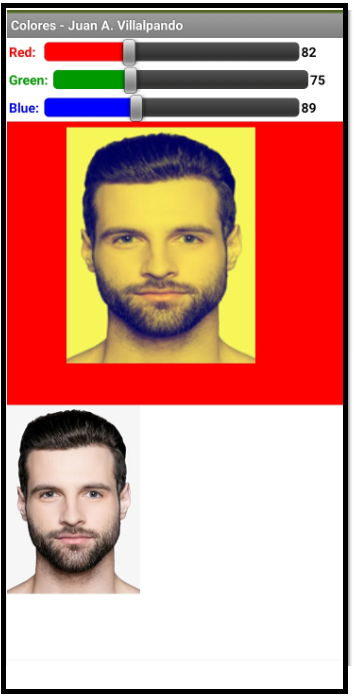
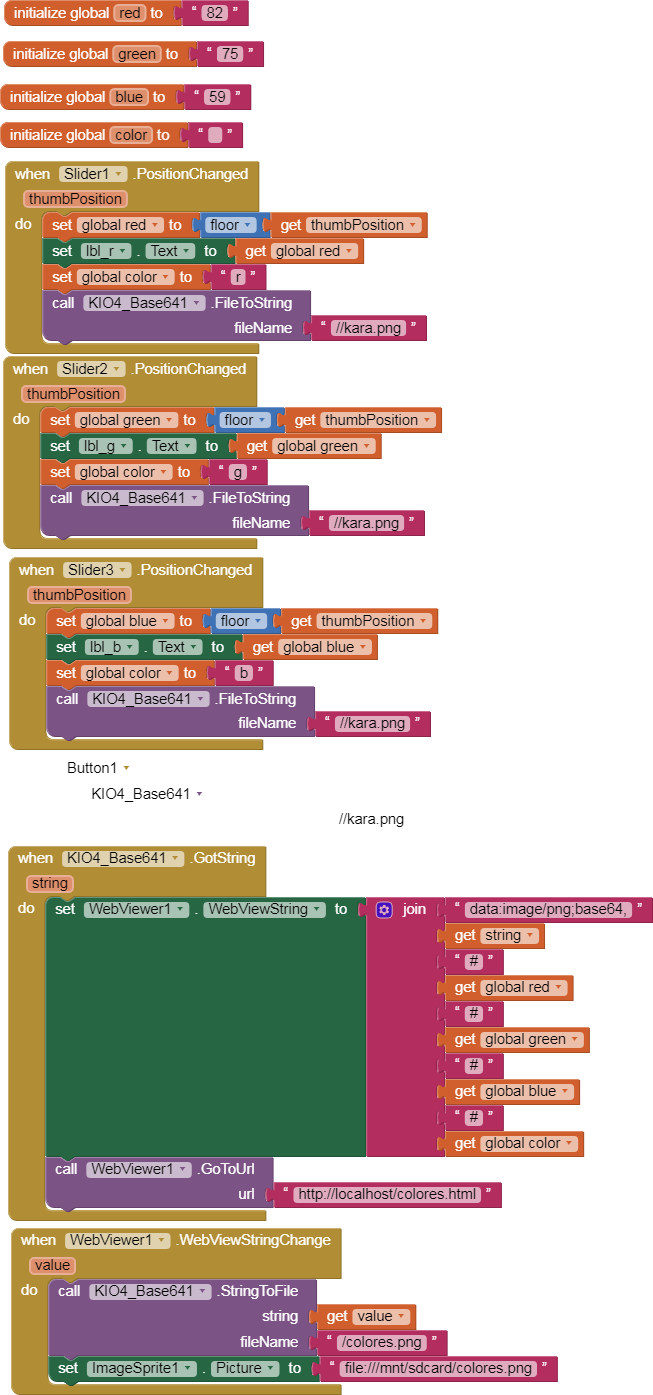
<!DOCTYPE HTML><html><head>
<!--  Juan A. Villalpando - http://kio4.com/appinventor/169Y_javascript_transparente.htm -->
</head>

<body>
<img src= "" id="code">
<script type="text/javascript">
     datos = window.AppInventor.getWebViewString().split("#");  // ENTRADA APP INVENTOR.

      base64 = datos[0];
	  RED = datos[1];
      GREEN = datos[2];
	  BLUE = datos[3];
	  color = datos[4];

document.getElementById('code').setAttribute('src', base64);

var inputImage = document.getElementById('code');

var canvas = document.createElement('canvas');
canvas.setAttribute('width', parseInt(200));
canvas.setAttribute('height', parseInt(250));
var context = canvas.getContext("2d");
context.drawImage(inputImage, 0, 0, canvas.width, canvas.height);

surface = context.getImageData(0, 0, canvas.width, canvas.height);

/////////// START CODE FOR COLOR //////////
if (color == 'r'){
for (var i = 0; i < surface.data.length; i += 4) {
      surface.data[i]     = parseInt(RED);     // red
    }
 }
 if (color == 'g'){
for (var i = 0; i < surface.data.length; i += 4) {
     surface.data[i + 1] = parseInt(GREEN); // green
}
 }
 if (color == 'b'){
for (var i = 0; i < surface.data.length; i += 4) {
     surface.data[i + 2] = parseInt(BLUE); // blue
}
 }
///////// END CODE FOR COLOR ///////////


//Now you can put it back onto the canvas
context.putImageData(surface, 0, 0);
//From the canvas you can create a data URL
//let url = canvas.toDataURL();

  result = canvas.toDataURL().replace('data:image/png;base64,','');
  window.AppInventor.setWebViewString("" +  result); // SALIDA APP INVENTOR
</script>
</body>
</html>