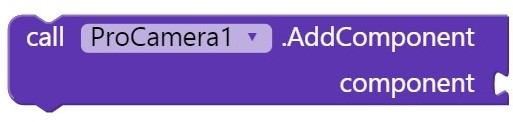
You might also consider this ?
I'm looking for an extension that opens the extended version of the system webcam/video with all its features and settings.
Currently, I can only open the basic version of the system webcam (not video and settings).
Do you have anything I can use in my app?
Thank you very much.
ciao
p
See the post above yours
Now i have tried with this but get som Runtime Errors. Can you help?
I had put the .aia file in so you can see.
WeddingBooth.aia (47.8 KB)
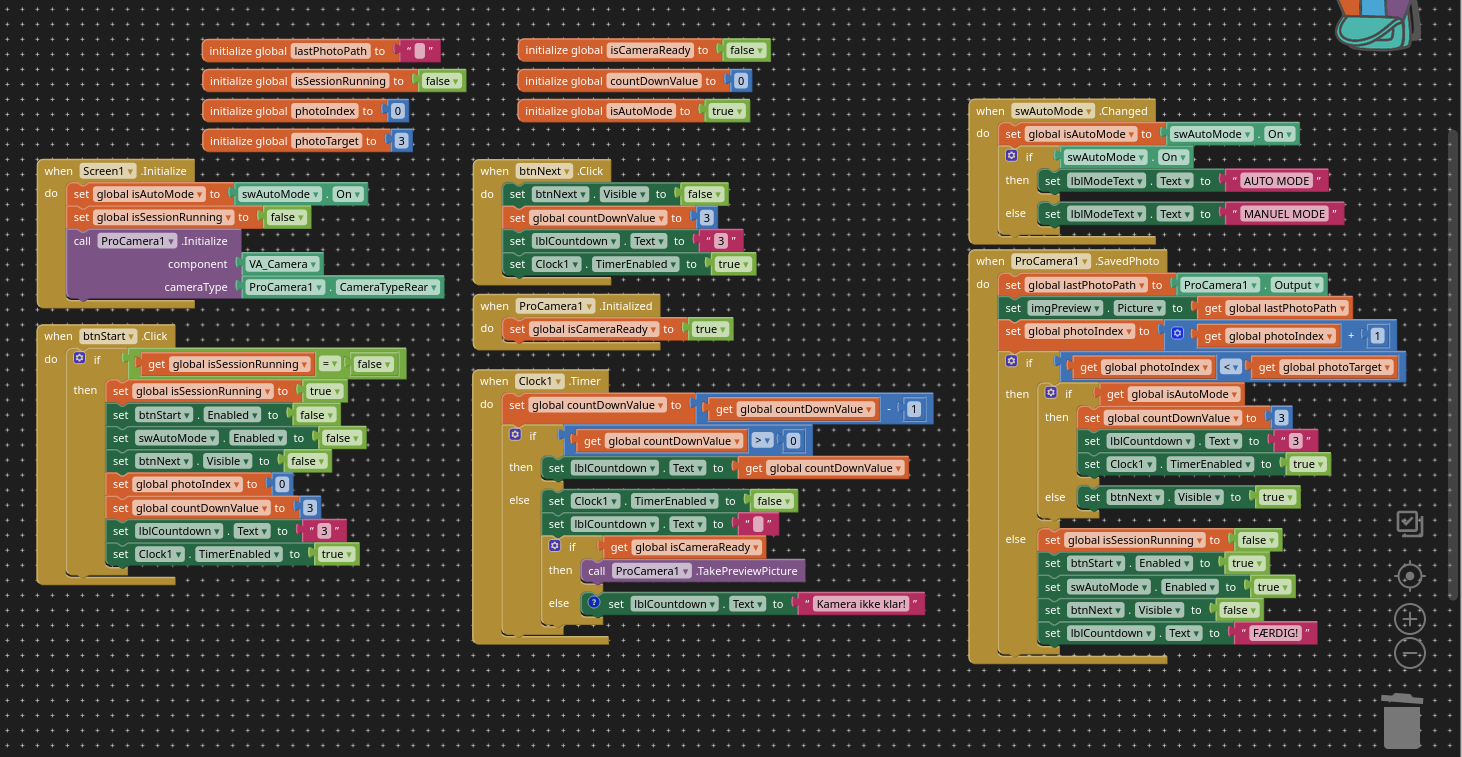
You do not set the Procam1.Output to anything, so there is nowhere for the image to be saved!
Perhaps:
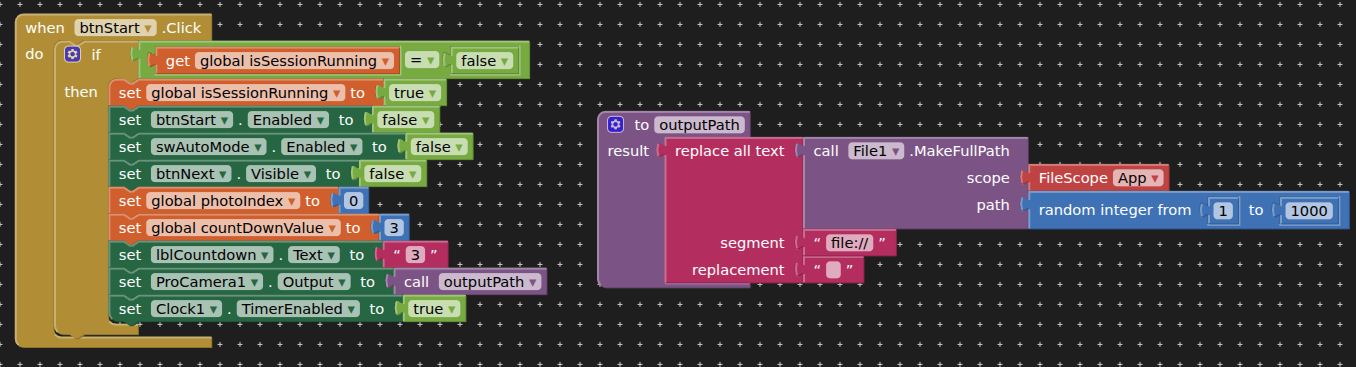
This gives no runtime errors when tested with companion, and saves the image to the ASD.
You could always use Clock1.SystemTime + .jpg for a file name
Would also be good to see or hear the countdown - you can overlay a label on the live image with procam.
How can i save the image in download? And how do i use Clock1.SystemTime + jpg for filename?
1
Save to ASD then copy to Download using filescope Legacy
(example here: How do you create a new file using file picker and write to it? - #25 by TIMAI2)
2
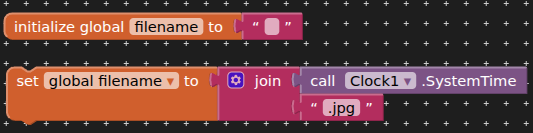
Where should i put the global filename?
I dont understand how to save to ASD and then copy, it must be saved in download, without the user to do anything. So automatic.
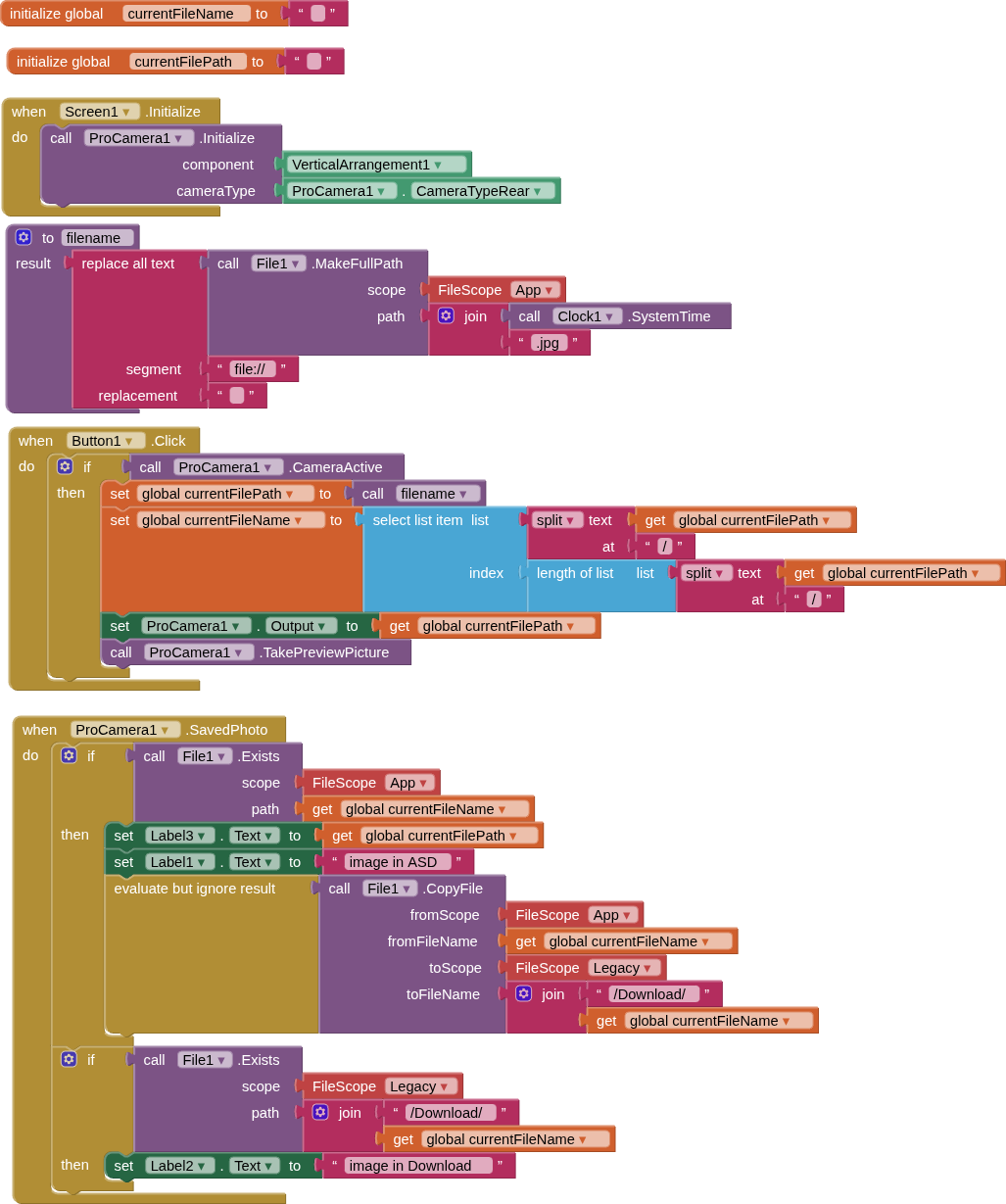
Here are the basic blocks for taking a picture with Procam, saving the image to ASD, then copying it to Download. (it is just easier for me to do it this way than trying to remember all the permission requirements - if any - for saving directly to Download.
I would hope i could get you to make it in that i already had make. Because i serious dont understand it.
I hope you please will help this one time.
I uploadet the .aia if you would help.
WeddingBooth(1).aia (72.3 KB)
I will break it down for you:
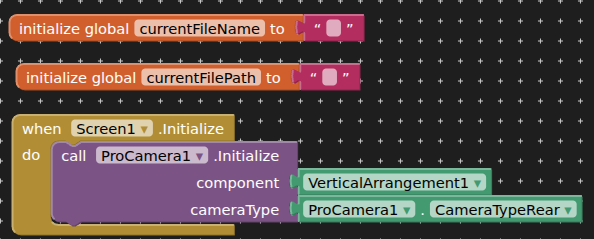
Here we declare variables for the filename and the absolute path used for saving the file in the first instance. We also intialise Procam to a vertical arrangement, and setup the camera for the one facing the user
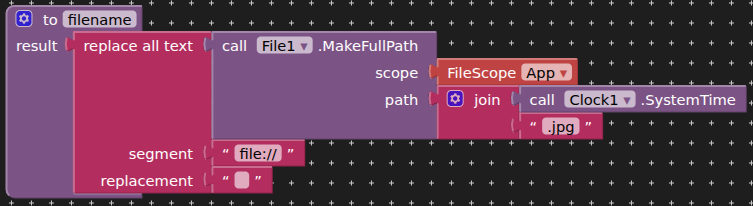
This procedure generates the absolute path for saving the file. The output is something like this:
/storage/emulated/0/Android/data/<packageName>/files/17602934567.jpg

The Button1.Click event first checks that the camera is active, then sets the filepath variable using the procedure above. We then get just the filename by splitting the currentFilePath e.g. 17602934567.jpg
The output (save location) is set for ProCamera. Procamera then takes a preview picture.
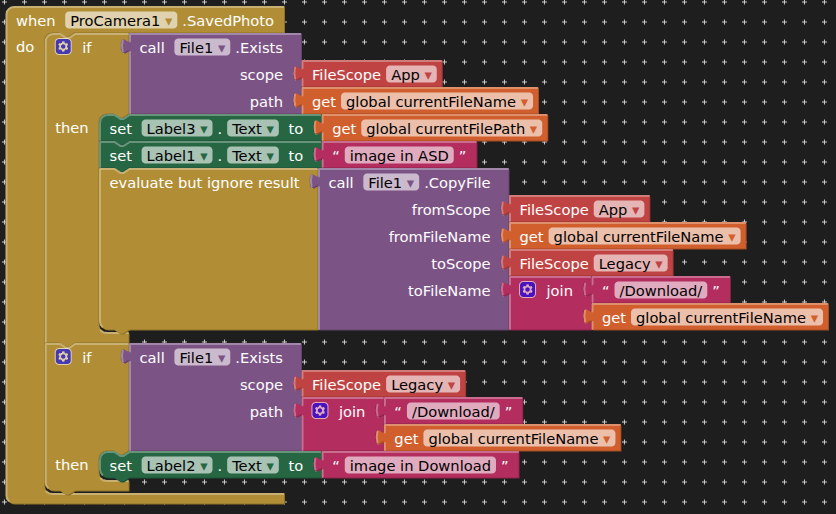
We check that the taken picture exists in the ASD, then we copy the file from the ASD to the Download directory. Finally we check that the file exists in the Download folder.
Apply this logic to the blocks code in your app, and test.
how do o donlode the extion
All the way at the bottom of the first post.
can you add a depth feature

Do you mean depth of field / bokeh ?
I don’t no wich one I need but in building an app to skan cow and it sed I need a depth so if that helps you I can look deeper if you need
If thar is an depth fetcher I downloaded an oderone version in that case can you give me an link to the aix file
How do I put a canvas on top of Pro Camera?
No matter how hard I try, the canvas disappears when I activate the camera. Can anyone give me an example of blocks?
I'm not sure how ProCamera works internally, but you could possibly use an AbsoluteArrangement as the base arrangement and then put the other two components on top of one another vertically.
However, one challenge might be depending on how the extension is implemented is that it may cause it to redraw without also causing the canvas to repaint. That might be why you're seeing your existing behavior.