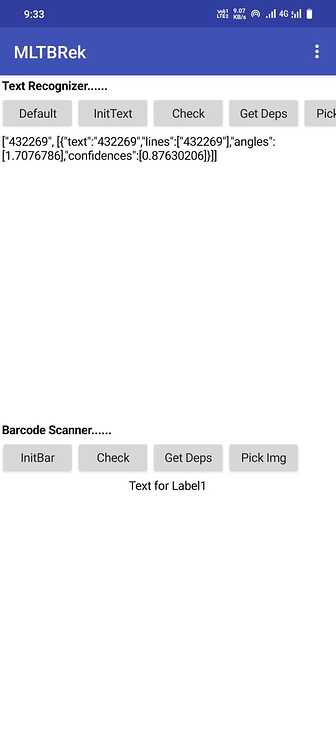
hi @vknow360
The issue with the app closing stems from two extensions in the custom webview: DownloadHelper and BrowserPromptHelper. The app includes ML Kit.
Specifically, adding certain blocks in DownloadHelper causes the app to close immediately upon opening.
Moreover, including BrowserPromptHelper and DownloadHelper (without configuring any blocks) leads to an app package error, preventing installation.
This occurs on Android 14 devices. I previously encountered this on my Android 13 version.
Hu Sunny, could you please share also with me the beta version 13. My old app is crashing using the CheckModulesAvailabity on an Android 15 device and i'd like to upgrade my MITBRek.AIX version (recieved from you on 29/08/24). Thanks
Hi Sunny,
I found the reason for the crash. Unintentionally, I changed the license key in the project, which caused the crash. It seems useful to add the related error message to the extension.
Thank you for your quick response!
P.S. Restoring the correct license key resolved the issue, and everything is working now.
Architectural Modularization Split the monolithic extension into three specialized components (BarcodeRecognizer, TextRecognizer, MlModules) to keep your projects clean and reduce overhead.
New Live Camera Scanner Added full support for continuous live barcode scanning through a camera preview (SetPreviewContainer, StartScanner, StopScanner blocks).
Added CloseRecognizer methods to give you explicit control over freeing up ML Kit resources.
The reason is the ambiguity involved. I'm hesitant to implement it because, unlike barcode scanning, text recognition doesn't have a well-defined endpoint.
With barcodes, the scanner knows exactly when a code has been detected and decoded. With text recognition, however, moving the camera even slightly up or down can completely change the recognized text, making it unclear when the recognition should be considered "final."
Thanks for the reply. It doesn’t have to be real “live” recognition. The app could simply take a picture by itself every second (or however long the text recognition takes) and read the text from it.
1) Google Play now rejects app updates with "Invalid use of photo and video access permissions".
In v5.0, the three entries (including MlKitComponentDiscoveryService) and INTERNET / ACCESS_NETWORK_STATE are attached to BarcodeRecognizer only. MlModules and TextRecognizer have none. An app using only TextRecognizer + MlModules gets no discovery service in its manifest but InitTextRecognizer fails silently. Adding BarcodeRecognizer fixes it but brings back READ_MEDIA_IMAGES, which Google Play now rejects under the Photo and Video Permissions policy ( Understanding Restricted Permissions with minimum scope alternatives - Play Console Help ). I suggest attach the services + INTERNET + ACCESS_NETWORK_STATE to TextRecognizer and MlModules too, keeping CAMERA and READ_MEDIA_IMAGES on BarcodeRecognizer .
2) Wrong constant in MlModules (regression from v 4)
v4: if (type == BarRecognitionModules()) -> barcode, else text recognizer. BarRecognitionModules() returns 0.
v5: if (type == 1) -> barcode, else getTextRecognizer(ty pe).
DefaultScript() also returns 1, so CheckModulesAvailability(1) and InstallModules(1) operate on the barcode module instead of the Latin text module.
3) GotModulesState swallowed on failure
The OnCompleteListener calls getResult() before isSuccessful(). On a failed Task, getResult() throws and the event is never dispatched — no event, no error. InstallModules also ignores its returned Task entirely.
4) Separate issue. On my device IsPlayServicesAvailable is true and InitTextRecognizer completes, but CheckModulesAvailability, InstallModules and RecogniseText fire no events at all — the Task never completes. The image file exists and is readable. It looks like the Play Services text recognition module is never installed and the download does not start. Have you seen this recen tly? Thank you
Hi Sunny,
sorry to bother you. I would be very grateful if you could let me know whether you are planning to address these issues soon. I really appreciate your understanding and help.