Added Facebook Audience Network In Mediation
Documentation on first post is updated too.
To integrate Facebook Audience Network, You should follow these steps.
Step 1 : Set up Facebook Audience Network
-
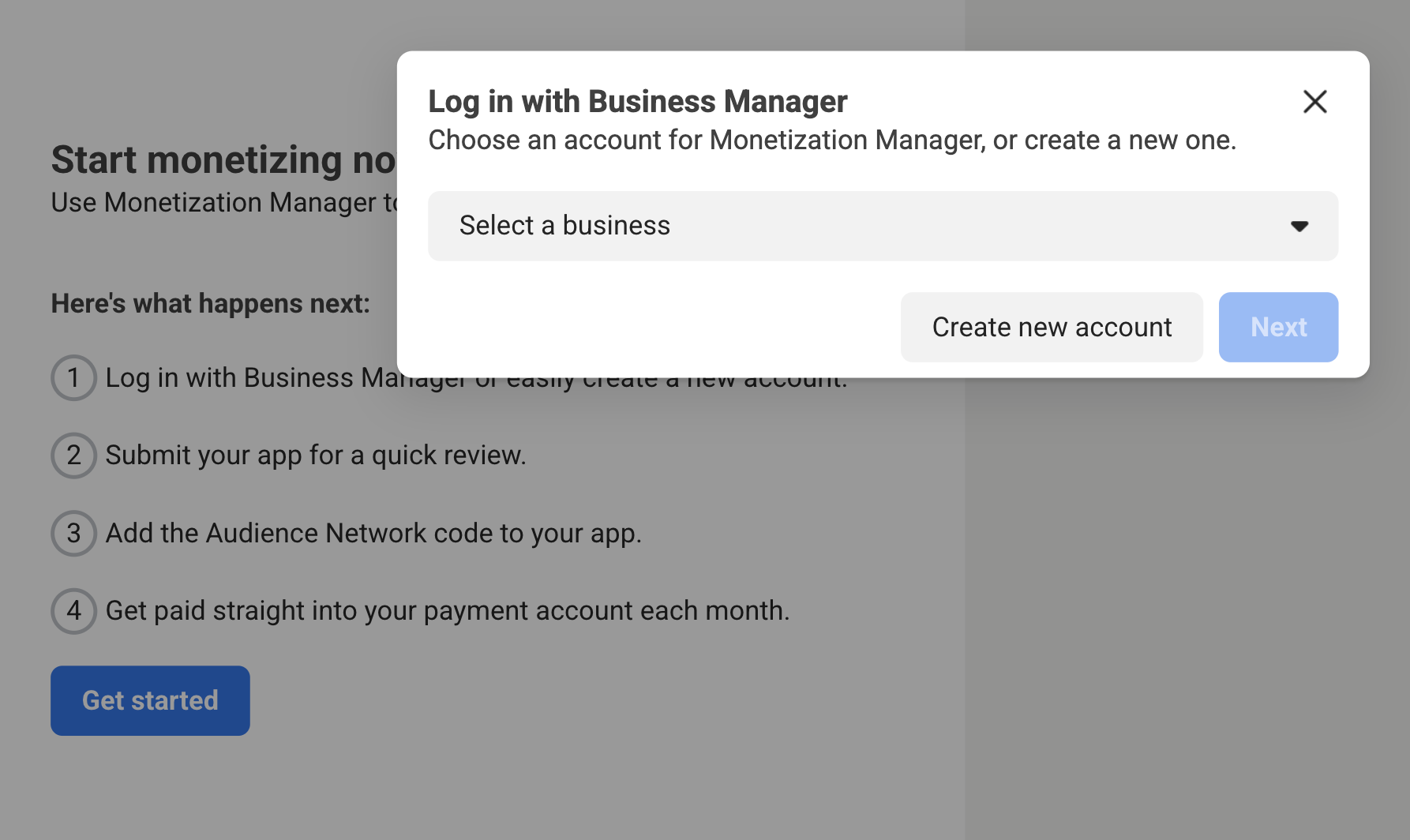
Sign up and Log in to the Business Manager Start page.
-
Click
Create a new Business Manager accountand fill out the required fields with your business details.
-
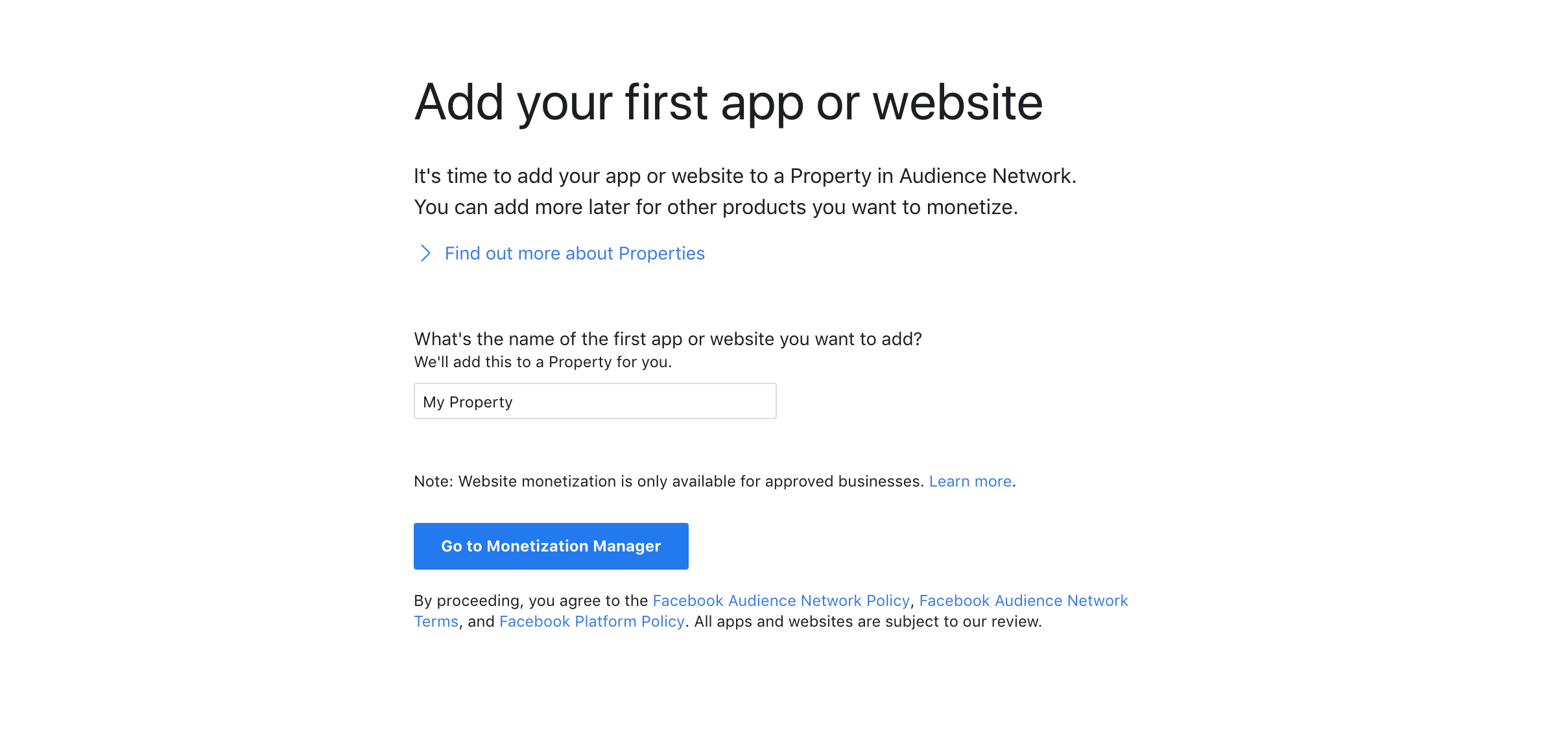
Once you've filled out the required information, you'll be prompted to create a property for your app. Enter the desired name of the property for your app and click. Then Go to
Monetization Manager.
-
Next, select Android as the platform to monetize.

-
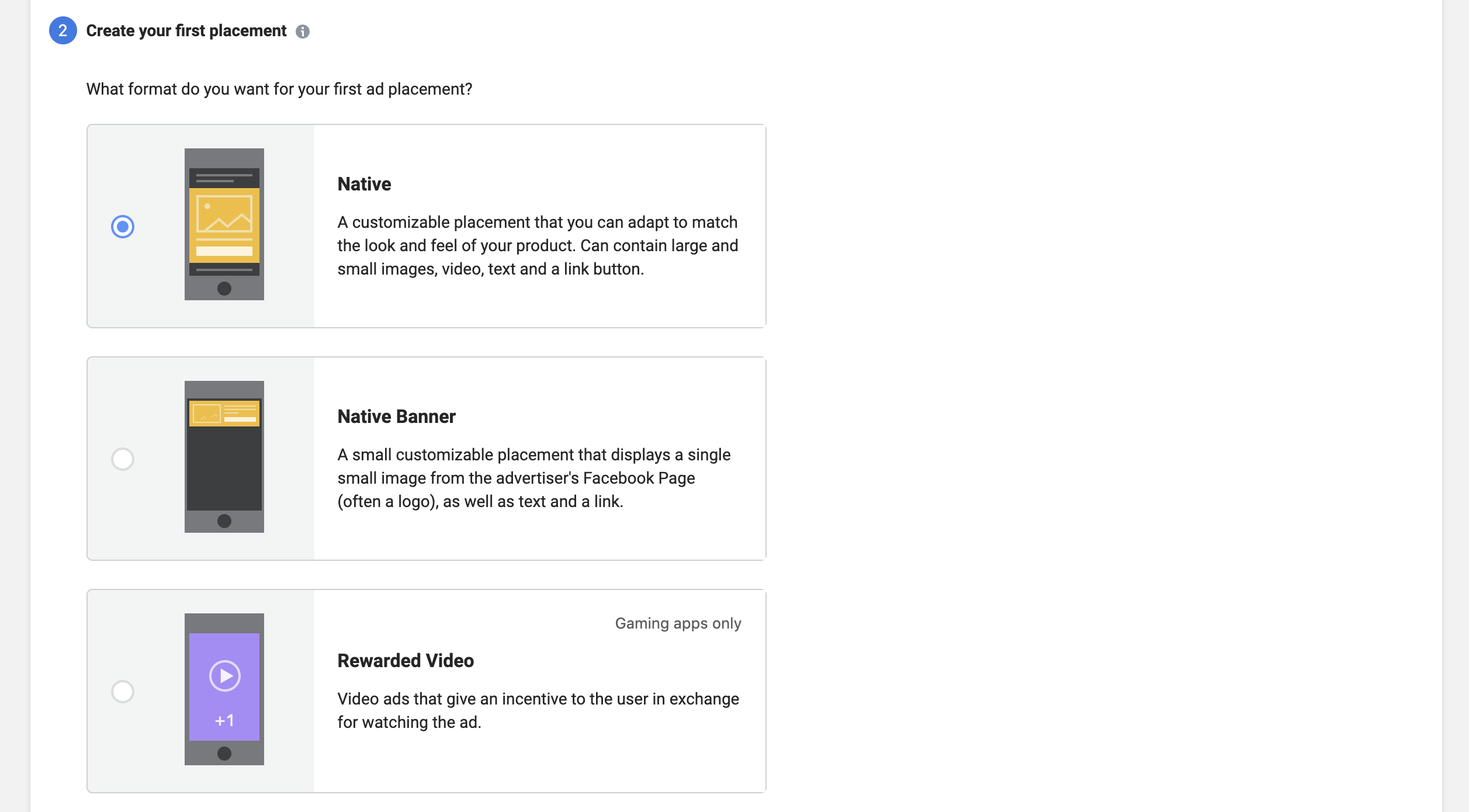
Indicate whether or not your app is live and click Submit . Then, You will be prompted to create an ad placement for your application. Select a format, fill out the form and click Next .
-
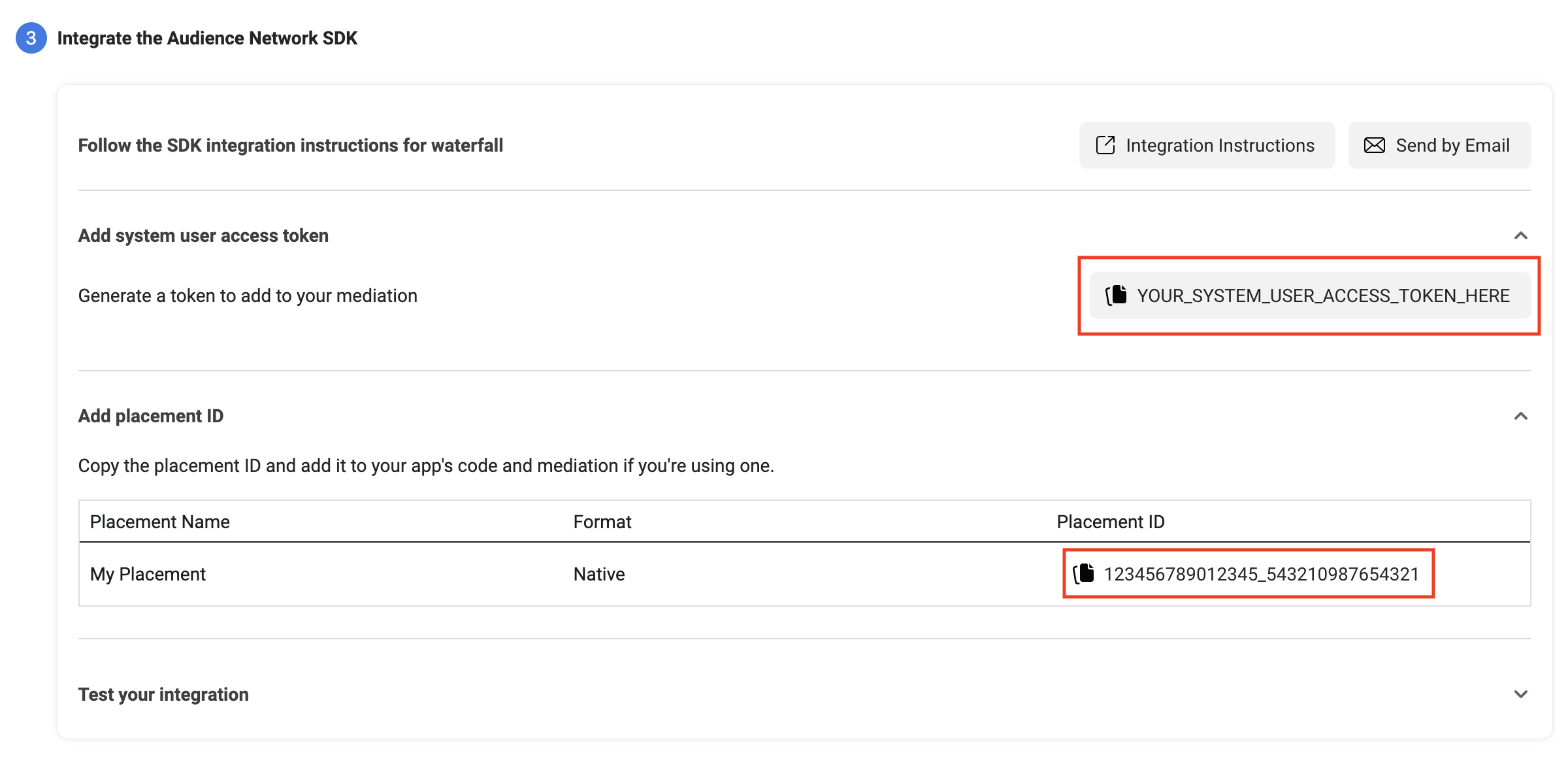
Now, Note your System user access token and placement id
-
Note the property id of your product
If you look at the link on monetization manager then it looks like that
https://business.facebook.com/pub/property/?business_id=1285496463872947&property_id=631234567890471&ref=devsite_app_onboarded
Note property id after &property_id= to &ref= . For this link above, 631234567890471 is my property id. Note the property id.
Step 2 : Create a new Mediation Group
-
First, You should create an application on AdMob and create all placements you have made on Monetization Manager. Please check FAQs at end of documentation if you don't know how to create application id and ad unit id.
-
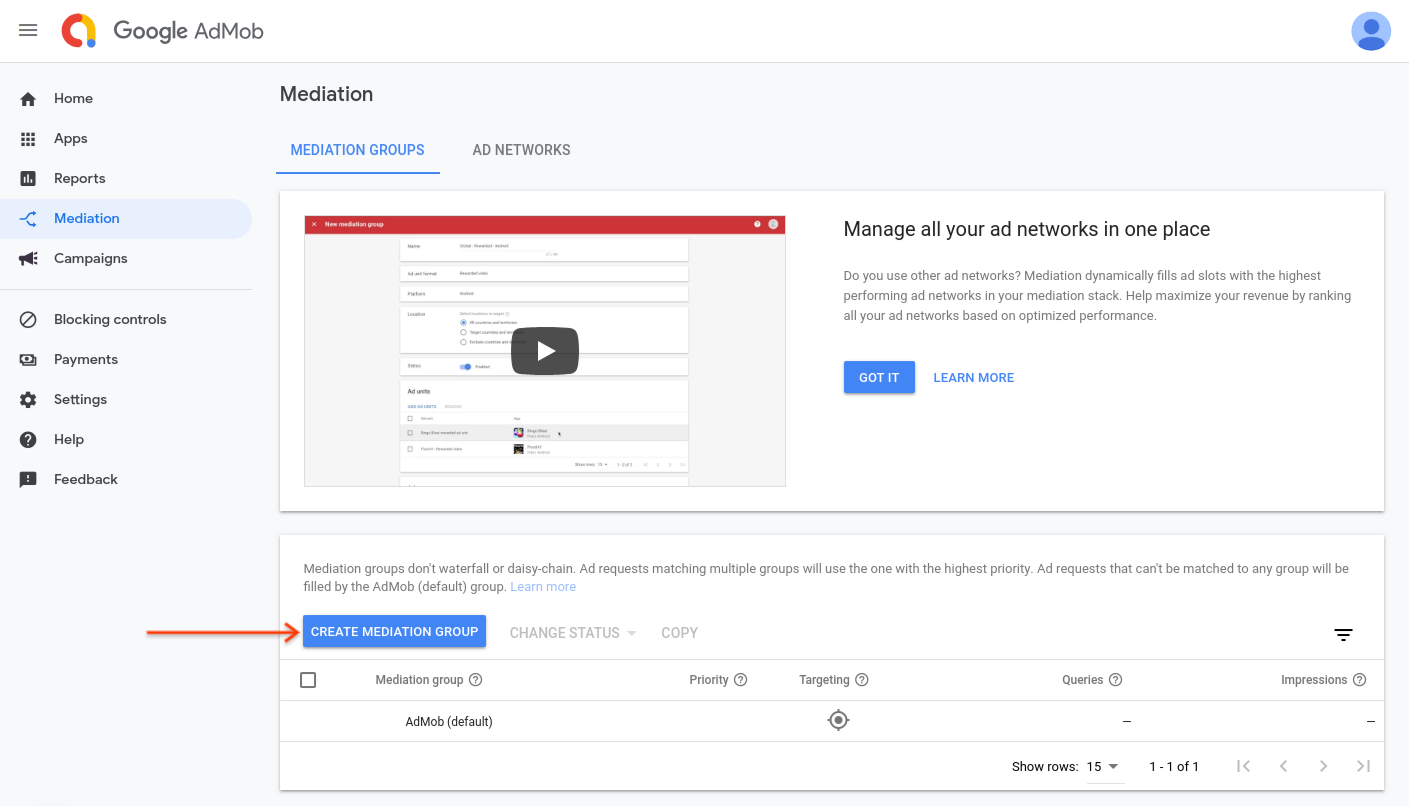
Now tap on Mediation >> Mediation Groups and click on Create Mediation Group
-
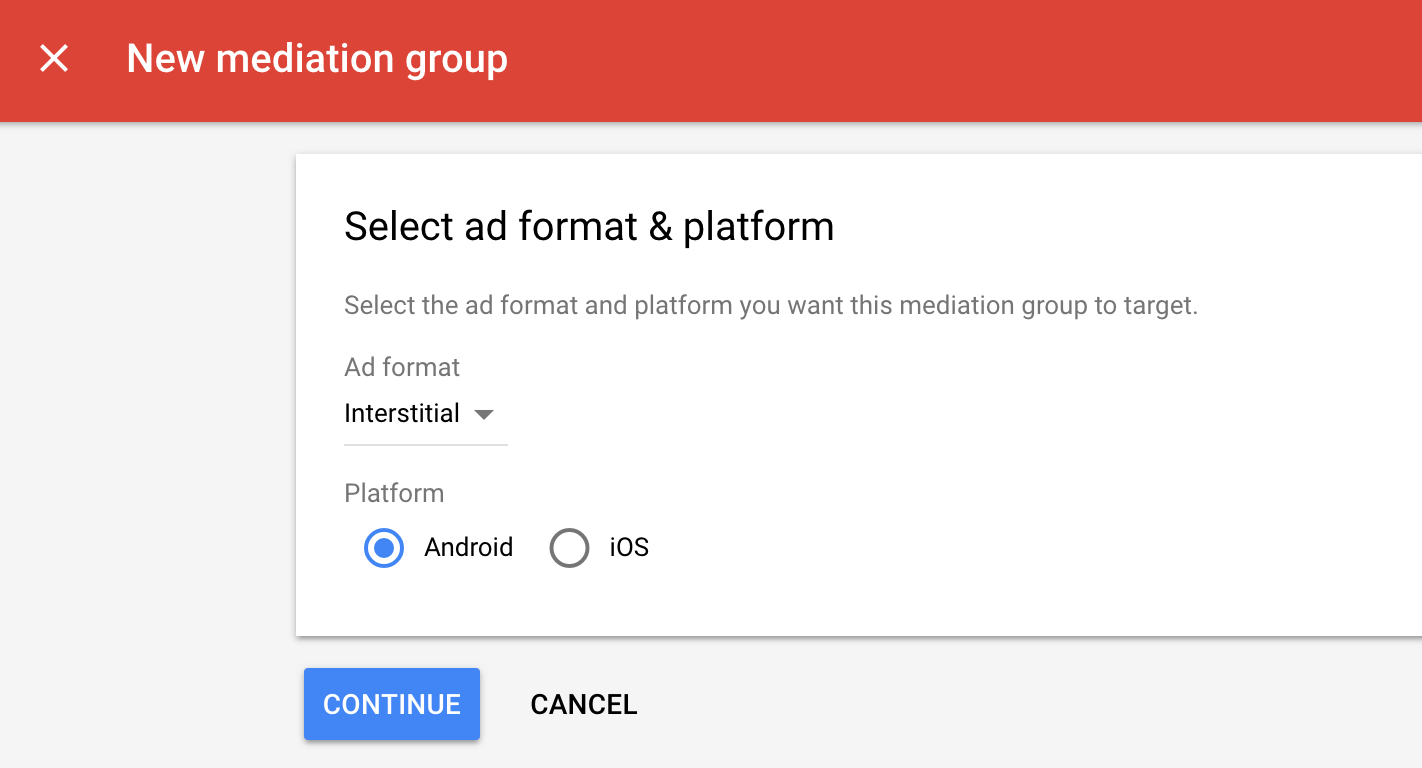
Enter the ad format, for example if you have created 2 placements, one banner and one interstitial in Montization manager, we will create for banner first then interstitial.
-
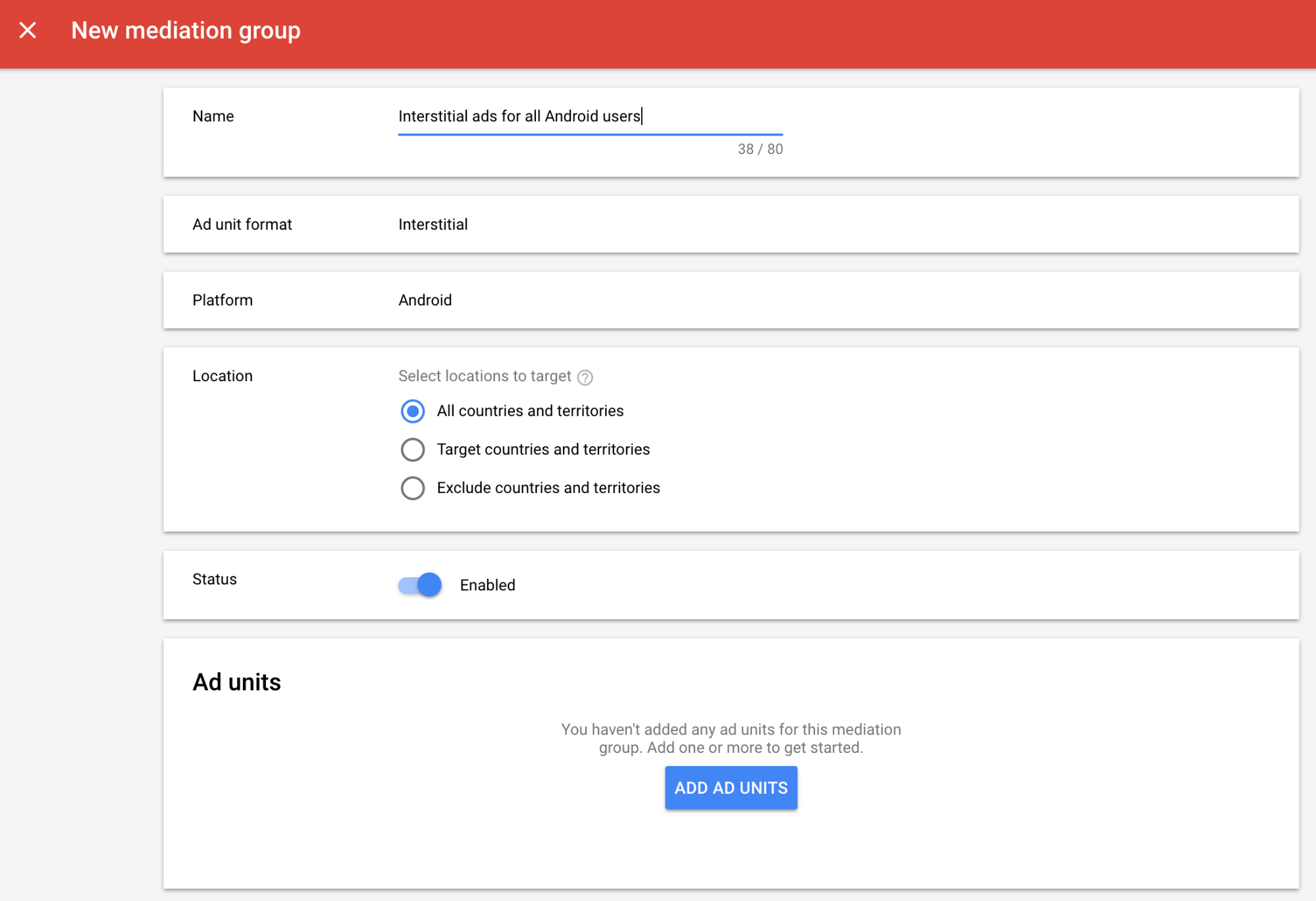
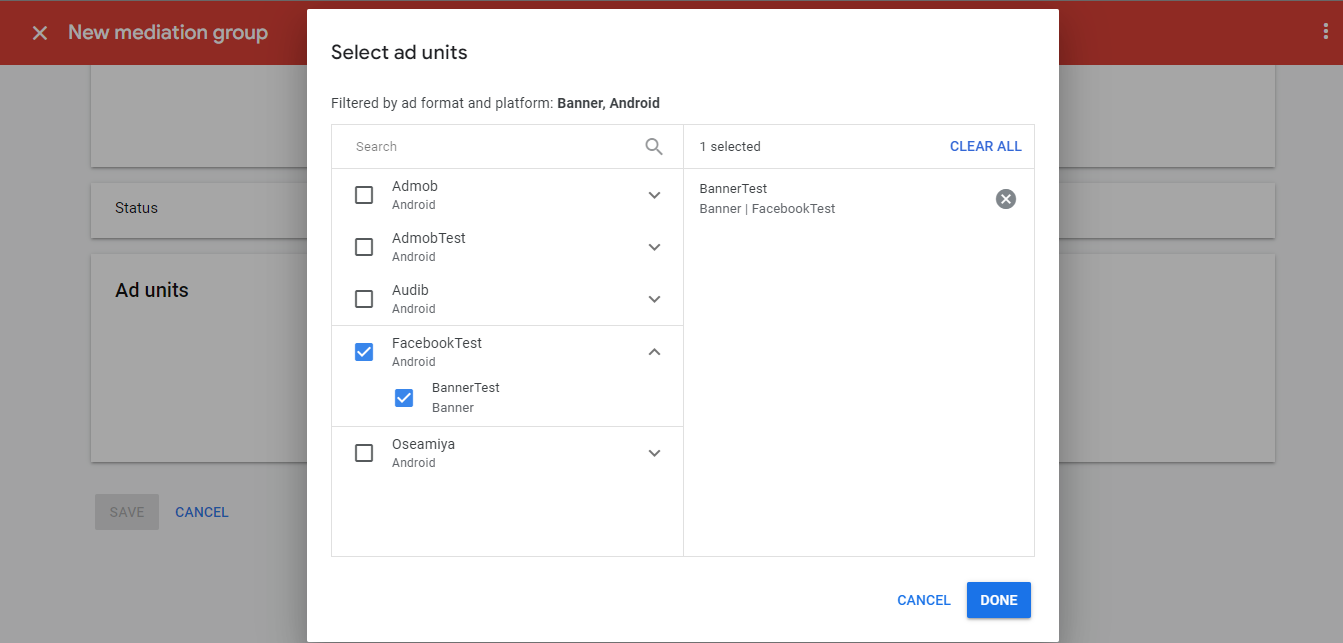
Give your mediation group a name, and select locations to target. Next, set the mediation group status to Enabled. Then click
Add Ad Units, which will open up the ad unit selection overlay.
-
Choose that App and AdUnit that we will use to integrate facebook ads on.
-
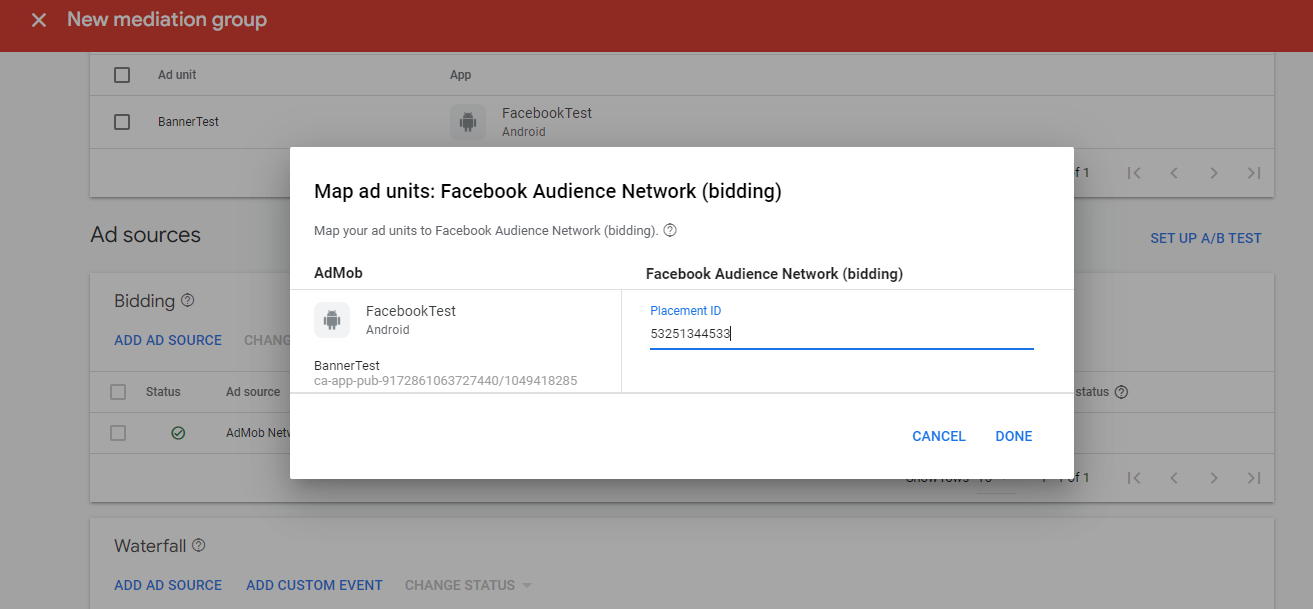
Then on Biddings, Click on
Add ad source, Select facebook audience network and add placement id that we created on Step1. Then click Done.
-
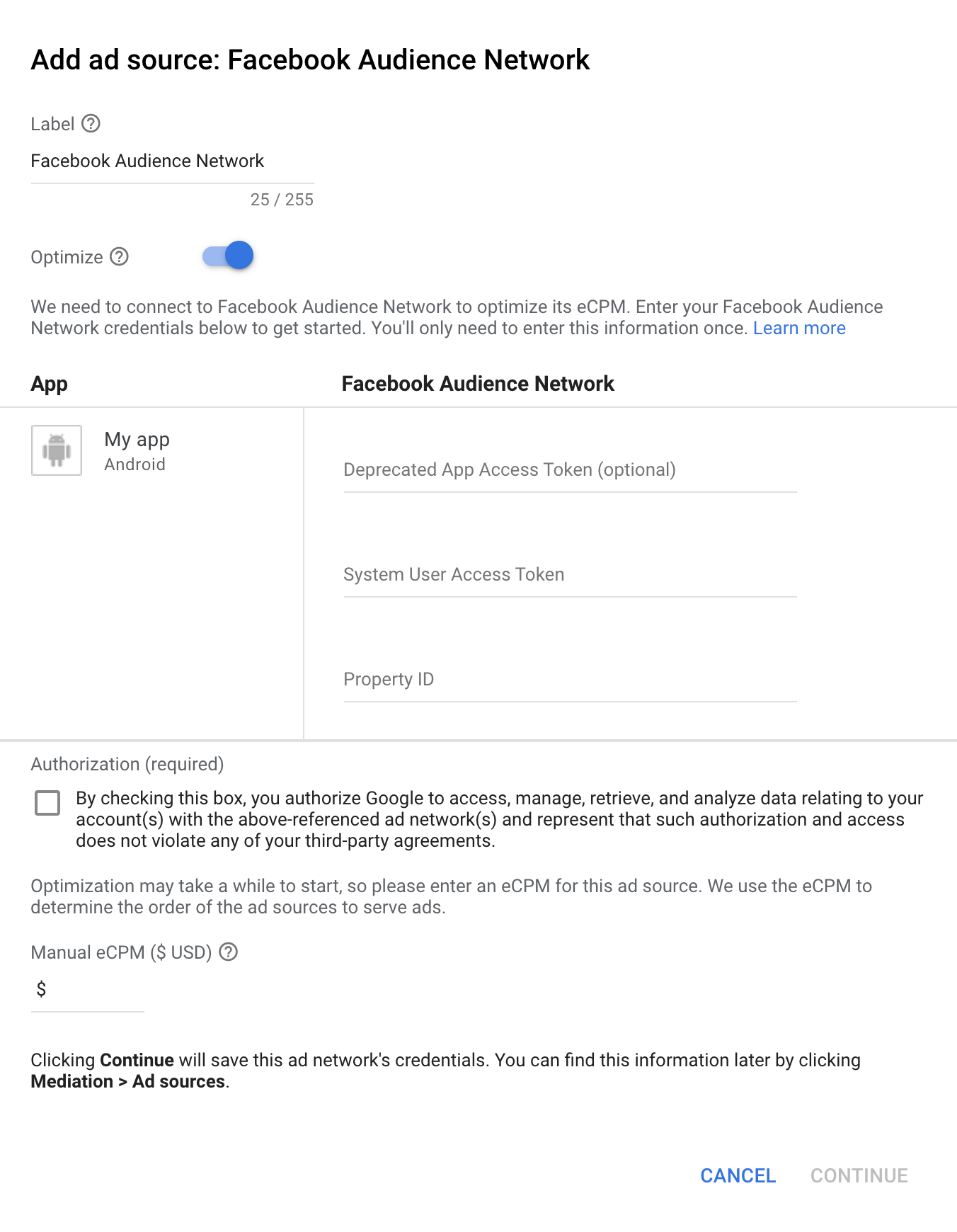
Then on Waterfall, Click on
Add ad source, Select Facebook Audience Network, then add manual cpm for example 1$ , Continue and add placement id, system access token and property id that we have noted on Step 1.
Step 3 : Drag and Drop FacebookBidding Extension
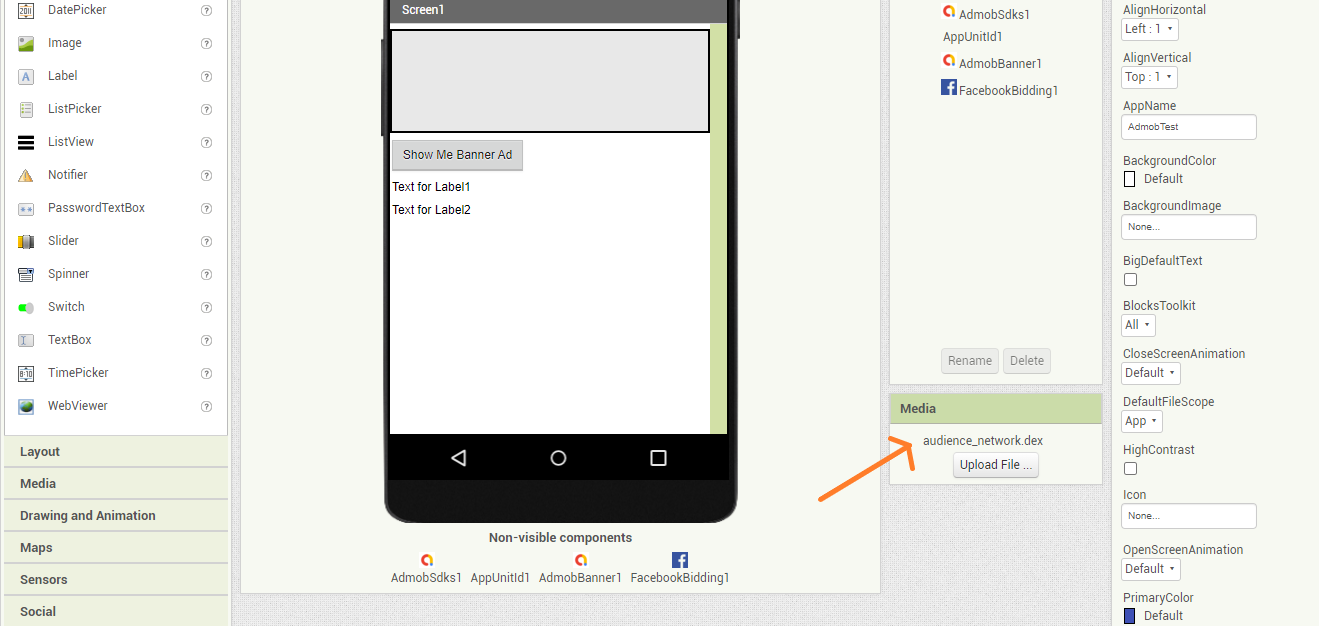
- You should download FacebookBidding extension, and just drag and drop that extension to Screen. This extension doesn't contain any methods. You must use AdMob Sdk extension and that extension we created on Niotron IDE to put app id on manifest. And if you want to show facebook banner ad, you can download banner ad extension from above. You should use ad unit id of that AdmobApp we mediate our facebook on.
Download Latest Version Of FacebookBidding Extension From Github
Step 4: Upload a dex file
- You should upload audience_network.dex file in assets.
Download audience_network.dex file