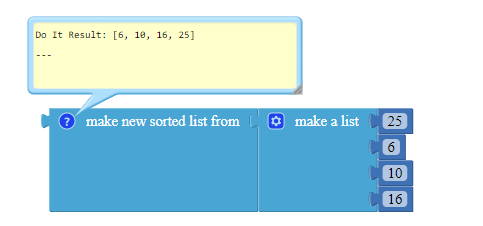
To sort numbers in non-decreasing order, use the make new sorted list from block in the Lists drawer.
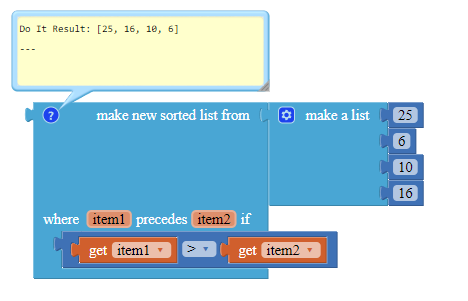
Use a custom comparator if you prefer to sort numbers in a non-decreasing manner.
Additionally, you can create your own sorting algorithm. Here is Selection Sort, which identifies the largest value in the list and moves it to the front of the unsorted section of the list until the entire list is sorted. This algorithm has a time complexity of O(n²) but requires O(1) auxiliary space, consequently consuming very little memory when handling a large quantity of numbers but a considerable amount of time.
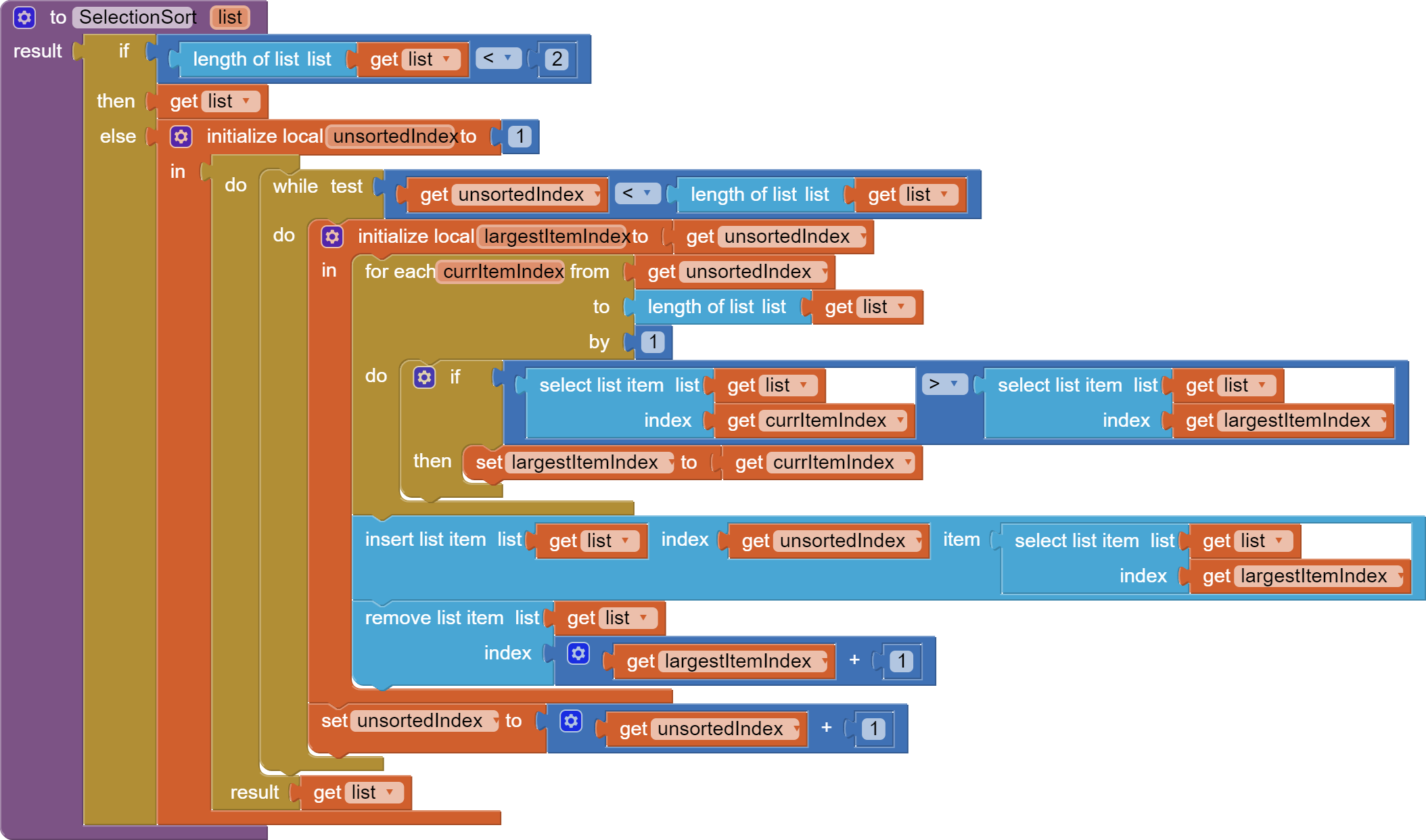
There are other sorting algorithms out there, namely:
Slow: Bubble sort, selection sort, insertion sort
Fast: Shell sort, merge sort, quick sort
As I see, @ABG has done a guide on merge sort before: Merge Sort Block Procedures Library.
For every algorithm in computer science, we have trade-offs between time and space. The "slow" algorithms I mentioned can can minutes when dealing with long lists of thousands of items, but they consume memory on the user's device. Merge sort partitions a list with divide-and-conquer, optimizing time but consuming a lot of space for the created partitions.
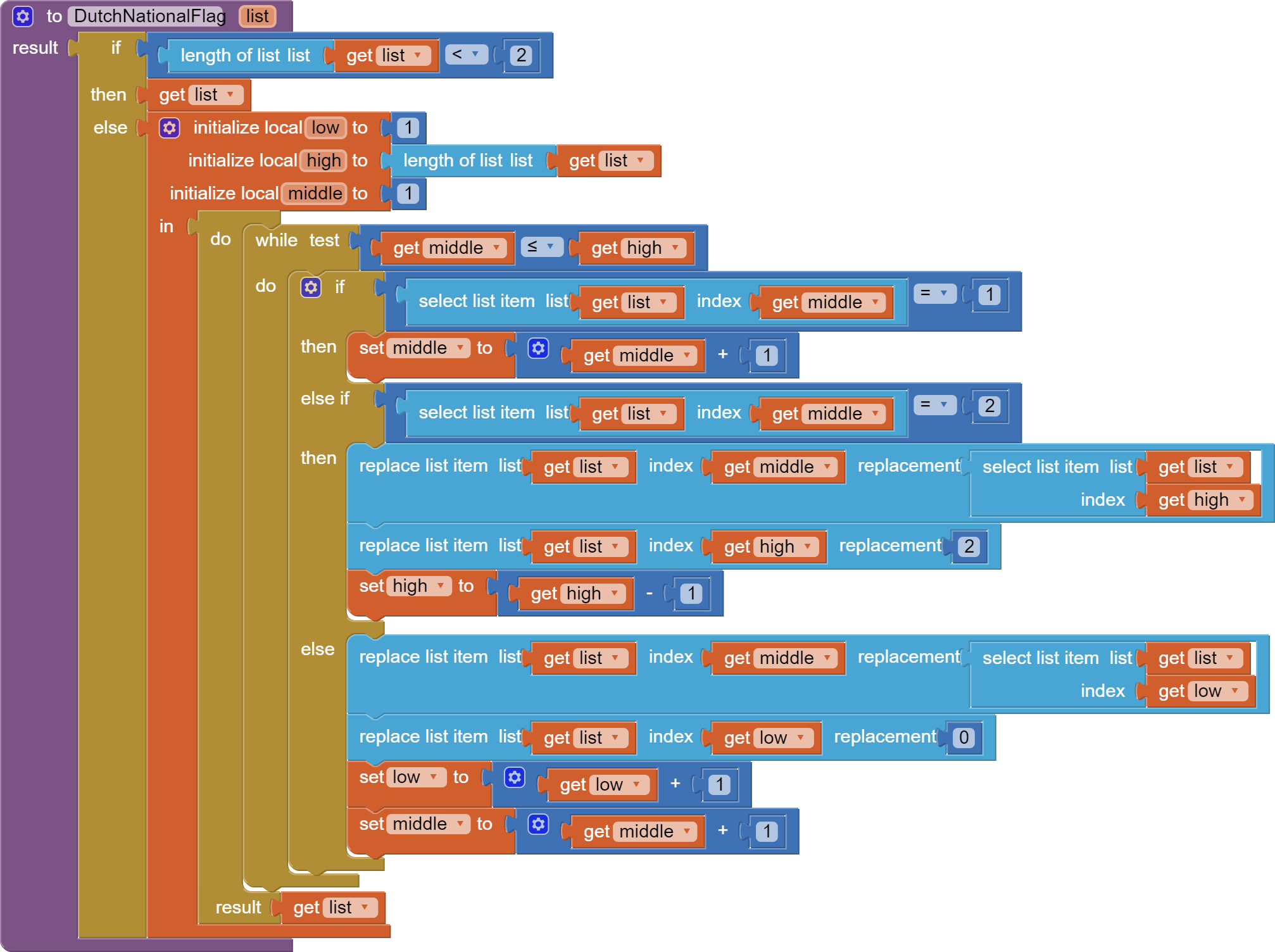
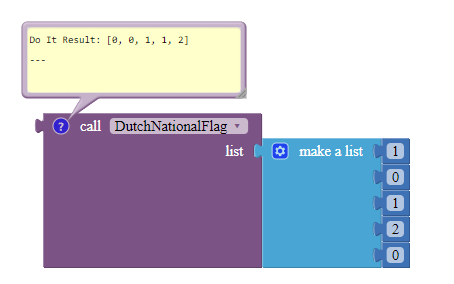
Bonus: this is the Dutch National Flag algorithm, which takes a list of zeros, ones and twos as the input, and sorts them in non-decreasing order without creating new lists or comparing the same two elements twice. This is very efficient when dealing with a very long list. You can modify the if-elseif statements if you are dealing with other triplets, such as [100, 200, 300].