put the app into the background
sent some whats app messages to the phone
still got the same notifications plus another hundred or so as I had my phone on charge overnight
then changed the set TaifunNotificationListener PackageNamesFilter
build reinstall and run again
Removed the set statement completely - had no effect
put back the set statement changed the input to a sting " " - had no effect
changed the input to "test" - had no effect
put back the set statement changed the input back to txtbPackageNamesFilter Text "test" - had no effect
still only getting the android and com.android.systemmui messages
it is as if the PackageNamesFilter was set at the first succesful instance of running the program and it cannot be changed - why that would happen goodness only knows
I am very happy to continue to try and resolve this issue, but, it is not critical to what I am doing, I have an alternative method to get the notifications using Automate for IT, which sees the notification I am after and the sends a text to the phone which I then action with my MIT App Inventor app.
You can change the filter only before starting the service... while it is running to change the filter does not have any effect... you can click Check to see if the service is running
Uninstall your current version
Rebuild the test project as it is and install it
Open the app and remove all filters
Click Start, enable notification access for the app and click Allow
Close the app
Let some notifications come
Open the app and check what has been stored
Apart form the program initially having a filter set which was blocking my messages I was focused on the Get button.
The Get button can create a huge great list of things and if the filter string is wrong then of course the messages your looking for don't appear in the list.
In my screwing around I sent a text message and it magically appeared on my phone whilst I wasn't looking as a single item, much head scratching later, I believe I now understand what is going on.
I can receive my push notifications from Reolink and will look at porting some of this app over to my alarm monitor app.
I added a few buttons to your app whilst I was testing
set filter - writes filter string to - TaifunNotificationListener PackageNamesFilter
get filter - gets TaifunNotificationListener PackageNamesFilter - writes it to results label
clearDB tag - its not needed - but I want to cleared the DB and make sure everything was new -
refresh - erases the results label
Thank you very much for your support !
Cheers
in the above the filter textbox had been erased and then [set] PackageNamesFilter = ""
From your last screenshot it looks like you are using the package name filter... which means, only notifications from my alarmmanager example app and the systemui will be displayed...
???
There is a notification and the system updates it continuously...
and in the example app you get all recently displayed notifications...
where exactly is the problem?
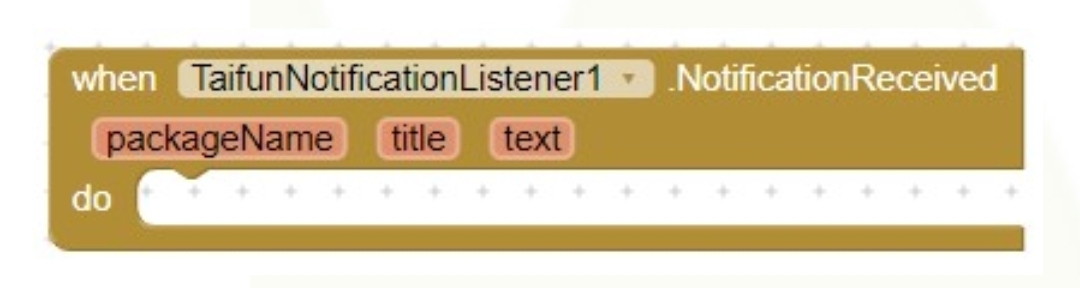
doesn't seem to be working, see the image attached for the blocks, they look different.
I've been trying to get my app working on my new phone, that's all, but seems like no notifications are being detected. On my old phone my original app works perfectly fine.