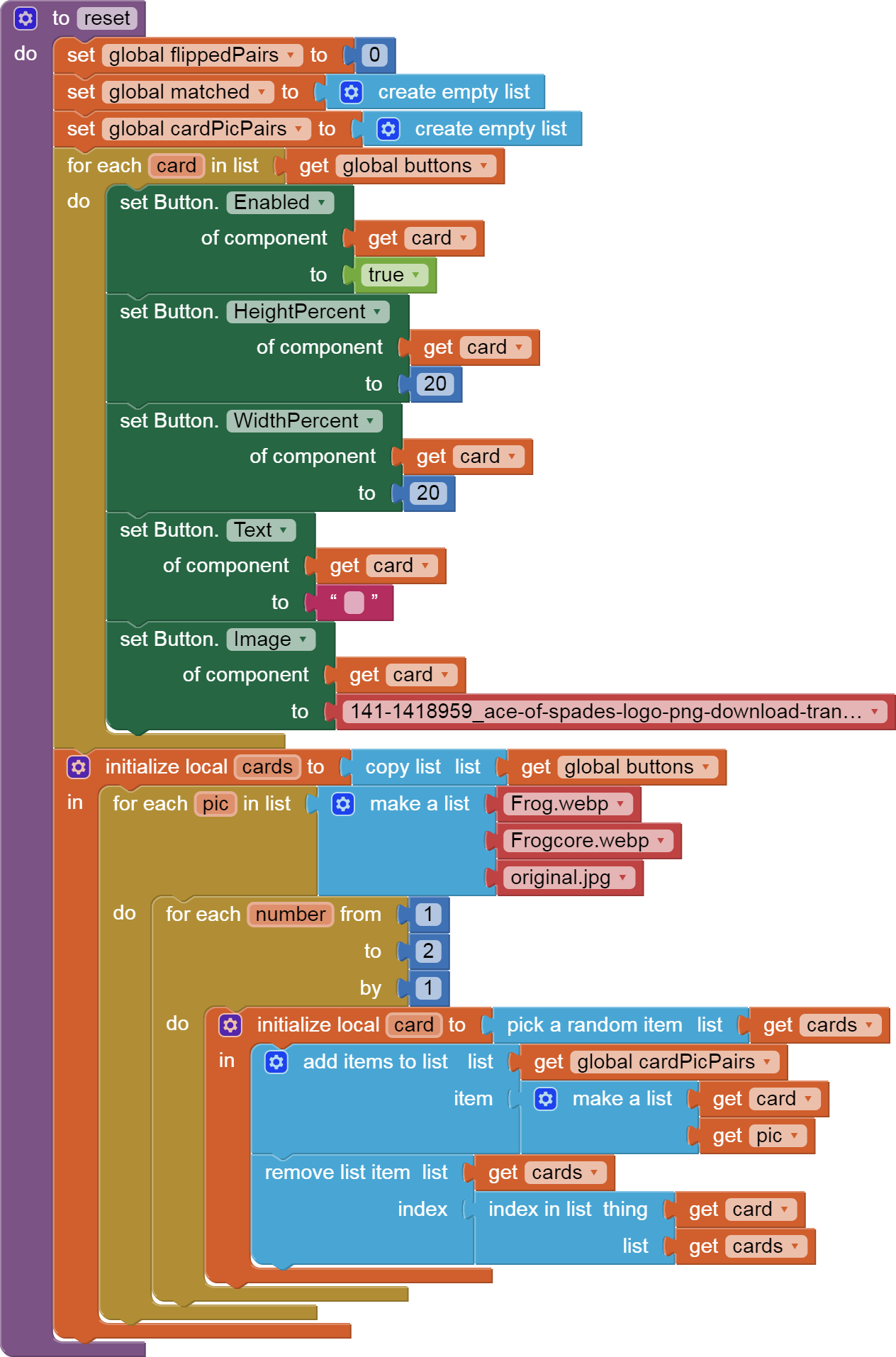
I saw a problem in your reset procedure, where you set button images to the card back image.
You had a very long text block for the image name, lacking the .png file type suffix.
Fortunately, AI2 keeps blocks for Media file names under Screen1, to save all that typing.
Here is an updated reset procedure you can try, that hopefully will get you past initialization.
I did not look further.

P.S. These blocks can be dragged directly into your Blocks Editor workspace.
See A way to group projects by theme - #10 by ABG
for a demo.
P.S. Same error further down ...
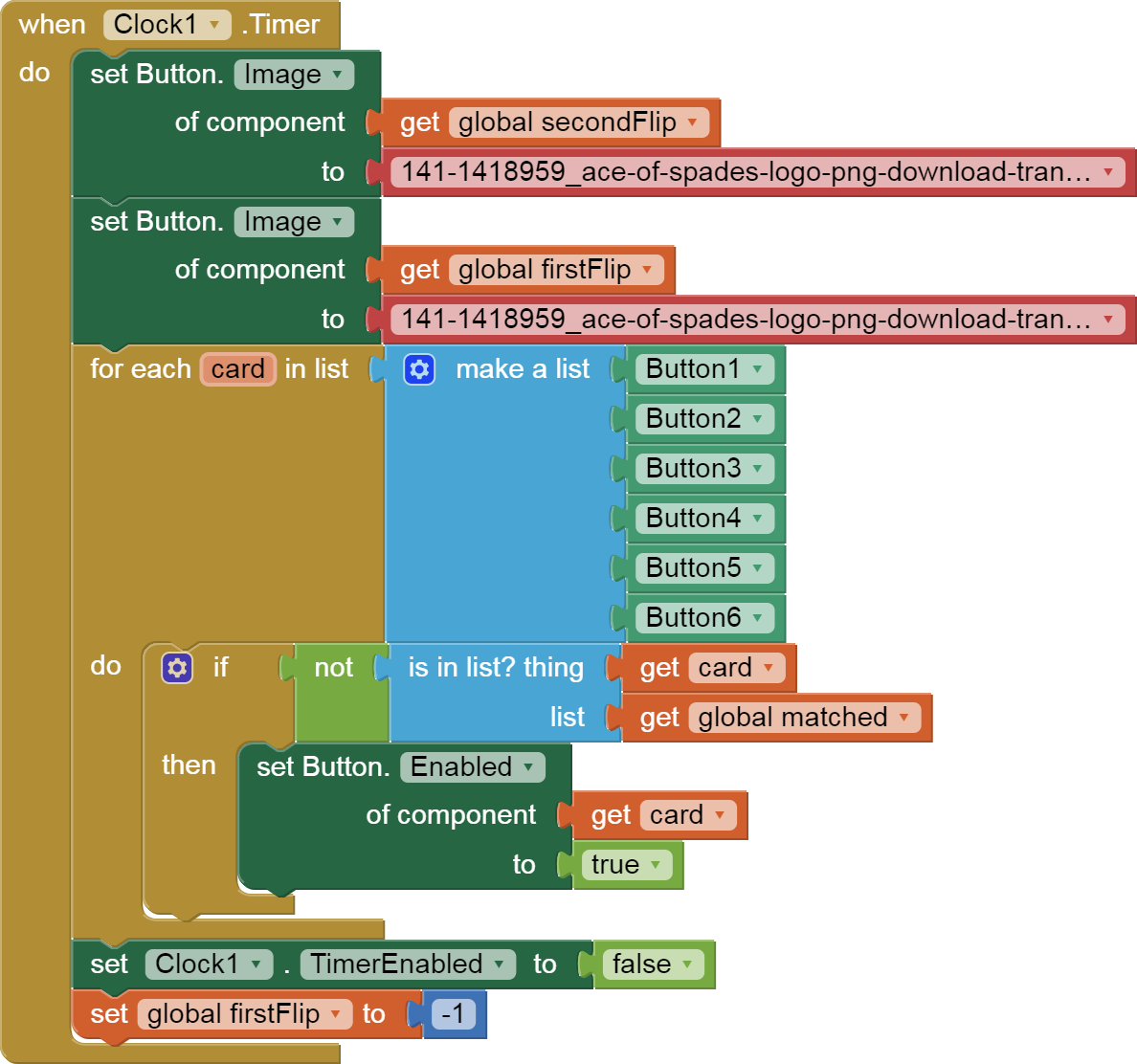
P.P.S. I did a little testing, and found a place where you blindly tried to use a button block on a variable that does not always contain a button component. To fix this, you need a global list of buttons and to use the is in list test against that list.

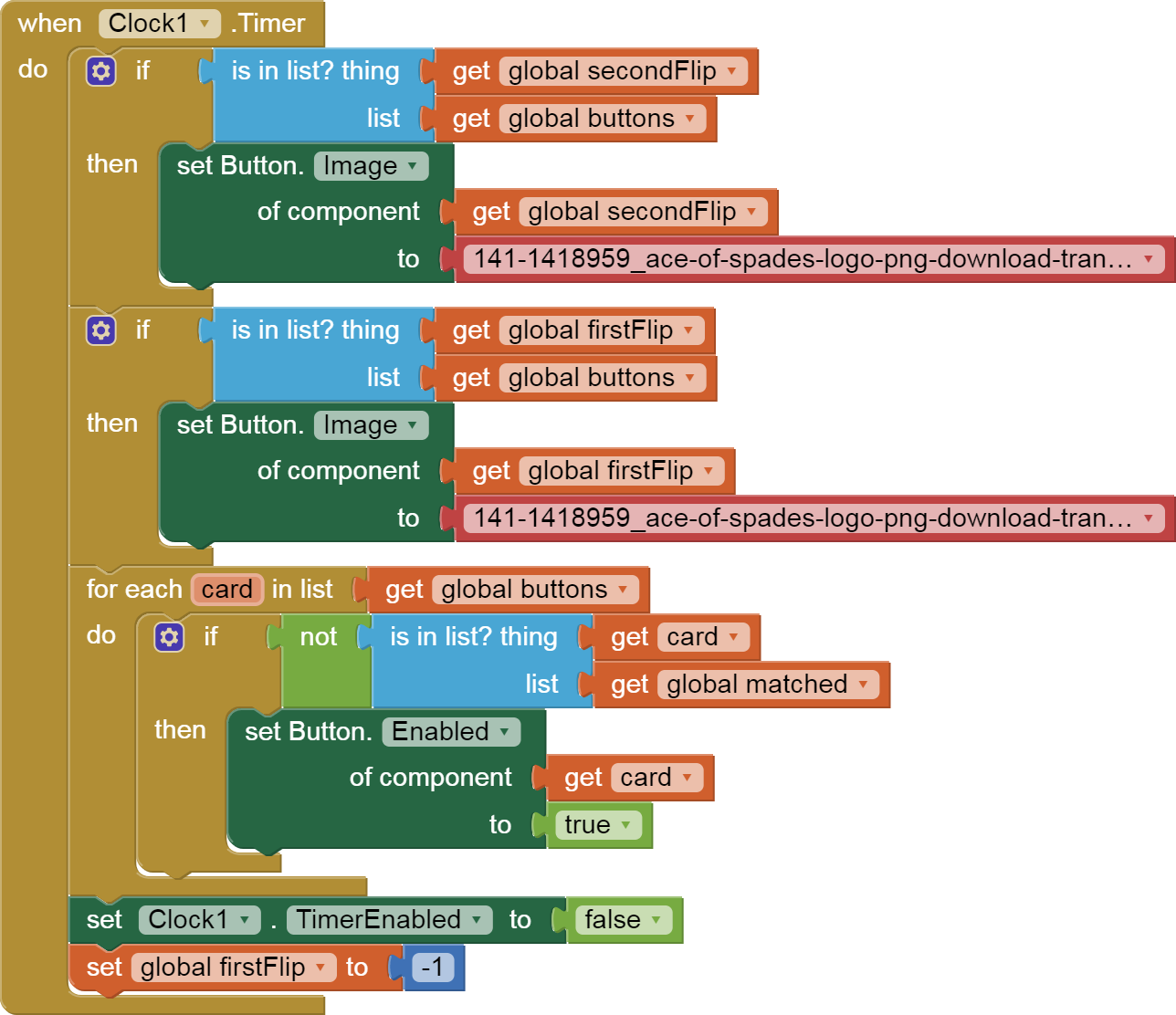
P.P.S. I see there are more places where you do not test for a button before trying to use a button block, especially in that flip procedure.
I leave that to you.