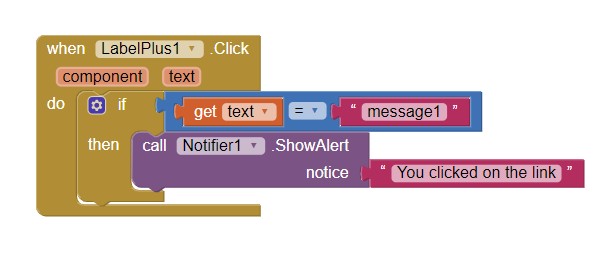
With " when LabelPlus1. Click " in what cases can we use it?
Just to output a message at some point we want?
In what other situations can we use it?
The message is just an example. Where there is a ShowAlert block you can add anything you want.
1 Like
It is possible to make some pieces of text with larger letters, or even to change the letters with a different script, such as e.g. italics;
Hello!
I can't get the text of a label using only
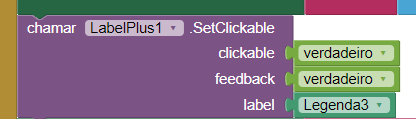
Is it normal?
Show how you want to get the label text.
Thank you for the reply!
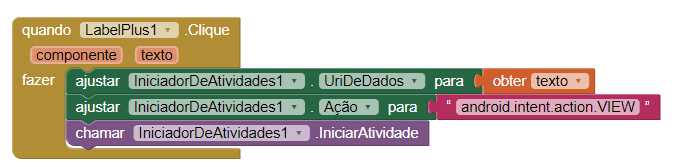
It works with SetClickableTextInRange, not with SetClickable.
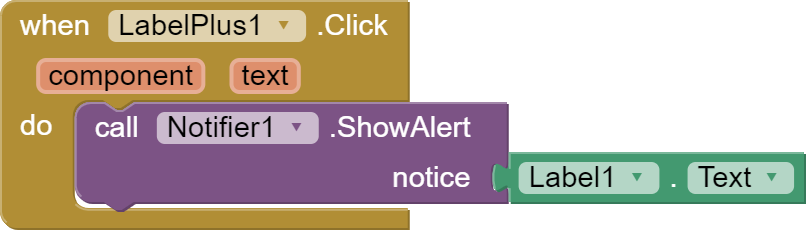
Thank you very much!
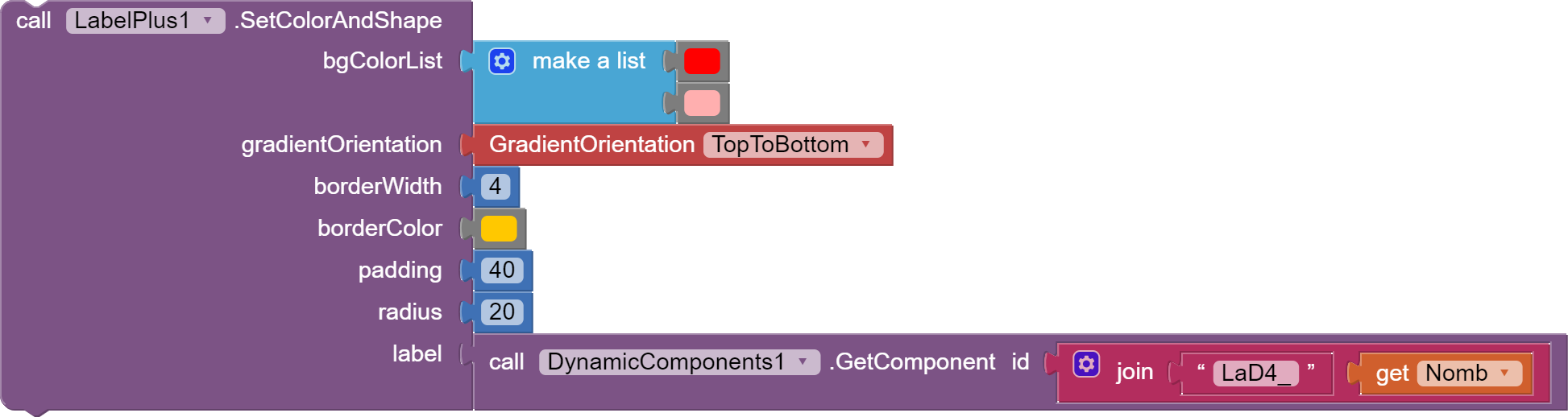
what is below error means for above component, How fix that?
It is strange that this error appeared recently and this error did not appear before.
Runtime Error
No enum constant
android.graphics.drawale.GradientDrawable.Orientation.TopToBottom
Thank you for the report. Now it should work.
1 Like
You're welcome.
Not yet. the same error appears.
Download the latest versions and update in your project.
For muliple lines content in Label like displaying arduino serial monitor output in a Label, may I know how can I set so that it will always focus or autoscroll to the latest new line (or latest new data)? where even if I go up (by scrolling down) to check older data, if theres a new data it will auto focus/auto scroll to that latest new line.
You may want to "massage" / sort your label content (new/latest and existing data) so that the latest results are always at the top. This is easy enough to do with a list, using the reverse block.
When new data arrives:
Set label.text to JOIN ( new data, '\n', label.text)
yes Ive tested this one. what this does is the new data will always on top and older data will be pushed down. not that what I wanted but I realize something about label
I notice that the top of the label is always the achor/fix part and the bottom of the label is the one that the content text can get pass through it, no matter if the allignment is changed. Even if the allignment is changed to bottomleft right or center, where the first line starts from the bottom, when the text content reaches the top of the label, the rest of the next text will still push down the first line.
Is it possible if you could please make a block so that we can change the anchor part of the label? its only between the top or bottom.
I includes both .SetSelectable and .ScrollToLine blocks in my project (when the lines reached X number, it will auto scroll to a specific line. data is fetched from arduino serial monitor, a continuous text output every 1 second). I noticed that while the lines is less than X number, the label content is still selectable. but when the lines reached X number, and the .ScrollToLine starts to fires off, and also for the next incoming lines, the label content is no longer selectable. even if i put the .SetSelectable block under the .ScrollToLine block so that each time its auto scrolled, the selectable command is reset, still the label content is not selectable. could you please try and take a look.
Bug found. Eventhough .SetScrollable block is not used, .SetSelectable suddenly change the Label to a scrollable Label when the text line reaches the maximum height of the Label and messed up the .SetAlignment.
Even if there is an error, I won't be able to fix it because I lost all the data from my old laptop and unfortunately I didn't have a backup.
1 Like