EXAMPLE 6
PHP & MYSQL using a timer
Prerequisites:
- An online http server set up with php and a mysql database
- create a simple table in a new or existing database
- create two php files, one for setting the other for getting the message
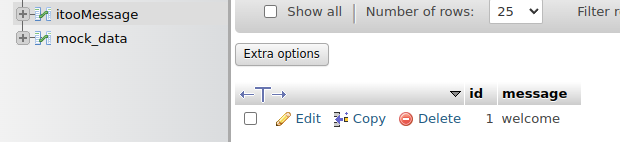
setitoomessage.php
<?php

     require '../creds.php';

     $message = $_REQUEST["message"];

     $conn = mysqli_connect($servername, $username, $password, $dbname);

     if (!$conn) {
     die("Connection failed: " . mysqli_connect_error());
     }

     $sql = "UPDATE itooMessage SET message='$message' WHERE id=1";

     if (mysqli_query($conn, $sql)) {
       echo "Record updated successfully";
     } else {
       echo "Error updating record: " . mysqli_error($conn);
     }

    mysqli_close($conn);
?>
getitoomessage.php
<?php

     require '../creds.php';

    // Create connection
    $conn = mysqli_connect($servername, $username, $password, $dbname);
    // Check connection
    if (!$conn) {
      die("Connection failed: " . mysqli_connect_error());
    }

    $sql = "SELECT * FROM itooMessage WHERE id=1";
    $result = mysqli_query($conn, $sql);

    if (mysqli_num_rows($result) > 0) {
    // output data of each row
    while($row = mysqli_fetch_assoc($result)) {
      echo $row["message"];
    }
    } else {
      echo "0 results";
    }

    mysqli_close($conn);
?>
you will note I have my db credentials stored in a separate file...
SETUP
- enter the http server url in the two positions where it is required in the blocks
- create a message using the admin blocks
Blocks
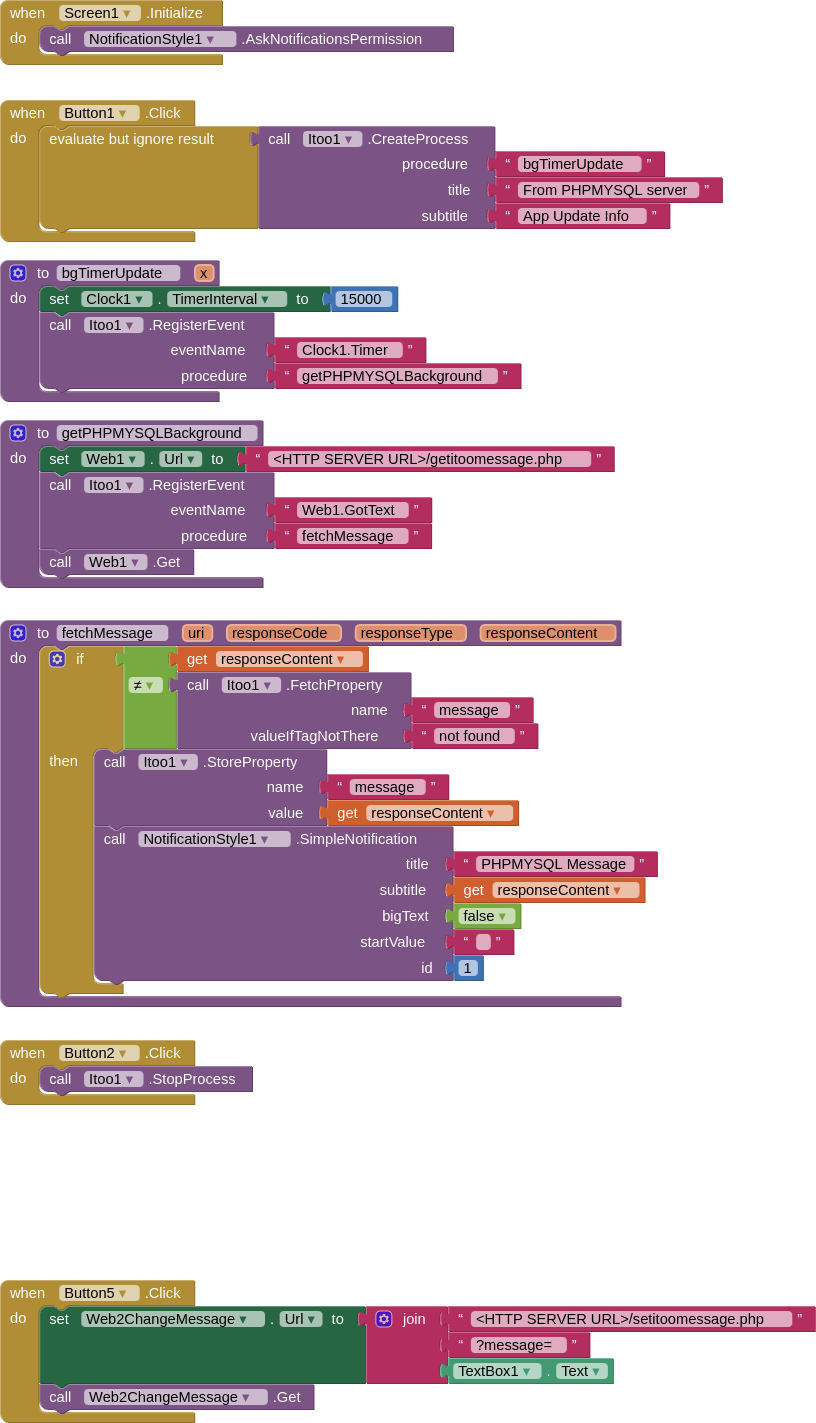
AIA
PHPMYSQLMessage_iToo_blank.aia (115.6 KB)