EXAMPLE 4
Google Sheet and Google Form using a timer
Prerequisites
- A google account

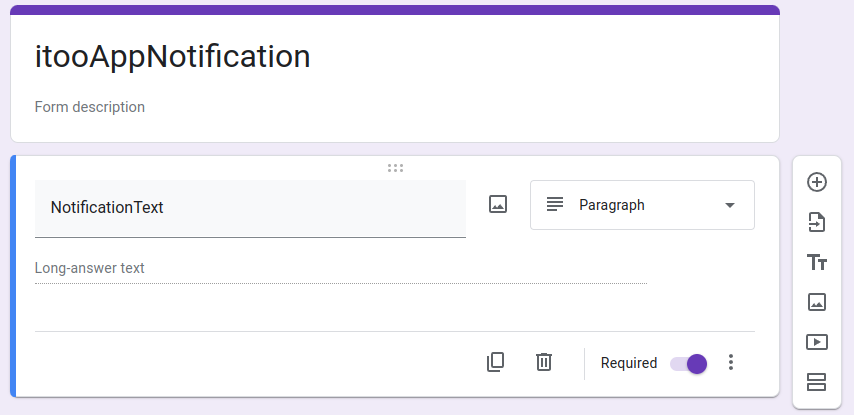
- Create a simple Google Form with just one question
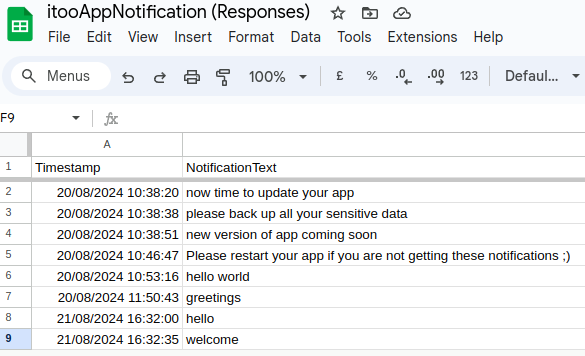
- Create a Google Sheet to receive the form responses
- In your Google Sheet create a new worksheet, that using a clever formula, will return the last form response value:
=INDEX(FormResponses1!B1:B,ARRAYFORMULA(MAX(ROW(FormResponses1!B1:B)*(--(FormResponses1!B1:B<>"")))))
(If you want to see how the formula is constructed see this excellent youtube video) - Get the Sheet ID, The worksheet GID for the latest response, and the Form ID.
- Run the Pre-filled link for the Form to get the "entry" number.
- Set the Google Sheet permission to "Anyone with the Link".

Setup
- in your blank aia project, enter the various IDs in the correct places. Do not use variable blocks.
- enter the entry number in the position provided
- use the admin blocks to send a new message via the form to the spreadsheet
- the process will then poll the spreadsheet for the latest value and return it as a notification
Blocks

AIA
GSMessageiToo_blank.aia (115.8 KB)