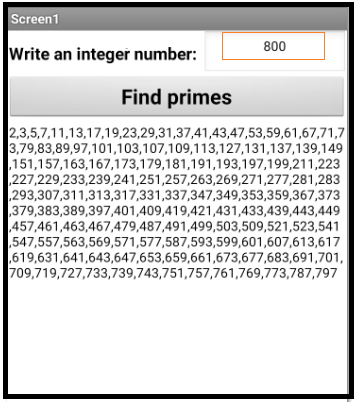
10.- Another example. Find primes with Sieve of Eratosthenes. JavaScript. Playing with minimum.
- Through Sieve of Eratosthenes we can find prime numbers.
- Here is a code to adapt a javascript from the sieve to App Inventor.
- Find prime numbers less than a given number.
sieve.htm
<!DOCTYPE html>
<html><head></head><body>
<script>
   datos =  window.AppInventor.getWebViewString(); // Entrada de datos.

   window.AppInventor.setWebViewString("" + getPrimes(datos));  // Salida

   function getPrimes(max) {
    var sieve = [], i, j, primes = [];
    for (i = 2; i <= max; ++i) {
        if (!sieve[i]) {
            // i has not been marked -- it is prime
            primes.push(i);
            for (j = i << 1; j <= max; j += i) {
                sieve[j] = true;
            }
        }
    }
    return primes;
}
</script>
</body></html>
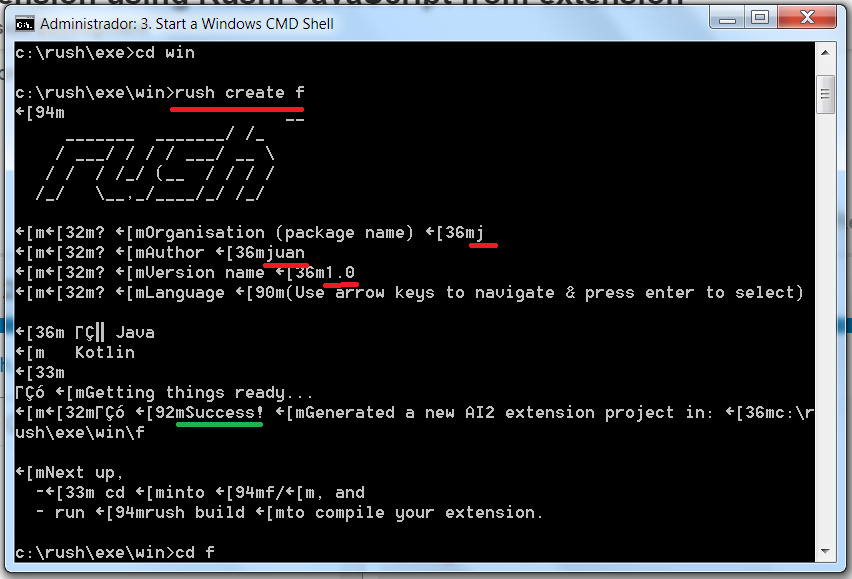
1.- Create extension: j.f.aix
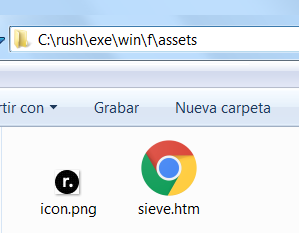
2.- Copy file sieve.htm in
C:\rush\exe\win\f\assets\sieve.htm
3.- Edit
C:\rush\exe\win\f\rush.yml
assets:
  # Extension icon. This can be a URL or a local image in 'assets' folder.
  icon: icon.png
  # Extension assets.
  other:
     - sieve.htm
Beware of indentation.
4.- Edit
C:\rush\exe\win\f\src\j\f\F.java
package j.f;

import com.google.appinventor.components.annotations.SimpleFunction;
import com.google.appinventor.components.runtime.AndroidNonvisibleComponent;
import com.google.appinventor.components.runtime.ComponentContainer;

public class F extends AndroidNonvisibleComponent {
  public F(ComponentContainer container) {
    super(container.$form());
  }

@SimpleFunction(description="http://localhost/j.f/sieve.htm")
public String Sieve() {
return "http://localhost/j.f/sieve.htm";
}
}
// Only return a string 
../rush build
Get:
C:\rush\exe\win\f\out\j.f.aix
5.- Create an app with this extension:
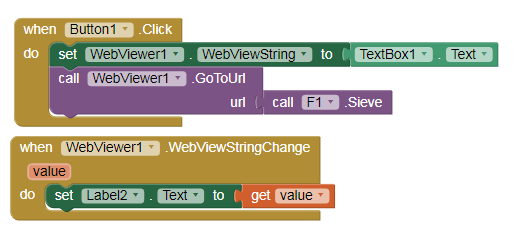
The Sieve block returns http://localhost/j.f/sieve.htm and executes the script sieve.htm
numeros_primos_rush.aia (5.7 KB)
6.- I think it only works installed. Adapt it to the MIT Companion!