Dear @coconut03,
what you have posted is extremely far from being enough to help you successfully.
So many causes can contribute to your problem.
What you can do first is to dig the forum for similar issues: you'll find lots of solutions and hìnts on how to investigate the impossibility to connect a HC05 (via classic BT and "not" BLE).
Another way is to have a look to @Juan_Antonio's web site (KIO4.com) or to @ChrisWard's (professorcad.co.uk) one, where you'll find tons of ready made examples. In addition you can also read @ABG's FAQ's (pay particular attention to the correct use of the terminator character).
Also by searching my posts you can find hints on how to get rid of communication problems between AI2 and Arduino (typically with HC05 or HC06 shields). On Arduino side, problems are often arising due to incorrect wiring (Tx and Rx shall be crossed between board and shield) or a wrong baudrate between the CPU board and the HC0x shield, While on app side, the first things to verify are the Android Permissions (BT and GeoLocalization),
Lastly: try to separate the issue in its components, that is: first of all be sure that the Arduino board is correctly cabled and sending data. To this purpose you can use a ready made app like SerialBluetoothTerminal downloadable free from google playstore. Only after you are done with that (i.e. Arduino is sending the data as you expect and you can receive them on your Android device), at that moment you can develop the AI2 app. As a first basic approach your app should only display into a label what is receiving. Then, you can enrich the app with many other features.
As you can see from this long answer, the reasons why you have comm's problems can be really many. Do one step at a time.
HC06 Connection_3_3VDC.pdf (714.6 KB)
A 507 happens when you talk without listening.
(My wife has a friend like that)
2 Likes
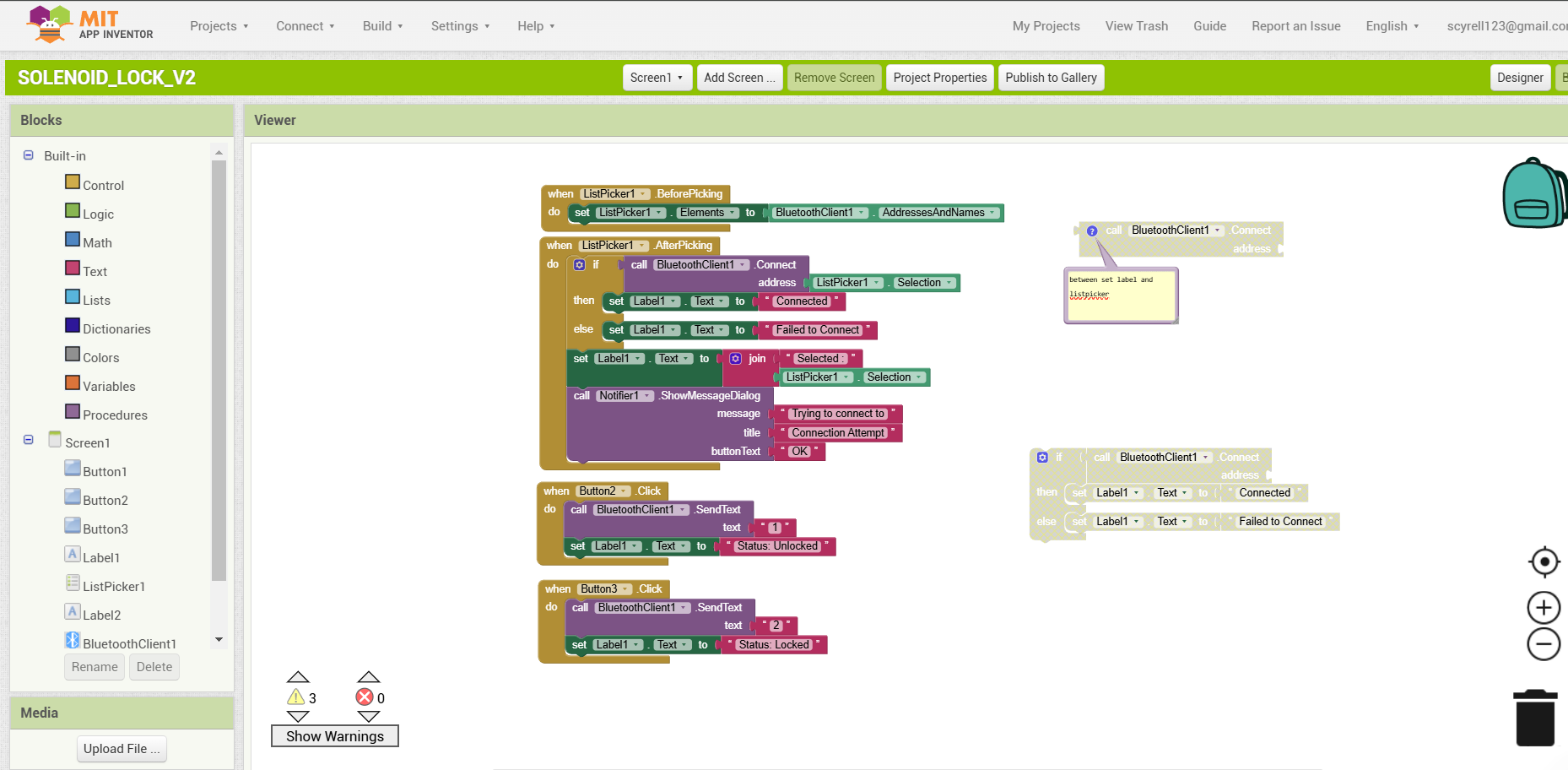
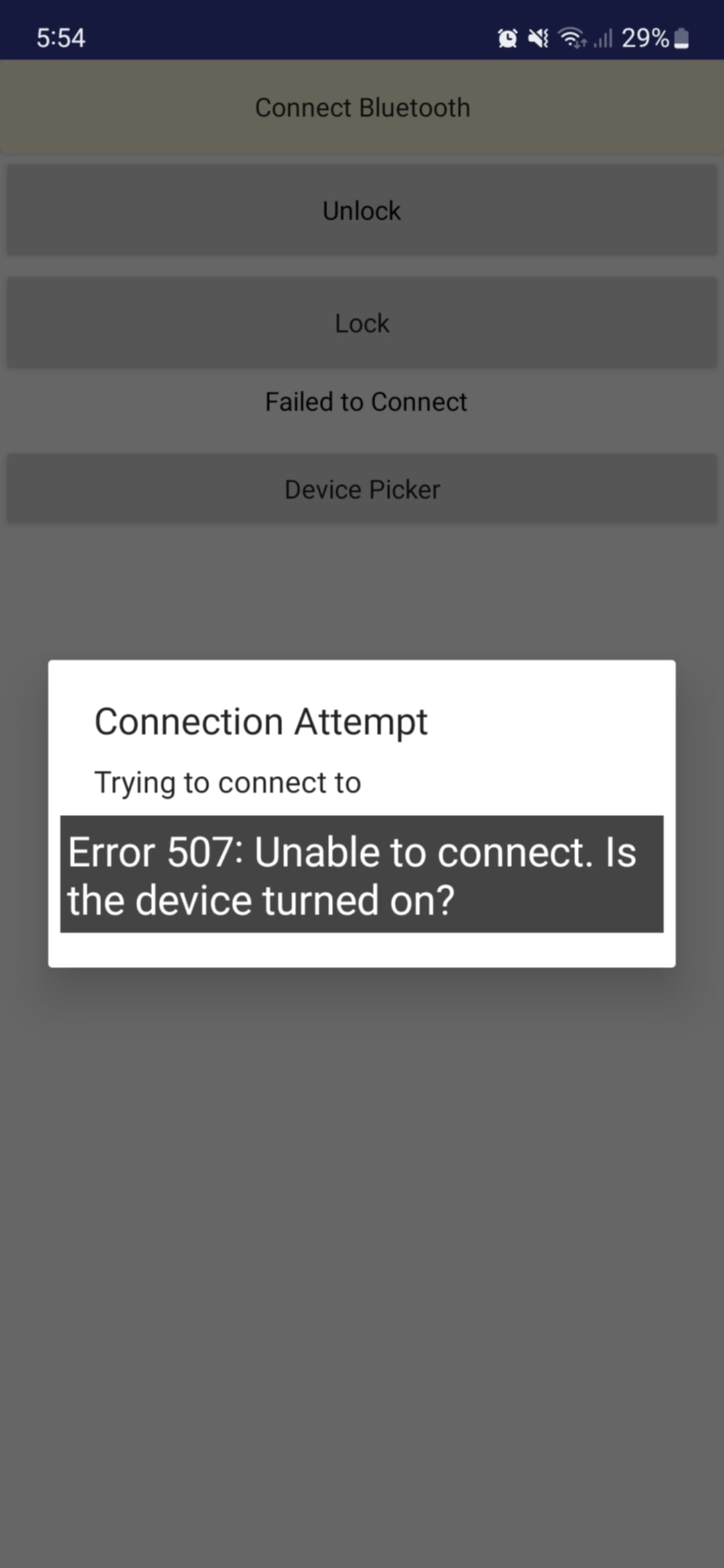
when i use a bluetooth terminal my project work fine but when i use the app its showing the error507
If the Arduino works well with a SBT on your Android device, the issue seems to be on the app side.
As far as I can see (this is not the solution, but) the order of these blocks shall be reversed.
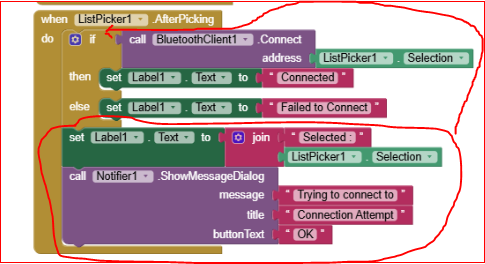
Have the permissions (BT and Geolocalisation) be granted ? Probably the first time you have installed the apk, you shoud have been requested to allow these permissions by means of the Android apps-settings menu.
Moreover please also consider @ABG's answer.
Or, upload both your .ino and your .aia files so we can have a look on them.
void setup() {
Serial.begin(9600); //serial com at 9600 baud
pinMode(13, OUTPUT); // use pin 13 for solenoid (via relay)
Serial.println("Send '1' to retract the solenoid, '2' to push it.");
}
void loop() {
if (Serial.available() > 0) {
char data = Serial.read(); //read incoming byte
if (data == '1') {
  digitalWrite(13, HIGH);        //retract solenoid
  Serial.println("Solenoid retracted (ON)");
}
else if (data == '2') {
  digitalWrite(13, LOW);         // push solenoid
  Serial.println("Solenoid pushed (OFF)");
}
else {
  Serial.println("Invalid command! Use '1' or '2'.");
}
}
}
this is my arduino code
i tried this but it also showed the 507 error message
In your sketch, you talk to the same serial stream where you expect your commands.
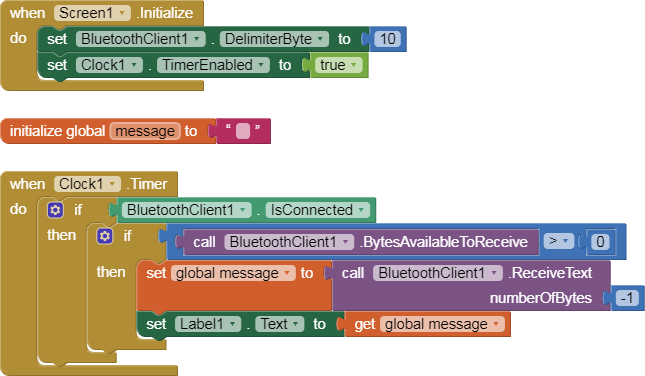
So add a Clock component, a Label, and these blocks to your app, to let it listen too.
Here is a simple BlueTooth text receiver sample, for single value per line:

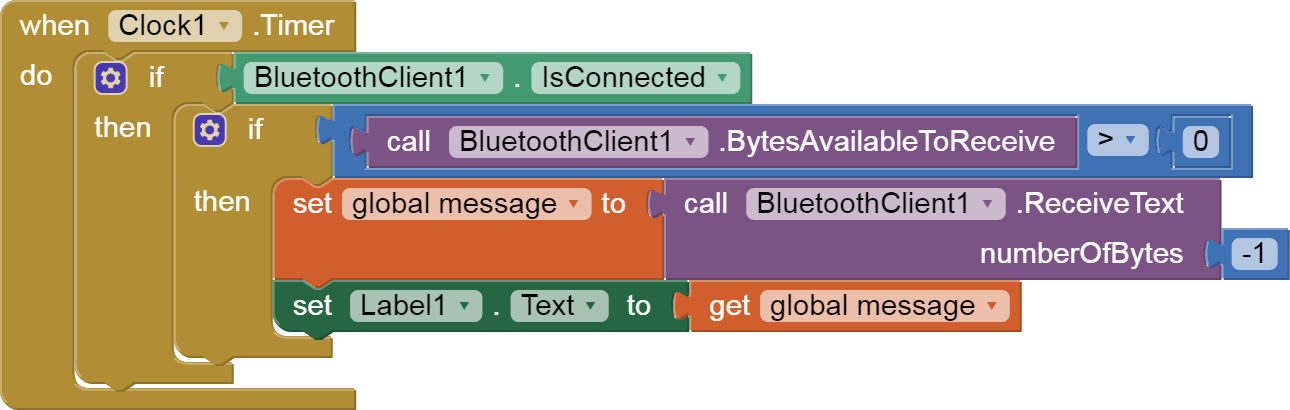
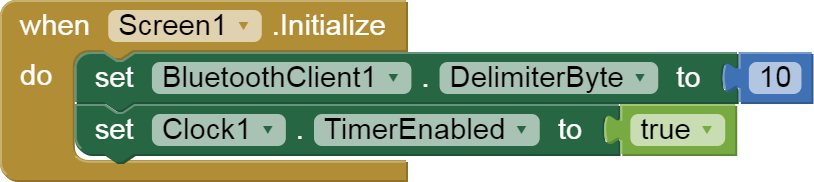
...
1 Like
AS @ABG has already said, you use the HW Serial line of Arduino to send/receive text on both the Serial Monitor and the BT line. This is not allowed (everything you send/receive from/to the serial monitor will also go to the HC05, therefore creating a mess toward the app).
If you want to still let usable the serial monitor line, you shall rather use the SoftwareSerial library (supposing you are using a UNO board) to connect the HC05 to two different pins of the UNO. The library can be downloaded from the GIT repository on the web. If you use the 2.x.y series of Arduino IDE you can load directly from the library menu (the latest version is called NeoSWSerial):
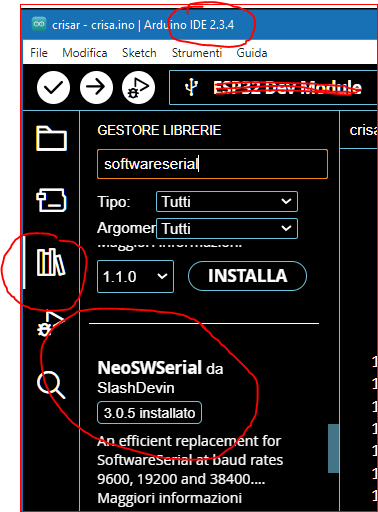
For the HW connection between CPU board and HC05 please refer to the drawing annexed to my first post: though it is related to a Nano CPU board, the same can be applied to boards having the AVR microprocessor (i.e. Nano, Uno, Micro, Mega,...)
Then apply all @ABG has written. Pay attention to the terminator character: this means that when you transmit from Arduino to the App, ONLY the last sending shall be made by using a .println(); Previous transmissions shall be made by using only .print();
For example: supposing that you have named your BT serial line "BTserial" when you send some data to the app you shall write
BTserial.print("data1"); // first data
BTserial.print("data2"); //second data
BTserial.println("data3"); //last data
Anyway, these are just chunks of code. It would be much better if you follow step-by-step the FAQ from @ABG
EDIT:
try also to have a look here:
You'll find both the .aia and the .ino working codes (for a Mega Arduino board).
hi ChrisWard can you also help me with my HC05 problem its due tomorrow and its my 6th day trying to figure this out im also getting Error 507 im just trying to make an app that would push and pull the solenoid (sending 1 & 2)
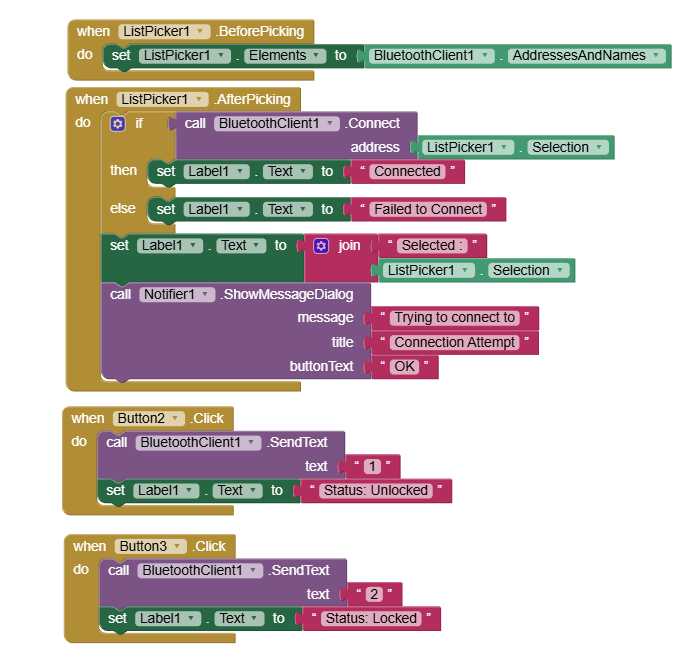
Hello coconut03
I can give you a sample project from which you can see where you have missing ingredients. For example, your code does not check that BT is switched on and does not check that a BT connection has been made.
You have not sent your (Arduino?) Sketch/Script and I cannot see if you have got your electronics together correctly.
Depending on your Android Version, you may need permissions too (not shown in the sample).
Ensure that your microprocessor is:
- Keeping Cool
- Being supplied with sufficient power.
Ensure that your BT connection is not affected by the environment nor the App and controller too far apart.
BT_Basic_Setup_Send_2Vals.aia (7.6 KB)
Don't duplicate the topics !
If you jump from a topic to another, the Power Users cannot help you efficacely.
As a matter of fact @ChrisWard is asking you the .ino file, that you have already posted in your original topic, and @ABG and myself have already advertised you what's wrong in it.
@ABG has also posted a super-simple chunck of code-blocks to show you how to manage the BT communication by means of a clock. Have you tried those hints before asking someone else to make the whole code for you ?
I understand that you are in a hurry, but in this way you waste PU's time and yours.
2 Likes
I now merged both topics
Taifun
1 Like