i dunno how many drivers, its up to be for who will register as a driver and yes i wanna make it location changed with his current time location not his home so a clock will be added so if you showed me blocks for that you will he me much as am confused with many such blocks all i want a general marker so all drivers registered users and the customer when press find the nearest one or even search by the app name for example wasalna app name so all nearest registerd drivers current locations will be appeared with the his last location time
1 Like
This sentence is the key to your data structure.
You need to define a course grid covering all your territories, each grid square under its own tag. The value for that tag should be a list of registered location announcements in the last 24 (?) hours in that grid square.
Each registered location announcement should include:
- driver information
- lat
- long
- timestamp (for cleanup of old registrations
This organization scheme may need further work, to address how to keep just the latest location of each driver under that grid square, or a driver crossing the boundary between one grid square and the next.
am trying that blocks but cant add that block i dunno why lol so how can i put it?
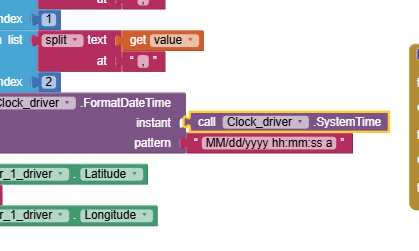
which it was been added in the link above

Use Clock1.Now.
SystemTime used to be an instant, but now it is milliseconds.
ok thanks
am trying that link aia file now but its taking much time for the progress and didnt finish yet so how can it be fixed?

nevermind it worked externally without the emulator but still taking much time before opening
If you use an emulator you cannot use the LocationSensor. The emulator does NOT have the required hardware to use the gps. So from now own, test with a real device.
As mentioned in the tutorial "The Blocks determine how frequently the location sensor will attempt to achieve a fresh satellite fix (Using values lower than 30 seconds has limited value) and link the LocationSensor to the Map component."
The LocationChanged block is used to call setLocationStore. If your cell phone is resting on your desk, it is not moving is it so why do you expect it to tell you it has triggered a movement.
Keep trying, you are making progress to learn how the CloudDB works (your FirebaseDB works in a similar way). If you set your device data on (so it does not depend on wifi to access the OpenStreetMap and database) and go outside for a walk, your device will update much more frequently. Remember to set StayAwake so you device Screen does not close or you will loose updates while it is closed.
1 Like
What is the problem with my blocks please if I wanna make all opened customers and drivers seeing each others on the app map as markers with their distance by metres?
and each one has his name in the tab from the tinydb
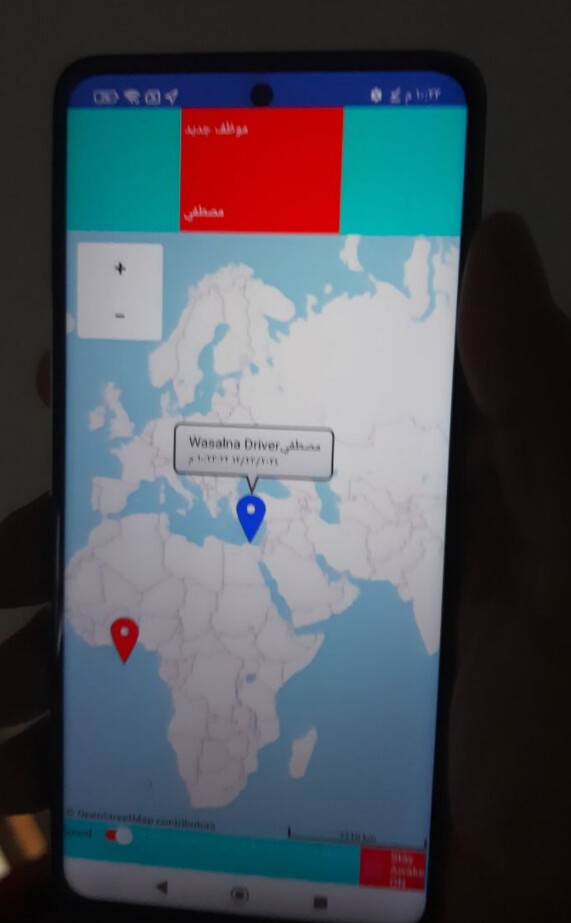

here are the blocks
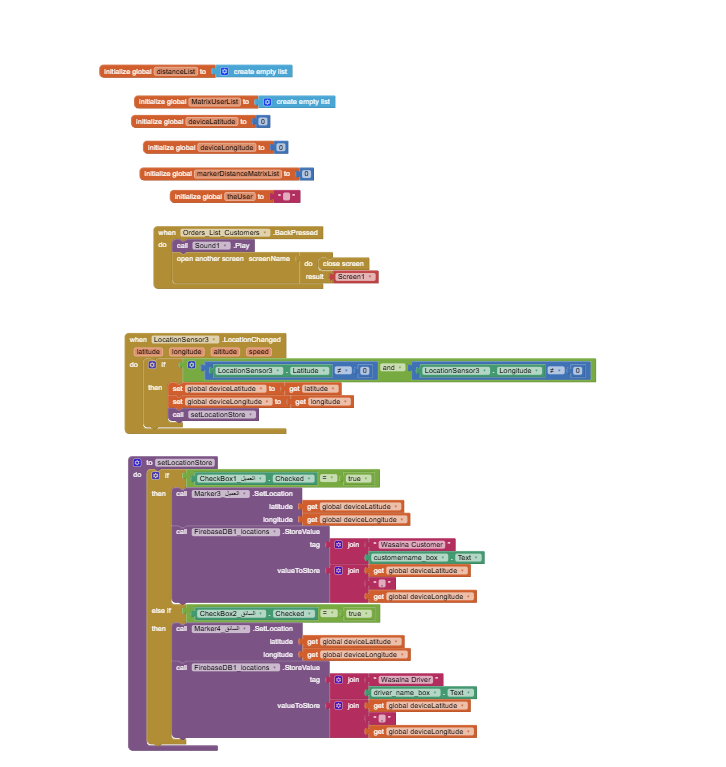

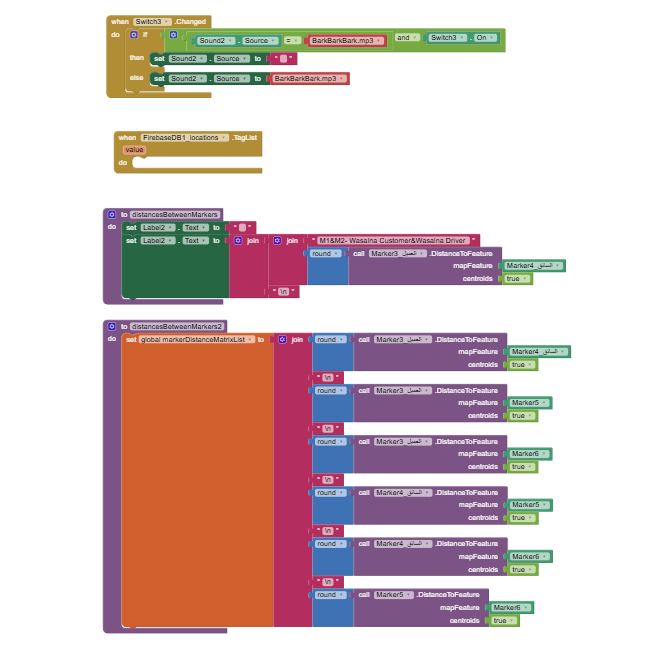
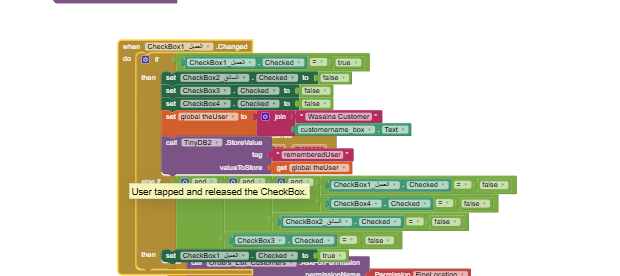
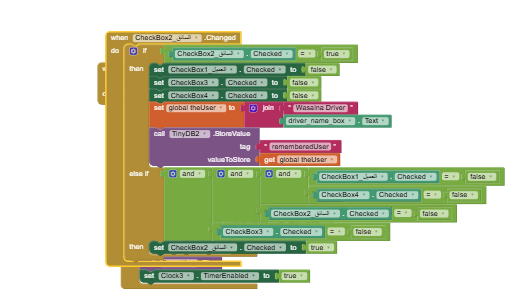
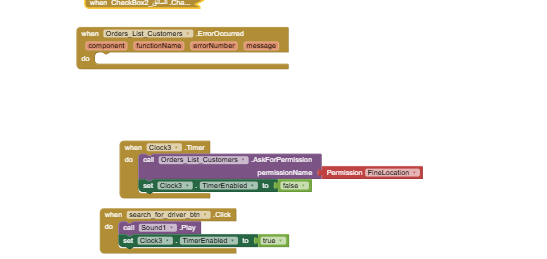
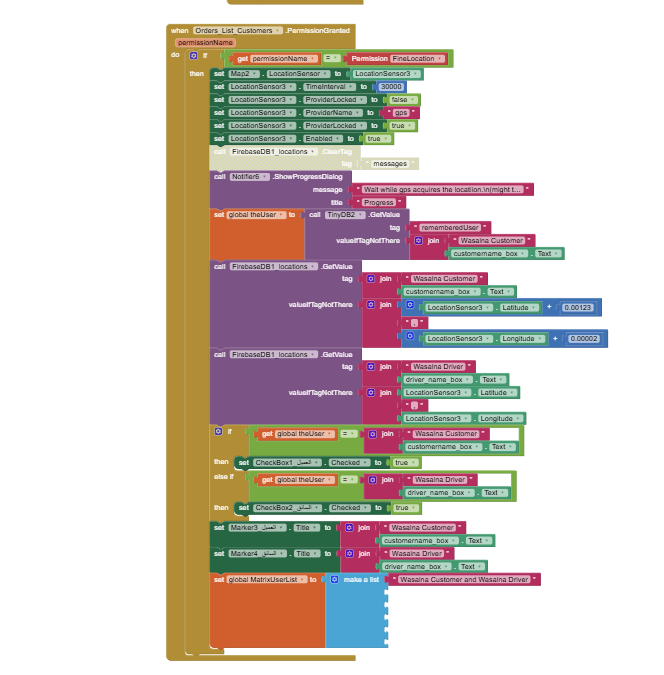


Any help here please!
lets check my blocks to fix any issues in
I see you trying to use location sensor results in a permission granted event.
That's the wrong event.
Try the location changed event.
Also, your markers will grow without limits, so there is no point trying to number them in your blocks.
Learn tables.
i just copied that blocks just changed the name and the data store
so do you mean to adjust blocks like that or lets show me exactly what to do to not to miss any other issues

You need to learn to code to build your Uber like app. It is not possible to slightly mofify the CloudDB / Location Marker Tutorial. The tutorial uses routines and examples that can be used in the NEW app you code.
Here is what I suggest:
- build a test app that does not use a LocationSensor that will let you decide how you want to handle the different things you need to do in your app. If you do not initially use a LS you can make the basic parts more simply.
- I expect you will want to make an example of how you will handle drivers, customer, calculate distance to customer (routine of one way shown in tutorial), etc
-You might want to make a list or csv: like this:
1,Mustafa,11111111,42.36646,-71.11139\n
2,Ahmed,2222222222,42.35137,-71.11377\n
3,Abraham,3333333333,42.36957,-71.08035\n
4,Steve ,4444444444,42.36801,-71.11459
containing Marker Number, Name, phone number, home latitude, home longitude to place in driver's Marker nearest the customer or number of open seats available in the driver's vehicle and anything else the driver should share with the customer.
-
Here are some simple possibilities to handle drivers:
-
if you have a List of drivers (name, coordinates, availability, phone contact) in your firebase it is easy to determine which is the nearest available driver. Determine the nearest to the user (customer) and post only the nearest driver available as Marker1 to show the driver location on your map. Calculate either straight line distance between the customer and driver or more complexly using the Navigate tool to determine nearest driver. Straight line distance should be good in most instances and not significantly different than road driving distance.
-
alternatively post the Markers for all the drivers on the Map.
-
just determine the nearest available driver to the customer. Provide the customer with the drivers name, distance and phone number. You don't even have to have a map to provide the info the customer needs to identify.
-
it is possible to use circles on the map to show the distance of all the drivers available and various other schemes. Most other options will just use up more of your realtime database time to post fancy things on the Map.
When you get one part working save it as a separate project. Keep marking individual parts work, then combine them to make the app you want. To do that you will have to experiment.
This is a long holiday here. I am visiting with my grandchild so sorry I can't be more specific as programming is not what I expect to do for the next week through New Year.
ok thanks for you reply, have a good holiday
You can try something like this @mustafaalbasel
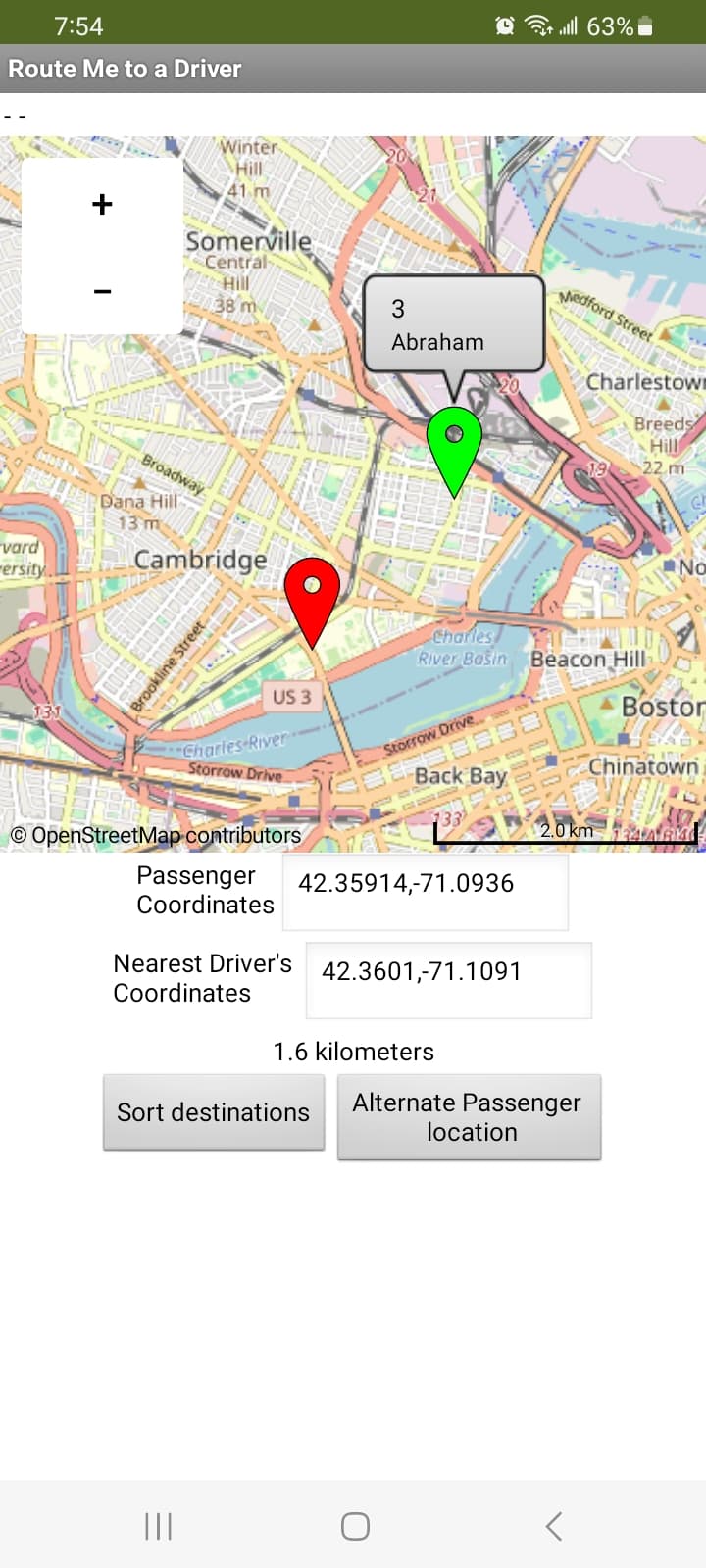
Sorted Driver Distance Matrix -
shortestDistanceFromCustomer.aia (12.6 KB)
The example I use with a CloudDB. You can do something similar with your FirebaseDB or Spreadsheet. For the example I did not use a LocationSensor to make the testing easy. A fixed presentLatitude,presentLongitude ( 42.35914 , -71.09361 ) was used instead to show the customer. The location is shown with a red marker. You can later set the location to the LS coordinates (your job).
-
if you have a List of drivers (place holder for distance, driver number, name, phone contact, coordinates, availability, number of passengers that can be carried) in your firebase it can be easy to determine which is the nearest available driver. Determine the nearest to the user (customer) and post only the nearest driver available as Marker1 to show the driver location on your map. Calculate either straight line distance between the customer and driver( or more complexly using the Navigate tool) to determine nearest driver. Straight line distance should be good in most instances and not significantly different than road driving distance.
-
I've also was able to post the Markers for all the drivers using Run time Markers (with slightly different code) using a diffferent example. Posting all the driver Markers can get messy and may be slow on the OSM map server.
-
just determine the nearest available driver to the customer. Provide the customer with the drivers name, distance and phone number and other data like number of seats available. You don't even have to have a map to provide the info the customer needs to identify.
-
Label5 displays the distances in km. for all the drivers. Presently set to Visibility false.
-
Label6 displays all the driver info (not pretty) and the distance from the customer. Presently set to Visibility false.
-
Lable7 displays the distance from the driver nearest the customer in km.
UdriversSorted.csv (168 Bytes)
0,1,Mustafa,11111111,42.36646,-71.11139\n
0,2,Ahmed,2222222222,42.35137,-71.11377\n
0,3,Abraham,3333333333,42.36957,-71.08035\n
0,4,Steve,4444444444,42.36801,-71.11459
Is this what you wanted to know? 
thanks so much for your effort, i will try to check it but lets help me about that
i see you are getting the locations from the csv file or sheets but how can i adjust blocks to get locaions from the firebase instead of the csv file and that are my tags
you can advice me to change the tag if needed

and what can i add here in the missing blck ?

You do not need to add anything. I just works without the empty block. 
You need to do the changes.
To work in the example you need six items
where 0 is a temporary value, 1 is a driver number, Mustafa is a driver name, 1111111111 is a phone number followed by the driver's coordinates.
0,1,Mustafa,11111111,42.36646,-71.11139
0,2,Ahmed,2222222222,42.35137,-71.11377
0,3,Abraham,3333333333,42.36957,-71.08035
0,4,Steve,4444444444,42.36801,-71.11459
looks close to what you already have in your database.
ok but lets show me the block of the global num+1
to make the sequence
1
2
3
111111111
22222222
33333333
44444444
and lets let me know how can i usefirebase instead of the csv file and i will try, thanks in advance
1,2,3,4 driver numbers are entered manually.
I recommend you use some of your data and modify it to look like the example data,
then run the example with the data you modified.