i will try read
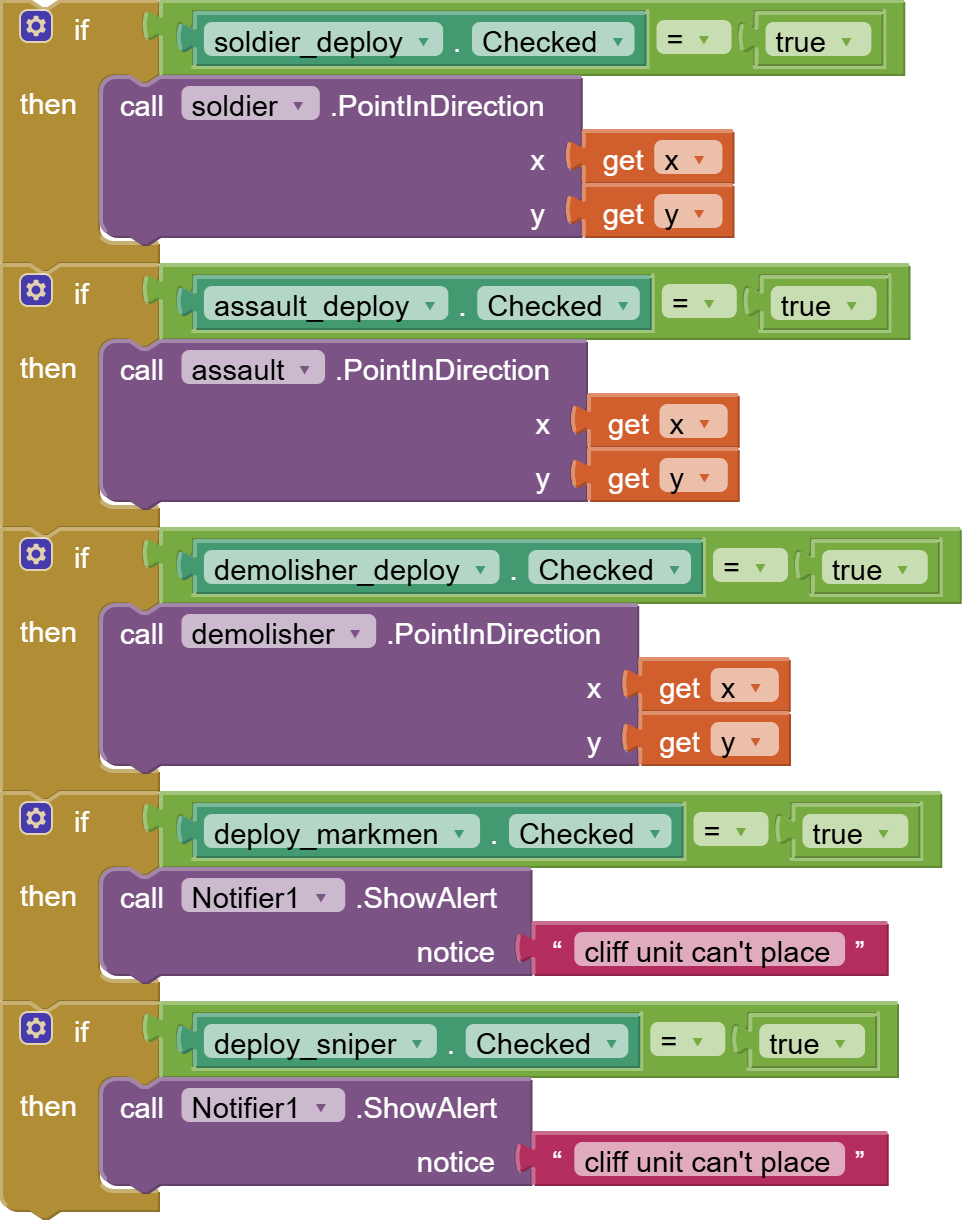
Can't tell if it will work without knowing the context.
In which Event block is it?
Different event blocks fire at different times.
See Chapters 3,5, 17 from
i am go sleep now well i am fail to done this
If you export and upload your project aia file here, maybe we can plug the holes?
ok wait me sec
game_project.aia (47.9 KB) here
I got a closer look at your blocks, and you are handling lists wrong:
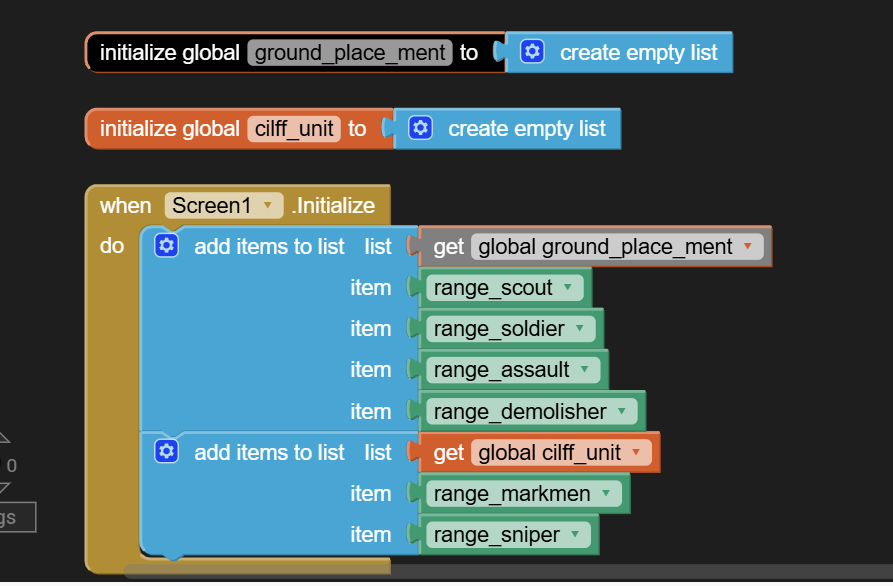
You intended to keep global ground_placement as a list of sprite components of a certain type, and global cliff_unit as another list of sprites.
But in your collision events, you are checking list inclusion wrong:
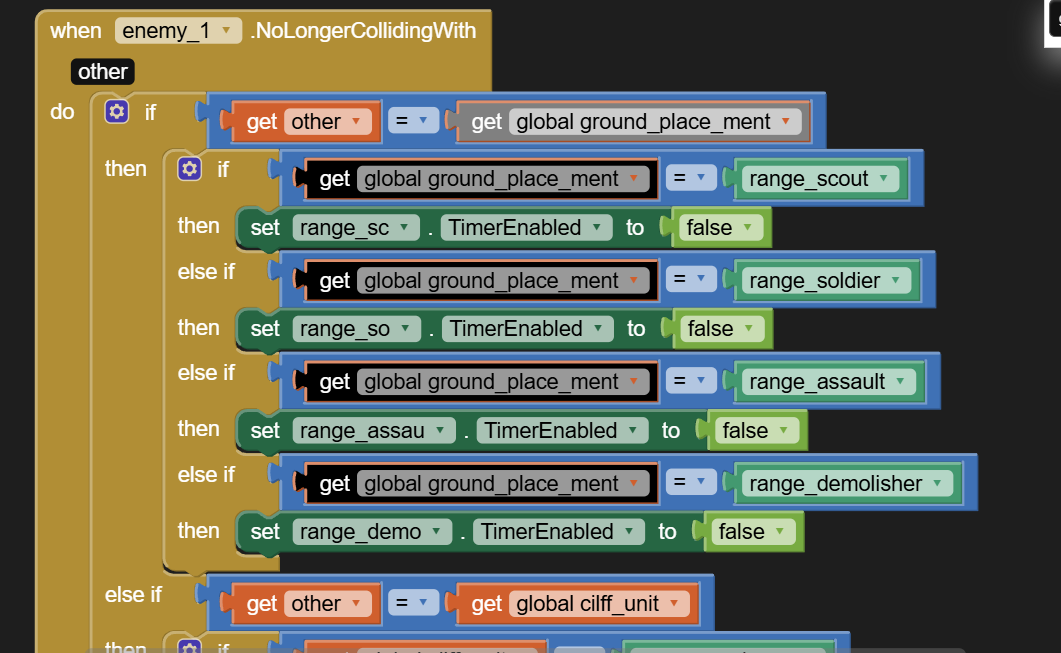
Instead of asking if other component equals a list, you should be asking if other component IN the list.
(draggable repaired block)
(I missed a big blunder, will be right back)
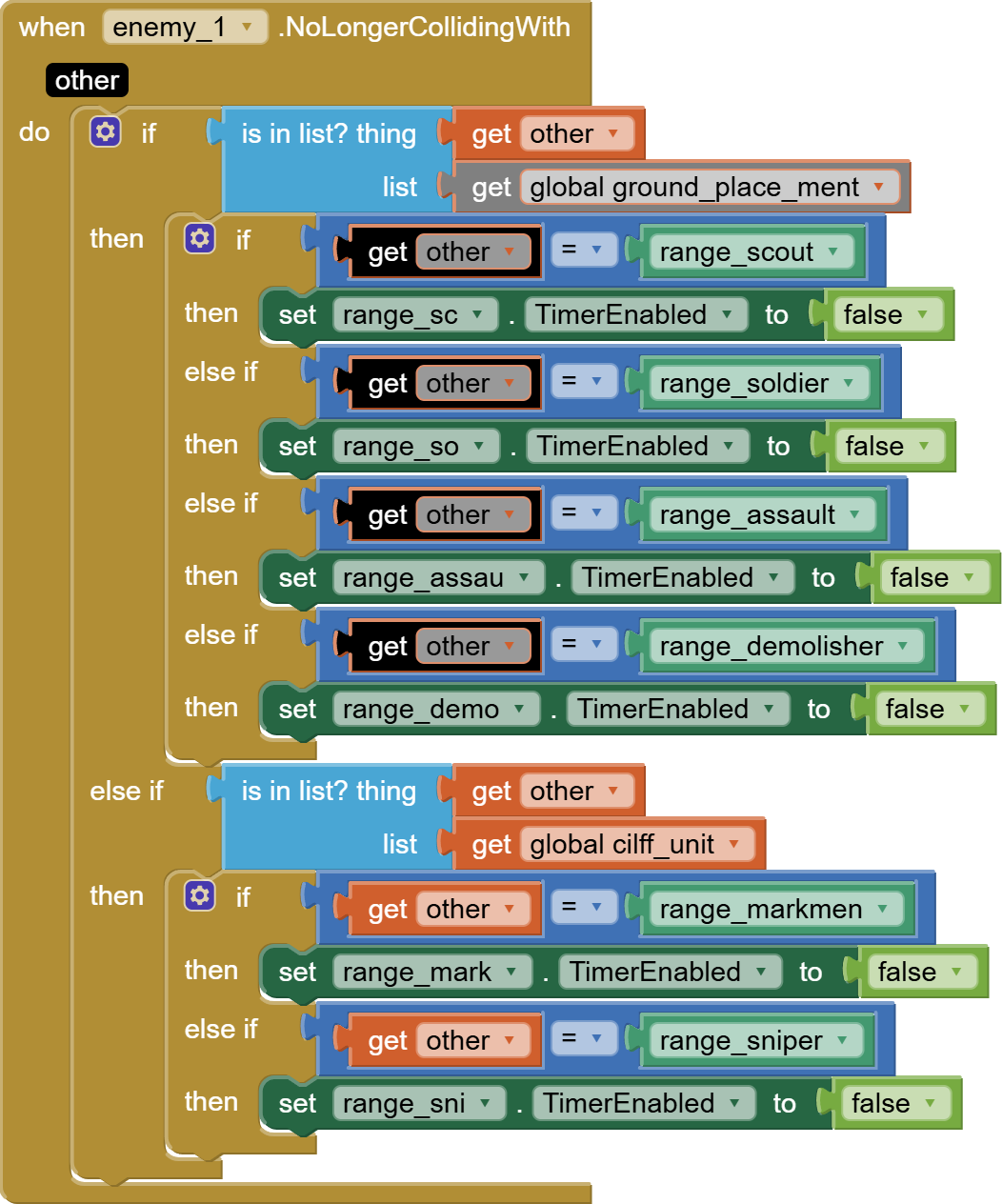
I am assuming you only have one defensive sprite of each type (marksman, sniper, etc.) If that is not the case, things get more complicated in how you store your sprites and how you categorize them.
I am leaving it to you to do the rest of the places where you check list inclusion.
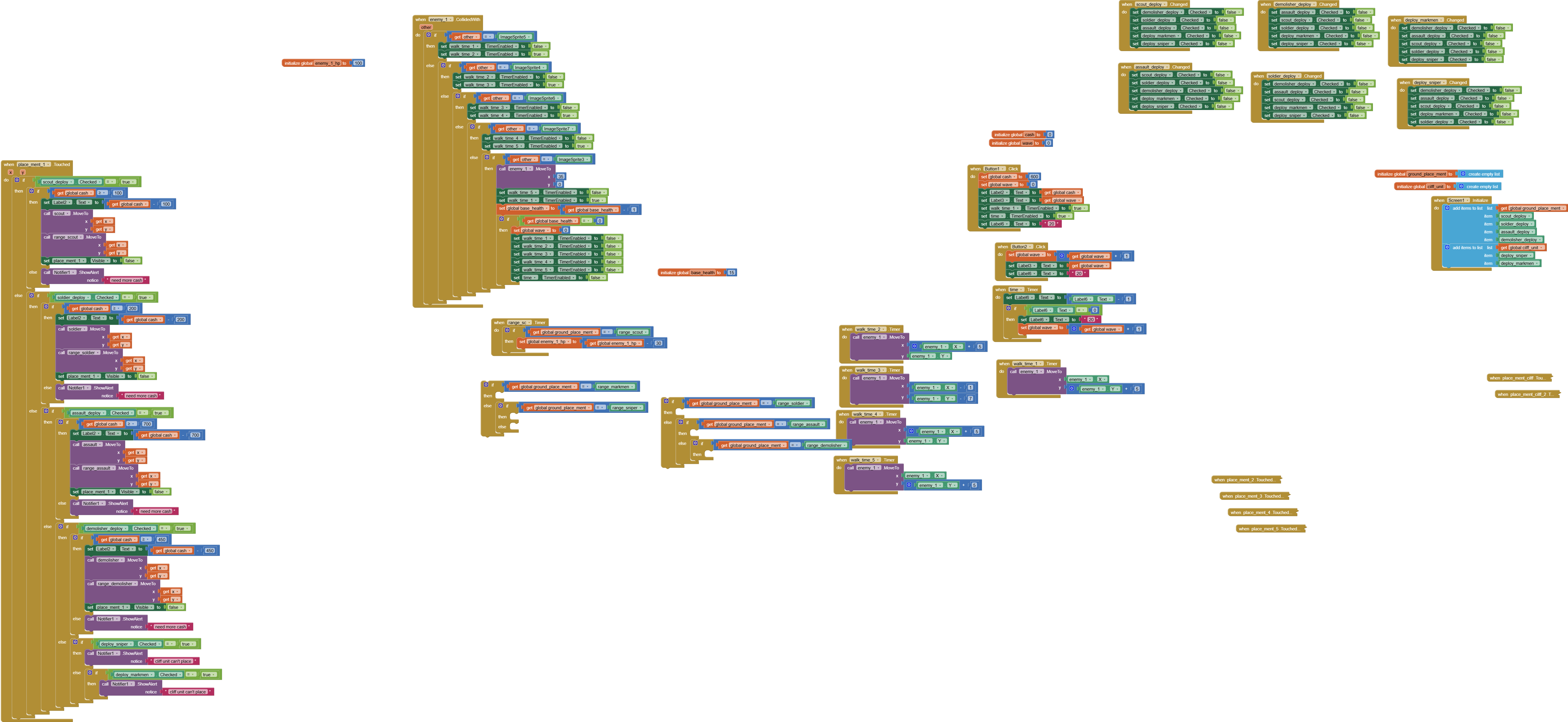
I notice a lot of repetition in your blocks, after expanding everything and doing a CleanUp:

(It's necessary to open that image in another browser tab to zoom in on it).
You did not take advantage of
- parametrized procedures
- generic blocks
- lookup tables
Those would have reduced your block counts considerably.
Sample project to study:
You could also go back into the Designer and rename Button1, Button2, ... to btnQuit, btnRun, btnBack, etc. I did not bother going back to the Designer to read what Button1.Click was supposed to do, based on its .Text value.
Don't waste reviewer time.
thank you for that i will try
IT IS DONE IT MAKE IT not perfect but well i should do it on other place
it is done
game_project (1).aia (46.1 KB)