Your WebViewer.GotoURL will not work with a search value as https://www.google.com/search?q ; the link must be Google .
When you perform this search, the WebViewer displays a Web page. It does not display text. To use the TTS.Speak to read back the contents of the Web page, the information you want to 'speak' needs to be 'converted' to text. Follow ABG's advice or 'scrape' the Web page. This is not trivial.
What are you searching for and what do you expect the TTS to say? Please provide an example
Here is what you can do:
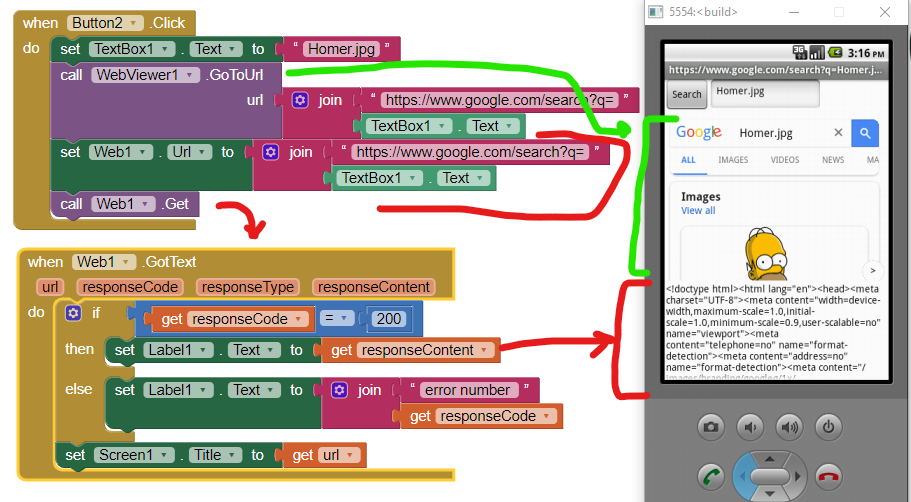
The green blocks Search for Homer.jpg and display a Web page using a WebViewer.
The red blocks use the Web control to extract the text of that Web page.
Once you extract the text (there is certainly a lot, isn't there?), you have to the parts you want the TTS to enunciate.  The problem is the Web search generates a lot of text; you need to isolate what you need. That might be very difficult.