This is what I think you are trying to do!
And this is a difficult way of doing what I showed above


This is what I think you are trying to do!
And this is a difficult way of doing what I showed above

To associate a list of buttons with a list of images or URLs,
you need to set up a list of the button components, and a lookup table
that can take a button component and return the matching data (URL, sound, etc) .
Here is a sample app or two ...
Good morning, Alaqmar_Bohori.
Excuse me for my delay replying you.!
I've done a little test with your code and, finally, I think that is not valid for my project. Look:
Well, Alaqmar_Bohori, thanks a lot again to you for your effort. All the best,
Good morning, ABG,
Thank you for your help and excuse me, please, for my delay replying you.
Ufff... very hard code for a newbie as me , but I'm going to study it and I'll try to do a good use of it.
Best regards,
Why do you need the actual name of the button?
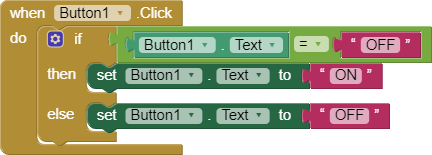
Please see my toggle button :

Hi, TIMAI2,
Because I want to do something similar to this:

I think this can shorten your button blocks :

Hi, Salman_Dev,
It's a good idea but, in your example, Button1, Button2, and Button3 are the text attribute of each button, and I need the name of the button.
I can do, as I said before, let the text with no color, but I don't like this way, is not very professional, don't you believe it? 
Best regards,
I think it's quite professional but it's all up to you

I think you might be interested in this extension :
I'll see later, Salman_Dev, I'm testing your last code, I'd like to give you an opinion.
Thanks a lot!

Seeing this i interpret that you would like to set the picture to the name of the button,
for that you could try this:

or simply -

This code can also be added in the after click events of respective buttons!
I didnt get you! 
It's okay 
Uh, oh... it's time to work for me... 
Thanks a lot to all of you, I'll tell you the tests results tomorrow.
Happy weekend! 
In which case, why not try something like this:
Make a list of lists for each button and corresponding image
In the AnyButtonClicked event, test and then set the image