You can make the project a little smaller by generating this long list dynamically in a loop from 1 to 80. That you wanted to make such a list manually ... 
1 Like
- It's not made manually, it's automated with my own desktop program.
- It will be replaced by a set of commands, the Block list for which also does not need to be made manually but with each command being bespoke, it will need to start as a text file.

Hi Patryk
I know that is what you meant, it's just not what is required The actual commands are bespoke, each unique, so they would not be assembled via Blocks. I have tried to keep the example as close to the actual process as possible so that Biagio can understand it, given that it is an entirely different approach to the familiar App Inventor buttons.
First of all thanks to all of you for your help and I apologize for my English.
My idea was something similar to Patrick_F's. I don't really like the idea of interacting through a web page. My buttons are linked to an input file which determines whether they are enabled or disabled (the color is only used to highlight it) but each one is also linked to a record of a table which I will access when pressing. In practice I should now insert 80 buttons and therefore 80 "When.Button.Click" blocks. In each one, manually insert an index and then call a procedure that is the same for all. If I can parameterize the name of the button from this I automatically obtain the index and therefore in a single block.
But I understand that this is a limitation of AppInventor. I've seen that the internal name of a button is something like: com.google.appinventor.components.runtime.Button@d38592d with the last variable part.
My project is a reservation system for my club's tennis courts.
The button matrix is made up of all the hours that can be booked. Each row represents an hour and each button on the row is a tennis court. Now there are 4 but in the future they will be 5.
In this way the user would have the situation of the whole day and by clicking on a green button (enabled) book the field.
I hope I was clear.
Why not say this right at the beginning......
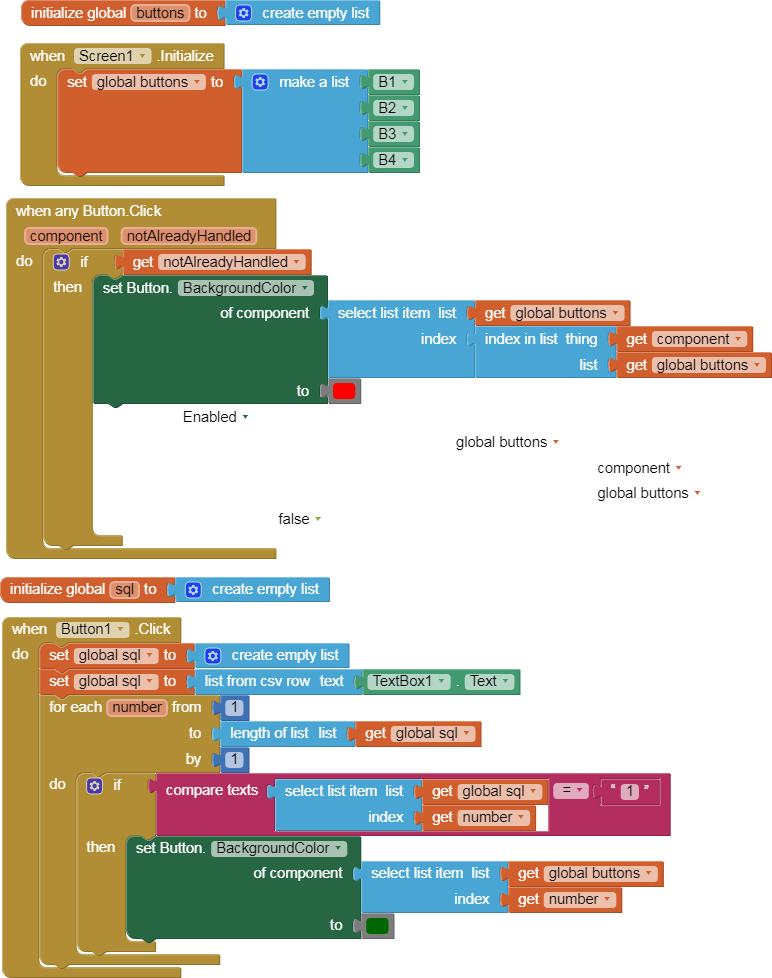

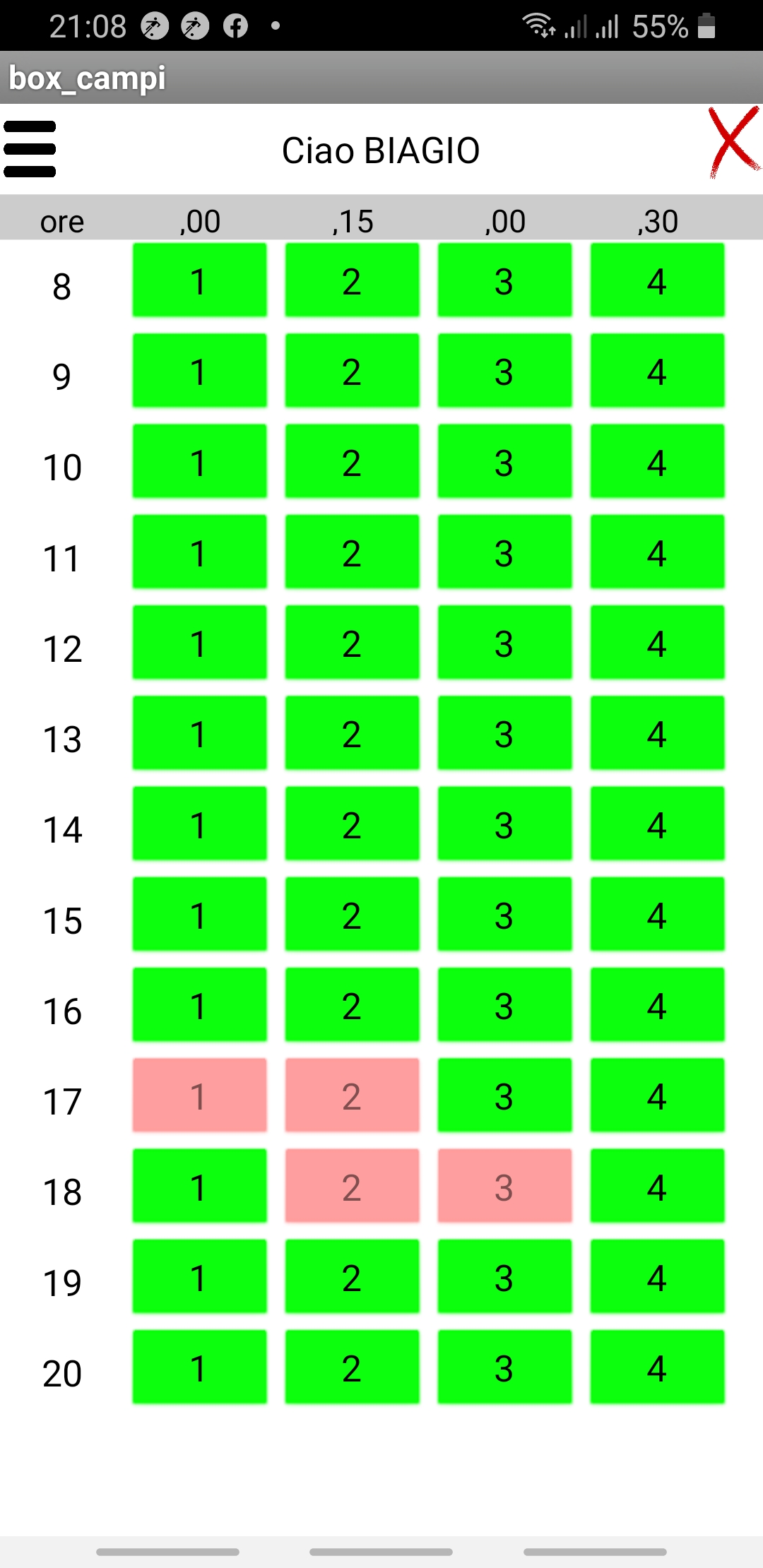
I didn't think it was important
context is everything 
Well, it's not on the Internet (!) and it does everything you specified with minimal, efficient code. To any User, it's simply 80 (or more) buttons.
Since, in fact, you are building a reservation system for a number of club members, you are going to need an online system to manage them.
I
'm already doing it. I entered all the hours in a listview and selecting I make a reservation.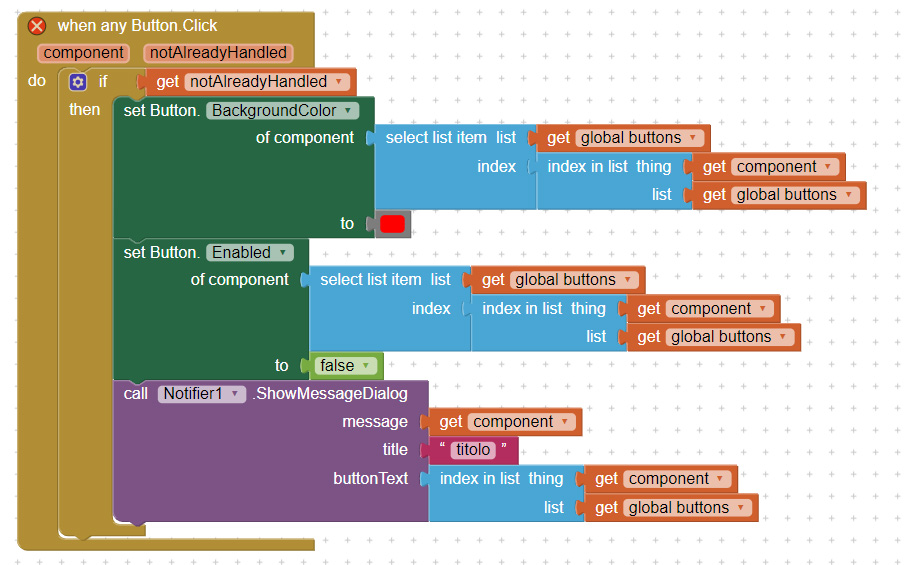
But now I was thinking of a simpler interface: this is why I thought of putting all the hours of a day in a single screen.
But it gives me an error on when any Button.click.
Maybe because I also have other buttons? For example, exiting the screen
After selecting the button I have to read a record on the db, show it in another screen, modify data and then, if everything is ok, save it. This is why I find it more convenient to use the buttons and not the html page.[quote="ChrisWard, post:22, topic:22321, full:true"]
Well, it's not on the Internet (!) and it does everything you specified with minimal, efficient code. To any User, it's simply 80 (or more) buttons.
Since, in fact, you are building a reservation system for a number of club members, you are going to need an online system to manage them.
[/quote]
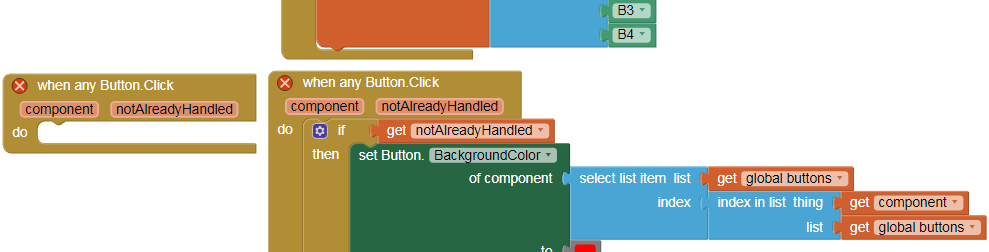
No, there is only one.
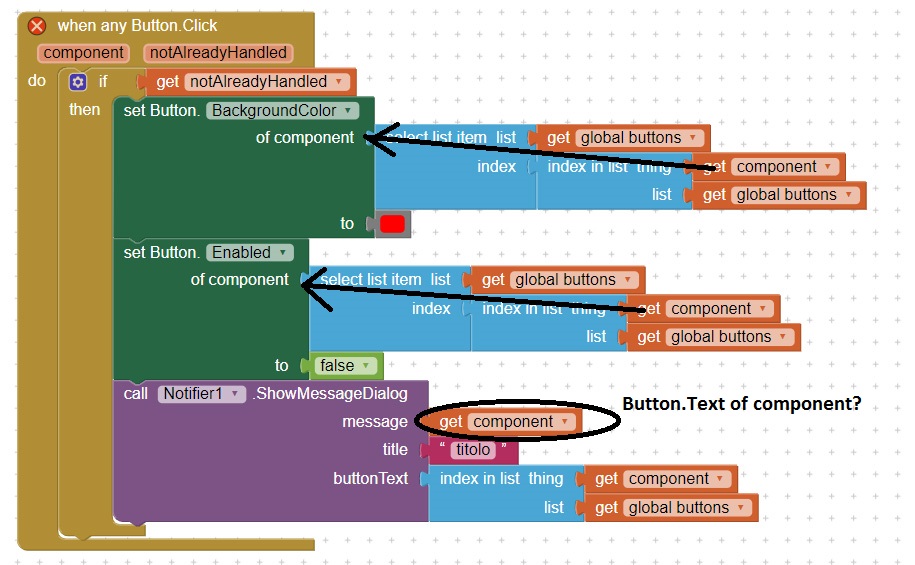
Setting the Background Color and the Enabled of the button can be done directly against the given component.
The index in list and select item by index blocks cancel each other out, and cause trouble for you if global buttons is incomplete.
Component blocks make very poor messages. They are dripping with component guts. Maybe use the button.Text as a message?
what about clicking on that error to find out more?
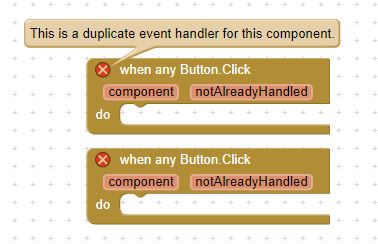
Taifun
Trying to push the limits! Snippets, Tutorials and Extensions from Pura Vida Apps by  Taifun.
That would be the same with the HTML  It just avoids having a huge amount of Arrangements and Components.
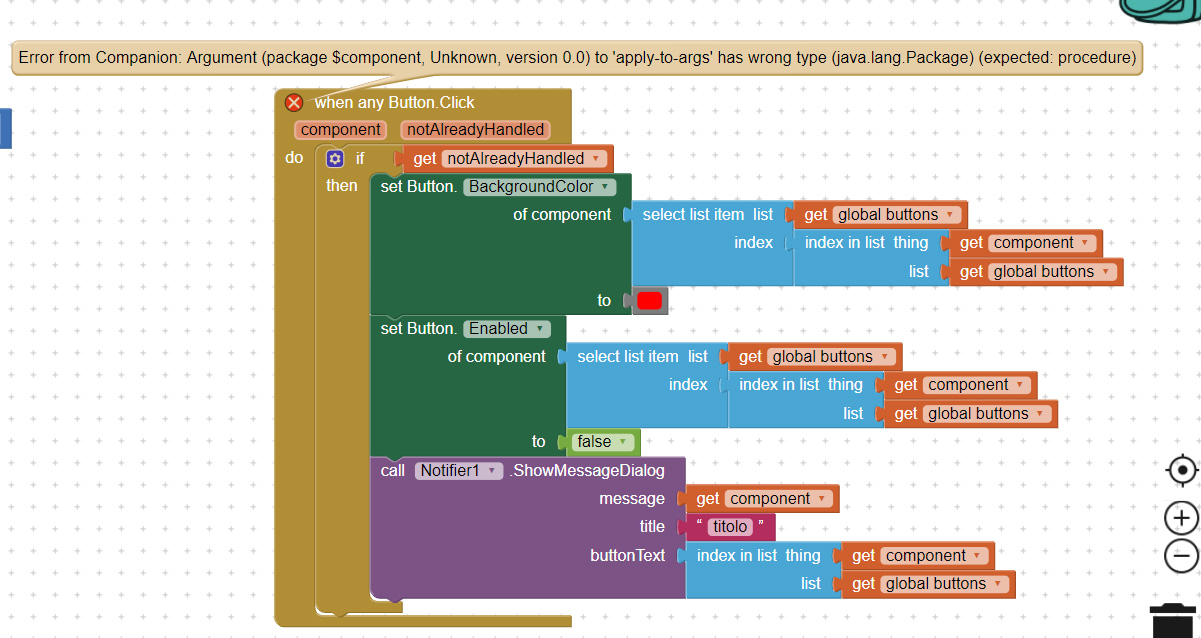
Please export your project and post it here.