There are several 'searching' options in App Inventor 2 (nothing exactly like in Delphi).
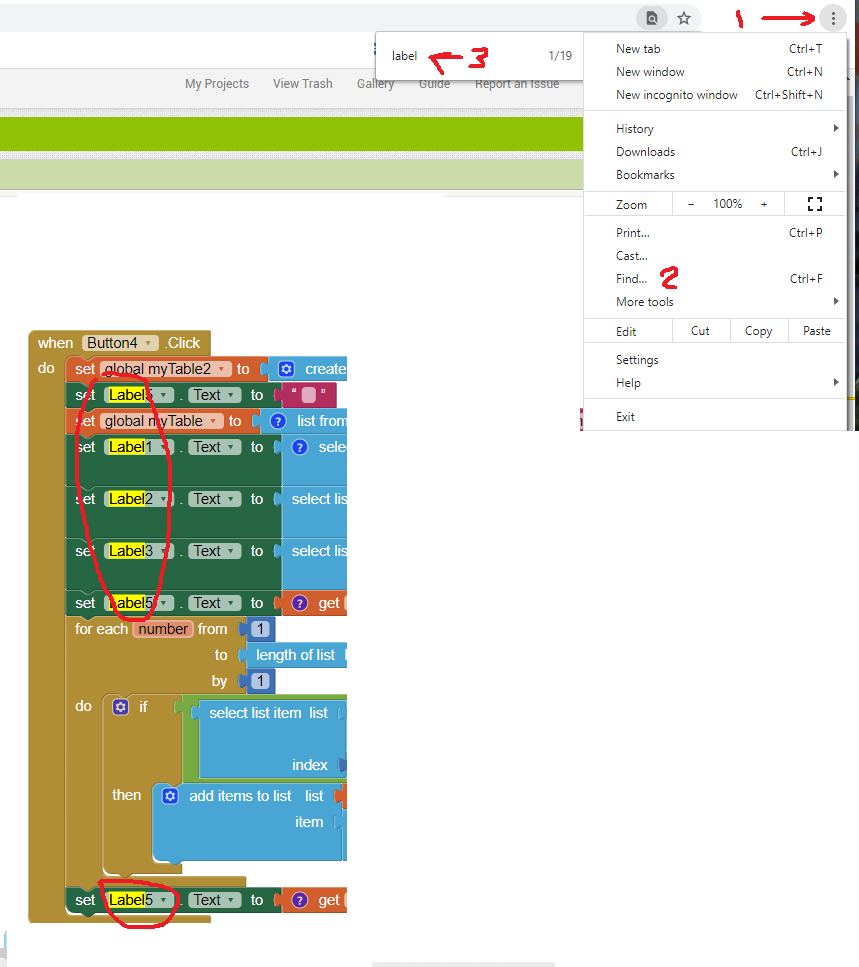
1) Search for a text in Blocks
If you use a Chrome Browser, you can do this:
2) Search for a component
Start typing in a white area on you Blocks screen 'label' and you find this:
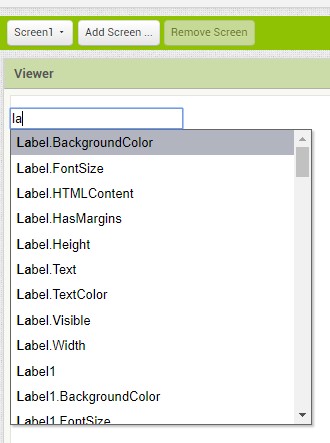
Click on one of the MENU options and the particular block will miraculously appear.
3. Sort your Blocks
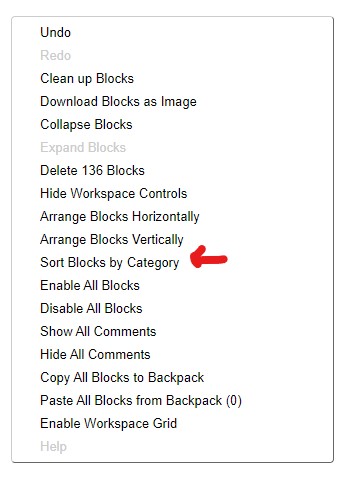
Right click on the Browser white space and you get this MENU. Select Sort Blocks by Catagory. This arranges existing blocks in a logical manner (at least for some developers).
There might be a few more 'tricks' ... the real trick is to avoid 14,000 blocks by reusing components etc. Have you set a record? Perhaps. Consider following Enis's tips http://twodogapps.com/?page_id=686
Regards,
Steve