As far as the LocationSensor is concerned, we ever only ask for FINE location (see here), which up until now has also always implied COARSE location. Further, App Inventor apps still target Android 11, not Android 12, so those requirements do not yet apply (they will go into effect for apps starting next summer). As part of our update to comply with Google policies next summer we will make the necessary changes for Android 12 "improvements."
1 Like
Thanks. That probably means that developers will be limited to using the gps in Android 12 devices in Coarse mode (per Google's developer advice to submit both Coarse and Fine permissions simultaneously). That seems to mean the default Location permission of Coarse will have to be used with the existing LocationSensor control until a later release of App Inventor, sometime within the next 8 to 9 months and gps performance will be degraded (based on how I read Google's Android Location restrictions). (See post # 8 )
Simply, use of the gps seems to be broken (degraded) on Android 12 devices for the foreseeable future w.r.t. App Inventor developers.
@d_Taraoa There might be a work around for you.
On Android 12 and higher, users can navigate to system settings to set the preferred location accuracy for any app, regardless of that app's target SDK version. This is true even when your app is installed on a device running Android 11 or lower, and then the user upgrades the device to Android 12 or higher.
Thank you for these details, I have the explanation for my problem
@d_Taraoa: I would be interested in seeing how this app performs for you. I tested it on a Pixel 3 running Android 12 and was able to get an accuracy as low as 4.288 m depending on my distance from nearby buildings. The Pixel 3 in question did not have a SIM card nor was it connected to Wifi, so the results should have been coming from the GPS alone.
LocationSensorTest.aia (2.9 KB)
2 Likes
When I install LocationSensorTest I get an error message
if I finish the installation it's ok
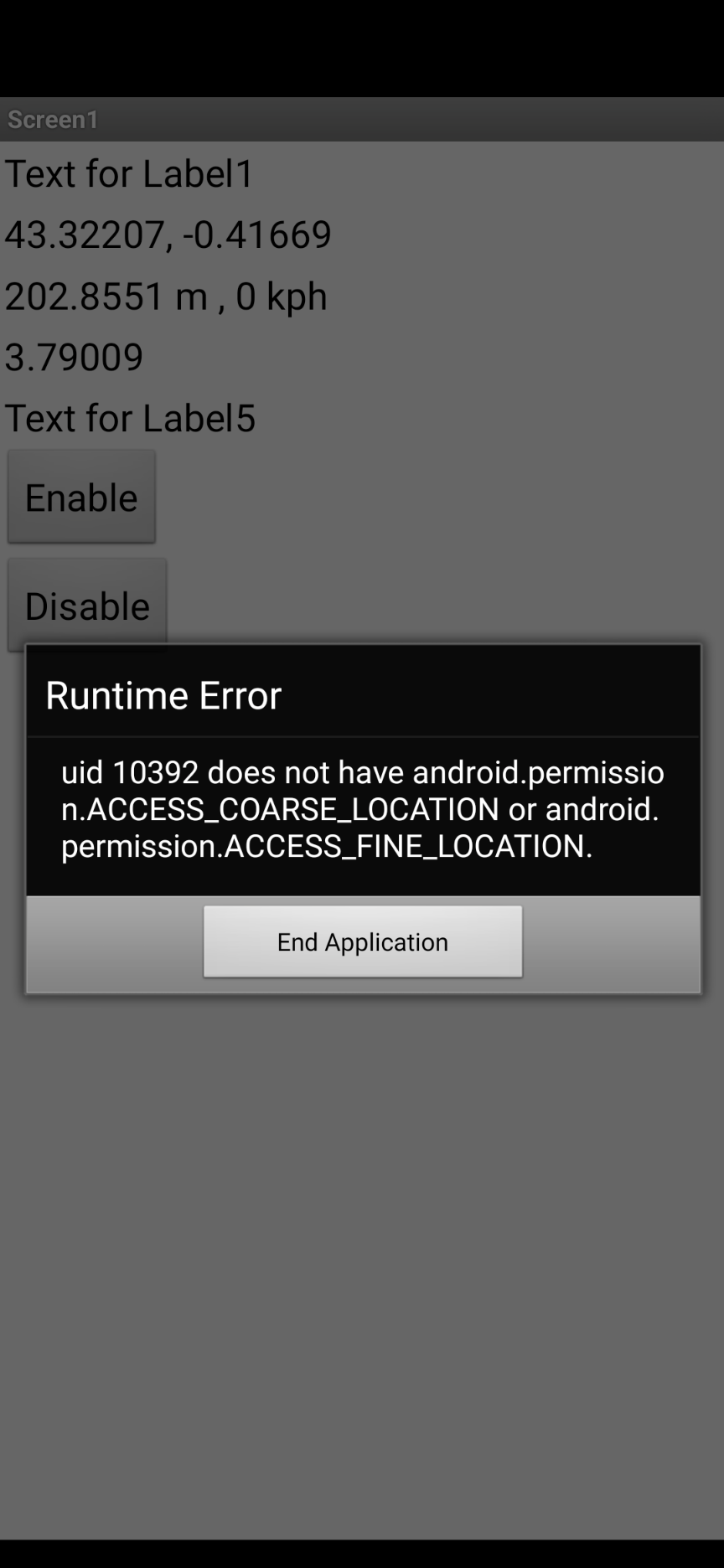
I have modified LocationSensorTest with the FineLocation permission, I have no error during the installation and everything is OK
the Accuracy is 3 or 4 m
it is better that locationSensor is disabled in designer (I don't understand why) and to activate it in the initialization of the screen only
The GPS icon is in the status bar
and everything is correct.
I will modify my other applications and I will keep you informed
thank you so much
My Blocks and LocationSensorTest_2
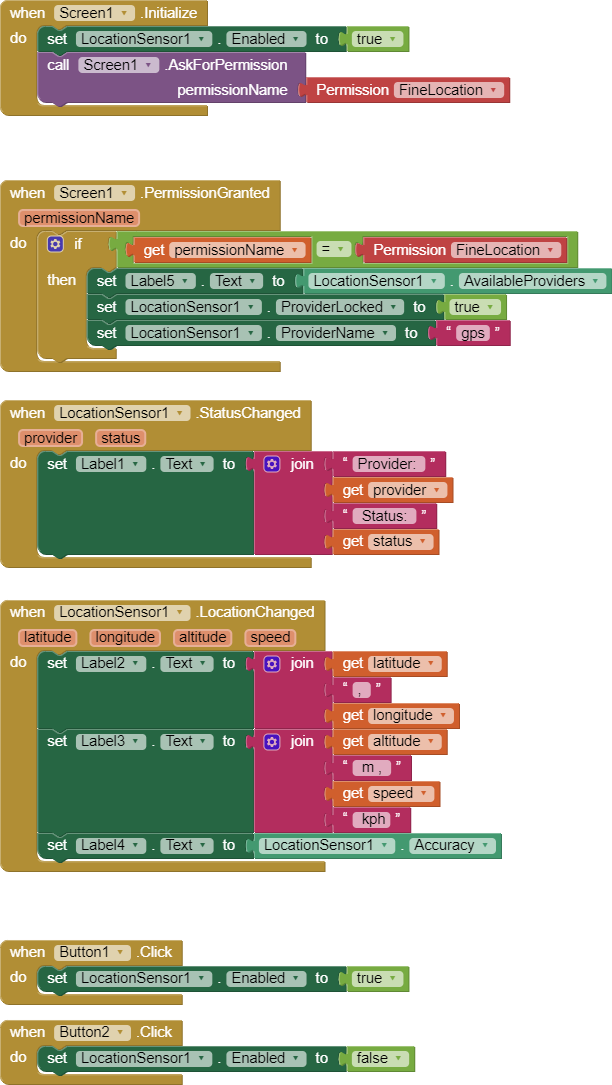
LocationSensorTest_2.aia (3.0 KB)
1 Like
1 Like
Yes, but not only on Android 12. I get the same error on Android 11 and 12 (Companion).
(But both permissions are declared in the Manifest of the Companion app.)
Hello
I did some tests on this rainy Sunday
the finelocation permission works if:
LocationSensor is disabled in designer
The permission request must not be in the initialization of the screen (otherwise I get a temporary permission, if I close the application the permission is lost)
I use a timer to ask for permission after initialization
we can also use a button
I tested with android 12 and android 8 it's ok
Some details:
TimeInterval is at least 5 seconds (battery protection?)
I have an empty list in the suppliers
the status changed function does not return any results
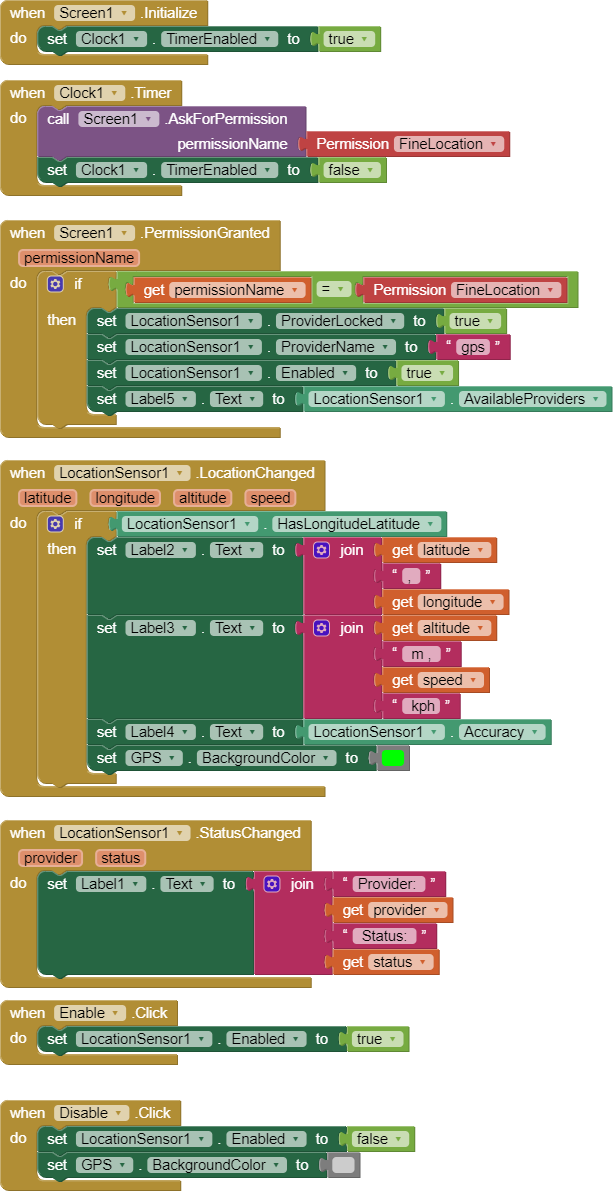
LocSensorInit.aia (3.5 KB)
4 Likes
Has you tested to asign the ProviderName = "gps" and nothing more (lets ProviderLocked = false)?. In this case you don't need to ask and manage the Fine-Permission. In my case it runs well with Android 12.
it's very simple and it works, I checked the permissions are granted
Thank you
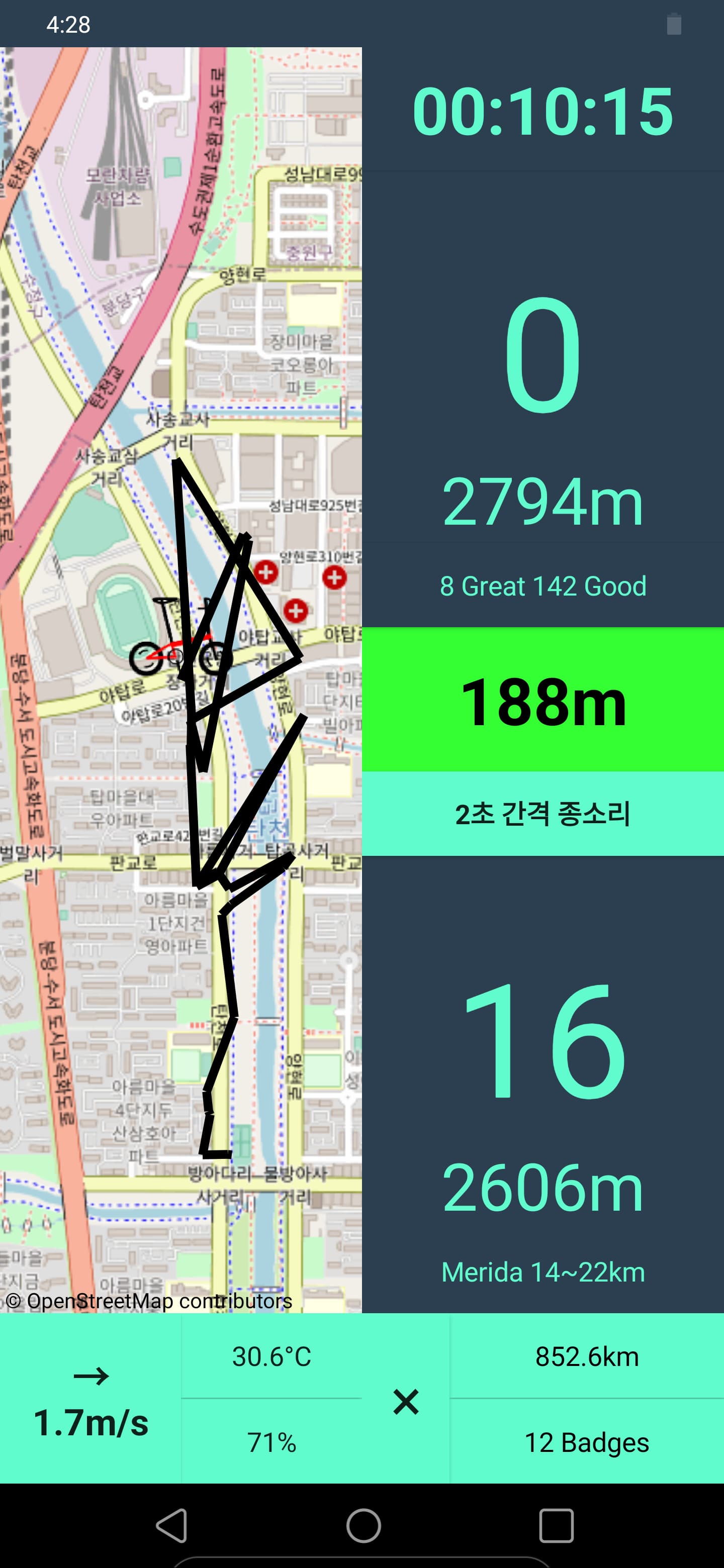
My LG G8 thinkQ just updated its OS to Android 12 then GPS on my app showed weird output. Now I have to start fixing this problem while I'm not sure where to begin. I just share a screenshot how this problem serious. Now just let you know, GPS works well on my app before Android 12 update.
What is weird Bob? It is impossible to tell from the image you posted. Please explain.
you might post an aia or your Blocks. Impossible to provide advice without sharing code.
Do you have a screen image prior to upgrading to Android 12 to share?
Black line in a screenshot is a route my bicycle moved. I just rode straight from bottom end point of line to north but output line drew weirdly while riding. and I read some comment of getting the ACCESS_COARSE_LOCATION and ACCESS_FINE_LOCATION permissions in a single runtime request. I don't understand 'a single runtime request'. I assume that means like add two blocks of 'call screen1.AskForPermission permissionName: Permission FineLocaiton' and 'call ... Permission CoarseLocaiton' block. Maybe I'm wrong...
riderLang_copy.aia (6.0 MB)
감사합니다 – Kam -sa -ham-ni -da Bob.
Looks like a great app.
I can start a 'ride' on my Android 8.1 but can't figure out how to display the map. Do I have to wait until the app passes a certain distance threshold.
2 Likes
You can open map with pin icon button left of km and Badges buttons. Thx to say that... 
1 Like
Thanks. I will look later.
You might try
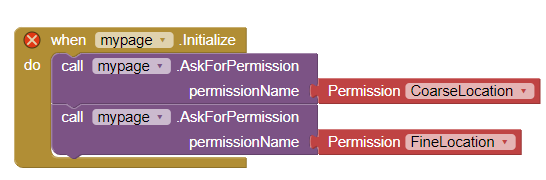
I am busy at the moment but will try your suggestion in a while.
In the meanwhile, you might try the aia code @d_Taraoa posted in about post #30 to see if his method works on your Android.
1 Like
See here Solicita permisos de ubicación | Sensors and location | Android Developers
User can grant only approximate location
On Android 12 (API level 31) or higher, users can request that your app retrieve only approximate location information, even when your app requests the
ACCESS_FINE_LOCATIONruntime permission.To handle this potential user behavior, don't request the
ACCESS_FINE_LOCATIONpermission by itself. Instead, request both theACCESS_FINE_LOCATIONpermission and theACCESS_COARSE_LOCATIONpermission in a single runtime request. If you try to request onlyACCESS_FINE_LOCATION, the system ignores the request on some releases of Android 12. If your app targets Android 12 or higher, the system logs the following error message in Logcat:ACCESS_FINE_LOCATION must be requested with ACCESS_COARSE_LOCATION.
it looks like the MIT App Inventor team @ewpatton will have to provide a solution, so both permissions can be requested in a single runtime event… alternatively someone could write a short extension for that…
Taifun
1 Like
I tried these two. I will check both outside tomorrow if GPS works or not.