2.- Create PDF. Multi-page version.
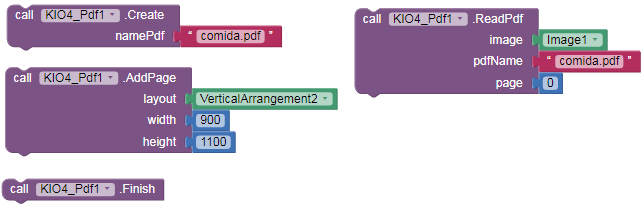
-
With this extension we can Create multi-page PDF files.
-
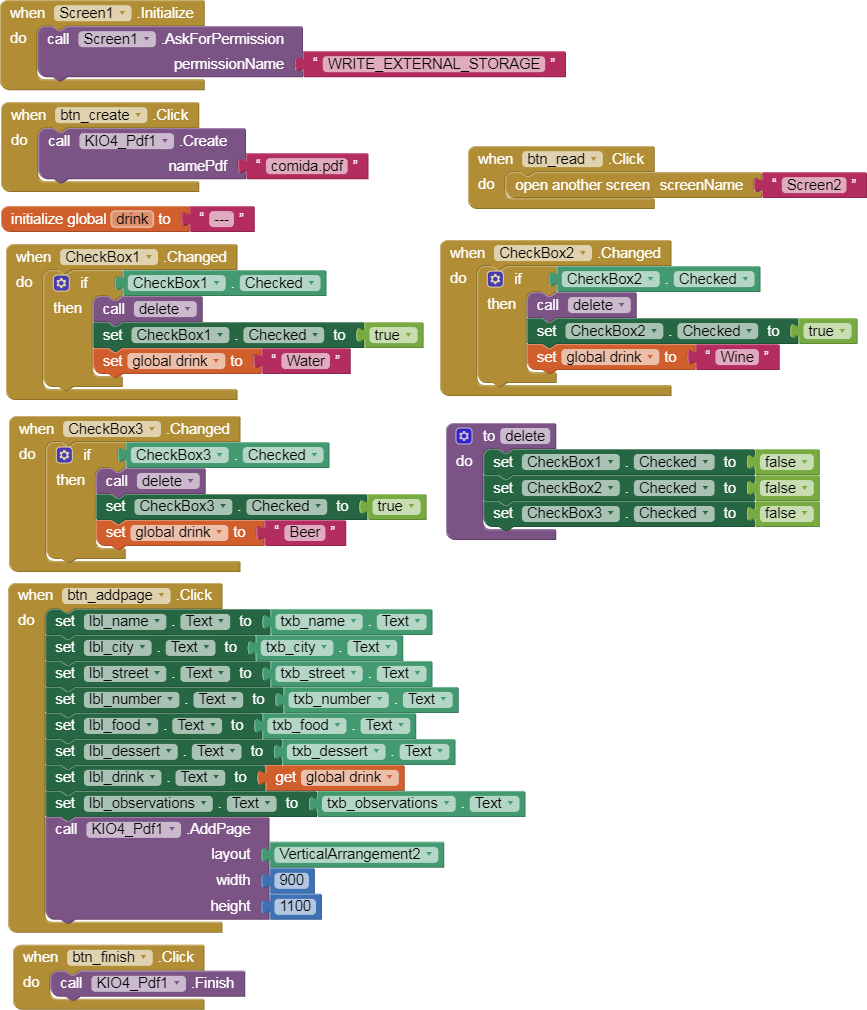
On Screen1, Click on the "Create Pdf" Button and fill a form. When filled Click on the "Add Page" Button.
-
All the information on the form will be displayed in the VerticalArrangement2 (yellow color).
-
We can add more pages using the "Add Page" Button.
-
When we finish adding page Click on the "Finish" Button. All pages will be saved in the file (/mnt sdcard/) "comida.pdf"
-
Using the "ReadPdf" Block, we can Read the content of the pages of the Pdf file in an Image component. (The first page is 0)
-
You can download the extension KIO4_Pdf.aix from:
Create Build Crear App Inventor Extensiones Extensions Crear PDF. Leer PDF.
p284C_extension_crear_pdf_paginas.aia (26.5 KB)

Regards,
Juan Antonio Villalpando
More extensions: