This block returns true or false instantly then you can use your blocks... nice suggestion will surely update in version 2... hope the community can test and give feedback on this extension
Ps please comment your device name and if its working in your device
It tests if a lock code is in place. Works in companion on Android 12 and 14.
What I was suggesting is a success return event, so that if the code entered is correct, the user can then proceed into the app, because the user can back out of the authentication dialog.
Yes user can back out, but you can use below steps to overcome,
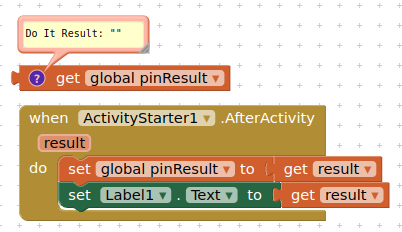
when user skip the authentication we will receive empty ActivityStarter event,
In such cases we can use IF_ELSE block and start the ActivityStarter again and again which will be loop until correct password is entered.
Yes thats what I thought activity starter can call an event but I don't think that this can be used to detect if password was entered or not
PS I am working to implement it in the extension
Changelog Version 1.1
Hello Everyone,
This update offers ease in implementing the blocks inside your project
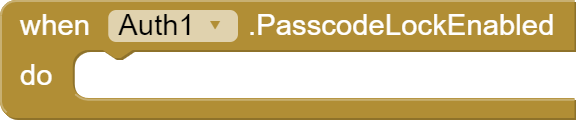
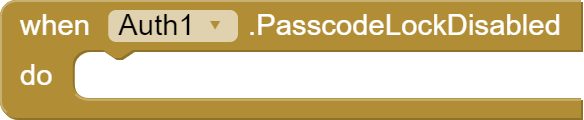
As suggested by @TIMAI2 the update adds three blocks instead of just one
Function
This procedure is to be called to get the status of Passcode lock in your device
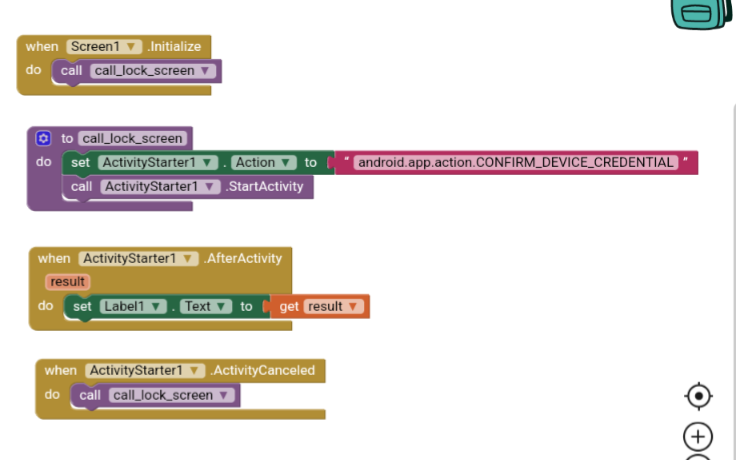
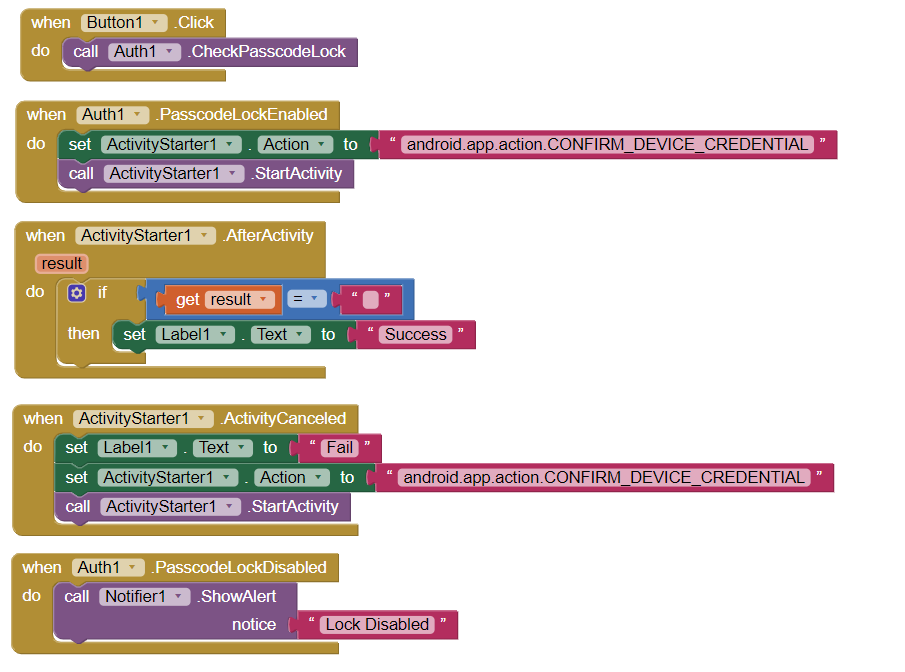
Spent a while creating this code snippet.
So what it does
When button is clicked it checks if the device has a passcode lock
If passcode is enabled
The app asks for the device credentials. Now the most important question, what happens if the user clicks the back button or the recent apps button. The activity fails and the activity is called again. kind of like a loop. So the user won't be able to login until the password is entered.
When the password is entered correctly the block in the after activity is executed and the label is changed to success. You can change it and execute any other block obviously
If passcode is disabled
If passcode is disabled then the notifier will show an alert that Lock Disabled
@TIMAI2 I didn't implement that in the extension as it was possible to do it via blocks instead
Please post your feedback on this
I am not finding this. If there is no lock screen set on the device, this also returns a "blank", for me, so it appears that an isKeyguardSecure() test (if not using the BiometricManager) is required.


 Auth
Auth Extension specifications
 About
About Features
 Blocks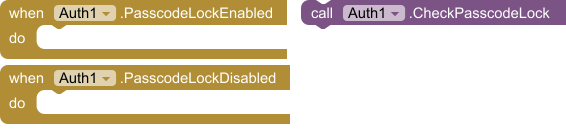
 Events

 Methods
 Get the AIX