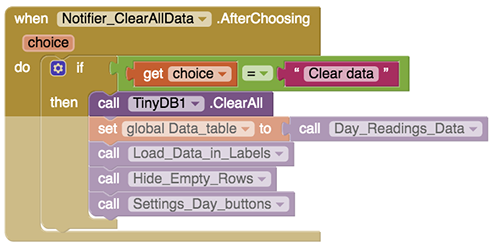
I also assembled the blocks to clear All Data from TinyDB, are they okay?
...is it enough to use just "ClearAll" block?
(other blocks under "ClearAll" are for reloading the table)
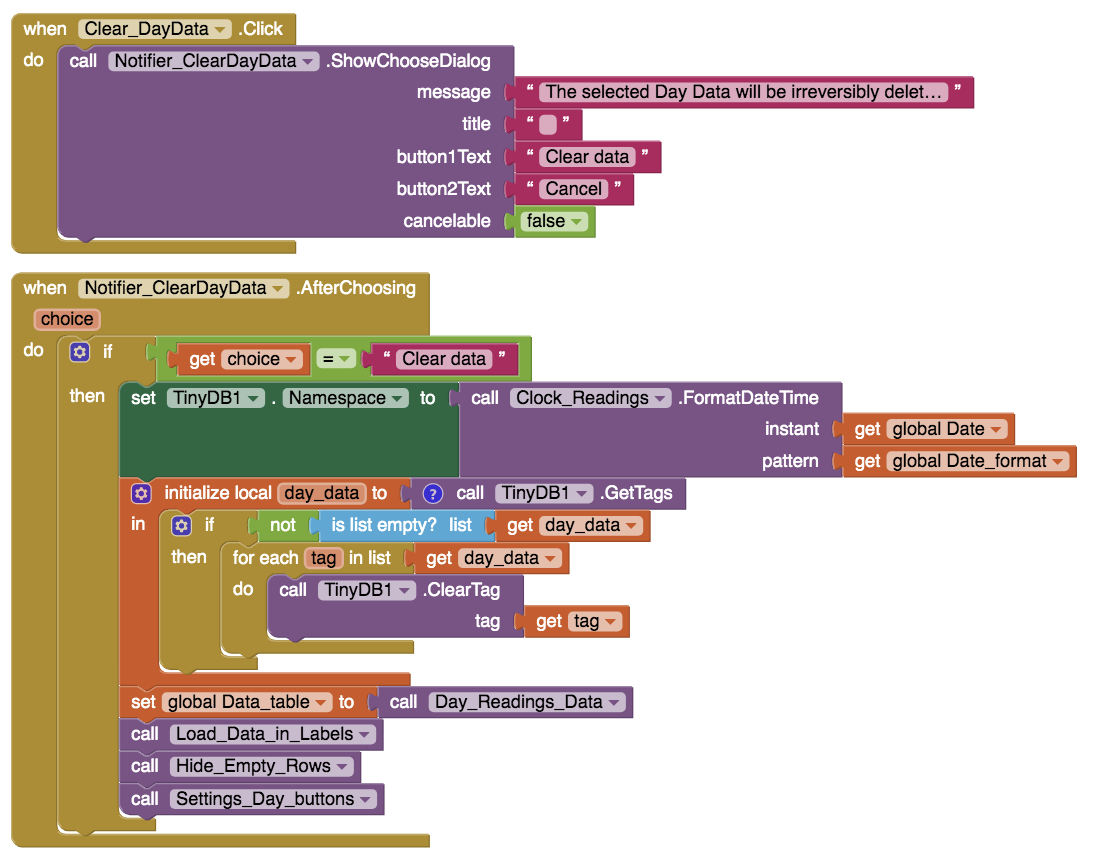
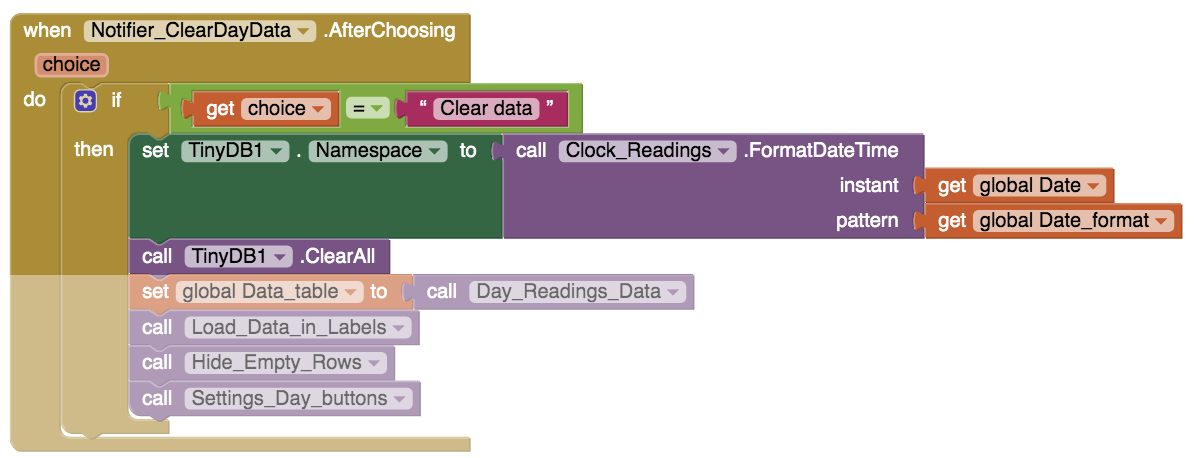
Exactly, assuming the global Date contains the selected date.
Clarify what you mean by the whole TinyDB.
Do you have the false belief that the TinyDB component remembers what values it had used for its NameSpace when saving data in different NameSpaces?
No, it doesn't.
I recommend reading the blocks that export all the different NameSpaces' data, to see how a loop over time is necessary for what you might be asking.
This requires a sample app, which requires a separate post, hopefully to follow.
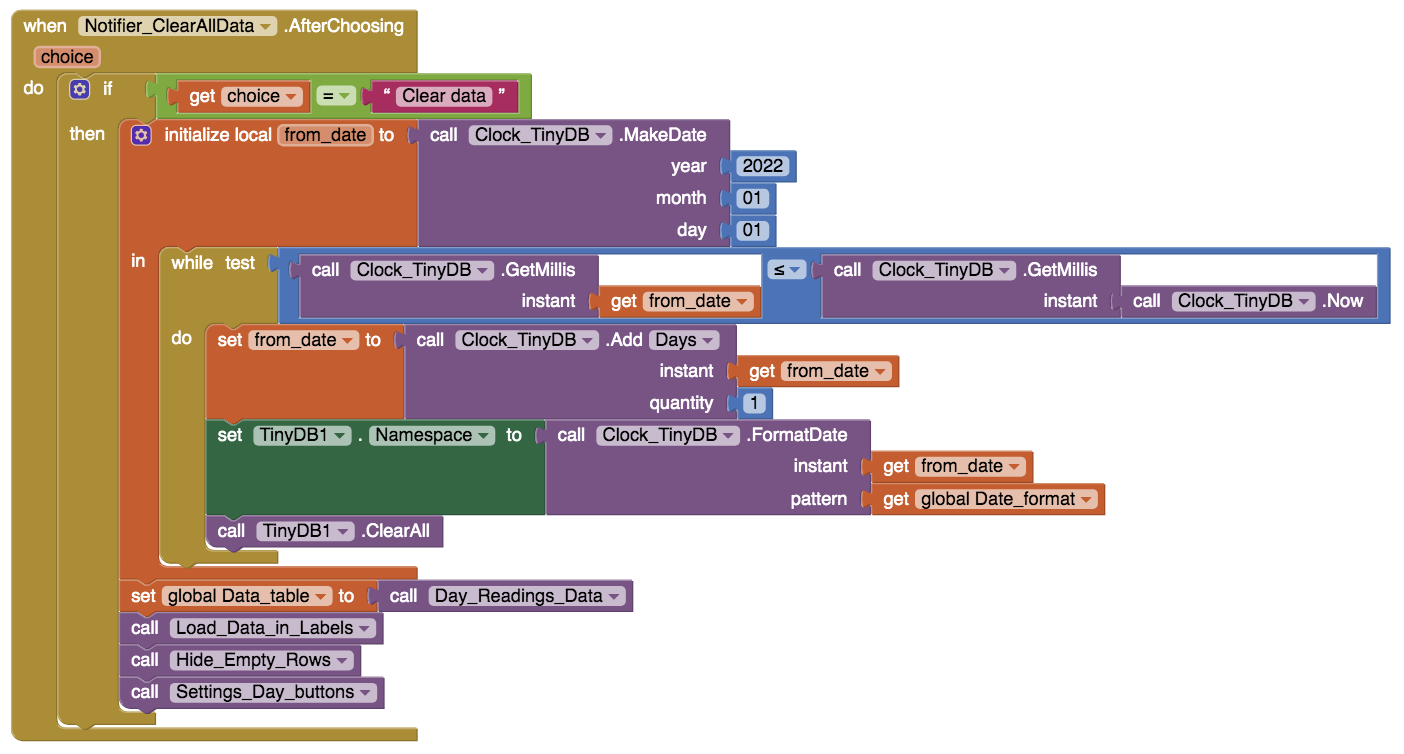
So if I had only stored the tags in the TinyDB, then the "ClearAll" block would be enough to clear all data.
But having grouped my tags into Namespaces, I have to indicate all Namespaces where there are the tags to be cleared.
Is it correct?
These are the right blocks?:
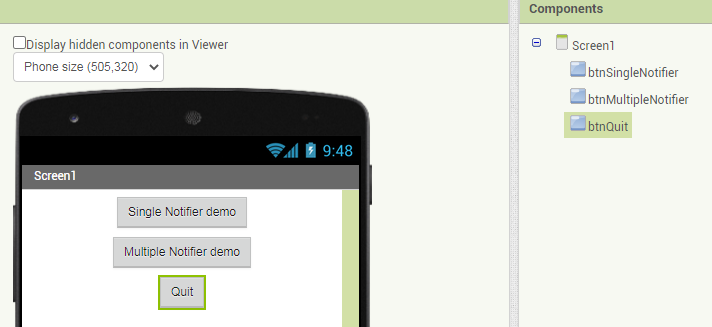
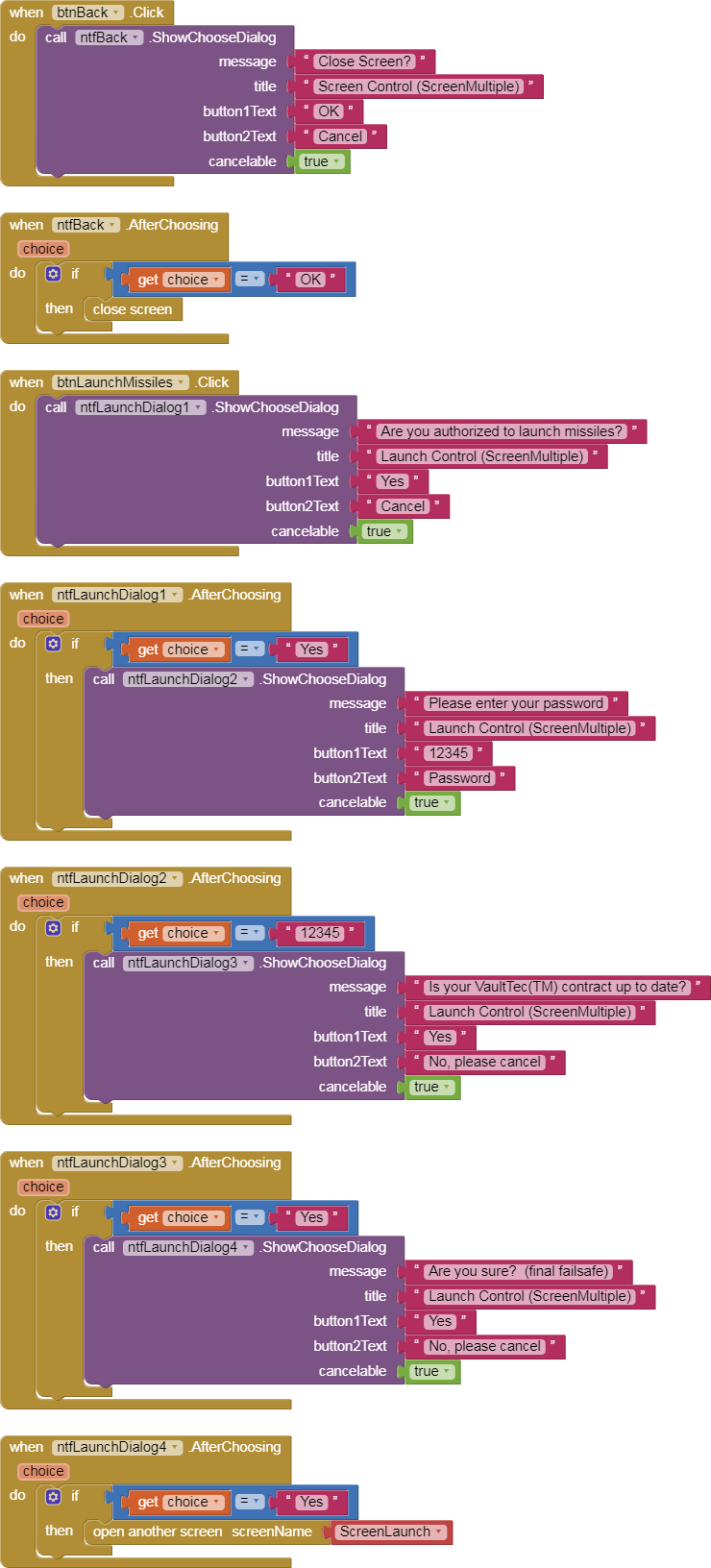
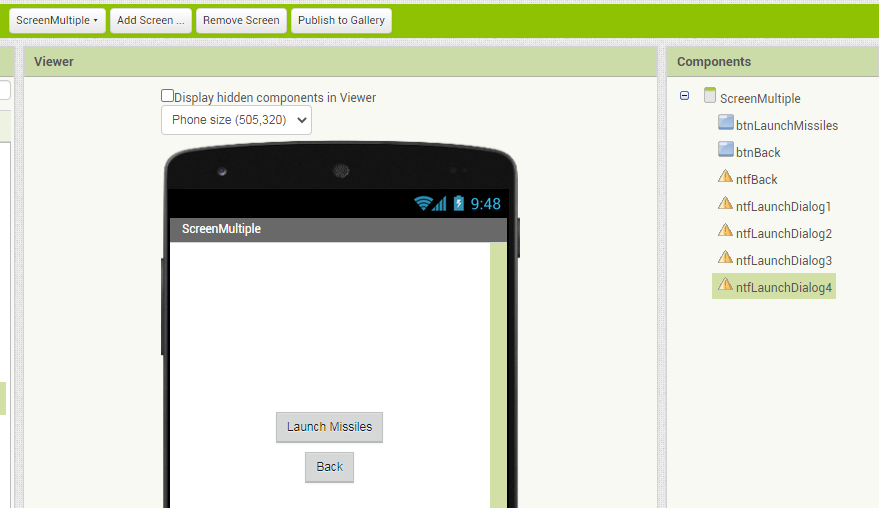
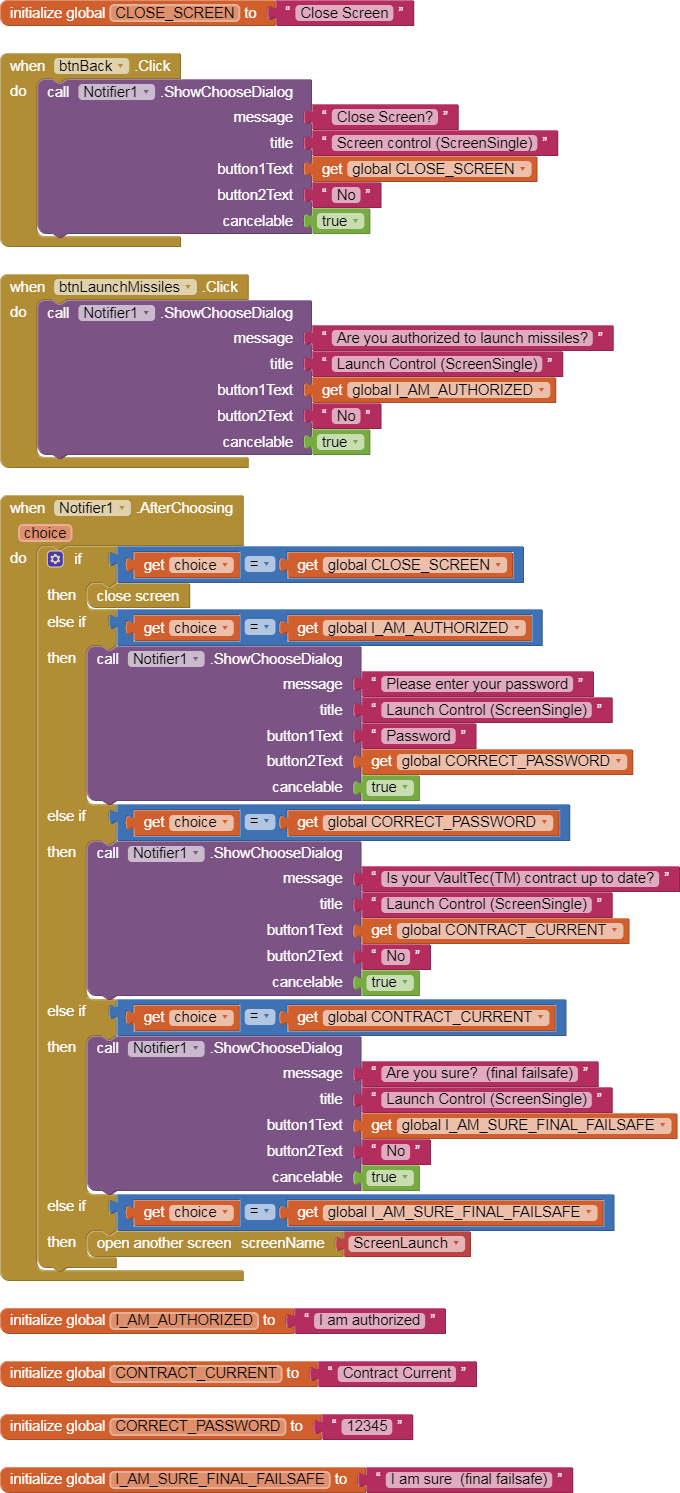
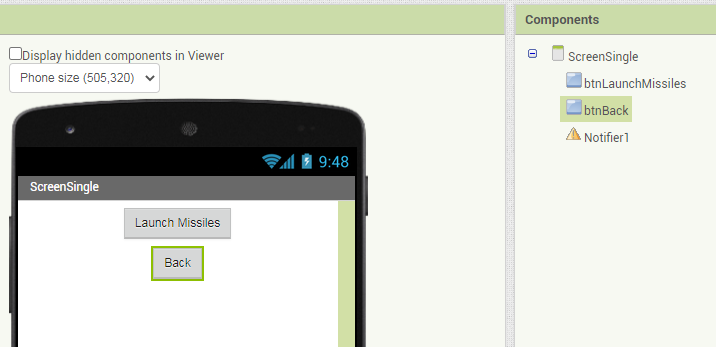
As promised, here is a sample app which demonstrates the two styles of Notifier use:
Single Notifier reused for multiple questions
Multiple Notifiers in the Designer, one question each.
The sample app is a dialog asking whether or not to launch World War 3.
(VaultTec is an underground bunker maker from the Bethesda Softworks' Fallout(TM) series)
Choosing between these styles is a matter of personal taste.
The Single Designer approach forces the coder to be very explicit in his choice texts, which is a good thing.
Thanks a lot, ...it will probably be useful to me later.
In this case I only have two notifiers, so since it doesn't change much, I let these two components.
How do I start a new line in the notifier message text? ..."\n" doesn't work.
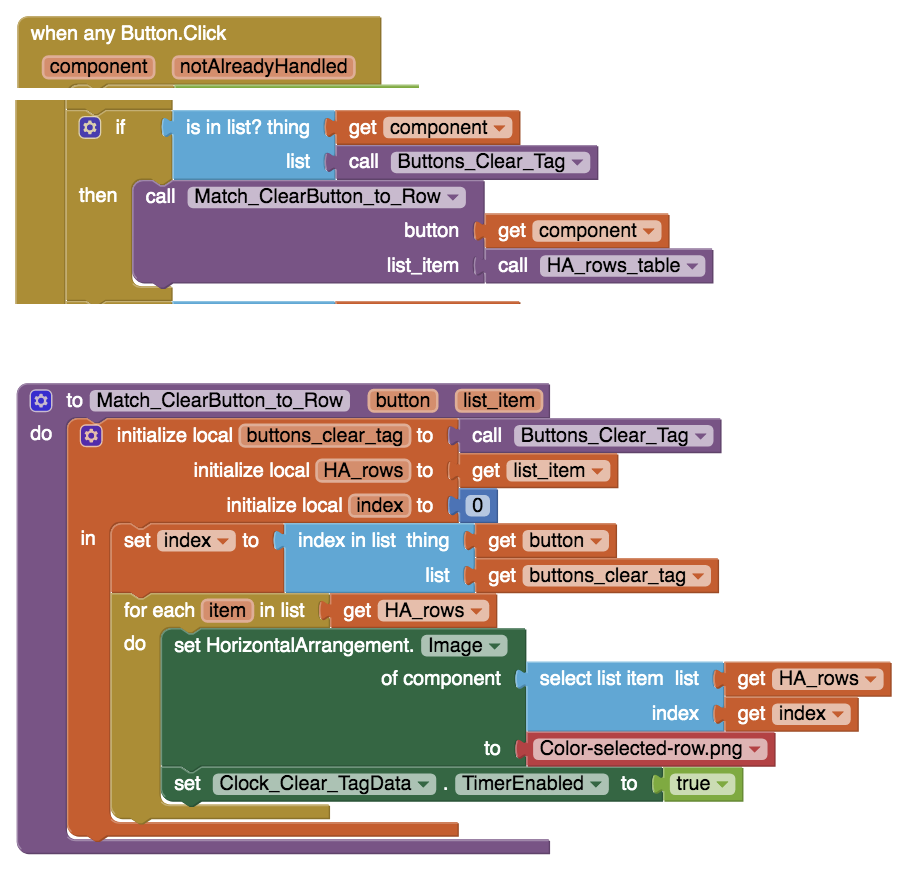
I created the buttons to delete the single tags (rows in table).
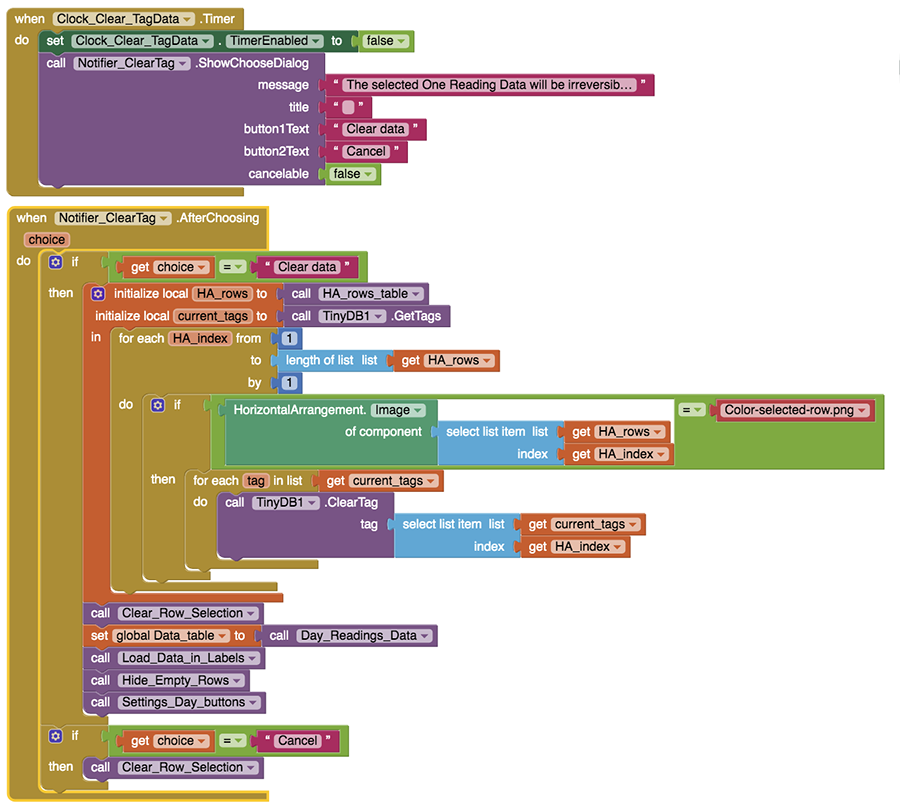
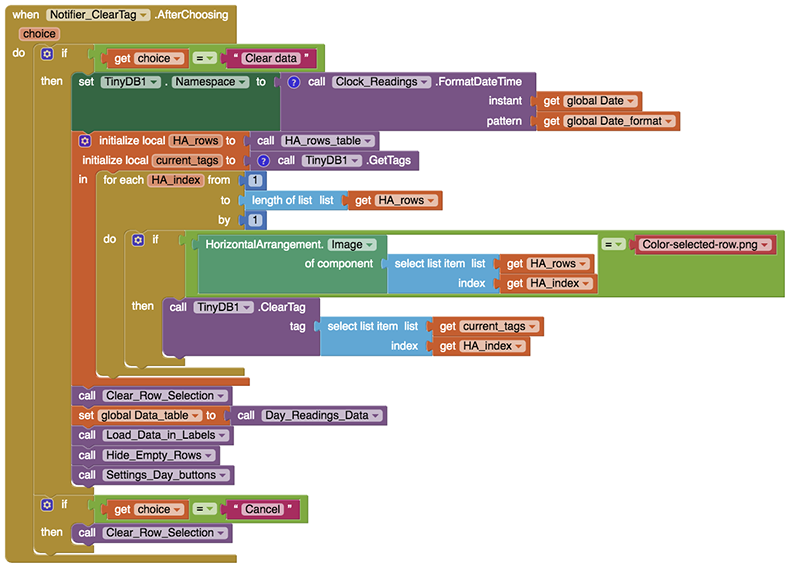
It works, but now I realized that it only deletes once. If, after clearing one tag, I select another tag, it doesn't delete it anymore. I have to reload the page to be able to delete another tag.
This is the sequence:
when I click the button "Clear Tag" the row (HA) is selected (it changes color)
I tried to open the exported csv file in various applications and only Google Sheets reads it well.
Is it true? ...or is there some other suitable application?
Ah ok, I will always have a displaying problem because of the list in cell.
So I allow to send only one file, the one for Google Sheets, and I give the instructions in the mail message.
Thanks for Data Studio indication.
<br>
This symbol works to wrap text in the Notifier dialog message. Great!
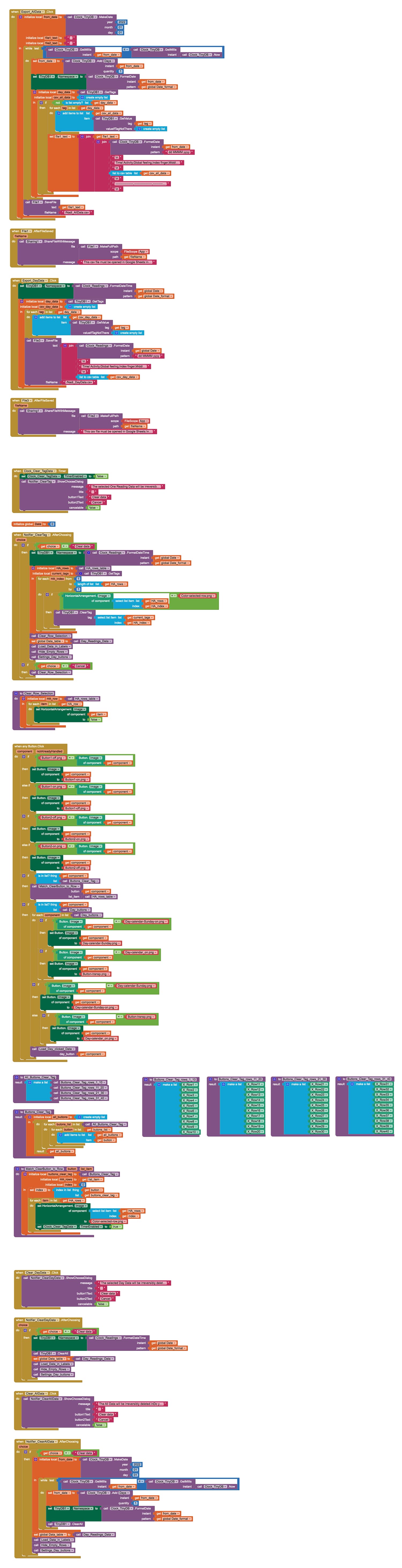
So before clicking the "Clear All Data" button (to check it), could you check all the blocks in my project to see if I can simplify some of them?
This is my last file: Nadi_14.aia (669.2 KB)


 Thank You All!