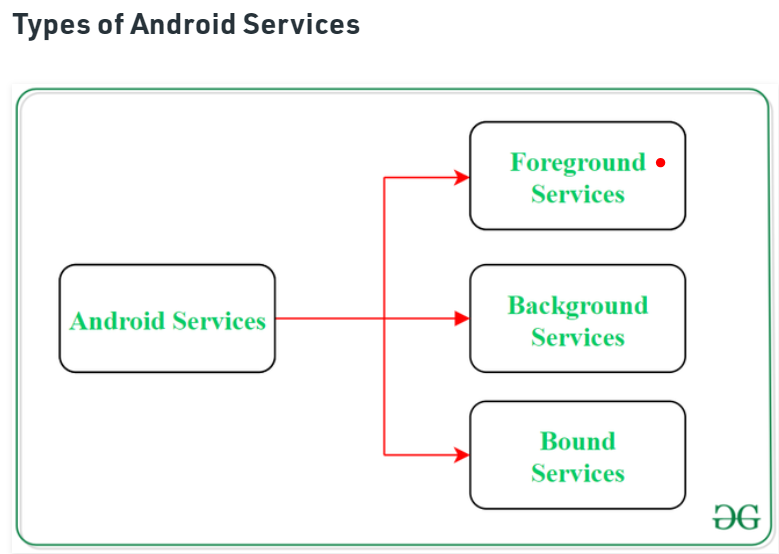
And again: I doubt that this is responsible for preventing Doze mode, but only the Foreground service of the notification.
In other words, IGNORE_BATTERY_OPTIMIZATION has no permanent effect on Doze (especially not on certain devices, like Galaxy Note8, S8, ...). I've tested this extensively (using @Taifun's extension).
It works for some time (which cannot be precisely predicted) and then slows down and then stops completely. I had the same behavior with streaming (radio) apps. After a while, ignoring the battery optimization will no longer be effective and the network connection, CPU, timer etc. will be throttled or terminated. I tested this on my Galaxy Note8, S8 (Android 9).
This problem does not appear on some other test devices. But Samsung devices are still very common, so I needed a general solution. And I found this (as I said) with the Foreground service.
@Anke
It is not a Foreground service because it does not use startForeground, nor does it use "android.permission.FOREGROUND_SERVICE".
It also needs the help of the MediaPlayer, the old idea, to continue working, this should not be needed by a "normal" Service, so the code indicated on the web of tutoril is more of a service workaround.
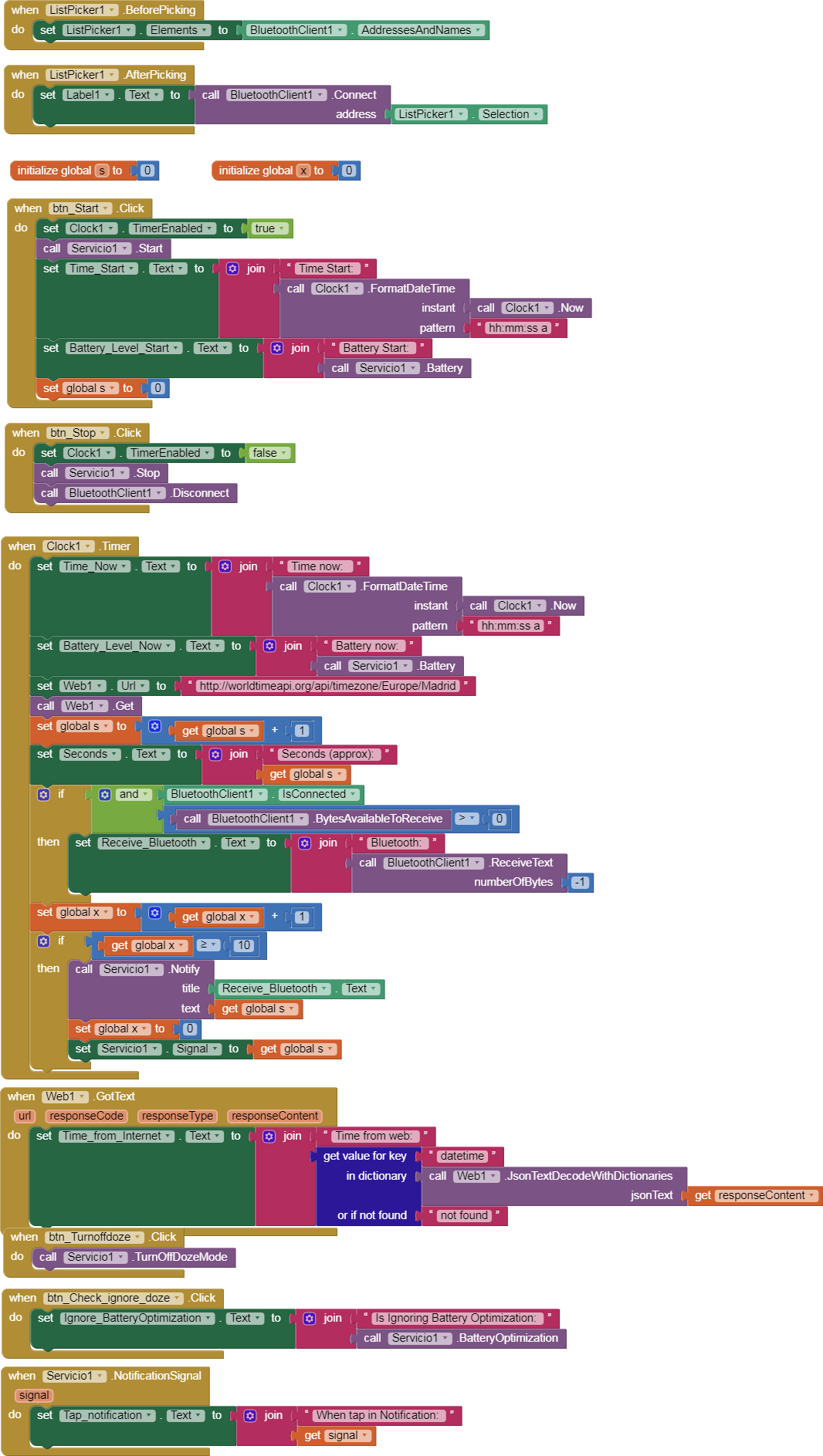
Here's an example from Foreground, although I'm afraid it doesn't work the way we want it either.
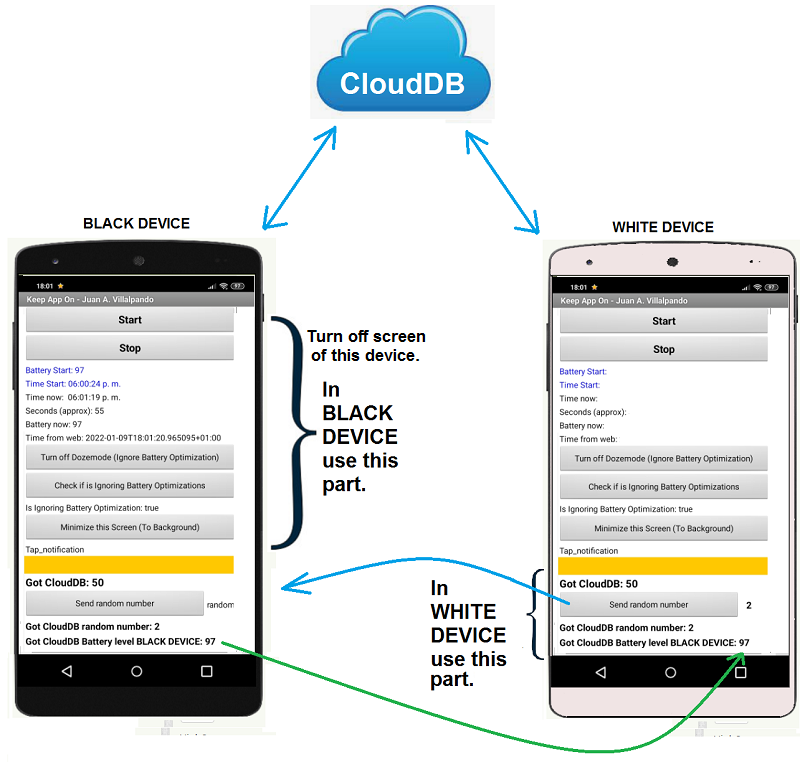
We install the application on a mobile, I'll call it BLACK DEVICE.
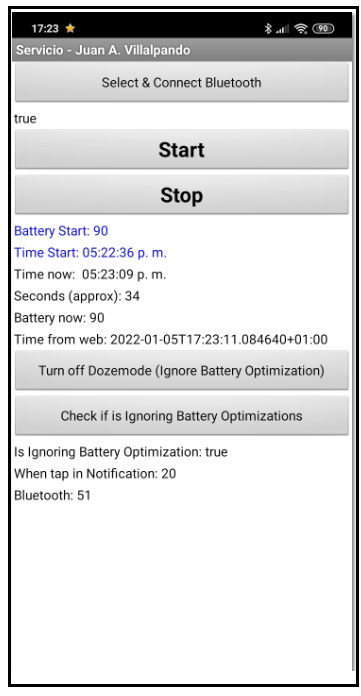
Click on "Start", then on "TurnOffDozemode", then on "Check if is Ignoring Battery Optimization" and on "Minimize this Screen".
We will observe that approximately every second counts one unit.
Now we close the screen, that is, we press the button of the mobile to put it with a black screen, in the sleeping state. So we leave it for 5 ... 10 ... 20 minutes.
In another mobile, I will call it WHITE DEVICE, we load the same application, in this we can do it with the MIT COMPANION or installed.
In this mobile we only press the last button "Send random number", every so often we press this button.
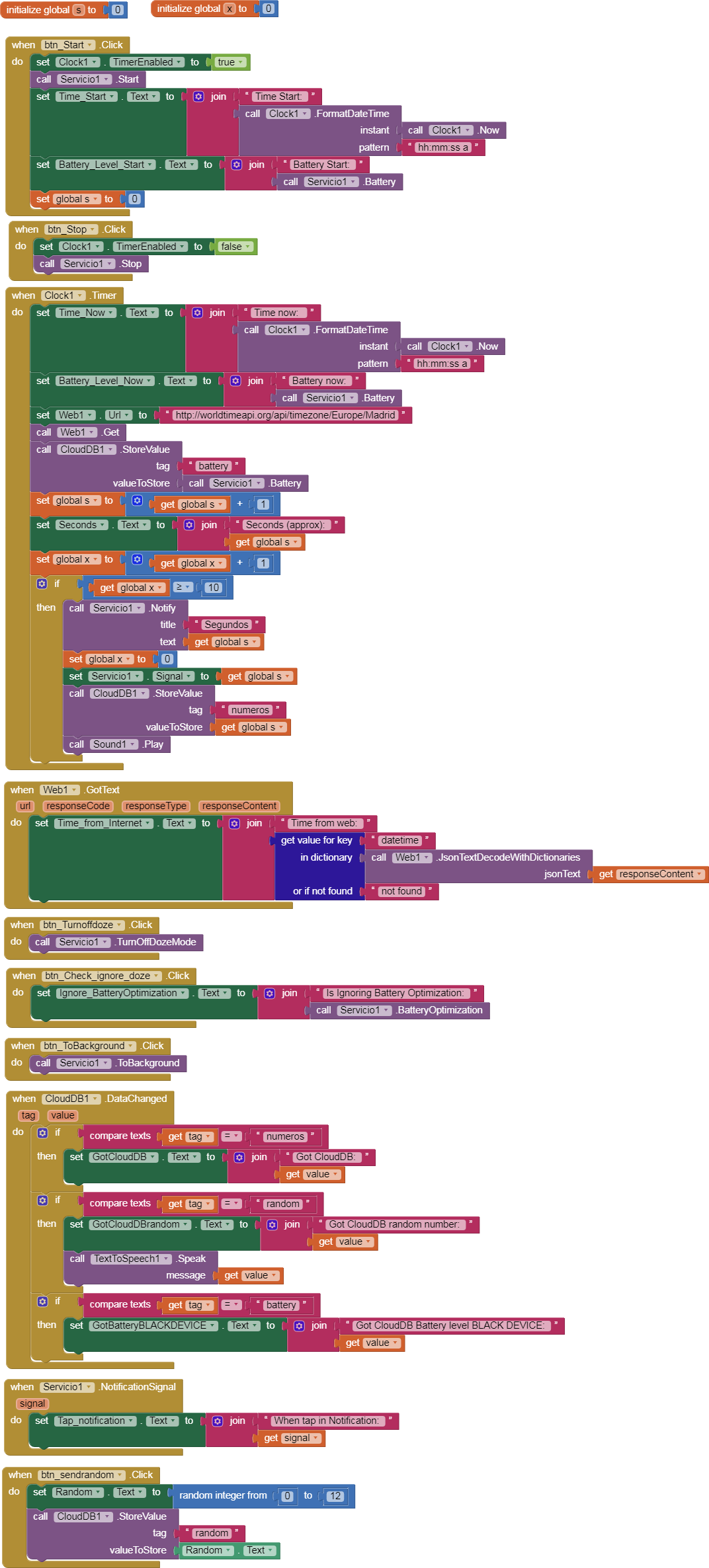
By pressing this button a random number will be sent to CloudDB, this same mobile will receive it and also the BLACK DEVICE, this will speak the number.
If the system works, we can leave the BLACK DEVICE mobile for a long time with a black screen and you will always receive the number sent by the WHITE DEVICE.
I have only tested it on a Xiaomi with Android 9. (Battery consumption with this app: 2.5 % / hour)
Hi Sorry, I would like to inform you that I have tried your .aia file, of this excellent extension, but everything works fine until I put the phone in the dark in suspension.
In fact, when I send a number randomly, the first time it is read remotely, regularly even with the app minimized and the mobile phone suspended, but the second time the number is no longer read remotely.
While, if I don't minimize the App, and put it on hold, everything is going well.
To me, it would be useful for it not only to be able to receive all the numbers that I send randomly but also for the summary to read them, even when the app is minimized, and the mobile phone in suspension.
It's possible? Because currently as I wrote it does not.